
Introduction
The D-Link DMS-108 is an 8-Port 2.5GB Unmanaged Multi-Gigabit Switch designed to enhance network performance for devices requiring high-speed data transfer. This switch is ideal for connecting 2.5G NAS, 2.5G PCIe Adapters, 2.5G Servers, gaming PCs, and Wi-Fi 6 Access Points with 2.5G WAN ports. It features a durable metal housing, fanless design for silent operation, and supports energy-efficient Ethernet (EEE) to reduce power consumption.
This manual provides instructions for setting up, operating, maintaining, and troubleshooting your DMS-108 switch.
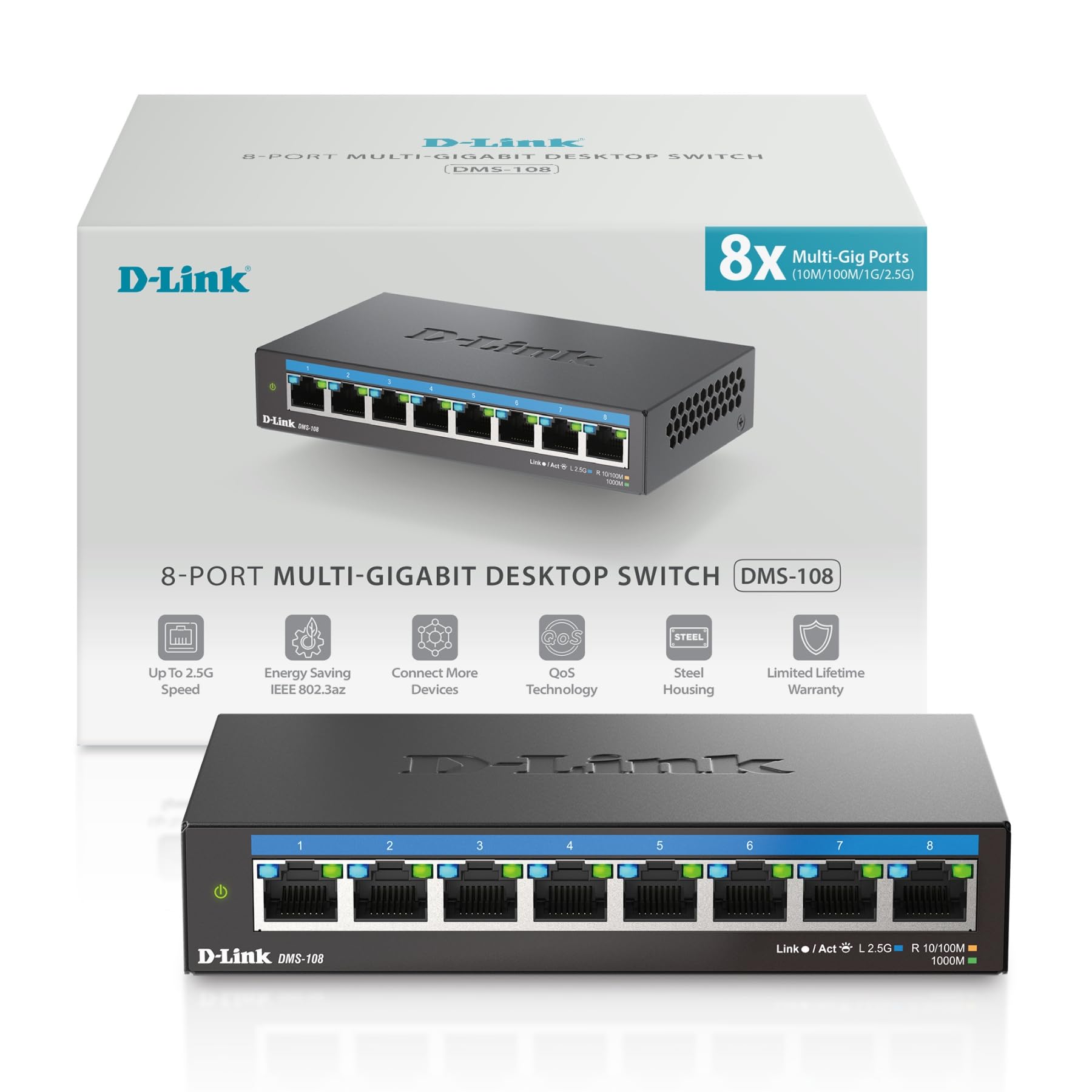 Сүрөт: алдыңкы view of the D-Link DMS-108 switch, showing 8 Ethernet ports and LED indicators.
Пакеттин мазмуну
Пакетиңизде төмөнкү заттар бар экенин текшериңиз:
- D-Link DMS-108 8-Порттук 2.5 ГБ башкарылбаган көп гигабиттик которуу
- Кубаттуу адаптер
- Ыкчам орнотуу көрсөтмөсү (QIG)
Эгер кандайдыр бир нерсе жок же бузулуп калса, жардам алуу үчүн жергиликтүү D-Link сатуучусуна кайрылыңыз.
Жайгашуу
Физикалык орнотуу
The DMS-108 switch can be placed on a desktop or mounted on a wall. Ensure the installation location provides adequate ventilation and is free from excessive heat, humidity, or electromagnetic interference.
Которгучту туташтыруу
- Кубат туташуу: Connect the provided power adapter to the power input port on the rear panel of the DMS-108 switch. Plug the other end of the power adapter into a standard electrical outlet. The power LED on the front panel will illuminate.
 Image: Rear panel of the DMS-108, highlighting the power input (12V===1A), ground screw (SWITCH GND), and Kensington lock slot.
 - Тармактык түзмөктүн туташуусу: Connect your network devices (e.g., computers, NAS, Wi-Fi 6 APs, gaming consoles) to any of the 8 available 2.5 Gigabit Ethernet ports using standard Ethernet cables (Cat5e or Cat6 recommended for optimal performance).
 Image: The D-Link DMS-108 switch demonstrating compatibility with existing Cat5e and Cat6 cables for 2.5x faster transfer rates.
The DMS-108 is a plug-and-play device, requiring no software installation or configuration. It will automatically detect the link speeds of connected devices (100Mb/1G/2.5G) and adjust for optimal performance.
Которгучту иштетүү
LED көрсөткүчтөрү
The front panel of the DMS-108 features LED indicators for each port and for power status. These LEDs provide visual feedback on the switch's operation:
- Power LED: Indicates if the switch is powered on.
- Шилтеме/Акт LED'лери (ар бир порт үчүн):
- Solid Green: Indicates a stable 2.5G network link.
- Solid Blue: Indicates a stable 1G network link.
- Solid Amber: Indicates a stable 100Mb network link.
- Flashing: Indicates network activity (data transmission).
- Өчүк: Шилтеме же түзмөк туташкан жок.
 Сүрөт: деталдуу view of the DMS-108's front panel, highlighting the Link/Act LEDs for each of the 8 ports.
Негизги өзгөчөлүктөрү
- Автоматтык сүйлөшүүлөр: Automatically senses the link speeds of connected devices (100Mb/1G/2.5G) and adjusts for compatibility and optimal performance.
- Кызматтын сапаты (QoS): Allows network traffic to be classified into 8 priority levels, ensuring critical data (e.g., gaming, video streaming) receives preferential treatment.
- Агымды башкаруу: Helps minimize dropped packets during periods of high network congestion, leading to more reliable connections.
- IGMP Snooping: Optimizes multicast data streams, which is beneficial for bandwidth-intensive applications like IPTV, by forwarding multicast traffic only to ports that have requested it.
- Energy-Efficient Ethernet (EEE) (IEEE 802.3az): Reduces power consumption during periods of low network activity, conserving energy and lowering operational costs.
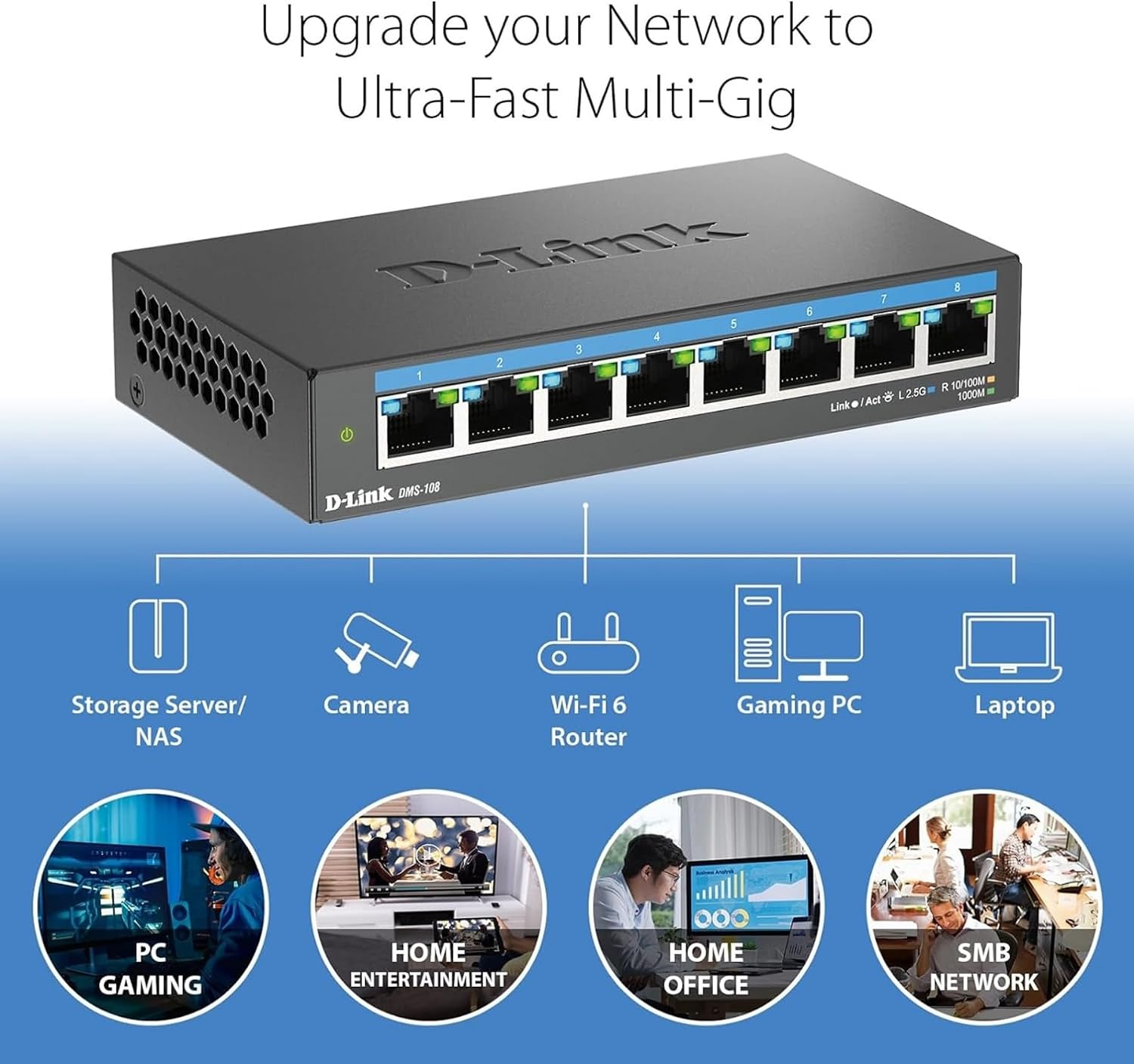 Image: An illustration demonstrating how the DMS-108 switch can upgrade a network to ultra-fast multi-gigabit speeds by connecting various devices.
 Image: The DMS-108 switch highlighting its durable metal casing, silent fanless design, energy-efficient features, and D-Link's 35+ years of experience.
Техникалык тейлөө
To ensure optimal performance and longevity of your D-Link DMS-108 switch, follow these maintenance guidelines:
- Вентиляция: Ensure the switch is placed in a location with adequate airflow. Do not block the ventilation holes on the sides of the device.
- Тазалоо: Periodically clean the exterior of the switch with a soft, dry cloth. Avoid using liquid or aerosol cleaners, as they may damage the device.
- Кабелдик башкаруу: Сигналдын начарлашына жол бербөө үчүн тармак кабелдерин иреттүү жана ийилип кетпеген же ашыкча ийилген абалда кармаңыз.
- Электр камсыздоо: Use only the power adapter provided with the switch. If the power adapter is damaged, contact D-Link support for a replacement.
- Программалык камсыздоонун жаңыртуулары: As an unmanaged switch, the DMS-108 typically does not require firmware updates. However, always refer to the D-Link support website for any specific recommendations.
Проблемаларды чечүү
If you encounter issues with your DMS-108 switch, refer to the following troubleshooting tips:
- Кубат жок:
- Check if the power adapter is securely connected to the switch and the electrical outlet.
- Розетка туура иштеп жатканын башка түзмөктү сайып текшериңиз.
- Өчүргүчтөгү кубаттуулук LED индикатору күйүп турганын текшериңиз.
- Портто шилтеме жок:
- Ethernet кабелинин коммутатордун портуна жана туташкан түзмөккө бекем туташтырылганын текшериңиз.
- Туташкан түзмөктүн кубатталганын жана анын тармак адаптери күйгүзүлгөнүн текшериңиз.
- Кабелдин бузулушуна жол бербөө үчүн башка Ethernet кабелин колдонуп көрүңүз.
- Коммутатордун башка порту менен сынап көрүңүз.
- Check the Link/Act LED for the specific port. If it's off, there's no active connection.
- Жай тармак ылдамдыгы:
- Ensure you are using Cat5e or Cat6 Ethernet cables for 2.5G connections. Older cables (e.g., Cat5) may limit speed.
- Verify that your connected devices support 2.5G Ethernet. The switch will operate at the highest common speed.
- Check the Link/Act LED color for the port to confirm the negotiated speed (Green for 2.5G, Blue for 1G, Amber for 100Mb).
- Reduce network congestion by limiting simultaneous bandwidth-intensive activities.
- Үзгүлтүксүз туташуу:
- Бардык кабелдик байланыштарды боштук же бузулуу үчүн текшериңиз.
- Ensure the switch is not overheating. Provide adequate ventilation.
- Которгучту күчтүү электромагниттик кийлигишүү булактарынын жанына коюудан качыңыз.
If problems persist, contact D-Link Technical Support for further assistance.
Техникалык шарттар
| Өзгөчөлүк | Description |
|---|---|
| Бренд | D-Link |
| Модель номери | DMS-108 |
| Порттардын саны | 8 |
| Интерфейс | RJ45 |
| Маалыматтарды өткөрүү ылдамдыгы | Up to 40 Gigabits Per Second (Switching Capacity) |
| Которуу түрү | Multi-speed or Multi-gigabit Store-and-Forward |
| Иштин материалдык түрү | Металл |
| Түс | Кара |
| Элементтин өлчөмдөрү (L x W x Y) | 5.71"L x 3.34"W x 1.1"H |
| Элемент Салмагы | 0.77 фунт |
| Жогорку температура рейтинги | 40 градус |
| Камтылган компоненттер | Device, Power Supply, QIG |
| UPC | 790069470509 |
Кепилдик маалымат
The D-Link DMS-108 switch comes with a Limited Warranty. For detailed information regarding the terms and conditions of your warranty, please refer to the official D-Link webсайтка же продуктуңузга кошулган кепилдик картасы.
Optional protection plans may be available for purchase, offering extended coverage beyond the standard manufacturer's warranty. Please check with your retailer for details on available protection plans.
Колдоо
For technical support, product registration, or to download the latest documentation and software, please visit the official D-Link support webсайт:
You can also find additional resources and frequently asked questions on the D-Link webсайт.
Продукт видеосу
Watch the official D-Link video for an overview of D-Link Switch Solutions for various environments.