
Hexgears I4-L-CrimsonQuick
Hexgears I4 USB-C Aluminum Gaming Keyboard User Manual
Model: I4-L-CrimsonQuick
Introduction
Thank you for choosing the Hexgears I4 USB-C Aluminum Gaming Keyboard. This mechanical keyboard is designed for performance and customization, featuring Kailh Red Switches, vibrant RGB backlighting, durable PBT keycaps, and a hot-swappable PCB. This manual provides detailed instructions for setup, operation, maintenance, and troubleshooting to ensure optimal use of your new keyboard.

Image: Hexgears I4 Gaming Keyboard with RGB Backlight. This image displays the full layout of the Hexgears I4 keyboard, showcasing its RGB lighting across all keys.
Пакеттин мазмуну
Пакетте бардык буюмдар бар экенин текшериңиз:
- 1 x Hexgears I4 Mechanical Keyboard
- 1 x USB-C кабели
- 1 x Баскыч капкагын тарткыч
- 1 x Которгуч тарткыч
- 1 x User Manual
Орнотуу колдонмосу
Баскычтопту туташтыруу
- Locate the USB-C port on the Hexgears I4 keyboard, typically on the top edge.
- Берилген USB-C кабелинин бир учун клавиатуранын USB-C портуна туташтырыңыз.
- Connect the other end of the USB-C cable to an available USB-A port on your computer (Windows or Mac OS).
- Баскычтоп сиздин операциялык тутумуңуз тарабынан автоматтык түрдө таанылат. Негизги функциялар үчүн, адатта, кошумча драйверлер талап кылынбайт.
Драйверди орнотуу (милдеттүү эмес)
For advanced customization, including macro programming and detailed RGB lighting control, download the Hexgears Driver software from the official Hexgears webсайт. Орнотуу үчүн экрандагы нускамаларды аткарыңыз.
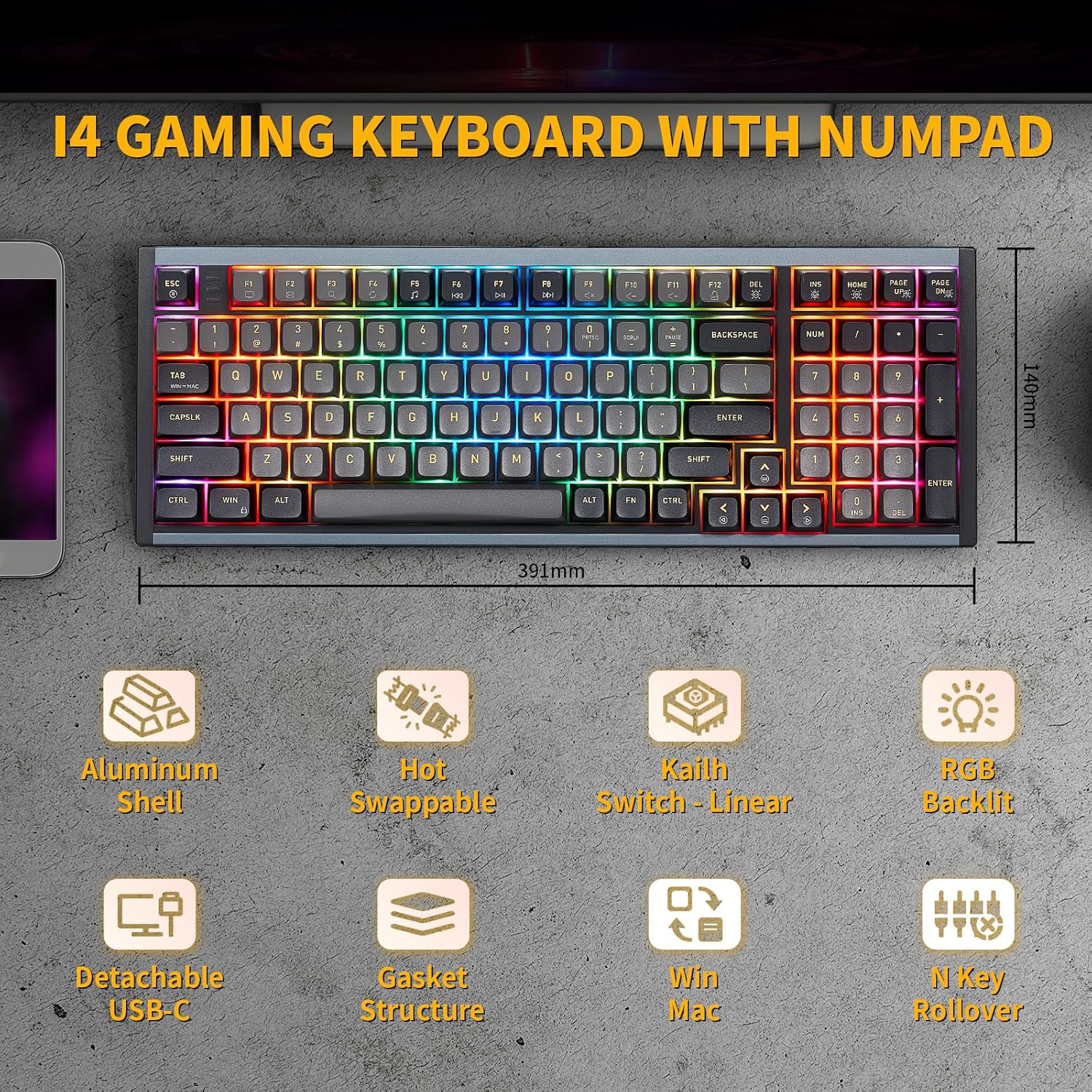
Image: Hexgears I4 Keyboard Dimensions. This image illustrates the physical dimensions of the Hexgears I4 keyboard, including length and width measurements.
Иштөө нускамалары
Негизги баскычтоп функциялары
The Hexgears I4 functions as a standard full-size keyboard. All keys are pre-programmed for their standard functions. The keyboard features N-key rollover (NKRO) for accurate registration of multiple simultaneous keystrokes.
RGB арткы жарыкты башкаруу
The Hexgears I4 features 16.8 million dynamic RGB backlight options. Use the following key combinations to control the lighting effects:
- Fn + Башкы бет: Toggle Backlight constant brightness mode.
- Fn + Page Up: Toggle Backlight breathing mode.
- Fn + Del: Cycle through Backlight effect modes.
- Fn + Page Down: Adjust Backlight brightness.
- Fn + Ins: Cycle through Backlight colors.
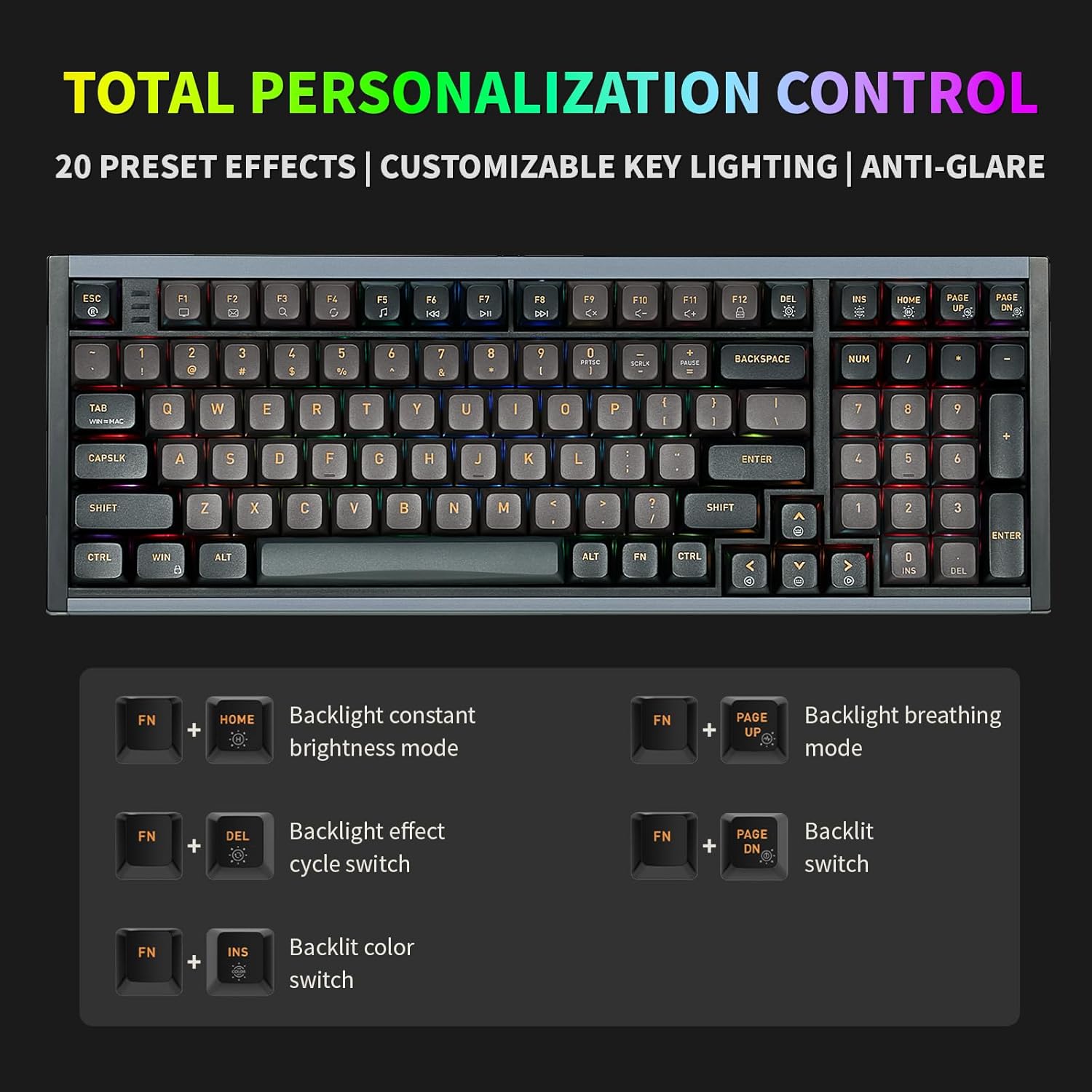
Image: Hexgears I4 RGB Control Key Combinations. This image displays the keyboard with highlighted keys and their corresponding Fn key combinations for controlling RGB lighting effects.
Ыкчам алмаштыруучу которгучтар
The Hexgears I4 is equipped with a hot-swappable PCB, allowing you to change mechanical switches without soldering. It is compatible with most 3-pin and 5-pin mechanical switches.
- Клавиатураны өчүрүп, аны компьютериңизден ажыратыңыз.
- Каалаган клавиатураны акырын алып салуу үчүн берилген клавиатура тарткычын колдонуңуз.
- Use the provided switch puller to carefully grip the switch from its top and bottom clips, then pull it straight up to remove it.
- Жаңы которгучтун төөнөгүчтөрүн ПХБдагы тешиктерге тууралаңыз. Ийилип калбаш үчүн төөнөгүчтөр түз экенин текшериңиз.
- Жаңы которгучту ал чыкылдагыча акырын басыңыз.
- Баскыч капкагын алмаштырыңыз.

Image: Hexgears I4 Hot-Swappable PCB Diagram. This image illustrates the hot-swappable PCB feature, showing how switches can be easily removed and replaced.
Программалануучу баскычтар жана макростар
Utilize the Hexgears Driver software to remap keys, create custom macros, and personalize RGB lighting effects. This allows for advanced customization tailored to your specific needs for gaming or productivity.

Image: Hexgears Driver Software Interface. This image shows the user interface of the Hexgears Driver software, demonstrating options for lighting effects, color selection, and brightness control.
Техникалык тейлөө
Баскычтопту тазалоо
Клавиатуранын көрүнүшүн жана функционалдуулугун сактоо үчүн:
- Тазалоодон мурун клавиатураны компьютерден ажыратыңыз.
- Бир аз жумшак, түксүз кездемени колдонуңуз dampened with water or a mild cleaning solution to wipe down the keycaps and aluminum case.
- Баскыч капкактарынын ортосундагы чаң жана таштанды үчүн кысылган абаны же кичинекей щетканы колдонуңуз.
- Суюктуктарды клавиатурага түздөн-түз чачуудан алыс болуңуз.
Баскычтын капкагын жана которгучун тейлөө
The PBT keycaps are durable, but avoid harsh chemicals. When removing keycaps or switches, use the provided tools to prevent damage to the components or the PCB.
Проблемаларды чечүү
| Маселе | Мүмкүн себеп | Чечим |
|---|---|---|
| Баскычтоп жооп бербей жатат | Бошогон кабель туташуусу, туура эмес USB порту, драйвер маселеси. | Ensure USB-C cable is securely connected. Try a different USB port on your computer. Restart your computer. Reinstall Hexgears Driver if applicable. |
| RGB арткы чырак иштебей жатат же туура эмес иштебей жатат. | Жарыктандыруу режими өчүк, программалык камсыздоонун карама-каршылыгы, электр кубатынын көйгөйү. | Check RGB control key combinations (Fn + keys). Ensure Hexgears Driver is updated. Try connecting to a different USB port. |
| Белгилүү бир ачкычтар катталбайт | Loose switch, faulty switch, debris under keycap. | Remove keycap and switch. Check for debris. Reinsert switch firmly. If issue persists, replace the switch. |
| Макростар иштебей жатат | Incorrect macro programming, driver not running. | Verify macro settings in Hexgears Driver. Ensure the driver software is running in the background. |
Техникалык шарттар
| Өзгөчөлүк | Деталь |
|---|---|
| Модель номери | I4-L-CrimsonQuick |
| Өлчөмдөрү (L x W x Y) | 15.39 x 5.51 x 1.89 дюйм (39.09 x 14.00 x 4.80 см) |
| Элемент Салмагы | 2.66 фунт (1.21 кг) |
| Байланыш | USB-C зымдуу |
| Которуу түрү | Kailh Red Switch (Linear Feel) |
| Клавиатура материалы | PBT (Double-shot) |
| Арткы жарык | RGB (16.8 миллион түстөр) |
| Ыкчам алмаштырылуучу | Yes (Compatible with 3/5 pin mechanical switches) |
| Anti-Ghosting | N баскычтуу оодарылып кетүү (NKRO) |
| Шайкеш OS | Windows, Mac OS |
| Иштин материалы | Алюминий |
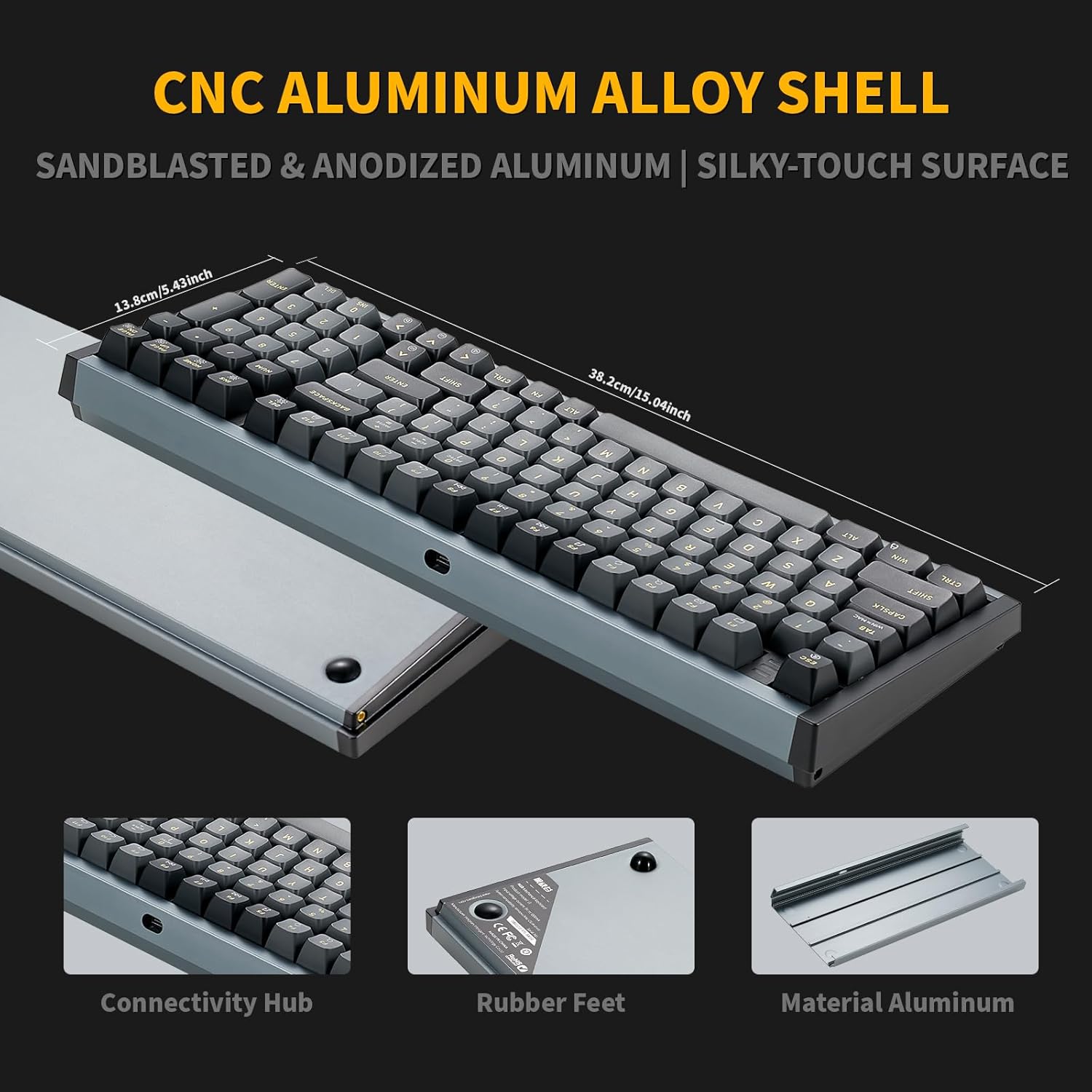
Image: Hexgears I4 Aluminum Shell Detail. This image highlights the sandblasted and anodized aluminum shell of the keyboard, emphasizing its premium finish and durability.

Image: Kailh Crimson Quick Switch Specifications. This image provides details on the Kailh Crimson Quick Switches, including operating force, conduction stroke, and sound level, along with a force-travel diagram.

Image: Hexgears I4 Custom-Built Gasket Structure. This diagram illustrates the internal layers of the keyboard, including PBT keycaps, mechanical switches, locating plate, EVA filling cotton, PCB, axle seat, silicone gasket, and aluminum alloy lower cover, showcasing the custom-built gasket design.
Кепилдик жана колдоо
Кепилдик маалымат
Hexgears products are manufactured to high-quality standards. For specific warranty terms and conditions, please refer to the warranty card included with your product or visit the official Hexgears webсайт. Кепилдик дооматтар үчүн сатып алганыңыздын далилин сактаңыз.
Кардарларды колдоо
If you encounter any issues or have questions regarding your Hexgears I4 keyboard, please contact Hexgears customer support through their official website or the contact information provided in your product documentation. You may also visit the Hexgears Store on Amazon кошумча ресурстар үчүн.
Ask a question about this manual
Ask about setup, troubleshooting, compatibility, parts, safety, or missing instructions. Manuals+ will review the question and use this page’s manual context to help answer it.