
1. Киришүү
Сатып алганыңыз үчүн рахматasing the Akozon Portable DV Camcorder. This manual provides essential information for the safe and effective operation of your device. Please read it thoroughly before use and retain it for future reference.
This camcorder is designed for capturing video and still images, featuring a 1080P video resolution, 16MP photo capability, a 2.7-inch rotating TFT screen, and 16x digital zoom. It is suitable for various recording scenarios, including family events, travel, and personal vlogging.
2. Продукт бүтүп калдыview
2.1 Негизги өзгөчөлүктөрү
- Видеонун чечилиши: 1080P (1920x1080), HD (1280x720), 640x480
- Сүрөттүн чечилиши: 16MP (4608x3456), 12MP, 5MP, 1MP, VGA
- Дисплей: 2.7-inch TFT rotating screen
- Чоңойтуу: 16x Digital Zoom
- Сактагыч: Supports up to 32GB Micro SD card (not included)
- Байланыш: USB port for PC connection and charging
- Өзгөчөлүктөр: Selfie fill light, self-timer (2s/10s), built-in speakers, HD output, recording while charging
2.2 Пакеттин мазмуну
- Akozon Portable DV Camcorder
- Литий батареясы (1020 мАч)
- USB кабели
- Билек боо
- Колдонуучунун Колдонмосу (бул документ)
2.3 Camcorder Components

Figure 2.3.1: Akozon Portable DV Camcorder with included battery and USB cable. This image shows the camcorder, a rechargeable battery, and a USB charging cable, providing a complete view буюмдун жана анын негизги аксессуарларынын мүнөздөмөсү.
- Видео линза: Main lens for capturing images and videos.
- 2.7-inch TFT Rotating Screen: үчүн viewing, playback, and menu navigation. Can be rotated for selfie mode.
- Selfie Fill Light: Provides additional illumination for close-up shots and selfies.
- Кубат баскычы: To turn the camcorder on or off.
- Жаздыруу/Жазуу баскычы: To start/stop video recording or take a photo.
- Масштабды башкаруу элементтери: For digital zoom in/out.
- Меню баскычы: To access settings and options.
- Чабыттоо баскычтары: For moving through menus and selections.
- USB порт: Заряддоо жана компьютерге туташтыруу үчүн.
- Батарея бөлүмү: Houses the rechargeable lithium battery.
- Микро SD карта слоту: Эстутум картасын салуу үчүн.

Сүрөт 2.3.2: Жакын пландан view of the Akozon DV Camcorder's video lens. This image highlights the camcorder's lens, showing details like "VIDEO LENS" and "Aperture 5.0".
3. Орнотуу
3.1 Батареяны орнотуу
- Locate the battery compartment cover on the camcorder.
- Капкакты жылдырыңыз.
- Insert the provided 1020mAh lithium battery, ensuring the correct polarity (+/-) as indicated inside the compartment.
- Батарея уясынын капкагын бекем жабыңыз.
3.2 Эстутум картасын орнотуу
The camcorder requires a Micro SD card (up to 32GB, not included) to store videos and photos.
- Locate the Micro SD card slot, usually near the battery compartment or on the side.
- Insert the Micro SD card with the gold contacts facing down (or as indicated by a diagram near the slot) until it clicks into place.
- To remove, gently push the card in until it clicks again, then release, and it will spring out.
Эскертүү: Ensure the camcorder is powered off before inserting or removing the memory card.
3.3 Алгачкы заряддоо
Before first use, fully charge the camcorder battery.
- USB кабелинин кичинекей учун видеокамеранын USB портуна туташтырыңыз.
- USB кабелинин чоңураак учун USB кубат адаптерине (кошулмада жок) же компьютердин USB портуна туташтырыңыз.
- Кубаттоо индикатору күйөт. Кубаттоо аяктаганда ал өчөт же түсүн өзгөртөт.
Эскертүү: The camcorder supports recording while charging.
4. Иштөө нускамалары
4.1 Күйгүзүү/өчүрүү
- Күйгүзүү үчүн: Экран жарык болгонго чейин Кубат баскычын басып, кармап туруңуз.
- Өчүрүү үчүн: Экран өчүкчө кубат баскычын басып, кармап туруңуз.
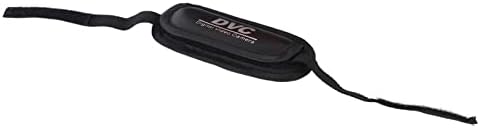
Figure 4.1.1: Akozon DV Camcorder screen displaying the 'Digital Camcorder' startup message. This image shows the camcorder's screen powered on, displaying the initial "Digital Camcorder" text.
4.2 Видеону жаздыруу
- Ensure the camcorder is in video recording mode (check the icon on the screen). If not, use the Mode button (if available) or menu to switch.
- Frame your subject using the rotating TFT screen.
- Press the Record/Shutter button once to start recording. A red indicator or recording timer will appear on the screen.
- Press the Record/Shutter button again to stop recording. The video file Micro SD картага сакталат.
4.3 Сүрөт тартуу
- Ensure the camcorder is in photo capture mode.
- Frame your subject.
- Press the Record/Shutter button once to take a photo. The image will be saved to the Micro SD card.
4.4 Selfie Mode and Fill Light
The rotating screen allows for easy selfie capture. The front-facing fill light can be used for additional illumination.
- Rotate the TFT screen 180 degrees towards yourself.
- To activate the fill light, navigate to the menu settings or use a dedicated button (if available).
- Utilize the self-timer function (2 seconds or 10 seconds) for hands-free photo or video capture. Access this setting via the menu.

Figure 4.4.1: Akozon Portable DV Camcorder with rotating screen displaying a selfie. This image shows the camcorder's screen rotated, capturing a group selfie, demonstrating its selfie capability.
4.5 Ойнотуу
- Enter Playback mode via the Mode button or menu.
- Жаздырылган видеолоруңузду жана сүрөттөрүңүздү карап чыгуу үчүн навигация баскычтарын колдонуңуз.
- Press the Record/Shutter button (or a dedicated Play button) to view тандалган file.
4.6 Connecting to a Computer (PC Mode)
You can connect the camcorder to a computer to transfer files or use it as a PC camera.
- Видеокамера күйгүзүлгөнүн текшериңиз.
- Connect the camcorder to your computer using the provided USB cable.
- The camcorder screen may display options like "Mass Storage" (for file transfer) or "PC Camera". Select the desired mode using the navigation buttons and confirm.
- If "Mass Storage" is selected, the camcorder will appear as a removable drive on your computer, allowing you to copy files.
- If "PC Camera" is selected, the camcorder can be used as a webcam with compatible software.
5. Техникалык тейлөө
- Тазалоо: Use a soft, dry cloth to clean the camcorder body. For the lens, use a specialized lens cleaning cloth and solution. Avoid harsh chemicals.
- Сактагыч: Видеокамераны салкын, кургак жерде, күндүн түз нурунан жана өтө жогорку температурадан алыс сактаңыз. Узак убакытка сактасаңыз, батареясын алып салыңыз.
- Батареяга кам көрүү: Do not expose the battery to high temperatures or disassemble it. Recharge the battery regularly, even if not in use, to maintain its lifespan.
- Эстутум картасы: Periodically back up your files from the Micro SD card to a computer or other storage device.
6. Кыйынчылыктарды
| Көйгөй | Мүмкүн себеп | Чечим |
|---|---|---|
| Видеокамера күйбөйт. | Батарея түгөнүп калган же туура эмес орнотулган. | Батареяны толук заряддаңыз. Батарея туура полярдуулук менен салынганын текшериңиз. |
| Видео жаздыруу/сүрөткө тартуу мүмкүн эмес. | No Micro SD card inserted, card full, or card error. | Micro SD картаны салыңыз. Керексизин өчүрүңүз files or replace the card. Format the card (this will erase all data). |
| Computer does not recognize camcorder via USB. | Incorrect USB mode selected, faulty cable, or driver issue. | Ensure "Mass Storage" or "PC Camera" mode is selected on the camcorder. Try a different USB port or cable. Restart both camcorder and computer. |
| Сүрөт/видео сапаты начар. | Жетишсиз жарык, кир линза же туура эмес орнотуулар. | Ensure adequate lighting. Clean the lens. Check resolution settings in the menu. |
7. Техникалык шарттар
| Өзгөчөлүк | Спецификация |
|---|---|
| Модель номери | Akozon3v6tcg2u7b-12 |
| Бренд | Акозон |
| Image Sensor Technology | CMOS |
| Видео жаздыруу чечими | 1080p (FHD), HD, 640x480 |
| Effective Capture Resolution | 16 мегапиксел |
| Flash эс тутум түрү | Micro SD (supports up to 32GB) |
| Видео тартуу форматы | AVI |
| Сүрөт форматы | JPEG |
| Screen Size | 2.7 Inches (TFT rotating screen) |
| Digital Zoom | 16x |
| Байланыш технологиясы | USB |
| Өзгөчөлүктөр | Selfie fill light, Rotating screen |
| Батарея | 1020 мАч литий батареясы (кошулган) |
| Авто таймер | 2 секунд, 10 секунд |
| TV OUT | NTSC 30fps, PAL 25fps |
| Продукциянын өлчөмдөрү | 12.5 x 10.5 x 7.2 см; 210 грамм |
| Келип чыккан өлкө | Кытай |
8. Кепилдик жана колдоо
For warranty information and technical support, please refer to the documentation provided at the time of purchase or contact your retailer. You may also visit the official Akozon webкошумча жардам үчүн сайт.
Сураныч, кепилдик дооматтар үчүн сатып алуу далилиңизди сактап коюңуз.