
1. Киришүү
This manual provides detailed instructions for the proper use and maintenance of your Micool DY20PLUS Bluetooth Earpiece. Please read this manual thoroughly before using the product to ensure safe and efficient operation. The Micool DY20PLUS is a single-ear Bluetooth headset designed for clear communication, featuring noise cancellation and extended talk time.
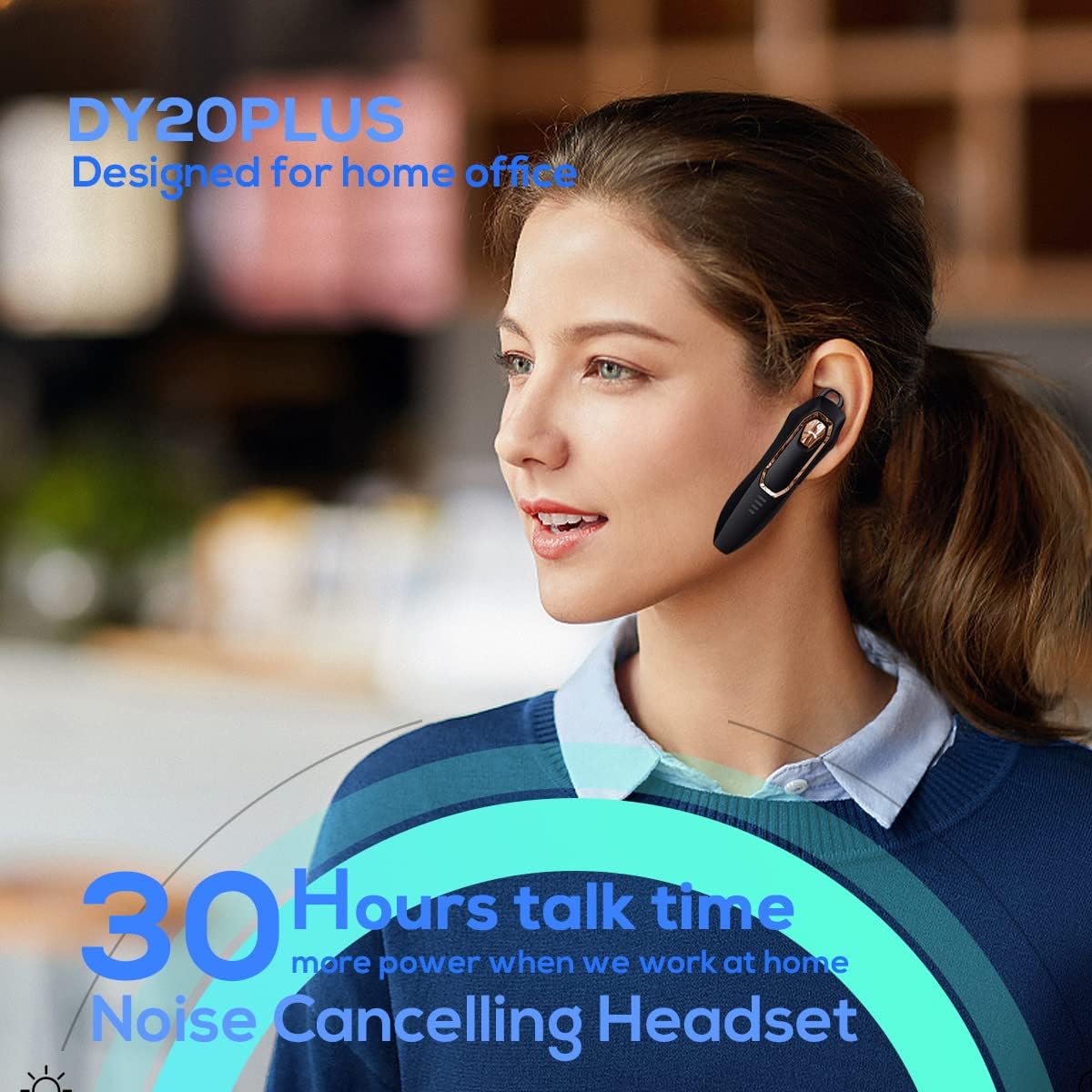
Figure 1: Micool DY20PLUS Bluetooth Earpiece
Видео 1: Бүттүview of Micool Bluetooth Headset features, including noise cancellation and long battery life.
2. Пакеттин мазмуну
Сураныч, пакетте төмөнкү нерселерди текшериңиз:
- Micool DY20PLUS Bluetooth Earpiece
- USB заряддоо кабели
- Ear Hooks (various sizes)
- User Manual
3. Продукт бүтүп калдыview
Familiarize yourself with the buttons and indicators on your Micool DY20PLUS earpiece:

Figure 2: Earpiece controls and functions.
- MFB (көп функциялуу баскыч): Күйгүзүү/өчүрүү, ойнотуу/тыныгуу, чалууларга жооп берүү/аяктоо.
- Үнүн жогорулатуу (+): Үнүн жогорулатуу, кийинки трек (узун басуу).
- Үнүн төмөндөтүү (-): Үндү азайтуу, мурунку трек (узак басуу).
- Үнсүз баскычы: Mute/unmute microphone during a call.
- LED көрсөткүчү: Кубаттоону, жупташтырууну жана кубаттоо абалын көрсөтөт.
- Заряддоо порту: заряддоо үчүн USB порту.
4. Орнотуу
4.1 Кулакчынды кубаттоо
Before first use, fully charge the earpiece. Connect the provided USB charging cable to the earpiece's charging port and a USB power source. The LED indicator will show charging status and turn off when fully charged. A full charge provides up to 30 hours of talk time.
4.2 Bluetooth жупташтыруу
To connect your Micool DY20PLUS earpiece to your mobile phone or other Bluetooth-enabled device:
- Ensure the earpiece is turned off.
- Press and hold the MFB until the LED indicator flashes red and blue alternately, indicating pairing mode.
- Түзмөгүңүздө Bluetooth иштетиңиз жана жеткиликтүү түзмөктөрдү издеңиз.
- Select "DY20PLUS" from the list of devices.
- Туташтырылгандан кийин, LED индикатору акырындык менен көк болуп жанат.
The earpiece supports connecting to two devices simultaneously. After pairing with the first device, disable Bluetooth on it, then pair with the second device. Re-enable Bluetooth on the first device, and both should connect.
Video 2: Demonstrates Bluetooth pairing and setting up the "Speak Caller's Name" function using the RealTTS app.
5. Иштөө нускамалары
5.1 Күйгүзүү/өчүрүү
- Күйгүзүү: Press and hold the MFB for approximately 3 seconds until the LED indicator flashes blue.
- Өчүрүү: Press and hold the MFB for approximately 3 seconds until the LED indicator flashes red and then turns off.
5.2 Чалууларды башкаруу
- Чакырууга жооп берүү: Short press the MFB once.
- Чакырууну аяктоо: Short press the MFB once during a call.
- Чакырууну четке кагуу: MFB баскычын 2 секунд басып туруңуз.
- Үнсүз/Ачуу: Short press the dedicated Mute button during a call.
- Switch Call Audio: During a call, you can switch the audio output between the earpiece and your phone. Refer to your phone's call interface for this option.
5.3 Музыканы ойнотуу
- Ойнотуу/тындыруу: Short press the MFB once.
- Кийинки трек: Үндү жогорулатуу (+) баскычын көпкө басыңыз.
- Мурунку трек: Үндү азайтуу (-) баскычын көпкө басыңыз.
5.4 Үндү башкаруу
- Көлөмүн жогорулатуу: Үндү жогорулатуу (+) баскычын кыска басыңыз.
- Көлөмдү азайтуу: Үндү азайтуу (-) баскычын кыска басыңыз.
5.5 Үн жардамчысы
Double-tap the MFB to activate your device's voice assistant (Siri, Cortana, Bixby, Google Assistant, etc.). This allows for hands-free control of your connected device.
6. Техникалык тейлөө
- Keep the earpiece dry. Do not expose it to extreme temperatures.
- Clean the earpiece with a soft, dry cloth. Avoid using harsh chemicals.
- Store the earpiece in a cool, dry place when not in use.
- Кулакчынды түшүрүп алуудан же катуу соккуга кабылтуудан алыс болуңуз.
7. Кыйынчылыктарды
| Көйгөй | Мүмкүн себеп | Чечим |
|---|---|---|
| Күйгүзүлбөй жатат | Батарея аз | Charge the earpiece fully. |
| Түзмөк менен жупташтыруу мүмкүн эмес | Earpiece not in pairing mode; Bluetooth off on device; too far apart. | Ensure earpiece is in pairing mode (flashing red/blue). Turn on Bluetooth on your device. Keep devices within 1 meter during pairing. |
| Үн жок же үн сапаты начар | Volume too low; earpiece not selected as audio output; interference. | Adjust volume on both earpiece and device. Check device's audio output settings. Move away from sources of interference. |
| Caller's name not announced | RealTTS app not installed or permissions not granted. | Download and install the "RealTTS" app. Ensure Bluetooth and contact access permissions are granted to the app. |
8. Техникалык шарттар
| Өзгөчөлүк | Деталь |
|---|---|
| Модель аты | DY20PLUS |
| Бренд | Micool |
| Bluetooth версиясы | 5.0 |
| Зымсыз диапазон | 50 метрге чейин (150 фут) |
| Talk Time | 30 саатка чейин |
| Noise Control | Active Noise Cancellation (2 Microphones) |
| Салмагы | 12г (Ультра жарык) |
| Шайкештик | Bluetooth-enabled devices (phones, laptops, tablets) |
| Материал | Пластик |
| UPC | 768399519588 |
9. Кепилдик жана колдоо
Micool products come with a standard manufacturer's warranty. For specific warranty details, please refer to the warranty card included in your product packaging or visit the official Micool website. If you encounter any issues or require technical assistance, please contact Micool customer support through their official channels.