
1. Продукт бүтүп калдыview
The LENCENT 100W GaN3 Universal Travel Adapter is a versatile charging solution designed for international travel. It features a universal AC outlet, two USB-C ports, and two USB-A ports, allowing for simultaneous charging of multiple devices. Equipped with advanced GaN III technology, it offers efficient and fast charging in a compact form factor.

Image: LENCENT 100W GaN3 Universal Travel Adapter, showcasinанын бир нече порттору жана компакттуу дизайны.
2. Коопсуздук боюнча маанилүү маалымат
WARNING: This adapter is NOT a voltage конвертер. Бул томду өзгөртпөйтtagд. Түзмөктөрүңүздүн жергиликтүү т.бtage (100-250V) before use. Failure to do so may damage your devices or the adapter.
- Do not exceed the maximum load of 2500W (at 250V) or 10A.
- Equipped with integrated double 10A fuses for overload protection.
- Features a safety valve to prevent accidental contact with live parts.
- Constructed from fire-resistant materials.
- Балдар жетпеген жерде сактаңыз.
- Do not expose to liquids or extreme temperatures.
- Do not disassemble or attempt to repair the adapter.
3. Орнотуу жана сайгычты тандоо
The LENCENT Universal Travel Adapter includes interchangeable plugs for various regions. To select the appropriate plug:
- Identify the required plug type for your destination (e.g., US, UK, EU, AUS).
- Slide the corresponding plug selector switch on the side of the adapter to extend the correct pins. Ensure the pins are fully extended and locked into place before use.
- To retract a plug, slide the selector switch back.

Image: Diagram illustrating the different international plug types (EU, UK, US, AUS) supported by the adapter.

Image: Visual representation of the universal AC socket, compatible with over 200 countries and various plug types (A, B, C, O, E/F, G, I, J, L, N).
4. Иштөө нускамалары
This adapter allows you to charge up to five devices simultaneously using its universal AC outlet, two USB-C ports, and two USB-A ports.
4.1 Электр розеткасына туташтыруу
- Ensure the correct plug type is extended for your destination.
- Insert the adapter firmly into the wall outlet.
4.2 Заряддоо түзүлүштөрү
- Universal AC Outlet: Plug in devices such as laptops, electric toothbrushes, shavers, or cameras. This outlet supports up to 2500W (at 250V).
- USB-C Ports (C1, C2): Connect USB-C compatible devices for fast charging. USB-C1 supports up to 100W Max. When both C1 and C2 are used, C1 provides 65W and C2 provides 35W.
- USB-A Ports (A1, A2): Connect standard USB-A devices. Each USB-A port provides up to 18W.
The adapter intelligently identifies connected devices and delivers optimal charging current for fast and safe charging.

Image: The adapter connected to a wall outlet, fast charging a laptop via USB-C, demonstrating its 100W capability.

Image: The adapter in use, charging multiple devices (phone, laptop, landline phone base) simultaneously from a single wall outlet.
5. Техникалык тейлөө
- Clean the adapter with a dry, soft cloth. Do not use liquid cleaners.
- Адаптерди колдонбогондо салкын, кургак жерде сактаңыз.
- Адаптерди кулап же катуу таасирлерге дуушар кылуудан качыңыз.
- The adapter includes a replaceable 10A fuse. If the adapter stops working, check and replace the fuse if necessary. A spare fuse is typically included.
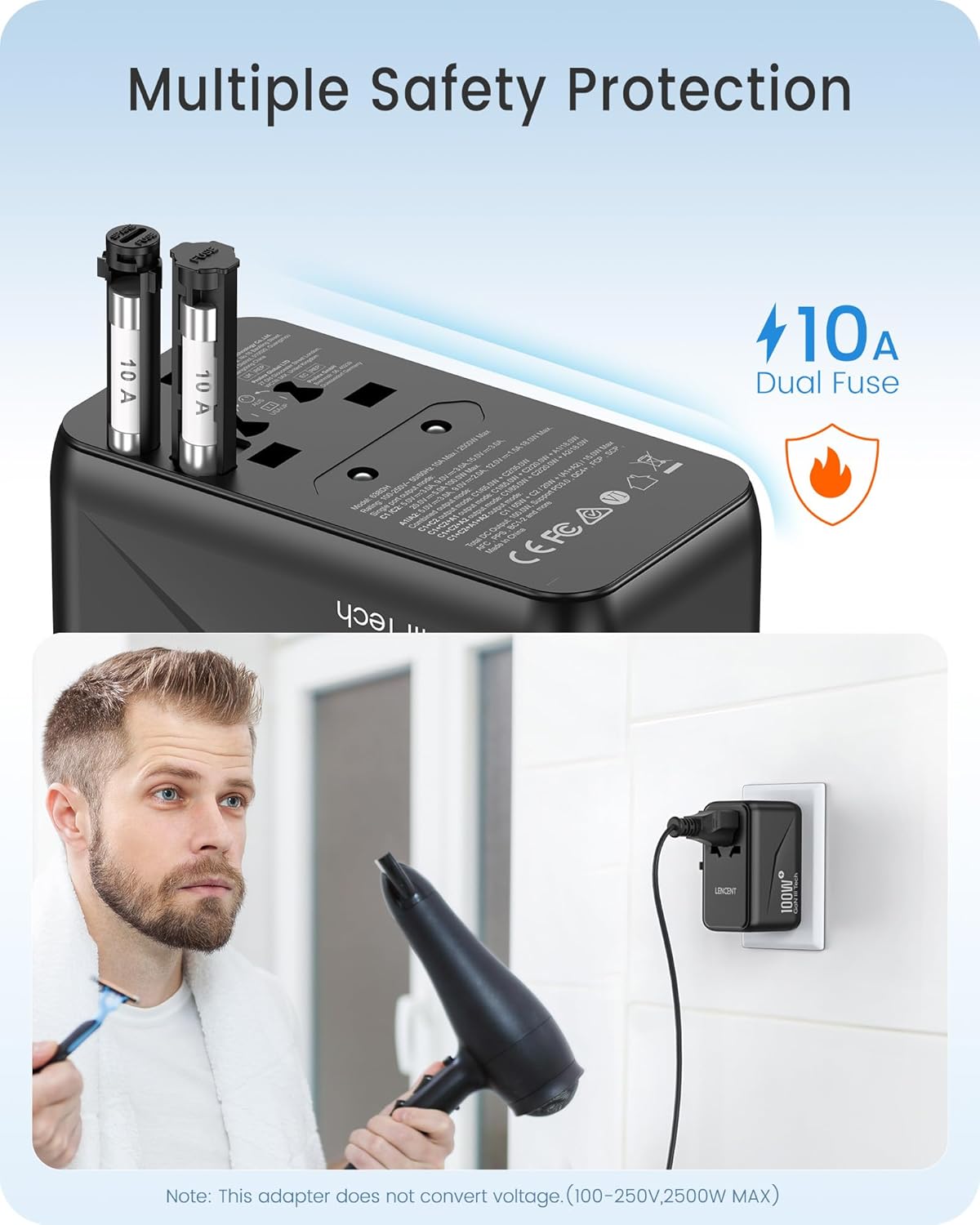
Сүрөт: Жакын план view of the adapter's side, highlighting the dual 10A fuses for safety and overload protection.
6. Кыйынчылыктарды
- Adapter not working:
- Адаптер розеткага толугу менен сайылганын текшериңиз.
- Verify that the correct plug pins are fully extended and locked.
- Check if the device connected to the adapter is functioning correctly.
- Inspect the fuse. If blown, replace it with a new 10A fuse.
- Түзмөк кубатталбай жатат же жай заряддалбай жатат:
- Ensure your device's charging cable is securely connected to both the adapter and the device.
- Confirm that your device is compatible with the adapter's output specifications (voltage жана ватtagжана).
- If charging multiple devices, the total power output is shared. Disconnect some devices to see if charging speed improves for a specific device.
- Ашыкча ысып кетүү:
- Disconnect all devices and unplug the adapter from the wall. Allow it to cool down.
- жалпы ват камсыз кылууtage of connected devices does not exceed the adapter's maximum capacity (2500W).
- Адаптердин айланасында жетиштүү желдетүүнү камсыз кылыңыз.
7. Техникалык шарттар
| Модель номери | 638DH |
| Киргизүү көлөмүtage | 100-250V ~ 50/60Hz |
| AC Output | 100-250V ~ 10A Max, 2500W Max |
| USB-C1 чыгышы | 5V/3A, 9V/3A, 12V/3A, 15V/3A, 20V/5A (100W макс) |
| USB-C2 чыгышы | 5V/3A, 9V/3A, 12V/2.9A (35W макс) |
| USB-A1/A2 чыгышы | 5V/3A, 9V/2A, 12V/1.5A (18W макс) |
| Жалпы USB чыгышы | 100W макс |
| Өлчөмдөрү (L x W x Y) | 3.62 x 2.13 x 2.09 дюйм (9.2 x 5.4 x 5.3 см) |
| Элемент Салмагы | 9.5 унция (268 грамм) |
| Технология | GaN III, PD 3.0, QC 4.0, PPS |
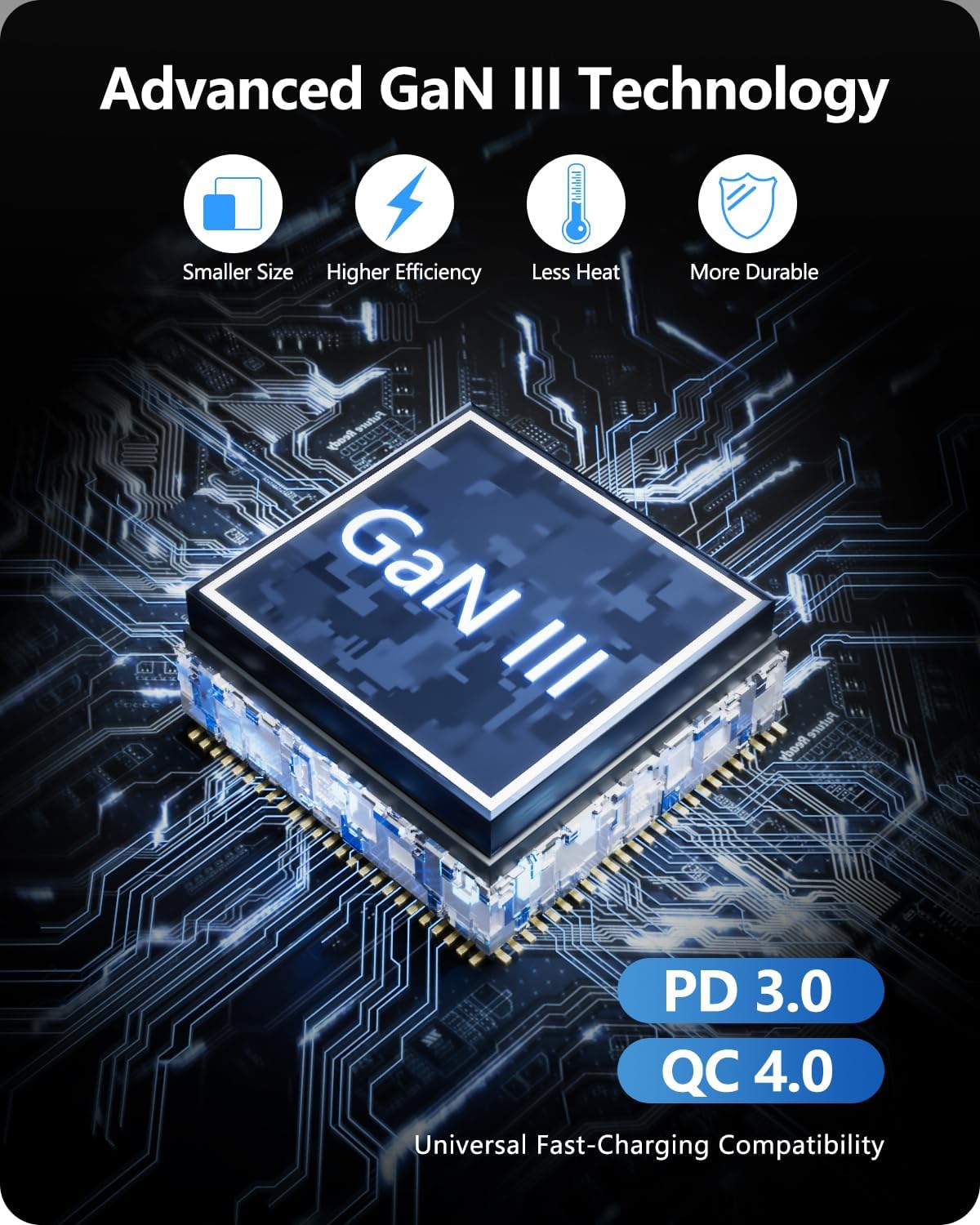
Image: Diagram illustrating the benefits of GaN III Technology: smaller size, higher efficiency, less heat, and increased durability.

Image: The adapter next to a smartphone, tablet, and smartwatch, emphasizing its compact size (2.05*3.62*2.09 inches).
8. Кепилдик жана колдоо
LENCENT products are manufactured with quality and reliability in mind. For warranty information or technical support, please refer to the official LENCENT website or contact their customer service directly. Please retain your proof of purchase for any warranty claims.
Өндүрүүчү: LENCENT Technology Co.,Ltd.
Кошумча жардам алуу үчүн, баш багыңыз LENCENT Store on Amazon.