
seenda SK38-3
seenda SK38-3 Wireless Keyboard Mouse Set User Manual
Model: SK38-3 | Brand: seenda
1. Киришүү
This manual provides detailed instructions for the setup, operation, maintenance, and troubleshooting of your seenda SK38-3 Wireless Keyboard Mouse Set. Please read this manual thoroughly before using the product to ensure proper function and longevity.
The seenda SK38-3 Wireless Keyboard Mouse Set features an ultra-thin design, rechargeable batteries, and a 2.4 GHz wireless connection for reliable performance. It includes a full-size keyboard with multimedia keys and an ergonomic mouse with adjustable DPI settings and silent click buttons.
2. Пакеттин мазмуну
Төмөндө тизмеленген нерселердин баары пакетиңизге камтылганын текшериңиз:
- 1 x Зымсыз баскычтоп
- 1 x зымсыз чычкан
- 1 x USB Receiver (located on the back of the mouse)
- 1 x Micro USB заряддоо кабели
- 1 x Silicone Dust Cover
- 1 х Колдонуучунун колдонмосу (бул документ)

Image: The seenda SK38-3 Wireless Keyboard and Mouse Set, showing the full-size keyboard and ergonomic mouse.
3. Орнотуу
3.1 Аппараттарды заряддоо
Both the keyboard and mouse are equipped with built-in rechargeable lithium batteries. Before first use, it is recommended to fully charge both devices.
- Connect the micro USB charging cable to the charging port on the keyboard and mouse.
- USB кабелинин экинчи учун USB кубат булагына туташтырыңыз (мисалы, компьютердин USB порту, USB дубал адаптери).
- Заряддоо индикатору кубаттоо учурунда күйөт жана толук заряддалганда өчөт.
Charging time is approximately 2 hours. A full charge provides at least 50 hours of continuous operation or 200 hours of standby time.
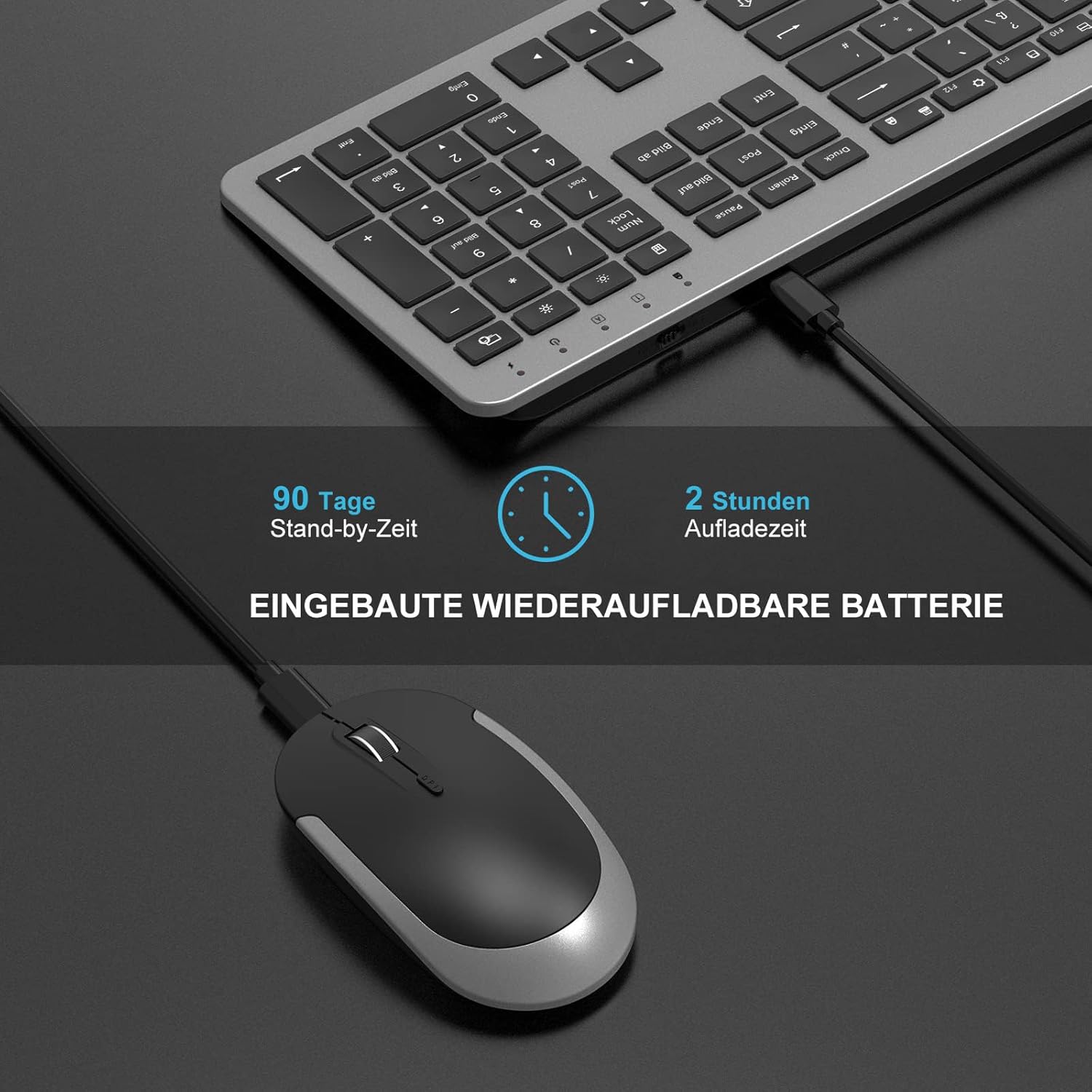
Image: The wireless keyboard and mouse connected to a charging cable, illustrating the charging process. The image also indicates a 90-day standby time and 2-hour charging time.
3.2 Түзмөктөрдү туташтыруу
Клавиатура жана чычкан бир USB кабыл алгыч аркылуу зымсыз туташат.
- Locate the USB receiver. It is stored in a compartment on the back of the wireless mouse.
- Чычкандан USB кабыл алгычты алып салыңыз.
- Plug the USB receiver into an available USB port on your computer (PC, laptop, Smart TV).
- Turn on the keyboard and mouse using their respective ON/OFF switches. The ON/OFF switch for the mouse is located on its underside.
The devices are plug-and-play and should connect automatically. No additional software or drivers are typically required.

Image: A laptop with the USB receiver plugged in, demonstrating the 2.4 GHz wireless connection. The image highlights the plug-and-play functionality and compatibility with Windows 7, 8, XP, Vista, 10 or higher. Note: Not compatible with Mac OS systems.

Image: Close-up of the underside of the wireless mouse, pointing out the ON/OFF switch and illustrating the scissor-foot key structure of the keyboard for quiet clicks.
4. Иштөө нускамалары
4.1 Баскычтоптун функциялары
The keyboard features a standard QWERTZ layout with a full numeric keypad and dedicated multimedia keys. The scissor base of the keyboard keys makes typing comfortable.
- Мультимедиа ачкычтары: Access media controls such as play/pause, volume up/down, mute, and internet browser with a single touch.
- Функция (Fn) баскычы: Use in combination with F-keys for additional functions (e.g., F1-F12).
- Индикатор жарыктары: The keyboard has indicator lights for Power, Pairing, Caps Lock, Num Lock, and Fn Lock.
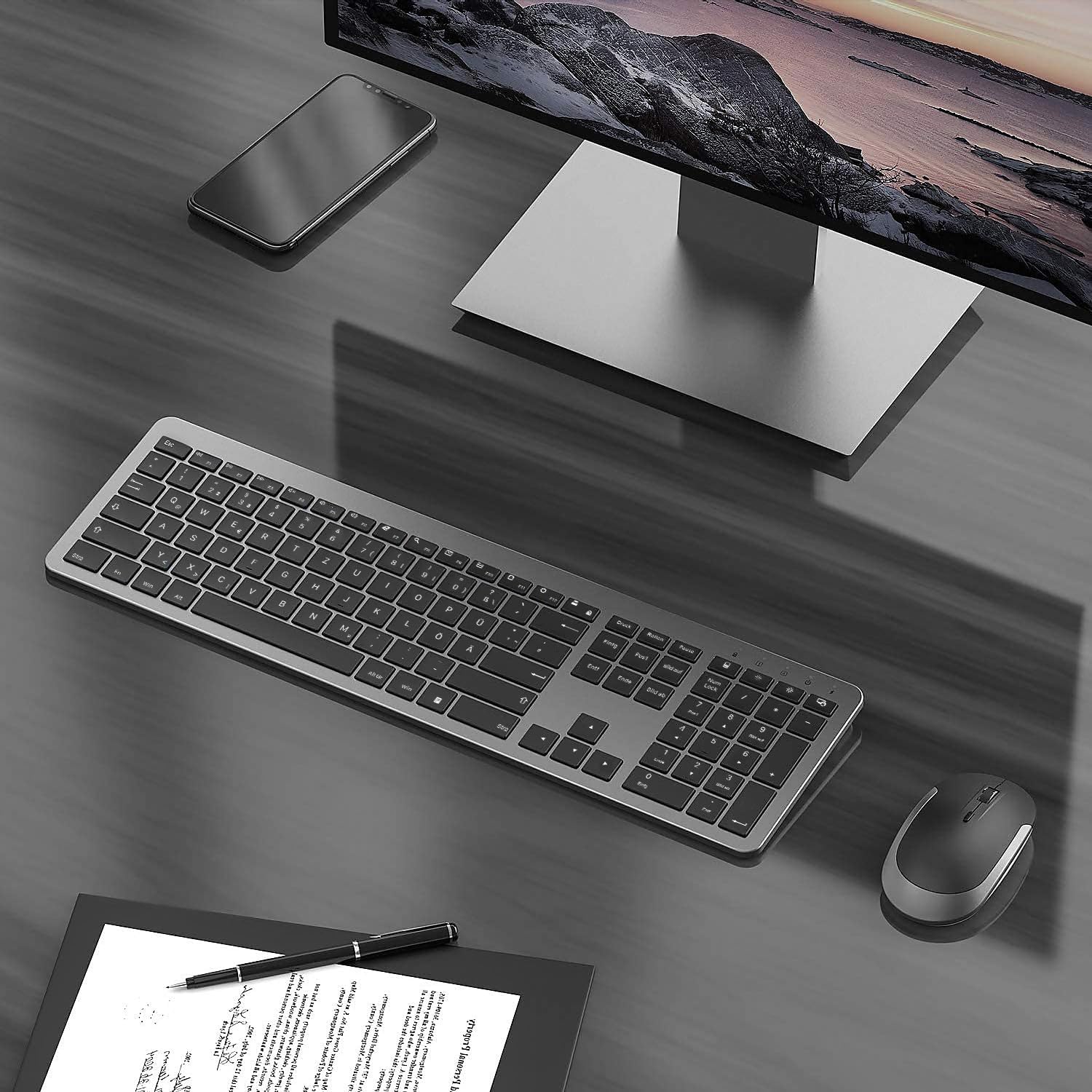
Сүрөт: Жогорку view of the seenda wireless keyboard and mouse, highlighting the indicator lights for power, pairing, Caps Lock, Num Lock, and Fn Lock on the keyboard.
4.2 Чычкан функциялары
The ergonomic mouse provides precise control and quiet operation.
- Жөнгө салынуучу DPI: The mouse has 3 adjustable DPI levels (800/1200/1600). Press the DPI button (usually located near the scroll wheel) to cycle through the settings and adjust cursor speed.
- Унчукпай чыкылдатуу: The mouse buttons are designed to reduce click noise by 98%, ensuring a quiet working environment.
- Жылдыруу дөңгөлөгү: For smooth navigation through documents and web барактар.

Image: Close-up of the seenda wireless mouse, illustrating its silent click feature and the adjustable DPI settings (800/1200/1600).
5. Техникалык тейлөө
To ensure the longevity and optimal performance of your seenda Wireless Keyboard Mouse Set, follow these maintenance guidelines:
- Тазалоо: Баскычтоптун жана чычкандын беттерин тазалоо үчүн жумшак, кургак чүпүрөктү колдонуңуз. өжөр кир үчүн, бир аз гamp чүпүрөк колдонсо болот, бирок аппараттарга суюктук кирбесин.
- Чаң капкагы: Utilize the included silicone dust cover to protect the keyboard from dust and spills when not in use.
- Сактагыч: Түзмөктөрдү күн нурунан жана экстремалдык температурадан алыс салкын, кургак жерде сактаңыз.
- Батареяга кам көрүү: Recharge the devices regularly. Avoid completely draining the battery frequently, as this can reduce battery lifespan.
6. Кыйынчылыктарды
If you encounter issues with your seenda Wireless Keyboard Mouse Set, refer to the following common solutions:
6.1 Connection Issues (Keyboard or Mouse Not Responding)
- Батарея деңгээлин текшерүү: Ensure both the keyboard and mouse are sufficiently charged. Recharge if necessary.
- Verify USB Receiver: USB кабыл алгыч компьютериңиздеги иштеген USB портуна бекем сайылганын текшериңиз. Башка USB портун колдонуп көрүңүз.
- Power Cycle: Turn off both the keyboard and mouse using their ON/OFF switches, then turn them back on.
- Кайра жупташтыруу: If the connection is lost, you may need to re-pair the devices with the USB receiver.
Re-pairing Procedure:
A. To Re-pair the Keyboard:
- USB ресиверди компьютериңизден ажыратыңыз.
- Turn on the keyboard. Press and hold the Esc жана Q keys simultaneously for about 5 seconds. The LED light on the keyboard will flash quickly.
- Plug the USB receiver back into your computer and place the keyboard as close as possible to the USB receiver. The pairing should complete.
B. To Re-pair the Mouse:
- USB ресиверди компьютериңизден ажыратыңыз.
- Turn on the mouse. Press and hold the scroll wheel and the right mouse button simultaneously for about 5 seconds.
- Plug the USB receiver back into your computer and hold the wireless mouse close to the USB receiver. The pairing should complete.
ЭСКЕРТҮҮ: If pairing is unsuccessful, please repeat the steps above.

Image: A diagram illustrating the re-pairing process for both the keyboard and the mouse, showing the steps to unplug the receiver, activate pairing mode on the device, and plug the receiver back in.
6.2 Keyboard Typing Incorrect Characters (German QWERTZ Layout)
This product features a German QWERTZ layout. If you are expecting a different layout (e.g., US QWERTY), the physical keys will not match the output. Ensure your operating system's keyboard language setting matches the German QWERTZ layout.
6.3 Lag or Delays
While the 2.4 GHz connection is robust, strong Wi-Fi interference or excessive distance from the receiver can cause lag. Try the following:
- Баскычтопту жана чычканды USB кабыл алгычка жакыныраак жылдырыңыз.
- Түзмөктөр менен ресивердин ортосунда чоң металл буюмдар жок экенин текшериңиз.
- Avoid placing the receiver near other wireless devices (e.g., Wi-Fi routers, cordless phones).
7. Техникалык шарттар
| Өзгөчөлүк | Description |
|---|---|
| Бренд | seenda |
| Модел | SK38-3 |
| Байланыш | 2.4 ГГц зымсыз (USB кабыл алгыч аркылуу) |
| Баскычтоптун жайгашуусу | Немисче QWERTZ |
| Баскычтоптун батареясы | Камтылган 400 мАч литий батареясы |
| Чычкан батареясы | Камтылган кайра заряддалуучу литий батарея |
| Заряддоо убактысы | Болжол менен 2 саат |
| Иштөө убактысы | At least 50 hours (continuous operation) |
| Күтүү убактысы | 200 hours (keyboard), 90 days (mouse) |
| Зымсыз диапазон | 10 метрдин ичинде |
| Чычкандын DPI деңгээлдери | 800, 1200, 1600 (adjustable) |
| Баскычтоптун өлчөмдөрү (L x W x Y) | 43.85 см x 12.9 см x 2.17 см (17.3 x 5.12 x 0.85 дюйм) |
| Чычкандын өлчөмдөрү (L x W x Y) | 10.8 см x 6 см x 2.5 см (4.25 x 2.36 x 0.98 дюйм) |
| Салмагы | 670 г |
| Системалык талаптар | Windows 7, 8, XP, Vista, 10 or higher (Not compatible with Mac OS) |
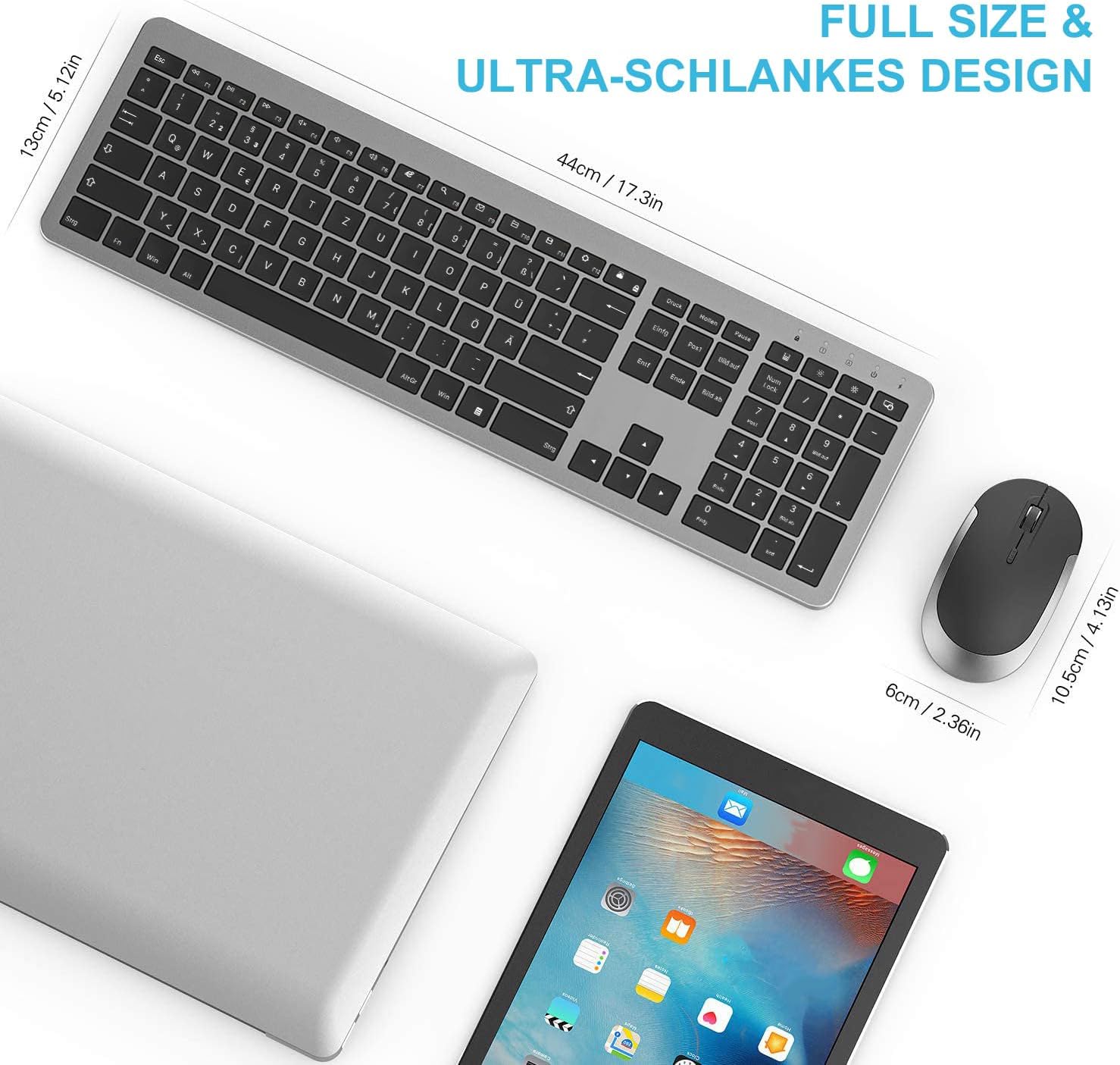
Image: A visual representation of the keyboard and mouse with their dimensions labeled, highlighting their full-size and ultra-slim design.
8. Коопсуздук эскертүүлөрү
Please observe the following safety instructions to avoid the risk of fire, electric shock, or injury:
- Коопсуз кубаттоо: Only use the supplied charging cable. Charge the device in a well-ventilated, dry area, away from flammable materials.
- Батарея менен иштөө: Do not attempt to replace the device's lithium battery yourself. Battery replacement should only be performed by qualified personnel to avoid hazards.
- Жылуулук таасири: Do not leave the device in environments with high temperatures or direct sunlight, as this could lead to a fire hazard.
- Суюктук таасири: Keep the product away from water and liquids. Do not use it if it is wet until it is thoroughly dried.
- Зыян жана агып кетүү: Discontinue use and contact customer service if the product is damaged or the battery leaks.
- Туура жок кылуу: Follow local regulations for the disposal of electronic devices and batteries. Do not dispose of with household waste.

Image: A page from the physical user manual detailing safety warnings regarding charging, battery handling, heat, liquid exposure, damage, and disposal.
9. Кепилдик жана колдоо
For warranty information or technical support, please refer to the contact details provided with your purchase or visit the official seenda webсайт. Сатып алуу квитанциясын кепилдик дооматтары үчүн сатып алуунун далили катары сактаңыз.
Ask a question about this manual
Ask about setup, troubleshooting, compatibility, parts, safety, or missing instructions. Manuals+ will review the question and use this page’s manual context to help answer it.