
Introduction
This manual provides instructions for the setup, operation, and maintenance of your JKZTJOF HS-7700 Voice Remote Control. This remote is designed to enhance your experience with compatible Skyworth Smart Ultra 4K HDR Android TVs, offering voice control and quick access to popular streaming services.

Image: The JKZTJOF HS-7700 Voice Remote Control, showcasing its buttons and sleek design.
Шайкештик
The HS-7700 Voice Remote Control is compatible with various Skyworth Smart Ultra 4K HDR Android TV models. Please verify your TV model against the list below:
- Skyworth Smart Ultra 4K HDR Android TV models: 32E20300, 40E20300, 43U5A, 49G2, 49G6, 49U5A, 50G2, 50G2A, 50UC6200, 55G2, 55G2A, 55G6, 55G6A, 55S9A, 55U5200, 55U5A, 55UC6200, 55XA8000, 58G2A, 58G2A300, 58G6, 58UC6200, 65Q20, 65S9A, 65U2A, 65UC6200, 65XA8000, 70UC6200.
- Remote models: HS-7700J, HS-7720.

Image: A graphic illustrating the compatibility of the HS-7700 remote with various Skyworth Smart TV series, including HS-7700J, HS-7720, G2, G2A, G6, XA8000, U2A, U5A, E6, E6D, E3, and E3D series.
Өзгөчөлүктөрү
- Үн менен башкаруу: Utilize the integrated microphone for voice commands, allowing for smart voice control, easy content searching, and quick setting adjustments.
- Туруктуу сигнал: Equipped with an intelligent chip and Infrared (IR) technology for a strong and reliable signal, ensuring a farther transmitting distance.
- Тез жооп: Designed for precise control with a range of up to 10 meters (30 feet) and durable buttons supporting over 120,000 clicks.
- Атайын кыска жол баскычтары: Instant access to Netflix and Google Play with dedicated buttons.
Video: An official product video demonstrating the features and functionality of the HS-7700 Voice Remote Control for Skyworth Smart TVs, including voice commands and quick app access.

Image: An illustration highlighting the voice control capabilities of the remote, showing a microphone icon and examples of voice commands.
Жайгашуу
1. Электр энергиясы менен камсыздоо (батареяны орнотуу)
To power your remote control, follow these steps to install the batteries:
- Пульттун артындагы батареянын капкагын алып салыңыз.
- Туура полярдуулукту (+/-) камсыз кылып, эки (2) AAA батарейкасын салыңыз.
- Батареянын капкагын бекем орнотуңуз.

Image: A visual guide demonstrating how to remove the battery cover, insert two AAA batteries, and replace the cover.
2. Жупташтыруу ыкмасы
To pair your new remote control with your Skyworth Smart TV, follow these instructions:
- On your TV's homepage, press the "TV Settings" button.
- Navigate to and select "Remotes & Accessories".
- Choose the option to add a new remote, then follow the on-screen prompts to complete the pairing process.

Image: A three-step visual guide showing the TV screen interface for navigating to "TV Settings", then "Remotes & Accessories", and finally adding a new remote.
Иштөө нускамалары
Үн менен башкаруу
After successful pairing, you can use the voice control feature. Press the dedicated voice button (microphone icon) on your remote and speak your command clearly. Examples камтыйт:
- "Smart Voice Control"
- "Easily Find [content]"
- "Launch and Setting [app/feature]"
- "Мен Netflix көргүм келет"
Note: If your TV itself does not support Bluetooth functionality, the magic, pointer, and voice functions of this remote control may not be fully utilized.

Image: A person using the voice remote to interact with a TV, with speech bubbles showing example commands like "want to watch Netflix".
Channel Shortcuts
Пульттагы популярдуу агымдык тиркемелерге тез жетүү үчүн атайын баскычтар бар:
- басыңыз NETFLIX button to launch the Netflix application directly.
- басыңыз Google Play button to open the Google Play Store.

Image: The HS-7700 remote control positioned next to large text labels for NETFLIX and Google Play, highlighting the dedicated shortcut buttons.
Long-Distance Control
The remote utilizes both Infrared (IR) and wireless transmitting signals, providing reliable control from a distance of up to 10 meters (30 feet). This ensures stable performance and easy control from various angles within your viewаймак.
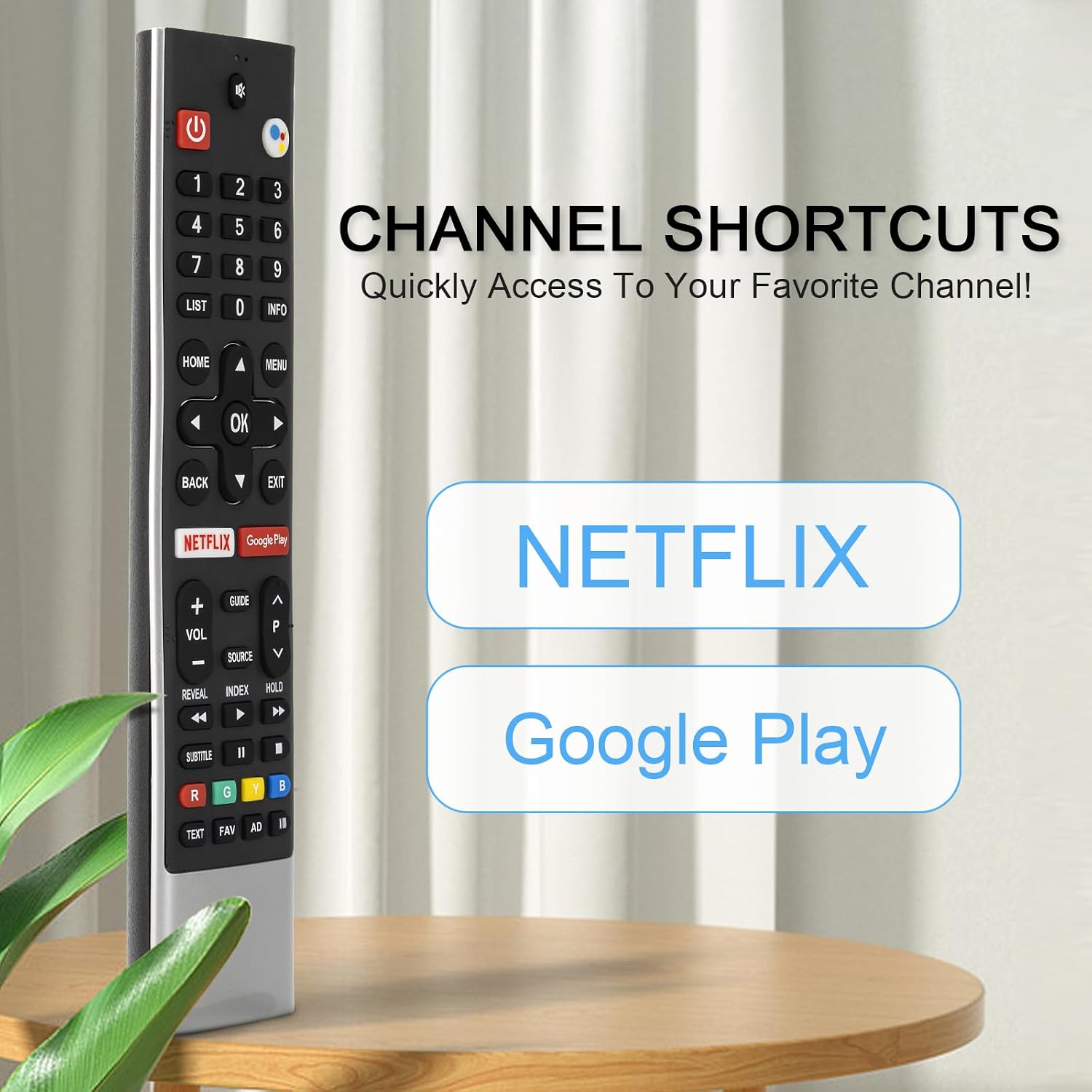
Image: A graphic illustrating the remote's long-distance control capability, showing signal waves extending from the remote to a TV.
Техникалык шарттар
| Өзгөчөлүк | Description |
|---|---|
| Бренд | JKZTJOF |
| Модель аты | HS-7700J |
| Өзгөчө өзгөчөлүк | Үн менен издөө |
| Түс | Кара |
| Байланыш технологиясы | Инфракызыл |
| Максималдуу диапазон | 10 метр (30 фут) |
| Батарея түрү | AAA (2 талап кылынат) |
| Элемент Салмагы | 0.07 килограмм |
| Шайкеш түзмөктөр | Skyworth Smart Ultra 4K HDR Android TV |
Проблемаларды чечүү
- Алыстан жооп бербейт: Батареялардын туура орнотулганын жана түгөнүп калбагандыгын текшериңиз. Зарыл болсо, жаңы AAA батарейкалары менен алмаштырыңыз.
- Үн менен башкаруу иштебей жатат: Verify that the remote is properly paired with your TV. Check your TV's settings to ensure Bluetooth and voice control features are enabled. Remember, some advanced voice functions may require your TV to support Bluetooth.
- Үзүлгүс сигнал: Ensure there are no obstructions between the remote and the TV's IR receiver. Maintain a clear line of sight.
- Баскычтар жооп бербейт: If specific buttons are not working, try re-pairing the remote. If the issue persists, the remote may require replacement.
Кепилдик жана колдоо
For any questions regarding your JKZTJOF HS-7700 Voice Remote Control, including troubleshooting or warranty inquiries, please contact the seller directly through the platform where the purchase was made. Provide your order details for efficient assistance.