
1. Киришүү
Сатып алганыңыз үчүн рахматasing the Elprico Elpricokgv70zngcy Night Light Bluetooth Speaker. This versatile device combines a Bluetooth speaker, a dimmable night light, and a 15W wireless charger into one compact unit. This manual provides detailed instructions for setup, operation, and maintenance to ensure optimal performance and longevity of your product.
2. Коопсуздук маалыматы
- Аппаратты сууга же ашыкча нымдуулукка дуушар кылбаңыз.
- Ашыкча температурадан сактаныңыз.
- Do not disassemble or attempt to repair the device yourself. Contact qualified service personnel.
- Балдар жетпеген жерде сактаңыз.
- Use only the provided or certified compatible power adapter and cable.
- Зымсыз кубаттоо функциясын колдонуп жатканда жакшы желдетүүнү камсыз кылыңыз.
3. Пакеттин мазмуну
- Elprico Night Light Bluetooth Speaker (Model: Elpricokgv70zngcy)
- USB кабели (Type-C)
- Instruction Manual

Image: The Elprico Night Light Bluetooth Speaker shown alongside its included USB Type-C charging cable.

Сүрөт: жакын план view of the white USB Type-A to Type-C cable included with the speaker.
4. Продукт бүтүп калдыview
Familiarize yourself with the components of your Elprico Night Light Bluetooth Speaker.

Сүрөт: алдыңкы view of the Elprico Night Light Bluetooth Speaker, showcasing its crescent-shaped light, central speaker grille, and control buttons.

Сүрөт: жогорудан төмөнгө view of the speaker, highlighting the wireless charging pad with a lightning bolt icon and charging rings.

Image: Close-up of the five control buttons: Power/Light Mode, Mode, Previous Track/Volume Down, Play/Pause/Call, Next Track/Volume Up.
Башкаруу баскычтары:
- Power / Light Mode Button: Press and hold to power on/off. Short press to cycle through light modes.
- Режим баскычы (M): Short press to switch between Bluetooth, FM, USB, Memory Card, and AUX modes.
- Мурунку трек / Үндү азайтуу баскычы: Мурунку трек үчүн кыска басыңыз. Үндү азайтуу үчүн басып туруңуз.
- Play / Pause / Call Button: Short press to play/pause music. Short press to answer/end calls. Press and hold to reject calls.
- Кийинки трек / Үндү катуулатуу баскычы: Кийинки трек үчүн кыска басыңыз. Үнүн катуулатуу үчүн басып туруңуз.
Башка компоненттери:
- Зымсыз заряддоо аянтчасы: Үстүнкү бетинде жайгашкан.
- Динамик тор: Front-facing audio output.
- LED жарык тилкеси: Integrated into the crescent design.
- USB-C заряддоо порту: Located at the rear (not visible in all images, but standard location).
- USB порт: USB дискти ойнотуу үчүн.
- Эстутум картасынын слоту: For memory card playback.
- AUX киргизүү: Зымдуу аудио туташуу үчүн.
5. Орнотуу
5.1 Алгачкы заряддоо
Before first use, fully charge the device. Connect the provided USB Type-C cable to the charging port on the speaker and the other end to a compatible USB power adapter (not included) or a computer USB port. The charging indicator (if present) will show charging status.
5.2 Күйгүзүү/өчүрүү
басып, кармап туруңуз Power / Light Mode Button for approximately 3 seconds to power the device on or off.
6. Иштөө нускамалары
6.1 Bluetooth жупташтыруу
- Power on the speaker. It will automatically enter Bluetooth pairing mode (a voice prompt or indicator light may confirm this).
- Мобилдик түзмөгүңүздө Bluetooth иштетип, жеткиликтүү түзмөктөрдү издеңиз.
- Select "Elprico Speaker" (or similar name) from the list.
- Once paired, the speaker will confirm with an audio prompt.
- Эми сиз түзмөгүңүздөн аудиону динамик аркылуу ойной аласыз.
Эскертүү: If two speakers are paired together, they will produce a stereo effect. Refer to the specific instructions for TWS (True Wireless Stereo) pairing if available in the included paper manual.
6.2 Wireless Charging (15W)
Place your Qi-compatible smartphone or other device on the wireless charging pad located on top of the speaker. Ensure the device is centered on the charging pad for optimal charging. The lightning bolt icon indicates the charging area.
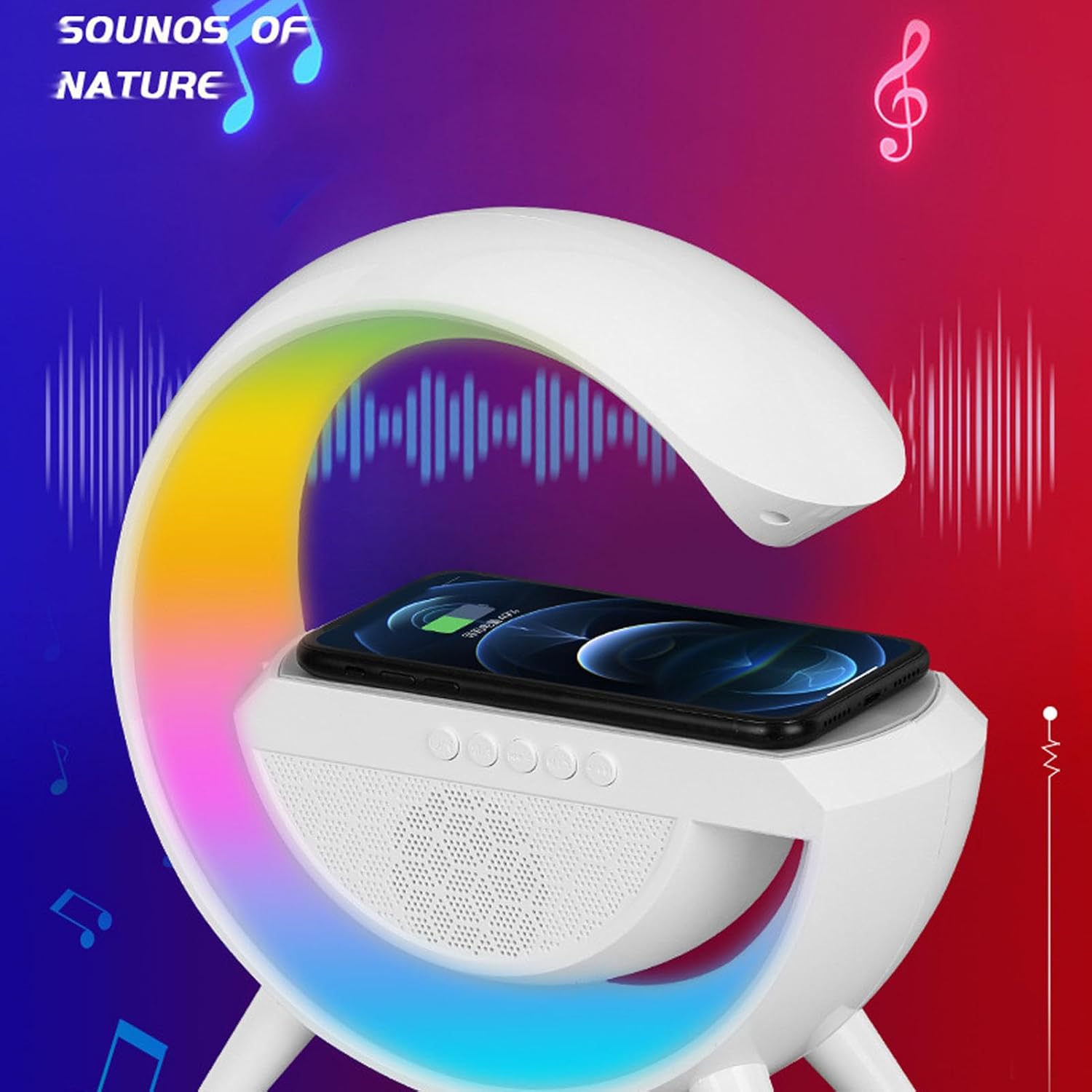
Image: The speaker with a smartphone placed on its top surface, indicating active wireless charging, while the crescent light displays multiple colors.

Image: The speaker with a smartphone wirelessly charging, displaying vibrant colors from its light, positioned next to a laptop, illustrating its multi-functional use.
6.3 Night Light Functions
баскычын кыска басыңыз Power / Light Mode Button to cycle through the 6 available light color modes. The brightness can be continuously adjusted (details on adjustment method typically found in the physical manual, often by holding the button or a dedicated light button if available).

Image: The speaker positioned on a bedside table in a dimly lit bedroom, with a person sleeping peacefully in the background, demonstrating its use as a night light.

Image: The speaker on a bedside table in a bedroom, with a person sleeping, illustrating its function as a bedside companion.
6.4 Multiple Audio Playback Modes
басыңыз Режим баскычы (M) to switch between the following audio sources:
- Bluetooth режими: For wireless audio streaming from paired devices.
- FM радио режими: The speaker will automatically scan and save available FM stations. Use the Previous/Next Track buttons to navigate stations.
- USB режими: USB флеш-дискти USB портуна салыңыз. Динамик автоматтык түрдө аудиону ойнотот files.
- Memory Card Mode: Insert a memory card (e.g., microSD with adapter) into the memory card slot. The speaker will automatically play audio files.
- AUX режими: Connect an external audio device using a 3.5mm AUX cable (not included) to the AUX input port.
6.5 Колу бош чалуу
Bluetooth аркылуу смартфонуңузга туташканда:
- Чалууга жооп берүү/аяктоо: баскычын кыска басыңыз Play / Pause / Call баскычы.
- Чакырууну четке кагуу: басып, кармап туруңуз Play / Pause / Call баскычы.
7. Техникалык тейлөө
- Аппаратты жумшак, кургак чүпүрөк менен тазалаңыз. Абразивдүү тазалагычтарды же эриткичтерди колдонбоңуз.
- Keep the charging ports and speaker grille free from dust and debris.
- Узак мөөнөткө колдонулбаганда салкын, кургак жерде сактаңыз.
8. Кыйынчылыктарды
| Көйгөй | Чечим |
|---|---|
| Түзмөк күйбөйт. | Батарея заряддалганын текшериңиз. USB-C кабели аркылуу кубат булагына туташуу. |
| Bluetooth аркылуу жупташтыруу мүмкүн эмес. | Ensure the speaker is in Bluetooth mode. Check that Bluetooth is enabled on your device and it's within range. Try restarting both devices. |
| Зымсыз кубаттоо иштебейт. | Ensure your device is Qi-compatible and properly centered on the charging pad. Remove any thick phone cases. Check if the speaker is powered on. |
| Динамиктен үн жок. | Check volume levels on both the speaker and your connected device. Ensure the correct audio mode (Bluetooth, AUX, etc.) is selected. |
| Light not changing modes. | Ensure the speaker is powered on. Short press the Power / Light Mode Button to cycle through modes. |
9. Техникалык шарттар
| Өзгөчөлүк | Деталь |
|---|---|
| Модел | Elpricokgv70zngcy |
| Bluetooth версиясы | V5.2 |
| Bluetooth жыштыгы | 2.4 ГГц-2.48 ГГц |
| Өткөрмө аралык | Болжол менен. 10м |
| Жарык түрү | RGB Light (6 color modes) |
| Сигнал ызы-чуу катышы | >75дб |
| Power Input | C түрү |
| Зымсыз чыгуу күчү | 15 Вт |
| Колдоого алынган режимдер | FM / USB / Memory card / AUX |
| Батарея түрү | 1200mAh литий-ион (орнотулган) |
| Материал | Акрилонитрил бутадиен стирол (ABS) |
| Өлчөмдөр | Болжол менен 25 x 24 x 9 см (Таңгактын өлчөмдөрү) |
10. Кепилдик жана колдоо
For warranty information and customer support, please refer to the warranty card included with your product or contact Elprico customer service through their official website or the retailer where the product was purchased. Please have your model number (Elpricokgv70zngcy) and purchase date ready when contacting support.