
1. Киришүү
Thank you for choosing the CHiQ CPC-12PA Portable Air Conditioner. This manual provides essential information for the safe and efficient operation, installation, and maintenance of your new appliance. Please read it thoroughly before use and keep it for future reference.
This 3-in-1 unit offers cooling, dehumidifying, and fan functions, designed for optimal comfort in your space. It features a super circulation airflow volume for fast cooling and uses R410A refrigerant.
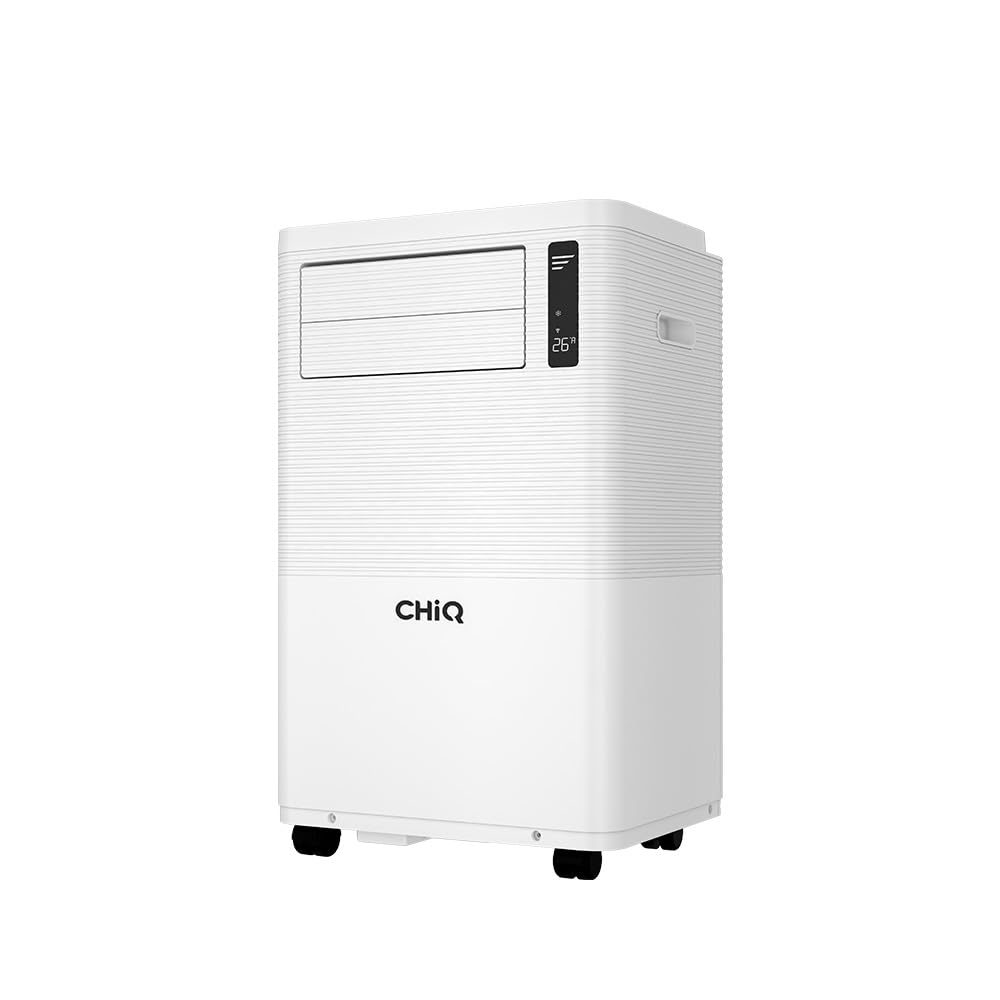
1.1-сүрөт: The CHiQ CPC-12PA Portable Air Conditioner in operation, demonstrating airflow.
2. Коопсуздук маалыматы
Маанилүү коопсуздук көрсөтмөлөрү:
- Бул шайманды колдонуудан мурун бардык нускамаларды окуп чыгыңыз.
- Бул шайман үй ичинде гана колдонуу үчүн.
- Кубат булагынын кубаттуулук көрсөткүчү түзмөктүн техникалык мүнөздөмөсүнө дал келгенин текшериңиз.
- Аппаратты бузулган шнур же сайгыч менен иштетпеңиз.
- Аппаратты жылуулук булактарынан жана түз күн нурунан алыс кармаңыз.
- Аба кирүүчү же чыгуучу жерлерди жаап албаңыз.
- Тазалоодон же тейлөөдөн мурун дайыма розеткадан ажыратыңыз.
- Балдарга шайман менен ойноого уруксат бербеңиз.
- Өндүрүүчүлөр сунуштаган аксессуарларды гана колдонуңуз.
3. Продукт бүтүп калдыview
The CHiQ CPC-12PA is a versatile portable air conditioner designed for ease of use and effective climate control. Key features include:
- 3-ин-1 Функциясы: Cooling, Dehumidifying, and Fan modes.
- 12000 BTU муздатуу кубаттуулугу: Ар кандай өлчөмдөгү бөлмөлөр үчүн ылайыктуу.
- Super Circulation Airflow Volume: For rapid and even cooling.
- R410A муздаткыч: Environmentally conscious refrigerant.
- Touch Screen & Digital LED Display: Интуитивдик башкаруу панели.
- 24 сааттык таймер: Program operation for convenience.
- 3 күйөрман ылдамдыгы: Customize airflow intensity.
- Self-Troubleshooting: Built-in diagnostics for common issues.
- Алыстан башкаруу: Алыстан ыңгайлуу иштөө үчүн.

3.1-сүрөт: Digital LED Touch Control Panel.

3.2-сүрөт: Remote Control for the CPC-12PA.
4. Орнотуу жана орнотуу
Before installation, ensure all components are present. The package typically includes:

4.1-сүрөт: Included Accessories and Components.
Орнотуу кадамдары:
- Агрегатты жайгаштыруу: Place the air conditioner on a flat, stable surface, ensuring at least 20cm clearance from walls and furniture for proper airflow.
- Чыгаруучу түтүктү туташтыруу: Attach one end of the exhaust hose to the air outlet on the back of the unit. Extend the hose and connect the window kit adapter to the other end.
- Терезе топтомун орнотуу: Install the window sealing plate into your window opening. This kit is adjustable to fit most vertical and horizontal sliding windows. Ensure a tight seal to prevent hot air from entering the room.
- Connecting the Drainage Hose (Dehumidifying Mode): For continuous drainage in dehumidifying mode, connect the drainage hose to the continuous drainage port and lead it to a suitable drain or container.
- Кубат туташуу: Электр шнурын жерге туташтырылган электр розеткасына сайыңыз.

4.2-сүрөт: Examples of Window Kit Installation.

4.3-сүрөт: Portable Air Conditioner with exhaust hose installed in a room.
5. Иштөө нускамалары
You can operate the unit using the control panel on top of the air conditioner or with the included remote control.
Башкаруу панелинин функциялары:
- КҮЧ баскычы: Түзмөктү ON же ӨЧҮРҮҮ үчүн басыңыз.
- MODE баскычы: Муздатуу, нымсыздандыруу жана желдеткич режимдери аркылуу айланыңыз.
- ЖОГОРУ/ТӨМӨН баскычтары: Adjust the desired temperature (in Cooling mode) or set the timer.
- FAN SPEED баскычы: Select desired fan speed (Low, Medium, High).
- SWING баскычы: Activate or deactivate the automatic louver swing for wider air distribution.
Алыстан башкаруу функциялары:
The remote control duplicates most functions of the control panel and adds a SLEEP mode and DISPLAY button.
- TIMER баскычы: Set the auto-on or auto-off time (1-24 hours).
- SLEEP баскычы: Activates sleep mode for quieter operation and gradual temperature adjustment.
- DISPLAY баскычы: LED дисплейди күйгүзөт/өчүрөт.
Иштөө режимдери:
- Муздатуу режими: Sets the desired room temperature. The unit will cool until the set temperature is reached.
- Нымсыздандыруу режими: Removes moisture from the air. The fan speed is fixed to low in this mode.
- Күйөрман режими: Circulates air without cooling. You can select fan speed.
6. Техникалык тейлөө
Үзгүлтүксүз тейлөө оптималдуу иштешин камсыз кылат жана кондиционериңиздин иштөө мөөнөтүн узартат.
Аба чыпкасын тазалоо:
- Агрегатты өчүрүп, розеткадан ажыратыңыз.
- Аба чыпкасын түзмөктүн арткы же каптал жагынан таап, алып салыңыз.
- Чыпканы чаң соргуч менен тазалаңыз же жылуу, самындуу суу менен жууңуз. Жакшылап чайкаңыз.
- Кайра орнотуудан мурун чыпканы толугу менен кургатып алыңыз.
- Аба чыпкасын эки жумада бир же чаңдуу чөйрөдө колдонулса, андан да тез-тез тазалап туруңуз.
Агуучу суу:
The unit has a self-evaporative system, but in high humidity, the internal water tank may fill. When full, the unit will stop operating and display an error code (e.g., 'FL').
- Агрегатты өчүрүп, розеткадан ажыратыңыз.
- Түзмөктүн арткы ылдый жагындагы дренаждык тешиктин астына тайыз көмөч казан же табак коюңуз.
- Суунун агып чыгышы үчүн дренаждык тығынды алып салыңыз.
- Агызгандан кийин, дренаждык тығынды бекем алмаштырыңыз.
Сактагыч:
Агрегатты узак мөөнөткө сактасаңыз:
- Агрегаттагы бардык сууну агызыңыз.
- Аба чыпкасын тазалаңыз.
- Ички компоненттерди кургатуу үчүн бир нече саатка бир гана желдеткич режиминде иштетиңиз.
- Cover the unit with a plastic bag to protect it from dust.
- Кургак, салкын жерде сактаңыз.
7. Кыйынчылыктарды
The CHiQ CPC-12PA features self-troubleshooting capabilities. Refer to the table below for common issues and solutions:
| Көйгөй | Мүмкүн себеп | Чечим |
|---|---|---|
| Түзмөк күйбөйт | No power supply; Power cord unplugged; Full water tank (FL error) | Check power connection; Drain water tank. |
| Аппарат жетишсиз муздайт | Air filter dirty; Room too large; Doors/windows open; Exhaust hose blocked/leaking | Clean air filter; Ensure proper room size; Close doors/windows; Check exhaust hose. |
| Бирдиги ызы -чуу | Unit not on a flat surface; Fan obstruction | Place on a flat surface; Check for obstructions. |
| Суунун агып чыгышы | Drain plug loose; Drainage hose improperly connected | Secure drain plug; Reconnect drainage hose. |
| Error Code (e.g., E1, E2) | Sensor malfunction; Refrigerant leak | Unplug and restart; If error persists, contact customer support. |
Бул чечимдерди колдонуу аракетинен кийин көйгөй чечилбесе, кардарларды колдоо кызматына кайрылыңыз.
8. Техникалык шарттар
Below are the general specifications for the CHiQ CPC-12PA Portable Air Conditioner:
- Модел: CPC-12PA
- Муздатуу кубаттуулугу: 12000 BTU
- Функциялары: 3-in-1 (Cooling, Dehumidifying, Fan)
- Хладагент: R410A
- Күйөрмандардын ылдамдыгы: 3 (Төмөн, Орто, Жогорку)
- Таймер: 24 сааттык программалануучу
- Контролдоо: Touch screen, Digital LED, Remote Control

8.1-сүрөт: Product Dimensions (Height: 700mm, Width: 441mm, Depth: 327mm).
9. Кепилдик жана колдоо
The CHiQ CPC-12PA Portable Air Conditioner comes with a 1 Year Local Manufacturer Warranty. Кепилдик дооматтары үчүн сатып алганыңыздын далилин сактап коюңуз.
For technical support, service, or warranty inquiries, please contact your local CHiQ authorized service center or the retailer where the product was purchased. Do not attempt to repair the unit yourself, as this may void the warranty.