
1. Киришүү
This manual provides instructions for the installation, operation, and maintenance of the TERRAMASTER D2-320 2-Bay USB 3.2 Gen 2 RAID Storage enclosure. The D2-320 is designed to provide high-speed data storage and backup solutions for various operating systems.

Сүрөт: алдыңкы view of the TERRAMASTER D2-320 enclosure, showing the two drive bays.
Негизги өзгөчөлүктөрү:
- Жогорку ылдамдыктагы маалыматтарды өткөрүп берүү: Utilizes USB 3.2 Gen 2 protocol for speeds up to 10Gbps. Achieves up to 521MB/s read/write with HDDs in RAID 0 and up to 1075MB/s read with SSDs in RAID 0.
- Multiple RAID Modes: Supports RAID 0, RAID 1, JBOD, and SINGLE configurations to meet diverse storage needs.
- Чоң сактоо сыйымдуулугу: Accommodates two 3.5" or 2.5" SATA HDDs/SSDs, with a maximum capacity of 22TB per drive, totaling up to 44TB.
- Натыйжалуу жылуулук диссипациясы: Features an intelligent temperature-controlled, low-noise fan and optimized ventilation for stable operation.
- Tool-Free Drive Installation: Designed for easy installation and removal of hard drives without tools, incorporating a Push-lock mechanism.
2. Орнотуу
2.1 Пакеттин мазмуну
Пакетте бардык компоненттер бар экенин текшериңиз:
- TERRAMASTER D2-320 Enclosure
- USB-C - USB-C кабели
- Кубаттуу адаптер
- Accessory Kit (screws for 2.5" drives, screwdriver, reset pin)
- Ыкчам орнотуу колдонмосу
2.2 Катуу дискти орнотуу
- Gently pull the drive tray out from the enclosure.
- For 3.5" HDDs: No tools are required. Align the drive with the tray and snap it into place. The Push-lock design will secure it.
- For 2.5" HDDs/SSDs: Place the drive into the tray and secure it with the provided screws from the accessory kit.
- Жүктөлгөн диск салгычты чыкылдатмайынча, корпуска кайра жылдырыңыз.

Image: A 3.5-inch hard drive being slid into the tool-free drive tray, demonstrating the ease of installation.
2.3 RAID Mode Configuration
The D2-320 supports RAID 0, RAID 1, JBOD, and SINGLE modes. Select the desired mode using the configuration knob on the rear of the device.
- БИР: Each drive operates independently.
- JBOD (Just a Bunch Of Disks): Drives are concatenated to form one large volume.
- RAID 0 (Striping): Data is split across both drives for maximum performance. No data redundancy.
- RAID 1 (көзгө түшүрүү): Data is duplicated across both drives for data redundancy. If one drive fails, data is preserved on the other.
To configure the RAID mode:
- Ensure the device is powered off and disconnected from your computer.
- Locate the RAID mode selection knob on the rear panel.
- Use a small screwdriver or the provided reset pin to turn the knob to your desired RAID mode (0, 1, JBOD, or SINGLE).
- Press and hold the RESET button (located near the knob) for approximately 5-10 seconds until the indicator lights flash. This confirms the RAID mode change.
- Connect the device to your computer and power it on. The system will detect the new configuration.
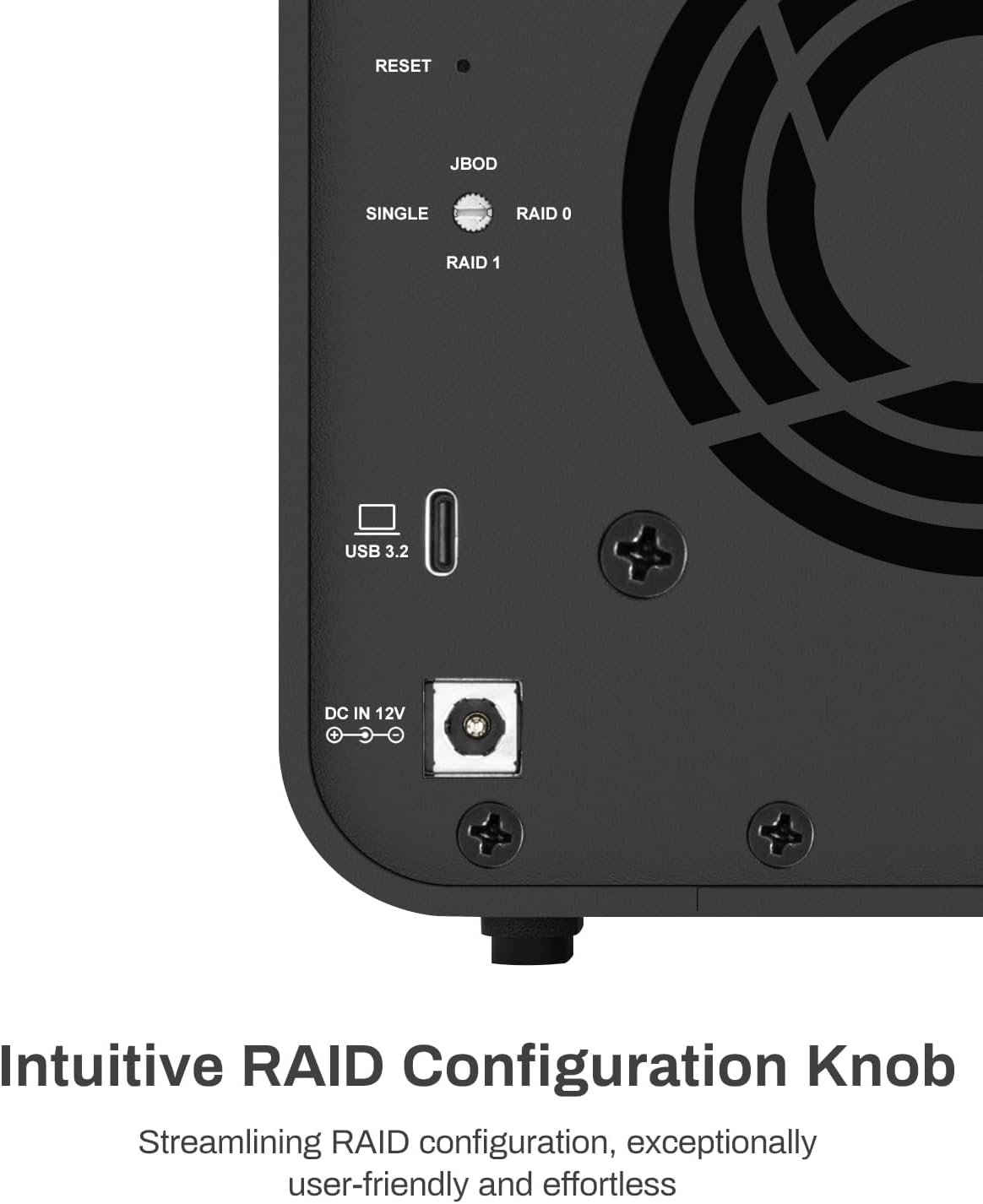
Image: Close-up of the rear panel, highlighting the RAID configuration knob and reset button.
Маанилүү: Changing the RAID mode will erase all data on the installed drives. Back up any important data before proceeding with a RAID mode change.
2.4 Компьютериңизге туташуу
Connect the D2-320 to your computer using the supplied USB-C to USB-C cable. The enclosure is compatible with USB 3.2 Gen 2 ports and backward compatible with USB 3.0/3.1/3.2 Gen 1, as well as Thunderbolt 3/4 ports. Connect the power adapter to the DC IN 12V port and then to a power outlet.
3. Иштөө нускамалары
3.1 Күйгүзүү/өчүрүү
Press the power button on the rear of the device to turn it on or off. The indicator lights on the front panel will illuminate when the device is powered on.
3.2 Индикатор жарыктары
The front panel features micro-perforated indicator lights that display the operational status of the drives and the device.
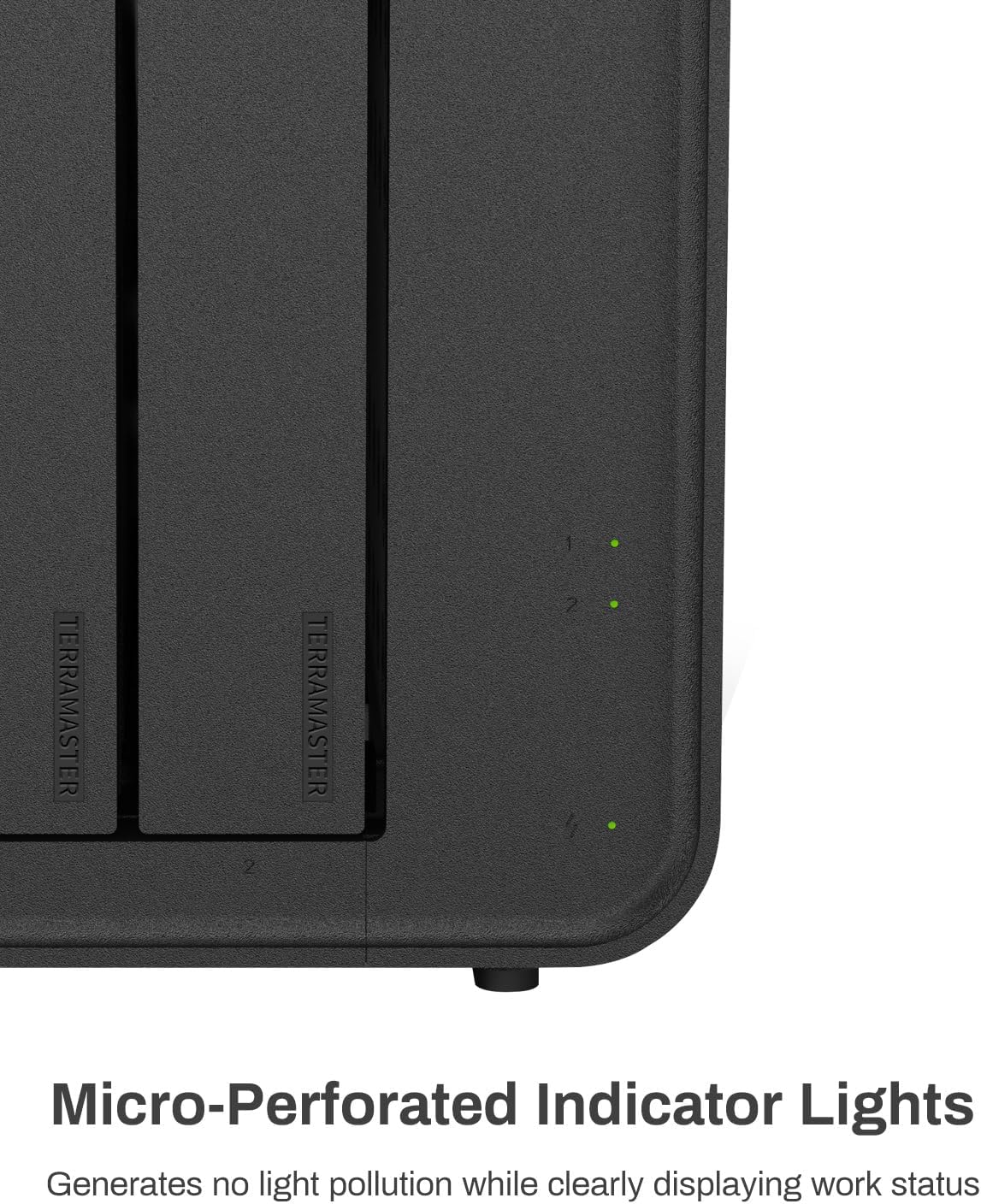
Image: Detail of the micro-perforated indicator lights on the front of the enclosure.
- Күч көрсөткүчү: Аппараттын кубат абалын көрсөтөт.
- Drive Indicators (1 & 2): Indicate the status of each installed hard drive. (Specific color meanings are typically in a quick start guide, but generally green for active, blinking for activity, red for error).
3.3 Data Transfer Performance
The D2-320 leverages USB 3.2 Gen 2 for high-speed data transfer. Performance varies based on drive type and RAID configuration:
- With two SATA III HDDs (e.g., 8TB x 2) in RAID 0, read/write speeds can reach up to 521MB/s.
- With two SATA III SSDs (e.g., 1TB x 2) in RAID 0, read speeds can reach up to 1075MB/s, and write speeds up to 884MB/s.

Image: The D2-320 connected to a computer, demonstrating its high-speed data transfer capabilities.
3.4 Intelligent Disk Sleep
The D2-320 supports intelligent disk sleep functionality. When your computer enters sleep mode or is powered off, the drives within the enclosure will automatically enter a low-power sleep state to conserve energy and extend drive lifespan.

Image: The D2-320 in a typical usage environment, highlighting its intelligent disk sleep feature.
4. Техникалык тейлөө
4.1 Жылуулук диссипациясы
The D2-320 is equipped with an intelligent temperature-controlled fan that automatically adjusts its speed based on the internal temperature of the hard drives. This ensures optimal operating temperatures and contributes to the longevity of the drives.

Image: Diagram illustrating the intelligent cooling fan system within the D2-320 enclosure.
4.2 Ызы-чуу деңгээли
The enclosure is designed with sound-absorbing panels to minimize operational noise. It operates at approximately 19dB(A), ensuring a quiet working environment.

Image: Close-up of the internal structure of the D2-320, highlighting the sound-absorbing panels designed to reduce noise.
5. Кыйынчылыктарды
5.1 Жалпы маселелер
- Түзмөк таанылган жок:
- Ensure the USB cable is securely connected to both the D2-320 and your computer.
- Verify the power adapter is correctly connected and the device is powered on.
- Компьютериңиздеги башка USB портуна туташып көрүңүз.
- Ensure the hard drives are properly installed in their bays.
- Жай маалымат берүү ылдамдыгы:
- Confirm your computer's USB port supports USB 3.2 Gen 2 (10Gbps) for optimal performance.
- Катуу дисктериңиздин ден соолугун текшериңиз.
- USB кабели бузулбагандыгын текшериңиз.
- Drive not appearing:
- For new drives, they may need to be initialized, partitioned, and formatted through your operating system's disk management utility.
- Check the drive indicator lights for any error signals.
5.2 RAID Specific Issues
- RAID 1 (Mirroring) drive failure:
- If one drive in a RAID 1 configuration fails, the data remains accessible on the healthy drive.
- To replace a failed drive, power off the D2-320, remove the faulty drive, and insert a new drive of equal or greater capacity.
- Power on the device. The system should automatically begin rebuilding the RAID array, copying data from the healthy drive to the new drive. This process can take several hours depending on drive capacity.
- Accidental RAID mode change:
- Changing the RAID mode will erase all data. If this occurs accidentally, data recovery may be possible through specialized services, but is not guaranteed. Always back up critical data.
6. Техникалык шарттар
| Өзгөчөлүк | Деталь |
|---|---|
| Модель номери | D2-320 |
| Бренд | TERRAMASTER |
| Материал | Пластик |
| Элемент Салмагы | 4.5 фунт |
| Продукциянын өлчөмдөрү (L x W x Y) | 8.74" x 4.69" x 6.06" |
| Шайкеш түзмөктөр | Hard Disk, SSD |
| Катуу диск форма фактору | 3.5 Inches (also supports 2.5 Inches with screws) |
| Колдоого алынган түзмөктөрдүн максималдуу саны | 2 |
| Маалыматтарды өткөрүү ылдамдыгы | Секундасына 10 Гигабит (USB 3.2 Gen 2) |
| Аппараттык интерфейс | SATA 6.0 Gb/s, USB 3.2 Gen 2 |
| Аппараттык платформанын шайкештиги | Windows, Mac, Linux |
| Түс | Кара |
7. Кепилдик жана колдоо
TERRAMASTER products are designed for reliability and performance. For specific warranty information, please refer to the warranty card included with your product or visit the official TERRAMASTER webсайт.
For technical support, frequently asked questions, and driver downloads, please visit the official TERRAMASTER support page:
TERRAMASTER Official Store and Support
When contacting support, please have your product model (D2-320) and serial number ready.