
Introduction
This manual provides detailed instructions for setting up, operating, and maintaining your FIFINE AmpliGame AM8T Dynamic Microphone. Designed for gaming, recording, podcasting, and streaming, this microphone offers versatile connectivity and high-quality audio performance.
Кутуда эмне бар
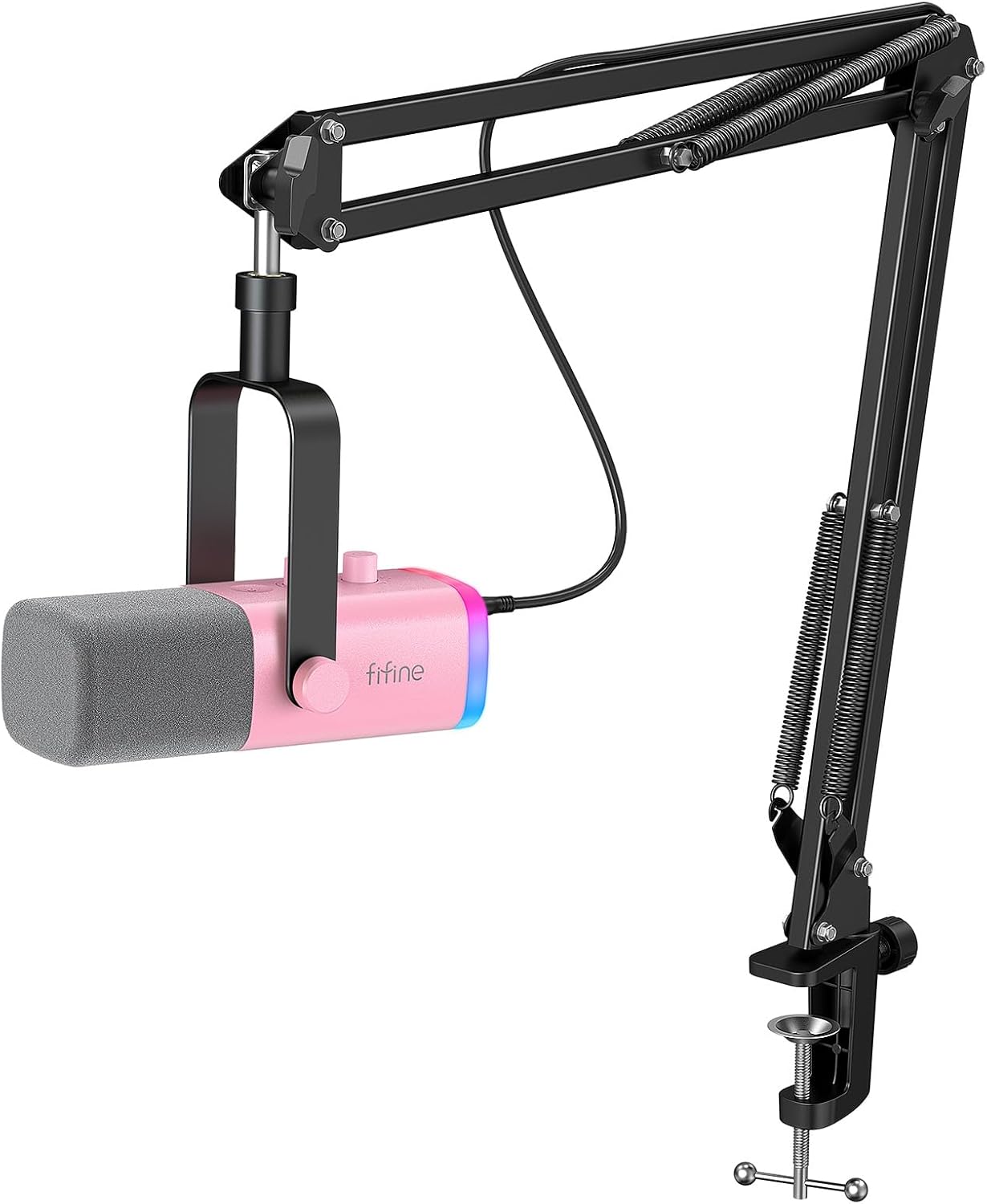
- Dynamic Microphone with Windscreen
- 8.2 фут (2.5 м) USB C - USB кабели
- Boom Arm Stand
- C-Clamp
- Колдонуучунун колдонмосу

Орнотуу колдонмосу
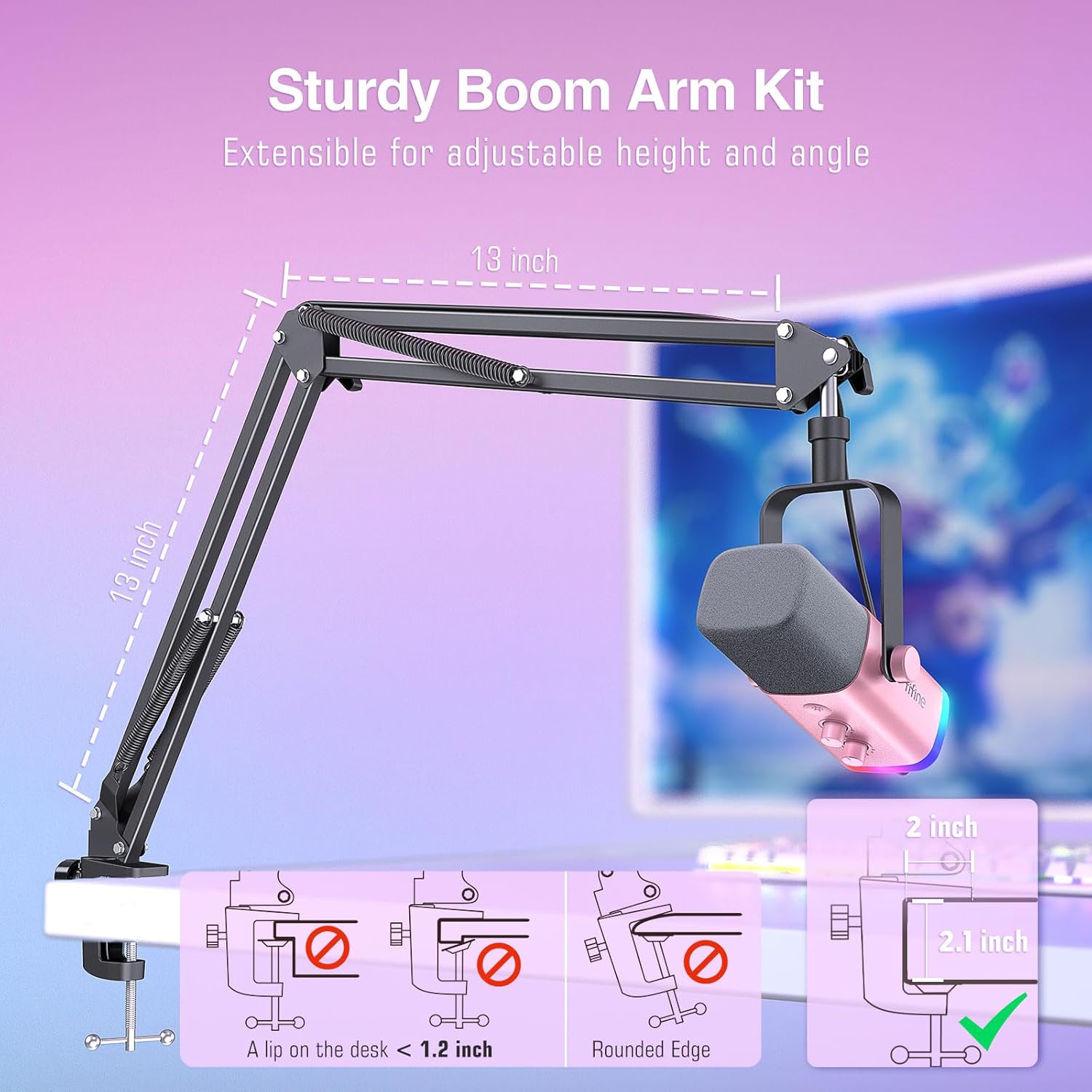
1. Assembling the Boom Arm Stand
C-cl тиркеңизamp to the edge of your desk. Insert the boom arm into the clamp and tighten securely. Adjust the arm's position to your desired height and angle. Ensure the desk thickness is compatible with the C-clamp (up to 2.1 inches).
2. Микрофонду туташтыруу
The FIFINE AM8T offers dual connectivity options:
- USB-C туташуу: Use the provided USB-C to USB-A cable to connect the microphone directly to your computer (PC, Laptop) or gaming console (PS4/PS5). This mode enables all on-microphone controls and RGB lighting.
- XLR туташуу: For professional audio setups, connect the microphone via an XLR cable (not included) to a mixer or audio interface. In this mode, on-microphone controls are bypassed, and audio processing is handled by your external equipment.

Иштөө нускамалары
Микрофонду башкаруу
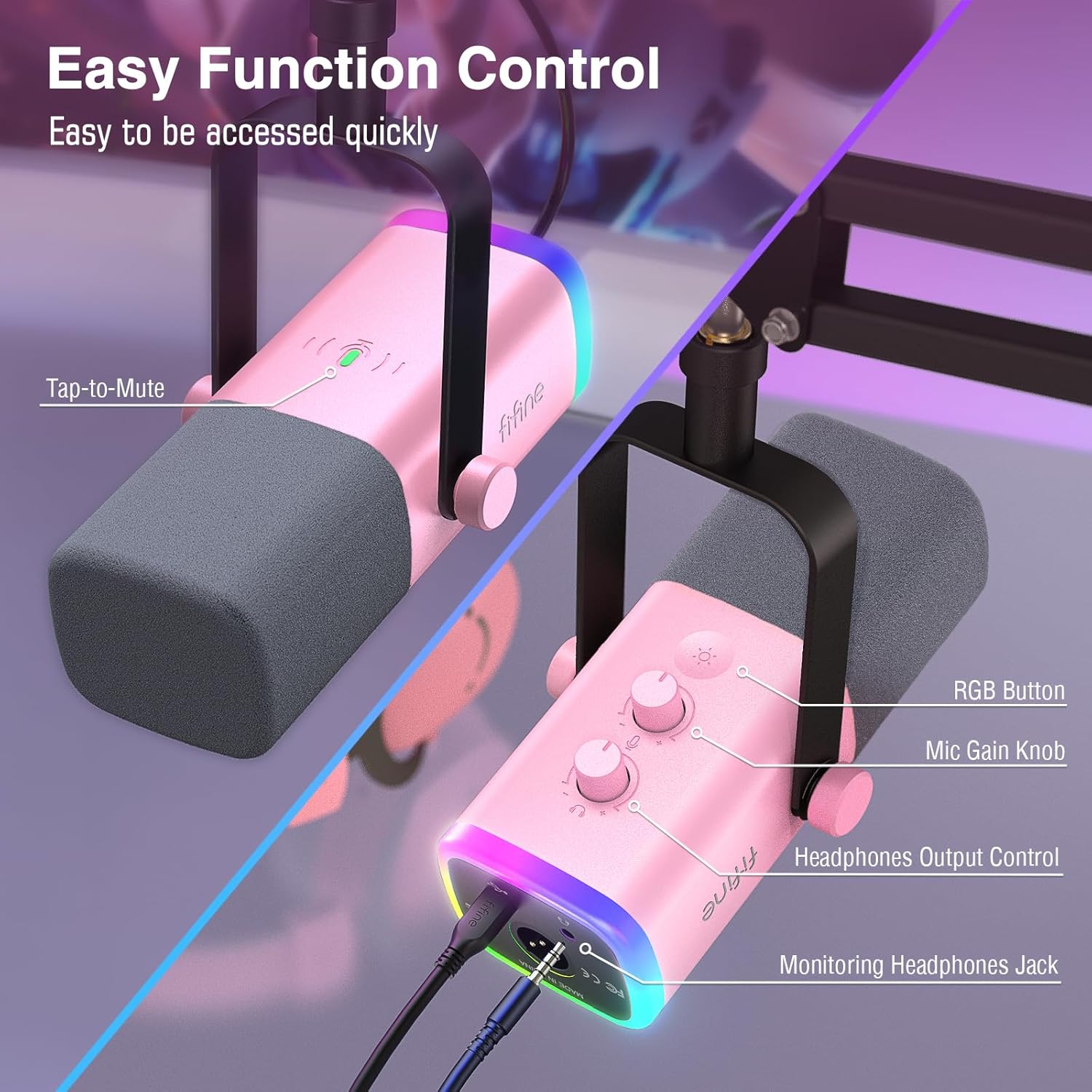
The FIFINE AM8T features intuitive controls for easy adjustments:
- Үнсүз кылуу үчүн таптоо баскычы: Located on the top of the microphone, simply tap to mute or unmute your audio. An indicator light will change color (e.g., green for active, red for muted).
- Микрофонду күчөтүү баскычы: Adjust the microphone's input sensitivity to control how loud your voice is picked up.
- Headphones Output Control: Adjust the volume for your connected headphones.
- RGB баскычы: Cycle through various RGB lighting modes and colors to customize your setup's aesthetic.
Connectivity Modes Functionality
The functionality of the on-microphone controls varies depending on the connection type:
- USB режими: All integrated controls (mute, gain, headphone volume, RGB lighting) are fully functional. This mode is ideal for direct plug-and-play use with computers and consoles.
- XLR режими: When connected via XLR, the microphone's internal preamps and controls are bypassed. Audio signal processing, including gain and monitoring, will be managed by your external mixer or audio interface. RGB lighting is also not active in XLR mode.

Негизги өзгөчөлүктөрү
Crisp and Clean Audio
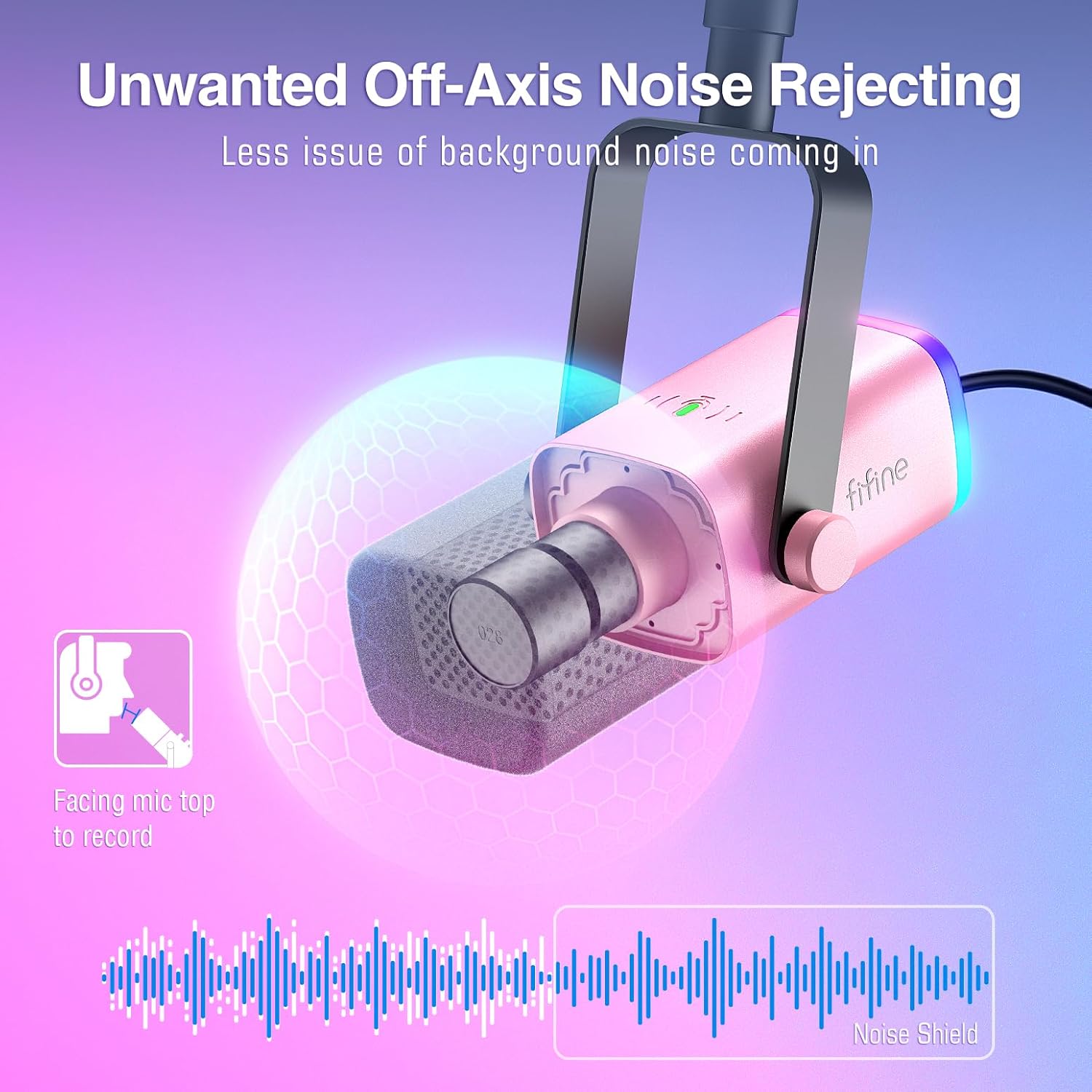
The FIFINE AM8T is a dynamic microphone designed to deliver clear and professional-grade audio. Its cardioid polar pattern effectively captures sound directly in front of the microphone while minimizing unwanted background noise from the sides and rear.
Динамикалык RGB жарыктандыруу
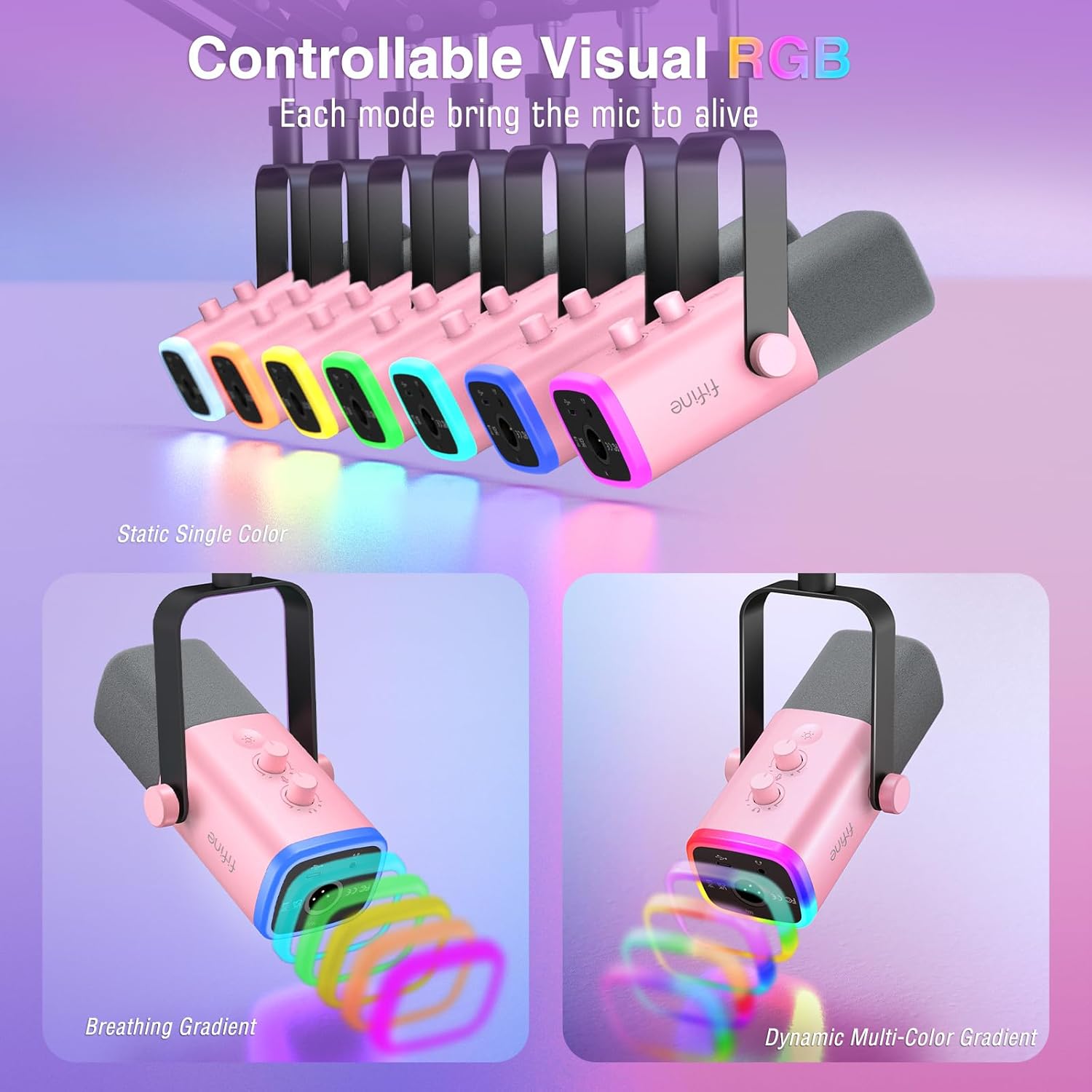
Enhance your setup with customizable RGB lighting. The microphone features multiple lighting modes, including static colors, breathing effects, and dynamic gradients, allowing you to match your personal style or gaming environment.
Noise Isolation and Sturdy Support
The included boom arm stand is crucial for achieving optimal audio quality. It allows you to position the microphone precisely, minimizing the pickup of unwanted room noise and vibrations from your desk, ensuring clean and uninterrupted communication or recording.
Техникалык мүнөздөмөлөр
| Спецификация | Нарк |
|---|---|
| Бренд | ЖАКШЫ |
| Модель аты | AMPLIGAME AM8TP |
| Микрофон форма фактору | Микрофон комплекти |
| Байланыш технологиясы | USB, XLR |
| Туташтыргыч түрү | USB, XLR |
| Полярдык үлгү | Бир багыттуу |
| Жыштык диапазону | 50Гц-16 кГц |
| Ызы-чуунун катышы | 80 дБ |
| Материал | Metal, Acrylonitrile Butadiene Styrene, Sturdy Material |
| Power Source | Электр зымдары |
| Элемент Салмагы | 2.59 фунт |
| Пакеттин өлчөмдөрү | 16.45 x 7.2 x 3.5 дюйм |
| Шайкеш түзмөктөр | Computer, Mixer, Audio Interface, Mac OS, Windows |
| Продукт үчүн сунушталган колдонуу | Streaming, Recording Podcast Voice-Over, Vocal, Gaming |
Проблемаларды чечүү
- Үн жок: Ensure the microphone is securely connected via USB or XLR. Check the mute button status (red light indicates muted). Verify input settings on your computer or mixer.
- Бурмаланган үн: Adjust the Mic Gain Knob. If the gain is too high, it can cause distortion. Ensure you are speaking directly into the top of the microphone.
- RGB жарыктандыруу иштебейт: RGB lighting is only active when the microphone is connected via USB. Ensure the USB cable is properly connected and the RGB button is pressed to cycle through modes.
- Микрофон таанылбайт: Try connecting to a different USB port or computer. Ensure your operating system drivers are up to date.
Техникалык тейлөө
To ensure the longevity and optimal performance of your FIFINE AM8T microphone, follow these maintenance guidelines:
- Тазалоо: Use a soft, dry cloth to wipe down the microphone body and boom arm. Avoid using harsh chemicals or abrasive materials.
- Сактагыч: Колдонулбаган учурда микрофонду таза, кургак жерде, өтө температурадан жана нымдуулуктан алыс сактаңыз.
- Колдонуу: Handle the microphone and boom arm with care to prevent accidental drops or impacts, which could damage internal components.
Кепилдик жана колдоо
Your FIFINE AmpliGame AM8T Dynamic Microphone is covered by a manufacturer's warranty against defects in materials and workmanship. For specific warranty terms, technical support, or service inquiries, please refer to the contact information provided in the included User's Manual or visit the official FIFINE webсайт.