
Introduction
This user manual provides detailed instructions for the operation and maintenance of your MOBI Connect Smart 4 in 1 Wi-Fi Air Purifier & Humidifier. This device is designed to improve indoor air quality by purifying and humidifying the air, offering a healthier and more comfortable living environment. Please read this manual thoroughly before use to ensure proper function and safety.

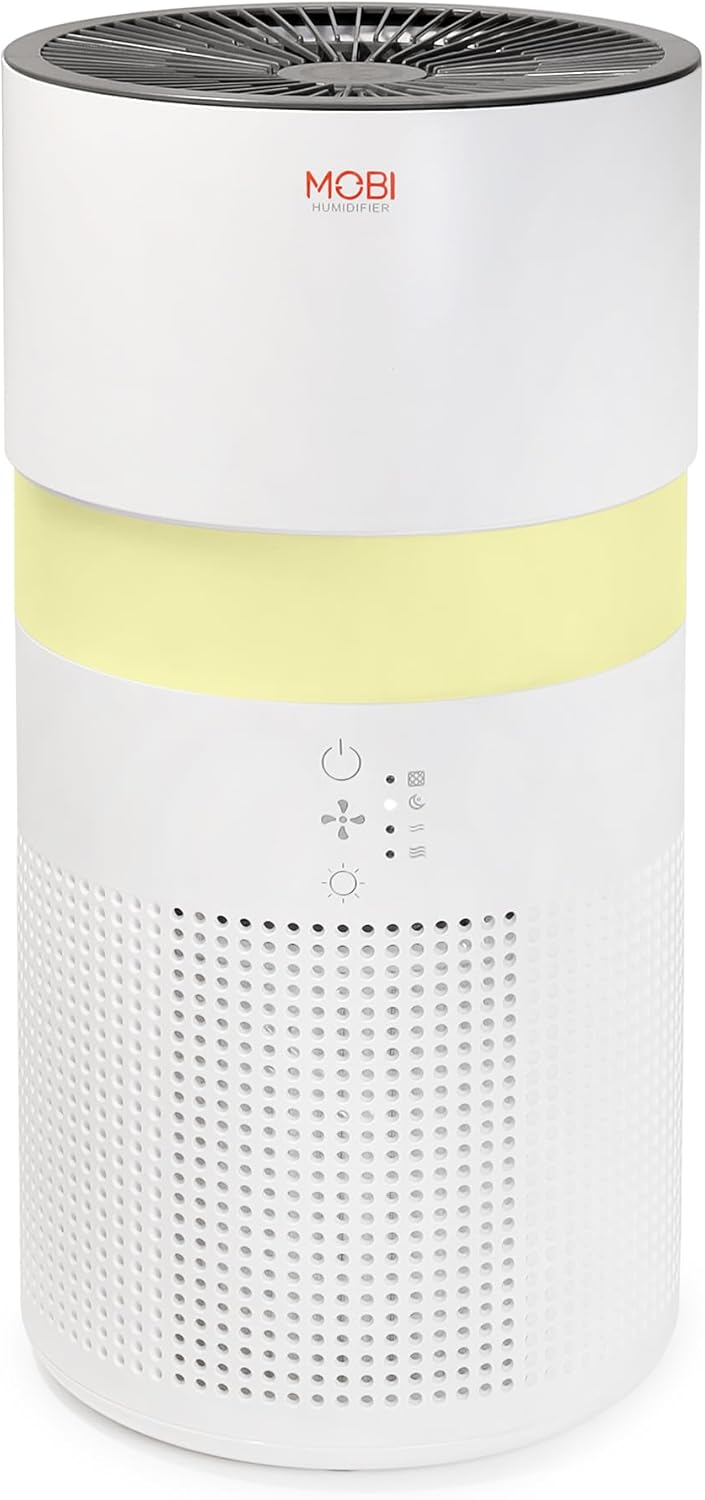
Image: The MOBI Connect Smart 4 in 1 Wi-Fi Air Purifier & Humidifier, a compact white cylindrical device with a light band and control panel.
Маанилүү коопсуздук маалыматы
Өрт, электр шок же жаракат алуу коркунучун азайтуу үчүн, бул шайманды колдонууда ар дайым негизги коопсуздук чараларын аткарыңыз.
- Түзмөктү ар дайым катуу, тегиз жерге коюңуз.
- Аба кирүүчү же чыгуучу жерлерди жаап албаңыз.
- Аппаратты суудан жана нымдан алыс кармаңыз.
- Тазалоодон же тейлөөдөн мурун аспапты сууруп алыңыз.
- Электр зымы же сайгычы бузулган болсо, аппаратты колдонбоңуз.
- Балдар жана үй жаныбарлары жетпеген жерде сактаңыз.
- Only use original MOBI replacement filters.
Продукт бүттүview
Familiarize yourself with the components and controls of your air purifier and humidifier.
Сүрөт: жакын план view of the control panel on the MOBI Air Purifier, showing power, fan speed, light, and humidifier icons.
Башкаруу панелинин өзгөчөлүктөрү:
- Кубат баскычы: Turns the unit on/off and activates pairing mode.
- Желдетүүчү ылдамдык көрсөткүчү: Displays current fan speed (Sleep, Medium, High).
- Humidifier Indicator: Shows humidifier status.
- Жарык режим баскычы: Cycles through light modes (Off, Gradient, Fixation).
- Чыпканы алмаштыруу көрсөткүчү: Фильтрди алмаштыруу керек болгондо күйүп турат.
Орнотуу колдонмосу
Follow these steps to set up your MOBI Connect Smart 4 in 1 Wi-Fi Air Purifier & Humidifier and connect it to the MOBI Smart App.
Баштапкы орнотуу:
- Аппаратты таңгактан чыгарып, бардык таңгактоочу материалдарды алып салыңыз.
- Ensure the filter is correctly installed inside the unit. Refer to the 'Maintenance' section for filter installation.
- Аппаратты туруктуу, тегиз бетке коюңуз.
- Plug the power adapter into the device and then into a wall outlet. The device will enter pairing mode, indicated by a red blinking LED.
Колдонмо туташуусу:
- жүктөп алыңыз MOBI Smart App түзмөгүңүздүн колдонмолор дүкөнүнөн.
- Open the app and sign up for an account if you don't have one.
- Accept all requested permissions (Bluetooth, Location, Notifications) for full functionality.
- On the app's home screen, tap 'Add Device' or the '+' icon in the top right corner.
- The app will search for nearby devices. If your device is blinking red, it should appear in the 'Discovering devices' area. Tap 'Add'.
- If not automatically discovered, select 'Mobi Air Purifier' from the 'Add Manually' list.
- Enter your 2.4GHz Wi-Fi network username and password. (Note: 5GHz networks are not supported).
- Follow the on-screen instructions to activate the device for pairing. If the red LED is not blinking, press and hold the power button until it starts blinking.
- Once the device is blinking red, tap 'Finish network configuration' and then 'Next' in the app.
- The app will connect to the device. Once connected, tap the blue button with the white plus sign next to 'MOBI Smart Air Care 4 IN 1' and then 'Done' in the top right corner.
Video: A detailed guide on how to connect and set up the MOBI Smart 4-in-1 Air Purifier & Humidifier using the MOBI Smart App, including app permissions, device discovery, Wi-Fi setup, and pairing instructions.
Иштөө нускамалары
Control your MOBI Connect Smart 4 in 1 Wi-Fi Air Purifier & Humidifier using the physical buttons on the device or through the MOBI Smart App.
Using the Device Buttons:
- Күйгүзүү/өчүрүү: Press the power button once to turn the unit on or off.
- Желдетүүчү ылдамдыгын жөндөө: Press the fan speed button to cycle through Sleep, Medium, and High settings.
- Control Night Light: Press the light button to cycle through Off, Gradient (color flow), and Fixation (single color) modes.
- Нымдагыч функциясы: Press the humidifier button to activate or deactivate the humidification feature.
Using the MOBI Smart App:
The app provides comprehensive control and additional features.
- Которуу: Power the device on or off remotely.
- Шамалдын ылдамдыгы: Select Sleep, Medium, or High wind speed options.
- Артка саноо таймери: Set a timer for 2, 4, or 6 hours for automatic shut-off.
- Орнотуулар: Access advanced options:
- UV дезинфекциясы: Enable or disable the UV disinfection feature.
- Чыпканы кайра коюу: Reset the filter life indicator after replacing the filter.
- Жарык режими: Choose between Off, Gradient (cycling colors), or Fixation (select a single color).
- График: Create custom schedules for when the device should turn on or off.
- Smart Home интеграциясы: Monitor your home's air quality and integrate with other MOBI Smart devices.
- Aromatherapy Pad: Add essential oils to the designated pad to diffuse scents into the air.

Image: The MOBI Air Purifier showcasing its 7 color-changing LED night light feature, adding ambiance to any room.

Image: The MOBI Air Purifier next to a smartphone displaying the MOBI Smart App interface, highlighting smart home control features.
Техникалык тейлөө
Түзмөгүңүздүн үзгүлтүксүз техникалык тейлөөсү анын иштөө мөөнөтүн узартат жана оптималдуу иштөөсүн камсыз кылат.
Фильтрди алмаштыруу:
The MOBI Connect Smart 4 in 1 Wi-Fi Air Purifier & Humidifier uses a 3-stage filtration system (Pre-Filter, Carbon, and HEPA filter). The filter replacement alert will notify you when it's time to change the filter.

Image: A visual representation of the 3-stage HEPA filtration system, showing the layers of the filter.
- Аппаратты розеткадан сууруп алыңыз.
- Remove the bottom cover of the unit.
- Эски чыпканы кылдаттык менен алып салыңыз.
- Insert the new MOBI replacement filter, ensuring it is seated correctly.
- Астыңкы капкакты алмаштырыңыз.
- Аппаратты кайра сайыңыз.
- In the MOBI Smart App, go to 'Settings' and select 'Reset Filter' to reset the filter life indicator.

Image: The MOBI Air Purifier with a new filter, illustrating the filter replacement alert system.
Аппаратты тазалоо:
- Аппараттын сыртын жумшак, г менен сүртүңүзamp кездеме. Абразивдүү тазалагычтарды колдонбоңуз.
- Clean the water tank regularly to prevent mineral buildup and mold growth. Use a mild detergent and rinse thoroughly.
- Ensure all parts are completely dry before reassembling and using the device.
Проблемаларды чечүү
If you encounter issues with your device, refer to the following common problems and solutions.
| Көйгөй | Мүмкүн себеп | Чечим |
|---|---|---|
| Түзмөк күйбөй жатат. | розеткага кошулбаган; электр розеткасынын маселеси; бузулган шнур. | Ensure power cord is securely plugged in. Test outlet with another device. Check for cord damage. |
| Түзмөк Wi-Fi'га туташпай жатат. | Incorrect Wi-Fi password; 5GHz network; device not in pairing mode. | Verify Wi-Fi password. Ensure you are connecting to a 2.4GHz network. Press and hold power button to enter pairing mode (red blinking LED). |
| Air quality not improving. | Dirty filter; incorrect fan speed; room size too large. | Check filter indicator and replace if necessary. Increase fan speed. Ensure device is suitable for your room size. |
| Нымдандыргыч туман чыгарбайт. | Water tank empty; humidifier function off; mineral buildup. | Refill water tank. Activate humidifier function via app or button. Clean water tank and humidifier components. |
Техникалык шарттар
| Өзгөчөлүк | Деталь |
|---|---|
| Продукциянын өлчөмдөрү | 6.5"D x 6.5"W x 13"H (6.5x6.5x13 дюйм) |
| Элемент моделинин номери | 70692 |
| Салмагы | 3 фунт |
| Түс | Ак |
| Полдун аянты | 350 чарчы футка чейин |
| Фильтрация системасы | 3-Сtage (Pre-Filter, Activated Carbon, HEPA) |
| Нымдагыч түрү | Forced-air water tank method |
| Night Light | 7 Unique LED Colors, Adjustable Modes (Off, Gradient, Fixation) |
| Ызы-чуу деңгээли | 24 дБ (Уйку режими) |
| Аба айлануу ылдамдыгы | 5x per hour |
| Байланыш | Wi-Fi (2.4 ГГц талап кылынат) |
| Сертификаттар | UL Certified, RoHS Certified |
| Ватtage | 680 ватт |
Кепилдик жана колдоо
MOBI products are designed with quality and reliability in mind. For warranty information and customer support, please refer to the official MOBI webсайтка же түздөн-түз кардарларды тейлөөгө кайрылыңыз.
For frequently asked questions (FAQ) and feedback, you can also access these sections within the MOBI Smart App under the device settings.