
1. Киришүү
Thank you for choosing the Sades Whisper Wireless Multiplatform Gaming Headset. This manual provides detailed instructions for setting up, operating, and maintaining your headset to ensure optimal performance and longevity. The Sades Whisper headset offers premium audio, long-lasting battery life, fast charging, and comfortable use, designed for an immersive gaming experience across multiple platforms.
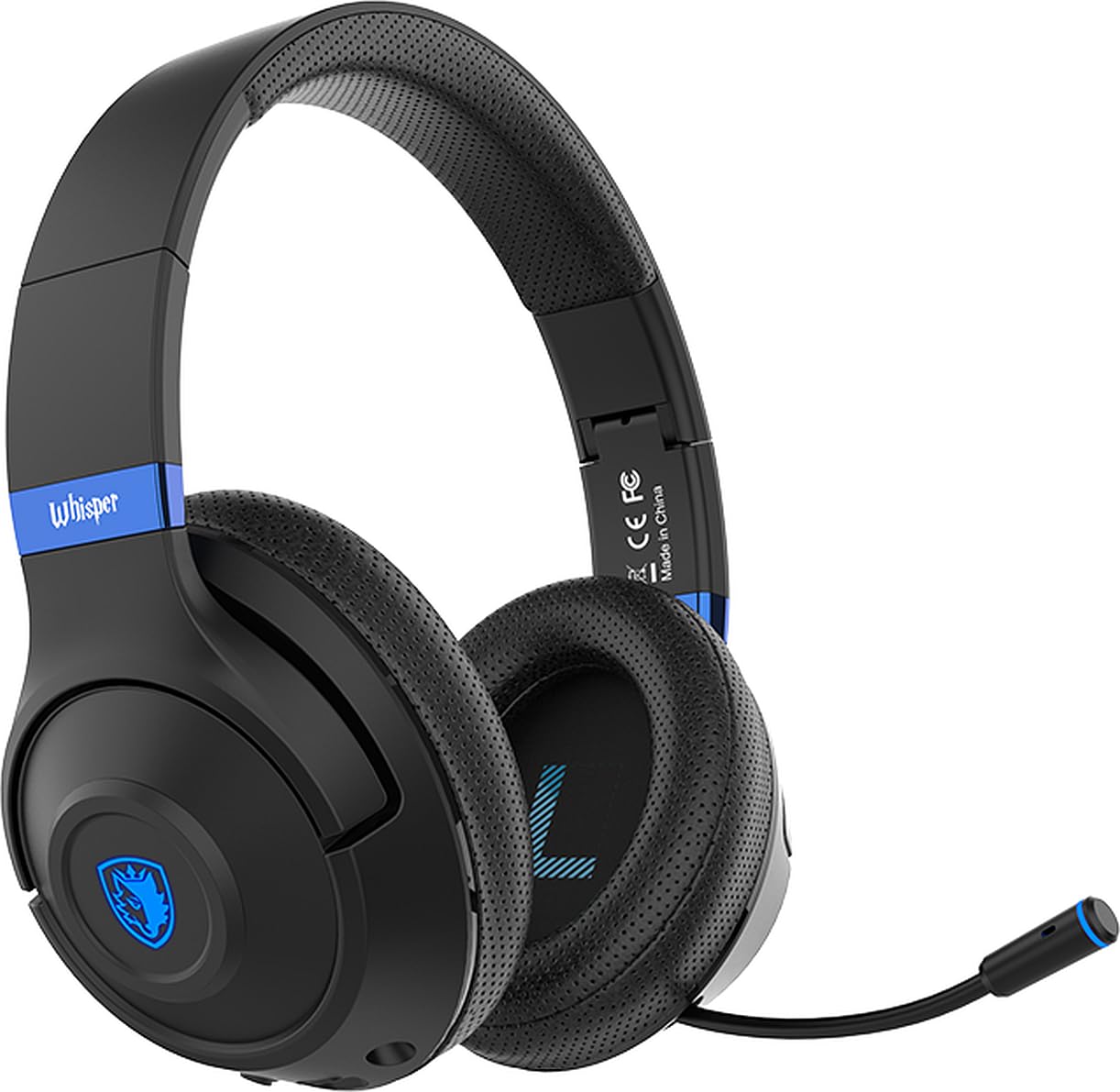
Image 1.1: Sades Whisper Wireless Gaming Headset. This image displays the overall design of the Sades Whisper headset, highlighting its sleek black finish and blue accents.
2. Продукт бүтүп калдыview
2.1 Негизги өзгөчөлүктөрү
- Flexible Retractable Microphone: Түшүнүктүү байланыш үчүн.
- Fashion Blue Lights: Enhances the gaming environment.
- Тез кубаттоо: Via Type-C port.
- Жумшак кулакчындар: For extended comfort.
- Comfortable Tiara (Headband): Ишенимдүү отуруу үчүн жөнгө салынат.
- Folding Headphones: Жөнөкөй көчүрүү жана сактоо үчүн.
- Жөнгө салынуучу баш боосу: Ensures a personalized fit.
2.2 Headset Components and Controls
Familiarize yourself with the various parts and controls of your Sades Whisper headset.

Image 2.1: Headset Controls. This image provides a detailed view of the control buttons located on the earcup, including volume, multifunction, and power buttons, along with the Type-C charging port and 3.5mm audio jack.
- Үндү көзөмөлдөө: Аудио чыгаруу деңгээлин тууралайт.
- Multifunction Button (M Button): Controls various functions such as play/pause, mute, game mode, and call management.
- Кубат баскычы: Used for powering on/off, pairing, and other functions.
- Тип-C Port: Гарнитураны заряддоо үчүн.
- 3.5 мм аудио уячасы: Зымдуу туташуу үчүн.
- Тартылуучу микрофон: Can be extended for use and retracted for storage.
3. Орнотуу
3.1 Алгачкы заряддоо
Before first use, fully charge your Sades Whisper headset. Connect the provided Type-C charging cable to the headset's Type-C port and a compatible USB power source. A full charge takes approximately 2 hours and provides up to 32 hours of battery life.
3.2 Күйгүзүү/өчүрүү
- Күйгүзүү үчүн: LED индикатору күйгүчө Power баскычын басып, кармап туруңуз.
- Өчүрүү үчүн: LED индикатору өчмөйүнчө Кубат баскычын басып, кармап туруңуз.
4. Иштөө нускамалары
4.1 Байланыш параметрлери
The Sades Whisper headset supports both wireless (Bluetooth 5.3) and wired (3.5mm audio jack) connections.

Image 4.1: Dual Connection Options. This image illustrates the headset's ability to connect wirelessly via Bluetooth 5.3 and through a wired 3.5mm audio cable, showing compatibility with various devices.
4.1.1 Bluetooth туташуусу (зымсыз)
- Ensure the headset is powered on and in pairing mode (LED indicator will flash, typically blue). If not, press and hold the Power button or Multifunction button to initiate pairing.
- On your device (mobile phone, TV with Bluetooth, laptop, MAC, iPad, etc.), go to Bluetooth settings and search for available devices.
- Select "Sades Whisper" from the list of found devices to pair.
- Once connected, the LED indicator will typically show a steady blue light.
4.1.2 3.5 мм Зымдуу туташуу
For devices without Bluetooth or when a wired connection is preferred (e.g., PS4, PS5, Xbox, phones with 3.5mm jack), use the included 3.5mm audio cable.
- Plug one end of the 3.5mm audio cable into the headset's 3.5mm audio jack.
- Plug the other end into the 3.5mm audio port of your device.
- The headset will operate in wired mode, bypassing Bluetooth functionality.
4.2 Микрофонду колдонуу
The Sades Whisper features an omni-directional retractable microphone with noise reduction capabilities for clear voice capture.
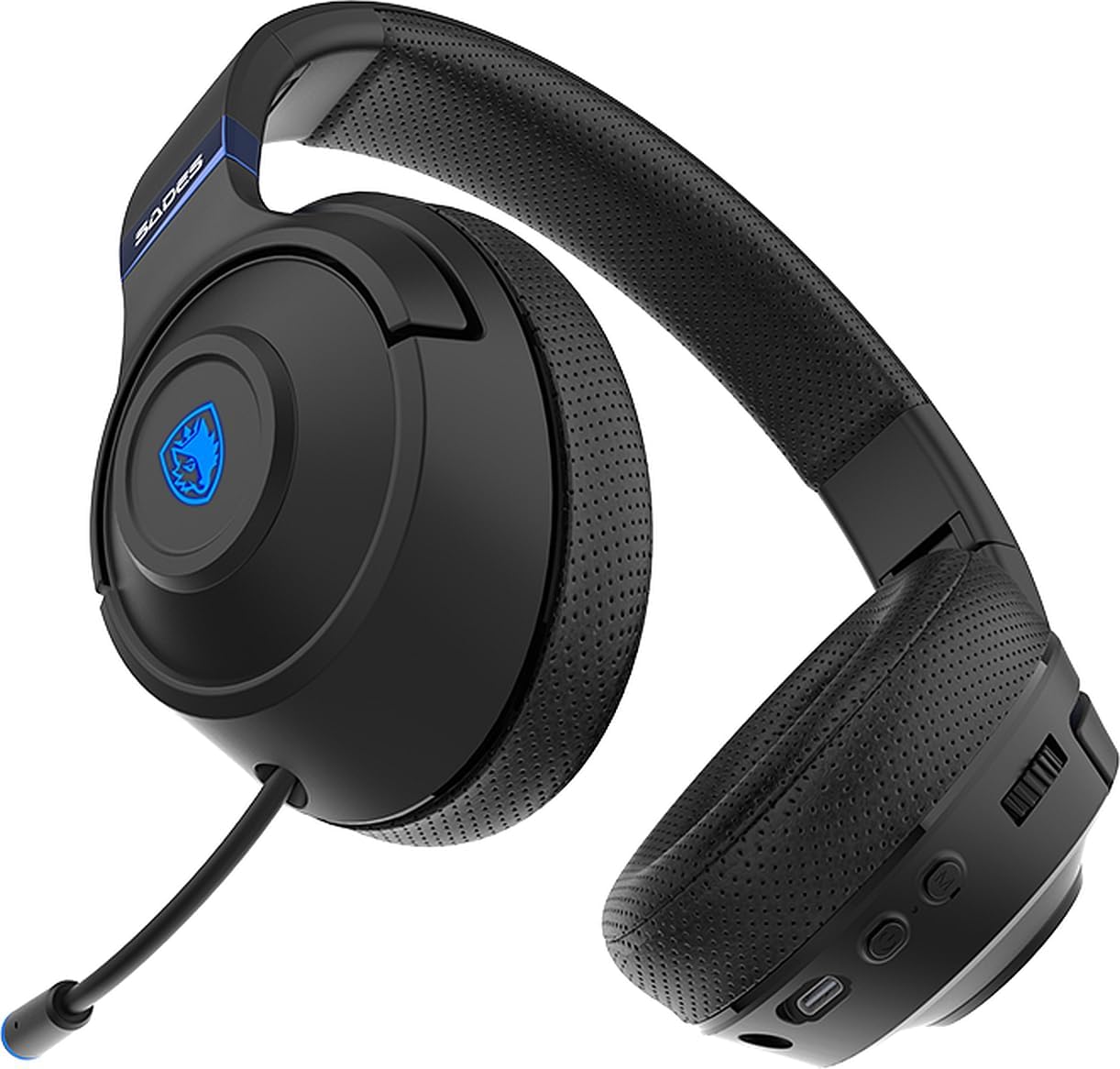
Image 4.2: Retractable Microphone. This image shows the flexible, retractable microphone extended from the headset, ready for use.
- Колдонуу үчүн: Gently pull out the microphone from its housing until it is in position. Adjust its flexible arm for optimal voice pickup.
- Сактоо үчүн: Gently push the microphone back into its housing until it is fully retracted.
- Үнсүз функция: Use the multifunction button on the headset to mute or unmute the microphone during calls or gaming.
5. Техникалык тейлөө
Proper maintenance ensures the longevity and performance of your Sades Whisper headset.
- Тазалоо: Use a soft, dry cloth to clean the headset. Do not use abrasive cleaners or solvents. For earcups, a slightly damp кездемени колдонсо болот, бирок динамиктин торчолоруна ным кирбегенин текшериңиз.
- Сактагыч: When not in use, store the headset in a cool, dry place. The foldable design allows for compact storage.
- Батареяга кам көрүү: Батареянын тез-тез толук зарядын жоготуп алуудан алыс болуңуз. Батареянын иштөө мөөнөтүн сактоо үчүн, тынымсыз колдонулбаса да, гарнитураны үзгүлтүксүз кубаттап туруңуз.
- Экстремалдуу шарттарды болтурбоо: Do not expose the headset to extreme temperatures, humidity, or direct sunlight.

Image 5.1: Foldable Headset Design. This image demonstrates the headset's foldable earcups, illustrating its compact form factor for easy storage and transport.
6. Кыйынчылыктарды
If you encounter issues with your Sades Whisper headset, refer to the following common solutions:
6.1 Үн жок же үнү төмөн
- Текшерүү көлөмү: Ensure the volume control on the headset and your connected device is turned up.
- Байланыш: Verify that the headset is properly connected via Bluetooth or the 3.5mm cable. For Bluetooth, ensure it is paired and connected.
- Түзмөктүн чыгышы: Confirm that your device's audio output is set to the Sades Whisper headset.
- Батарея деңгээли: A low battery can affect performance. Charge the headset fully.
6.2 Bluetooth аркылуу туташуу мүмкүн эмес
- Жупташтыруу режими: Ensure the headset is in Bluetooth pairing mode (LED flashing).
- Түзмөктүн Bluetooth: Түзмөгүңүздө Bluetooth иштетилгенин текшериңиз.
- Аралык: Keep the headset within 10 meters (33 feet) of your device.
- Интерференция: Тоскоолдукка алып келиши мүмкүн болгон башка зымсыз түзмөктөрдөн алыс болуңуз.
- Түзмөктү унут: On your device, try forgetting "Sades Whisper" from the Bluetooth list and then re-pairing.
6.3 Микрофон иштебейт
- Микрофондун абалы: Ensure the microphone is fully extended and positioned correctly.
- Үнсүз функция: Check if the microphone is muted using the headset's multifunction button.
- Түзмөктүн жөндөөлөрү: Verify that the correct microphone input (Sades Whisper) is selected in your device's audio settings.
7. Техникалык шарттар
| Категория | Спецификация |
|---|---|
| Модель номери | SA-205 |
| Bluetooth версиясы | V5.3 |
| Bluetooth Profile Колдоо | A2DP, HFP, SP, AVRCP |
| Bluetooth диапазону | 10 метр (33 фут) |
| Диаметри | 40мм |
| Спикер сезгичтиги | 113±3dB/ 1kHz |
| Динамиктин жыштыгына жооп | 20-20кГц |
| Динамик импедансы | 32 Ω/ 1 kHz |
| Speaker Handling Power Capacity | 20мВт |
| Микрофондун өлчөмү | 4мм |
| Микрофондун сезгичтиги | -42 +/- 3 dB/ 1 kHz |
| Микрофондун жыштыгына жооп | 100-10кГц |
| Микрофон импедансы | <2.2 KΩ 1 kHz |
| Микрофондун багыты | Omni-Directional |
| Батареянын иштөө мөөнөтү | 32 саатка чейин |
| Заряддоо убактысы | Approximately 2 hours (via Type-C) |
| Батарея түрү | 602040 |
| Өлчөмдөрү (жеткирүү) | 21.5 x 17.3 x 10 см |
| Салмагы (жеткирүү) | 440 грамм |
| Шайкештик | Mobile phone, TV with Bluetooth, mobile devices with Bluetooth (laptop, MAC, iPad, etc.), 3.5mm audio devices (PS4, PS5, XBOX, phones) |
8. Кепилдик жана колдоо
For warranty information and customer support, please refer to the documentation provided with your purchase or contact your retailer. You may also visit the official Sades webкошумча жардам жана продуктуну каттоо үчүн сайт.