
1. Introduction and Overview
The Uten 2200 Computerized Embroidery Sewing Machine is designed for both beginners and experienced sewers, offering a wide range of features for various sewing projects. This manual provides detailed instructions for setup, operation, maintenance, and troubleshooting to ensure optimal performance and longevity of your machine.

Figure 1.1: Uten 2200 Computerized Embroidery Sewing Machine.

Figure 1.2: Key components of the Uten 2200 Sewing Machine, including the thread tension control dial, start/stop button, sewing speed control, LCD display, automatic needle threader, reverse sewing lever, power/light switch, presser foot lifter, and feed dog controller.
2. Коопсуздук маалыматы
Please read all instructions before using this sewing machine to prevent electric shock, fire, or injury. Keep this manual for future reference.
- Always unplug the machine from the electrical outlet immediately after using and before cleaning, making any adjustments, or removing any parts.
- Балдарга машинаны көзөмөлсүз иштетүүгө жол бербеңиз.
- Бармактарды кыймылдуу бөлүктөрдөн алыс кармаңыз. Тигүүчү машинанын ийнесинин айланасында өзгөчө кылдаттык талап кылынат.
- Өндүрүүчүлөр сунуштаган аксессуарларды гана колдонуңуз.
- Эгерде машинанын шнуру же сайгычы бузулган болсо, ал туура иштебей жатса, же түшүп кетсе же бузулуп калса, аны эч качан иштетпеңиз.
- Do not use the machine in the presence of explosive and/or flammable fumes.
3. Пакеттин мазмуну
Upon unboxing your Uten 2200 Sewing Machine, ensure all the following components are present. Accessories are typically stored inside the removable accessory table on the front of the machine.
- Uten 2200 Sewing Machine Unit
- Бут педалы
- Электр кабели
- Стандарттык аксессуарлар:
- Zigzag Foot
- Сыдырма буту
- Button Foot
- Blind Stitch Foot
- Buttonhole Foot
- Bobbins
- Ийнелер
- Twin Needle
- Screwdriver
- Этектин жетектөөчү бут
- Ripper/Brush

Figure 3.1: Location of accessories and a visual guide to the included presser feet and tools.
4. Орнотуу
4.1 Кубат туташтыруу
Кубат шнурун машинага, андан кийин ылайыктуу электр розеткасына туташтырыңыз. Эгерде бут педалын колдонсоңуз, аны машинадагы белгиленген портко туташтырыңыз.
4.2 Бобинди ороо
Proper bobbin winding ensures smooth stitching. Place the thread spool on the spool pin, guide the thread through the tension disc, and wind it onto an empty bobbin. Place the bobbin onto the bobbin winder spindle and push it to the right. Start the machine to wind the bobbin evenly. Once full, cut the thread and remove the bobbin.
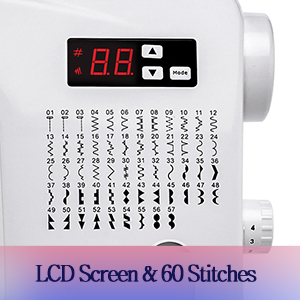
Figure 4.1: Bobbin winding system in operation.
4.3 Машинага жип салуу
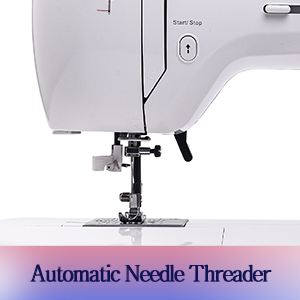
Жогорку жип: Follow the numbered guides on the machine to thread the upper thread from the spool, through the tension discs, take-up lever, and down to the needle. The automatic needle threader simplifies the final step.

Figure 4.2: Demonstrating the automatic needle threader for easy threading.
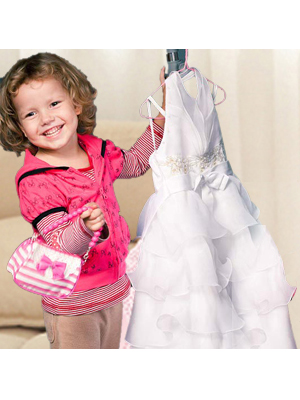
Figure 4.3: Close-up of the automatic needle threader.
Lower Threading (Bobbin Case): Open the bobbin case cover. Insert the wound bobbin into the bobbin case, ensuring the thread unwinds in the correct direction. Pull the thread through the tension spring and into the bobbin case slot. Close the cover. Use the handwheel to bring the bobbin thread up through the needle plate.
4.4 Басуучу буттарды бекитүү
To change a presser foot, raise the needle and presser foot lifter. Press the release button on the back of the presser foot holder to detach the current foot. Align the new presser foot with the holder and lower the presser foot lifter until it snaps into place.
4.5 Кеңейтүү таблицасы
For larger projects and quilting, an optional extension table can be attached to the machine. This provides a larger, flat working surface. (Note: Extension table is not included and must be purchased separately).

Figure 4.4: The sewing machine with an optional extension table, providing a larger work area for projects and quilts.

4.5-сүрөт: Каптал view emphasizing the extended table area.
5. Иштөө нускамалары
The Uten 2200 offers a variety of functions to enhance your sewing experience.
5.1 Stitch Selection and LCD Display
The machine features 60 unique built-in stitches, including basic and decorative options. Use the LCD screen and selection buttons to easily choose your desired stitch pattern. The LCD display shows the selected stitch number and other relevant settings.

Figure 5.1: The LCD screen and the comprehensive chart of 60 built-in stitch patterns.
5.2-сүрөт: Детальдуу view of the LCD screen and stitch selection buttons.
5.2 Ылдамдыкты көзөмөлдөө
Adjust the sewing speed using the variable speed control slider located on the machine. This allows for precise control, especially for intricate work or when learning.

Figure 5.3: The speed control slider for adjusting sewing pace.
5.3 Reverse Stitch Function
To reinforce stitches at the beginning or end of a seam, press and hold the reverse button. The machine will sew in reverse. Release the button to resume forward stitching.
5.4 Тигиштин узундугун жана туурасын тууралоо
The machine allows for automatic adjustment of stitch length and width. For specific patterns, consult the stitch chart and adjust as needed using the appropriate controls.
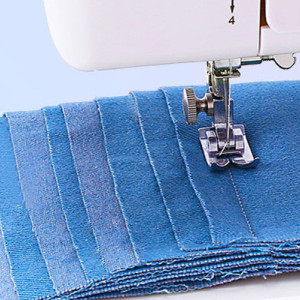
Figure 5.4: Adjusting stitch length using the dial.
5.5 Чыңалууну жөндөө
The machine features automatic tension. If manual adjustment is required for specific fabrics or threads, use the tension control dial to achieve balanced stitches.
5.6 Using Different Presser Feet
The Uten 2200 comes with 5 quick-change presser feet, each designed for specific tasks:
- Zigzag Foot: Standard foot for general sewing and zigzag stitches.
- Сыдырма бут: Used for sewing zippers, allowing the needle to stitch close to the zipper teeth.
- Button Foot: Designed for attaching buttons securely.
- Blind Stitch Foot: Creates invisible hems on various fabrics.
- Топчу тешигинин буту: Used in conjunction with the machine's buttonhole function to create precise buttonholes.

5.5-сүрөт: Мисamples of projects using various presser feet, including button, zipper, and blind stitch feet.
5.7 Four-step Buttonhole Sewing
Attach the buttonhole foot. Select the buttonhole stitch pattern on the LCD. Follow the machine's instructions for each of the four steps to create a complete buttonhole.
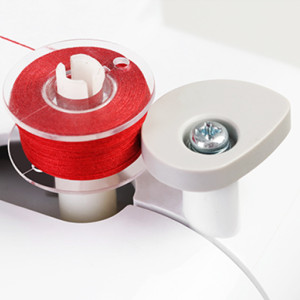
Figure 5.6: Four-step buttonhole sewing in progress.
5.8 Free-Motion Quilting/Embroidery
For free-motion quilting or embroidery, the feed dogs can be dropped. This allows you to move the fabric freely under the needle. Attach the embroidery foot for best results.

Figure 5.7: The drop feed system for easy embroidery and free-motion sewing.
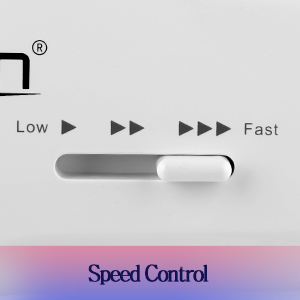
Figure 5.8: Free-hand sewing with the feed dogs lowered.
5.9 Multilayer Sewing
The Uten 2200 is capable of sewing through multiple layers of fabric, such as denim, making it suitable for various projects from delicate fabrics to heavier materials.
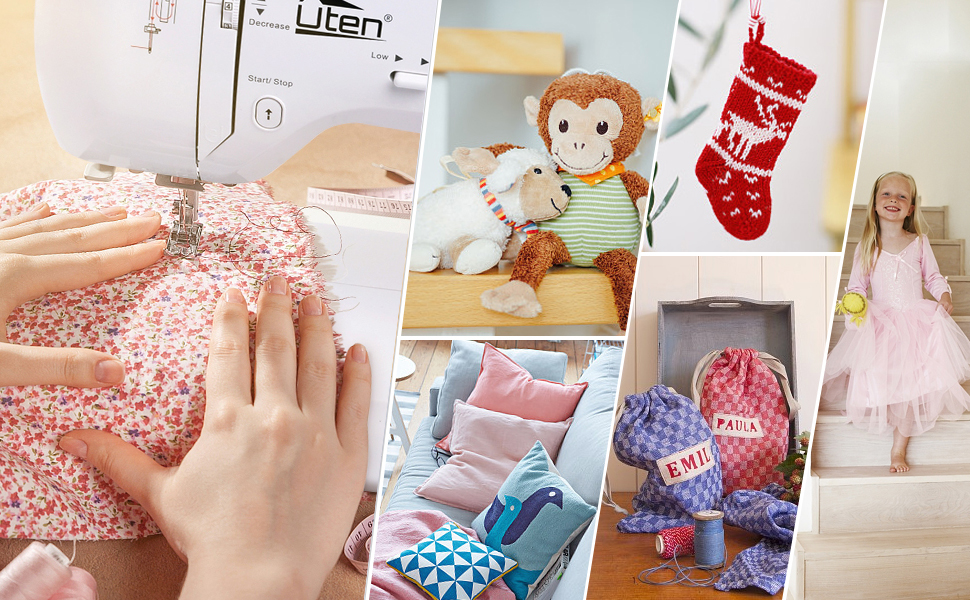
Figure 5.9: The machine's capability to sew through multiple layers of fabric.
5.10 Продукт видеосу бүттүview
For a visual guide to the Uten 2200 Sewing Machine's features and basic operations, please watch the official product video below.
Video 5.1: Official Uten Sewing Machine Model 2200 demonstration, covering bobbin winding, threading, automatic needle threader, stitch selection, tension control, two control modes (automatic and foot pedal), stitch length adjustment, multilayer sewing, reverse stitch, variable speed control, four-step buttonhole sewing, blind stitch foot, zipper foot, button foot, free motion quilting, and extension table usage.
6. Техникалык тейлөө
Regular maintenance ensures the smooth operation and extends the life of your sewing machine.
6.1 Тазалоо
Regularly clean lint and dust from the bobbin area and feed dogs using the brush provided. Unplug the machine before cleaning. Do not use liquid cleaners or immerse the machine in water.
6.2 Ийне алмаштыруу
Replace the needle frequently, especially when sewing different fabric types or if the needle becomes bent or dull. A dull needle can cause skipped stitches or damage to fabric. Ensure the flat side of the needle faces the back of the machine when inserting.
7. Кыйынчылыктарды
Бул бөлүм сиз кабылышы мүмкүн болгон жалпы көйгөйлөрдү карайт. Татаал көйгөйлөр үчүн кардарларды колдоо бөлүмүнө кайрылыңыз.
| Көйгөй | Мүмкүн себеп | Чечим |
|---|---|---|
| Өткөрүлгөн тигүү | Туура эмес ийне, ийне ийилген, жип туура эмес өткөрүлгөн, туура эмес тартылуу. | Ийнени туура түрү/өлчөмү менен алмаштырыңыз, жипти машинадан кайра өткөрүңүз, тартылуусун жөндөңүз. |
| Thread Breaking | Improper threading, tension too tight, poor quality thread, bent needle. | Re-thread machine, loosen tension, use good quality thread, replace needle. |
| Кездемени бырыштыруу | Тартуу өтө катуу, тигиштин узундугу туура эмес, кездеменин ийнеси туура эмес. | Adjust tension, increase stitch length, use appropriate needle. |
| Машина иштебей жатат | Not plugged in, power switch off, foot pedal not connected. | Check power connection, ensure switch is on, verify foot pedal connection. |
8. Техникалык шарттар
- Модел: Утен 2200
- Тигүү үлгүлөрү: 60 unique built-in stitches
- Дисплей: LCD экран
- Башкаруу режимдери: Electric (Start/Stop button) and Foot Pedal
- Өлчөмдөрү (Продукт): 19.09 x 13.77 x 9.05 дюйм (48.5 x 35 x 23 см)
- Салмагы (пункт): 12.63 фунт (5.73 кг)
- Өндүрүүчү: Uten
- UPC: 744252858674
- Included Presser Feet: Zigzag, Zipper, Button, Blind Stitch, Buttonhole
- Өзгөчөлүктөр: Automatic Needle Threader, Automatic Tension, Variable Speed Control, Reverse Stitch Function, Drop Feed System.
9. Кепилдик жана колдоо
For warranty information, technical support, or replacement parts, please contact Uten customer service through their official webпродукт сатылып алынган сайт же сатуучу. Сатып алганыңыздын далили катары сатып алуу дүмүрчөгүңүздү сактаңыз.
Uten Official Webсайт: Visit the Uten Store on Amazon