
Fresh 'n Rebel Twins 3+ Tip
Fresh 'n Rebel Twins 3+ Tip Wireless In-Ear Bluetooth Headphones
User Manual
Introduction
This manual provides detailed instructions for setting up, operating, and maintaining your Fresh 'n Rebel Twins 3+ Tip Wireless In-Ear Bluetooth Headphones. Please read this manual carefully before using your device to ensure optimal performance and longevity.

Image: Fresh 'n Rebel Twins 3+ Tip wireless earbuds in their charging case, showcasing the dried green color and compact design.
Кутуда эмне бар?
Upon unboxing your Fresh 'n Rebel Twins 3+ Tip headphones, ensure all the following items are present:
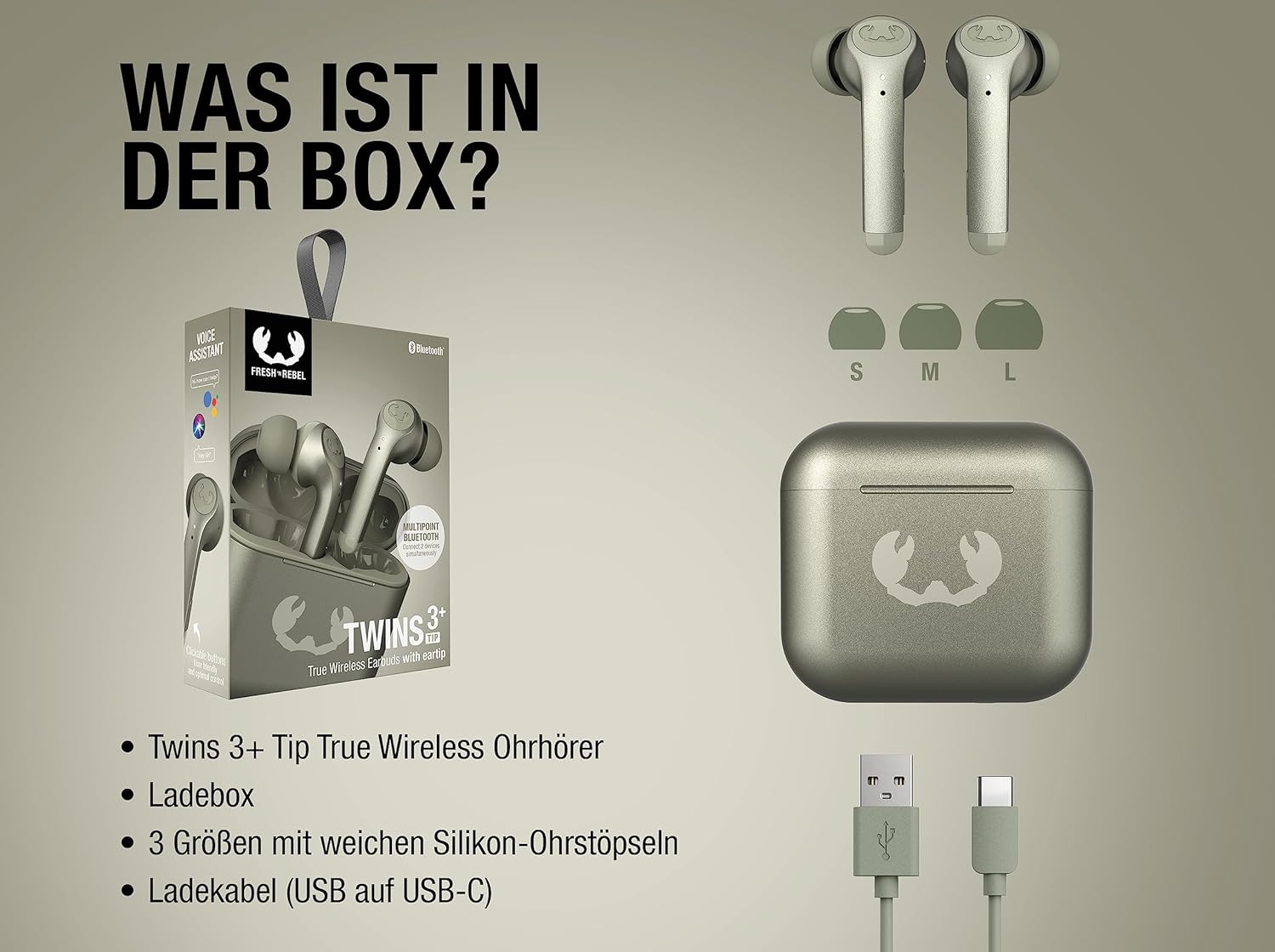
Image: A visual representation of the package contents, including the Twins 3+ Tip True Wireless Earbuds, their charging box, three sizes of soft silicone ear tips (S, M, L), and a USB-A to USB-C charging cable.
- Twins 3+ Tip True Wireless Earbuds
- Заряддоо кутусу
- 3 Sizes of Soft Silicone Ear Tips (S, M, L)
- USB-Aдан USB-Cге заряддоо кабели
Орнотуу колдонмосу
1. Кулакчындарды жана кутуну кубаттоо
Before first use, fully charge the Twins 3+ Tip earbuds and their charging case. The case supports both wired (USB-C) and wireless (Qi) charging.
- Connect the provided USB-A to USB-C cable to the charging case and a power source.
- Же болбосо, кубаттоочу кутучаны Qi менен шайкеш келген зымсыз кубаттоочу тактага коюңуз.
- Толук кубаттоо болжол менен 1.5 саатты талап кылат.
- The earbuds provide up to 6 hours of playback on a single charge, with the charging case extending total playtime to 27 hours.
- Quick charge feature: 15 minutes of charging provides 3 hours of playback.

Image: Visual representation of the battery life, indicating 27 hours of total playtime (6 hours from earbuds + 21 hours from case) and the quick charge capability (15 minutes charge for 3 hours playback).
2. Баштапкы жупташтыруу
Follow these steps to pair your Twins 3+ Tip headphones with your device:
- Кулакчындар кубаттоочу кутуда жана кутуда кубат бар экенин текшериңиз.
- Заряддоо кутучасын ачыңыз. Кулакчындар жупташтыруу режимине автоматтык түрдө кирет.
- Смартфонуңузда, планшетиңизде же башка Bluetooth иштетилген түзмөгүңүздө Bluetooth жөндөөлөрүнө өтүңүз.
- Select "Twins 3+ Tip" from the list of available devices.
- Туташкандан кийин, сиз үндүү тастыктоо угасыз.
3. Multipoint Bluetooth Connection
The Twins 3+ Tip supports Multipoint Bluetooth, allowing you to connect to two devices simultaneously. This feature enables seamless switching between audio sources, for example, from your laptop to your smartphone.

Image: An illustration demonstrating the Multipoint Bluetooth feature, allowing the earbuds to be connected to two devices, such as a laptop and a smartphone, at the same time.
Иштөө нускамалары
Башкаруу баскычтары
The Twins 3+ Tip earbuds feature clickable button controls for easy management of music playback, calls, and voice assistant activation. Refer to the diagram below for button locations and functions.

Сүрөт: деталдуу view of an earbud, indicating the user-friendly clickable button for optimal control and its compatibility with voice assistants like Siri and Google Assistant.
| Акция | Функция |
|---|---|
| Бир чыкылдатуу | Музыканы ойнотуу/тындыруу, Чалууга жооп берүү/Аяктоо |
| Эки жолу чыкылдатуу (сол кулакчын) | Мурунку трек |
| Эки жолу чыкылдатуу (оң кулакчын) | Кийинки трек |
| Үч жолу чыкылдатуу | Үн жардамчысын жандырыңыз |
| Узак басуу | Чакырууну четке кагуу |
In-Ear Detection (Automatic Pause)
The Twins 3+ Tip earbuds are equipped with in-ear detection sensors. Music playback will automatically pause when you remove an earbud from your ear and resume when you put it back in.
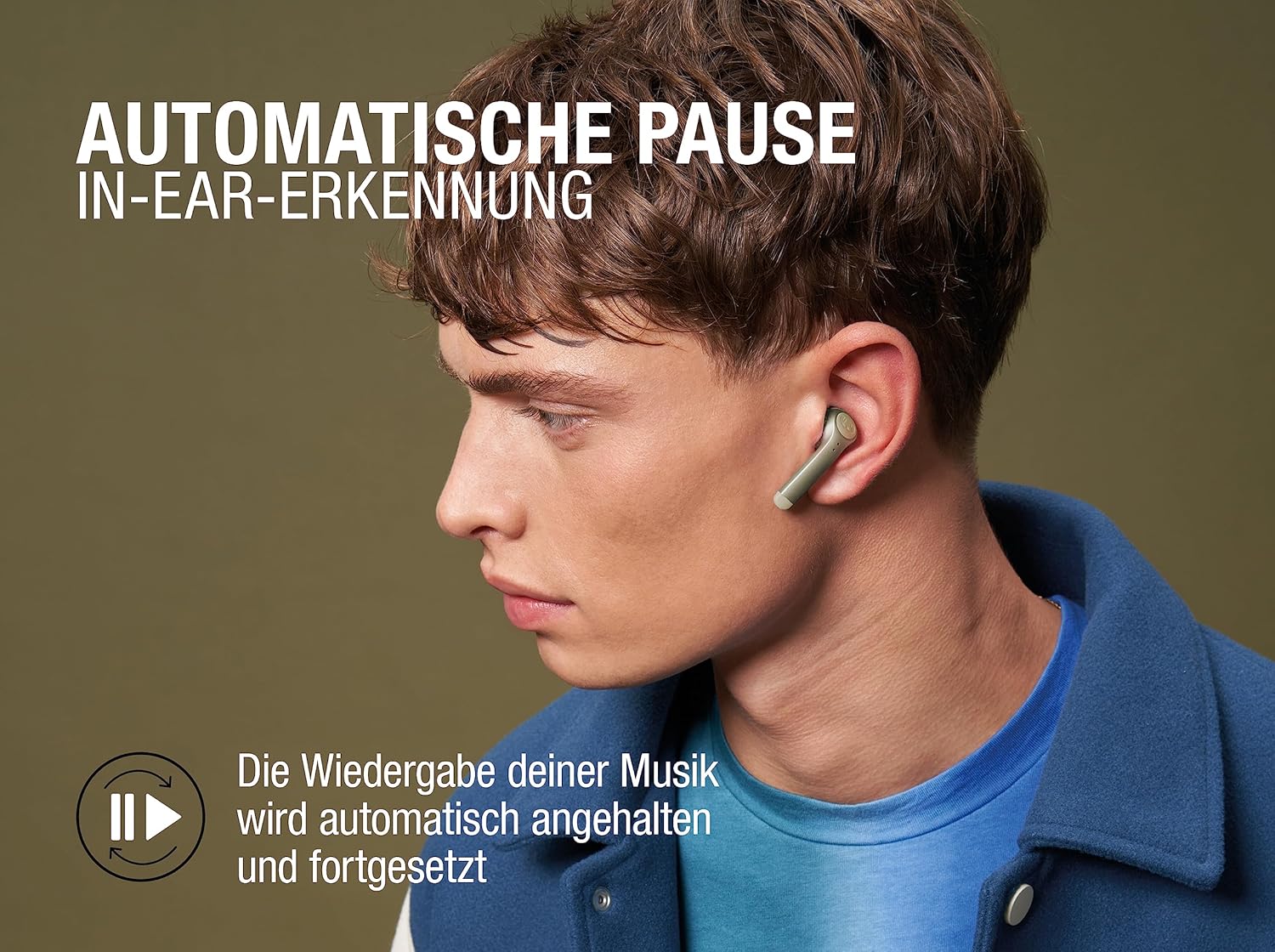
Image: A visual demonstrating the automatic pause feature, where music playback is automatically paused and resumed when the earbuds are taken out or put back into the ear.
Beamforming ENC Microphones
For crystal-clear phone calls, the Twins 3+ Tip features Beamforming Environmental Noise Cancellation (ENC) microphones. These microphones reduce ambient noise and focus on your voice, ensuring clear communication even in noisy environments.

Image: A diagram highlighting the Beamforming ENC Microphones, explaining how they reduce ambient noise and concentrate on your voice for crystal-clear phone calls.
IPX4 Splashproof Rating
The Twins 3+ Tip earbuds are IPX4 splashproof, meaning they are resistant to splashes of water from any direction. This makes them suitable for workouts or light rain, but they are not designed for submersion in water.
Техникалык тейлөө
To ensure the longevity and optimal performance of your Twins 3+ Tip headphones, follow these maintenance guidelines:
- Тазалоо: Кулакчындарды жана заряддоо кутусун жумшак, кургак, түксүз чүпүрөк менен дайыма тазалап туруңуз. Абразивдүү тазалагычтарды, спиртти же химиялык эриткичтерди колдонбоңуз.
- Кулак кеңештери: Remove the silicone ear tips and clean them with mild soap and water if necessary. Ensure they are completely dry before reattaching them to the earbuds.
- Сактагыч: Колдонбогондо, кулакчындарды чаңдан, кирден жана бузулуудан коргоо үчүн ар дайым заряддоо кутучасында сактаңыз. Салкын, кургак жерде, экстремалдык температурадан алыс сактаңыз.
- Суунун таасиринен сактаныңыз: While splashproof, avoid prolonged exposure to water or high humidity. Do not wear them while swimming or showering.
Проблемаларды чечүү
If you encounter issues with your Twins 3+ Tip headphones, try the following solutions:
| Көйгөй | Чечим |
|---|---|
| Кулакчындар жупташкан жок | Ensure earbuds are charged. Place them back in the case, close, then open again. Check your device's Bluetooth settings and forget "Twins 3+ Tip" if previously paired, then try pairing again. |
| Бир гана кулакчын иштейт | Ensure both earbuds are charged. Place both earbuds back in the charging case, close the lid for a few seconds, then open it again. This often re-syncs them. |
| Үн жок | Check the volume on both your connected device and the earbuds. Ensure the earbuds are properly connected via Bluetooth. Try playing audio from a different application or device. |
| Чалуу сапаты начар | Ensure the microphones are not obstructed. Move closer to your connected device. Check for strong Wi-Fi or other wireless interference. |
| Заряддоо маселелери | Check the charging cable and power adapter. Ensure the charging contacts on the earbuds and inside the case are clean and free of debris. If using wireless charging, ensure proper alignment on the Qi pad. |
If the issue persists, please refer to the support section or contact Fresh 'n Rebel customer service.
Техникалык шарттар
| Өзгөчөлүк | Деталь |
|---|---|
| Модель аты | Twins 3+ Tip |
| Бренд | Fresh 'n Rebel |
| Байланыш технологиясы | Зымсыз (Bluetooth) |
| Кулак жайгаштыруу | In-Ear |
| Форма фактору | In-Ear |
| Noise Control | Noise Shielding (ENC Microphones) |
| Ойнотуу убактысы (наушник) | 6 саатка чейин |
| Жалпы ойноо убактысы (Кеп менен) | 27 саатка чейин |
| Заряддоо убактысы | Болжол менен 1.5 саат |
| Суу каршылык | IPX4 Splashproof |
| Микрофондор | Beamforming ENC Microphones |
| Өзгөчөлүктөр | Multipoint Bluetooth, In-Ear Detection, Clickable Button Control, Wireless Charging (Qi) |
| Элемент Салмагы | 53 грамм |
| ASIN | B0CBSHQ58F |
Кепилдик жана колдоо
For warranty information and customer support, please refer to the official Fresh 'n Rebel webсайтка же түздөн-түз кардарларды тейлөөгө кайрылыңыз. Кепилдик дооматтар үчүн сатып алганыңыздын далилин сактаңыз.
You can visit the Fresh 'n Rebel store on Amazon for more information: Fresh 'n Rebel Amazon Store