
Introduction
This manual provides instructions for the proper installation, use, and maintenance of your Samsung Galaxy Flip5 Silicone Case with Ring. This case is designed to protect your Samsung Galaxy Z Flip5 while offering enhanced grip and portability with its integrated ring holder. The silicone exterior provides a soft-touch finish, and the interior microfiber lining helps safeguard your device.
Setup: Case Installation
Follow these steps to correctly install the silicone case onto your Samsung Galaxy Z Flip5:
- Аппаратыңызды даярдаңыз: Ensure your Samsung Galaxy Z Flip5 is clean and free of dust or debris.
- Identify Case Sections: The case consists of two separate pieces, one for the top half of your phone and one for the bottom half.
- Install Top Section: Gently align the top section of the case with the upper part of your Galaxy Z Flip5. Press firmly around the edges until it snaps securely into place. Ensure all buttons and ports are correctly aligned with the case cutouts.
- Install Bottom Section: Similarly, align the bottom section of the case with the lower part of your Galaxy Z Flip5. Press firmly around the edges until it snaps securely into place. Verify that the charging port and speaker cutouts are unobstructed.
- Fit текшерүү: Once both sections are installed, gently open and close your phone to ensure the case does not impede the folding mechanism. Confirm that the case fits snugly without any loose areas.

Image: Samsung Galaxy Flip5 with the Indigo Silicone Case installed, showcasing the protective fit and the ring holder.

Image: The interior of the silicone case, highlighting the soft microfiber lining designed to protect the phone's surface.
Operating: Using the Case Features
The Samsung Galaxy Flip5 Silicone Case is designed for daily use, offering both protection and convenience:
- Өркүндөтүлгөн кармашуу: Силикон материалы ыңгайлуу жана бекем кармоону камсыз кылат, кокусунан түшүп кетүү мүмкүнчүлүгүн азайтат.
- Ring Holder Functionality: Utilize the integrated ring holder for a more secure hold on your device, especially when using it one-handed. The ring can also serve as a kickstand for hands-free viewing in certain orientations.
- Коргоо: The case offers protection against minor impacts, scratches, and daily wear and tear. The microfiber lining further protects the phone's finish.
- Жеткиликтүүлүк: The case is designed with precise cutouts, ensuring full access to all ports, buttons, and cameras without needing to remove the case.
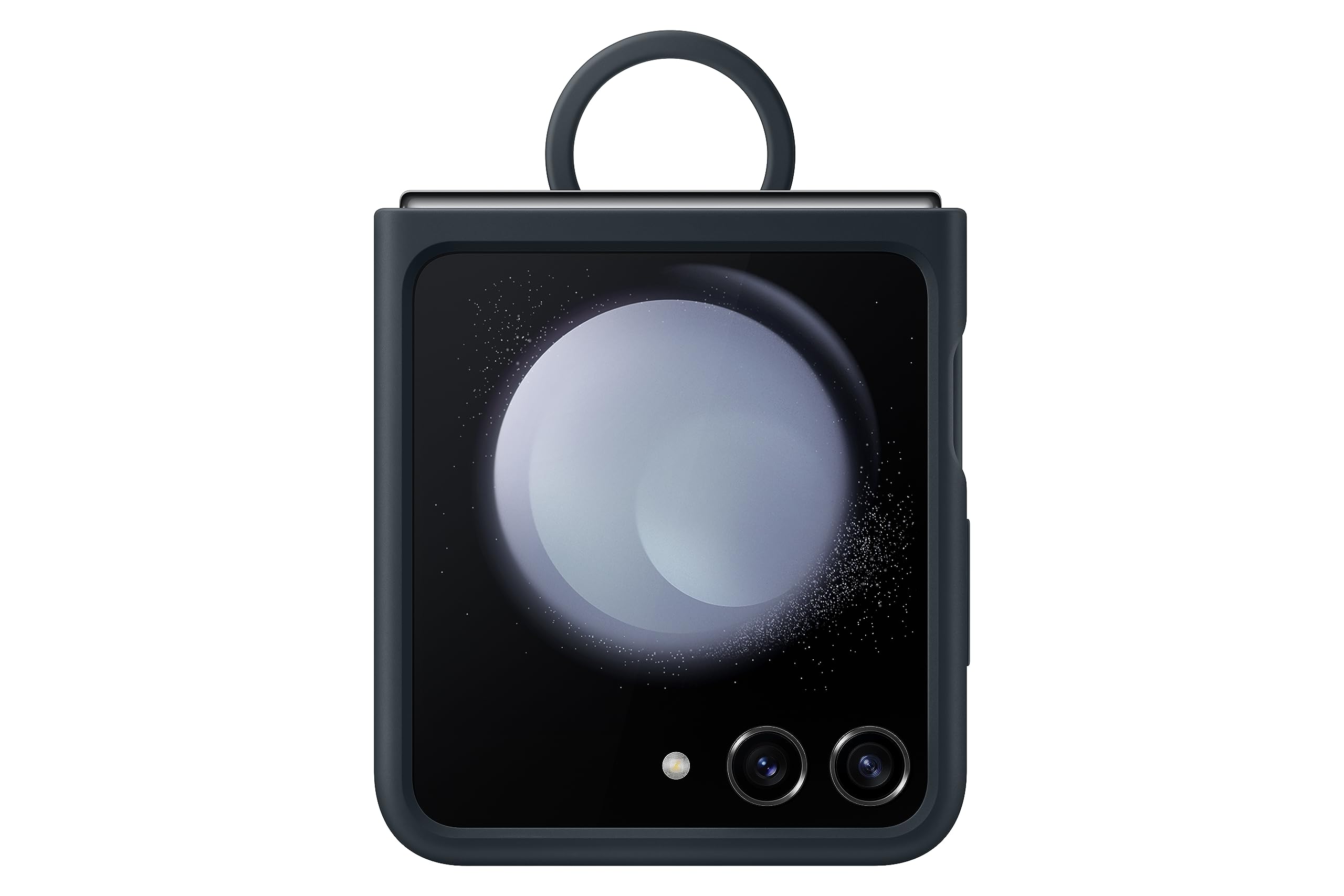
Image: The Samsung Galaxy Flip5 in its silicone case, demonstrating the practical use of the integrated ring holder for improved handling.
Техникалык тейлөө
To ensure the longevity and appearance of your silicone case, follow these maintenance guidelines:
- Тазалоо: Корпустун сыртын жумшак менен сүртүңүз, гamp кездеме. Өжөр кир үчүн жумшак самын эритмесин колдонуп, андан кийин таза,amp cloth and air drying. Avoid harsh chemicals or abrasive cleaners, as these can damage the silicone finish.
- Курч объекттерден качыңыз: Keep the case away from sharp objects that could scratch or puncture the silicone material.
- Температуранын таасири: Avoid prolonged exposure to extreme temperatures, both hot and cold, as this may affect the material's integrity and color.
- Ring Care: Periodically check the ring holder for any signs of loosening. While designed for durability, excessive force or improper use can affect its mechanism.
Проблемаларды чечүү
If you encounter any issues with your Samsung Galaxy Flip5 Silicone Case, consider the following:
- Корпус туура эмес орнотулган:
Ensure both sections of the case are correctly aligned and fully snapped onto your device. Remove the case and re-install, making sure no foreign objects are obstructing the fit. Verify that your phone model is indeed the Samsung Galaxy Z Flip5.
- Ring Holder Feels Loose:
The ring holder is designed for secure attachment. If it feels excessively loose or detached, inspect for any visible damage. Avoid applying excessive force when using the ring.
- Case Peeling or Wearing Off:
Silicone materials can show signs of wear over time, especially in high-contact areas. Ensure proper cleaning and avoid abrasive surfaces. If the issue significantly impacts functionality or protection within the warranty period, refer to the Warranty Information section.
Техникалык шарттар
| Бренд | Samsung |
| Модель номери | EF-PF731 |
| Шайкеш телефон моделдери | Samsung Galaxy Z Flip5 |
| Материал | Поликарбонат, силикон |
| Түс | Индиго |
| Продукт өзгөчөлүктөрү | Flexible, Foldable, Lightweight, Ring Holder, Shock-Absorbent |
| Элементтин өлчөмдөрү (L x W x Y) | 10 x 76 x 169 Миллиметр |
| Элемент Салмагы | 32 грамм |
| кутучанын мазмуну | One Silicone Case with Ring |

Image: The retail packaging of the Samsung Galaxy Flip5 Silicone Case with Ring.
Кепилдик маалымат
This Samsung Galaxy Flip5 Silicone Case with Ring is covered by a 3 айлык өндүрүүчүнүн кепилдиги сатып алынган күндөн тартып. Бул кепилдик нормалдуу колдонуудагы материалдардагы жана жасалгадагы кемчиликтерди камтыйт. Бул туура эмес колдонуудан, кырсыктардан, уруксатсыз өзгөртүүлөрдөн же кадимки эскирүүдөн келип чыккан зыянды камтыбайт.
For warranty claims, please retain your proof of purchase and contact Samsung customer support as detailed in the Support Information section.
Колдоо маалыматы
For further assistance, technical support, or warranty inquiries regarding your Samsung Galaxy Flip5 Silicone Case, please contact Samsung customer service:
- Электрондук почта: support.india@samsung.com
- Акысыз телефон: 1800-40-7267864
- Өндүрүүчү: Hochuen Smart Technology Co.,Ltd. / Samsung
- Импорттоочу: Samsung India Electronics Pvt ltd, 6-кабат, DLF Centre, Sansad Marg, New Delhi - 110001
Сиз ошондой эле расмий бара аласыз Amazonдагы Samsung дүкөнү көбүрөөк продукт маалымат жана аксессуарлар үчүн.


