
ML920G
ML920G Multifunctional Asset Tracker User Manual
Model: ML920G (6097319117127)
Бренд: Жалпы
Introduction
The ML920G Multifunctional Asset Tracker is a versatile device designed for various tracking applications. It provides reliable and durable tracking capabilities for valuable assets, vehicles, and even large containers. This manual will guide you through the setup, operation, and maintenance of your ML920G tracker.

Figure 1: ML920G Asset Tracker with Mobile Application Interface.
This image shows the compact ML920G tracker alongside a smartphone screen, illustrating how the device's location data is displayed within the dedicated tracking application. The application interface features a map with the tracker's position and various control options.
Жайгашуу
Аппаратты заряддоо
Before first use, ensure the ML920G tracker is fully charged. Use the provided charging cable to connect the device to a standard USB power source.

Figure 2: ML920G Tracker and Charging Cable.
This image displays the ML920G tracker next to its USB charging cable, indicating the method for powering the device. The cable connects to a port on the tracker for recharging its internal battery.
A full charge can provide up to 120 days of standby time, 60 days in power-saving mode, or 25-30 days in live tracking mode.
SIM картаны орнотуу
The ML920G tracker requires a 4G compatible SIM card for network connectivity. Insert the SIM card into the designated slot. Refer to the device's physical indicators for correct orientation.
Application Download and Account Setup
Download the official tracking application on your mobile device (smartphone or tablet) or access the web platform on your PC. The application allows you to manage and monitor your tracker.
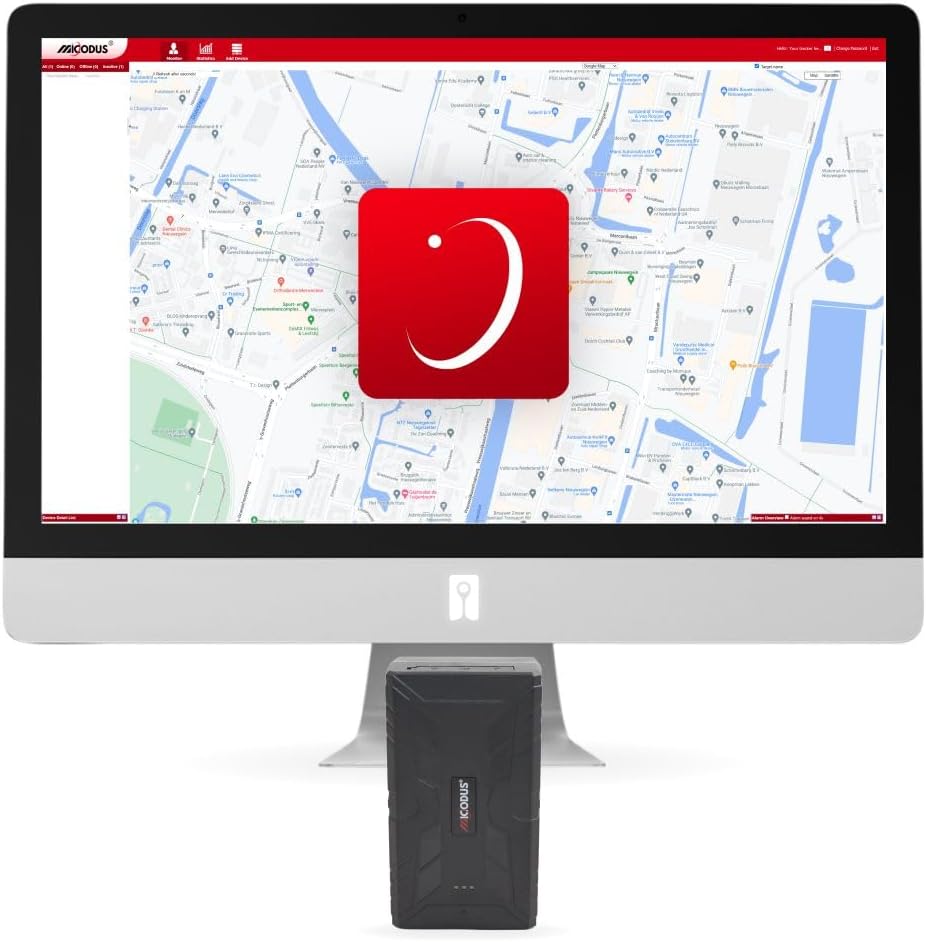
Figure 3: ML920G Tracker with Desktop Application Interface.
This image shows the ML920G tracker positioned in front of a desktop computer monitor, which displays the web-based tracking application. This illustrates the versatility of accessing tracking data from various devices.
Follow the in-app instructions to create an account and register your ML920G tracker.
Tracker орнотуу
The ML920G tracker is equipped with two powerful magnets for easy and secure attachment to various metallic surfaces. It can be discreetly mounted under vehicles, on valuable assets, or inside containers.
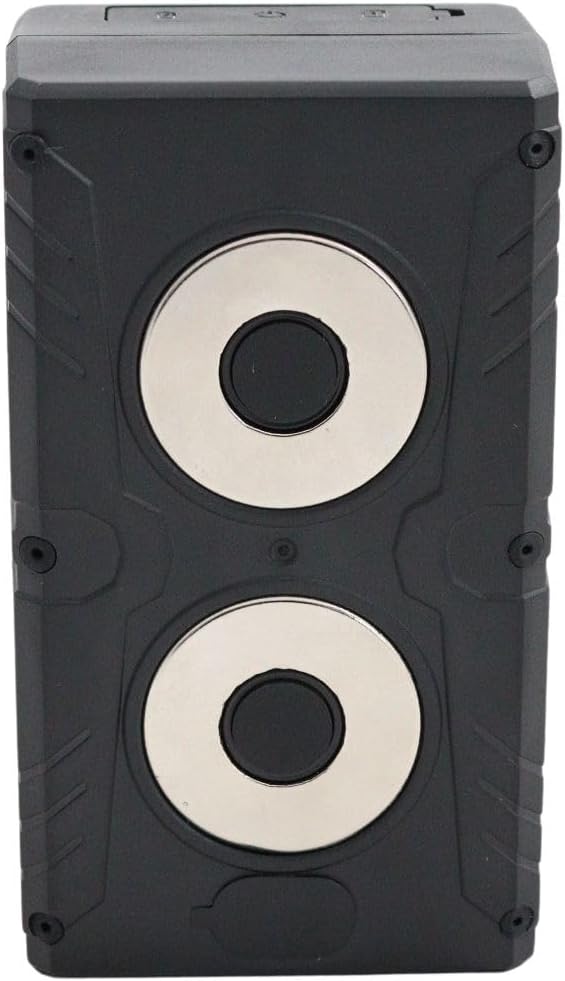
Figure 4: ML920G Tracker Bottom with Magnets.
Бул сүрөт ачык-айкын камсыз кылат view of the underside of the ML920G tracker, highlighting the two strong circular magnets designed for secure attachment to metallic surfaces.
Оптималдуу магниттик адгезия үчүн беттин таза жана кургак экенин текшериңиз.
Иштөө нускамалары
Once set up, you can utilize the various features of your ML920G tracker through the dedicated application.
- Real-time Location Tracking: The tracker updates its location every 10 seconds, allowing for real-time monitoring via Google Maps on your mobile device, tablet, or PC.
- Route History Playback: View and analyze historical movement patterns for up to 180 days within the application.
- Географиялык тосмолоо: Set up virtual boundaries (geofences) on the map. Receive alerts if the tracker enters or exits a designated area.
- Дирилдөө эскертүүлөрү: The device can send notifications if excessive vibrations are detected, indicating potential tampкыймылдоо же жаркыроо.
- Tamper Alert: Receive alerts if the tracker casing is opened, providing an additional layer of security.
- Speed Tracking: Monitor the speed of the asset being tracked.
- Environmental Noise Monitoring: The tracker can transmit ambient noise from its environment.
- Курчап турган чөйрөнүн температурасын өлчөө: The device can measure and report the temperature of its surroundings.
For detailed instructions on specific features, refer to the in-app help section or the manufacturer's online resources.
Техникалык тейлөө
- Тазалоо: Аппаратты жумшак менен сүртүңүз, гamp кездеме. Катуу химиялык заттарды же абразивдүү тазалагычтарды колдонбоңуз.
- Батареяга кам көрүү: To prolong battery life, avoid extreme temperatures. Recharge the device regularly, especially if it will be stored for extended periods.
- Суу жана чаңга туруктуулугу: The ML920G is IP65 rated, meaning it is resistant to water splashes and dust. However, it is not designed for submersion. Ensure the charging port cover is securely closed to maintain water resistance.
- Программалык камсыздоо жаңыртуулары: Periodically check the tracking application for available software or firmware updates to ensure optimal performance and access to new features.
Проблемаларды чечүү
| Көйгөй | Мүмкүн себеп | Чечим |
|---|---|---|
| Device not tracking location. | No network signal; SIM card issue; Low battery. | Check network coverage. Ensure SIM card is correctly inserted and active. Recharge the device. |
| Inaccurate location data. | Poor GPS signal (e.g., indoors, dense urban areas); Location accuracy range. | Түзмөктү ачык асман астындагы ачык жерге жылдырыңыз view. Note that accuracy can vary between 100-2000 meters. |
| Батарея бат эле түгөнөт. | Live tracking mode enabled; Frequent updates; Extreme temperatures. | Switch to power-saving or standby mode if real-time tracking is not continuously needed. Avoid extreme temperatures. |
| Cannot connect to application. | Incorrect login credentials; Network issues; App outdated. | Verify login details. Check internet connection. Update the application to the latest version. |
Техникалык шарттар
| Өзгөчөлүк | Деталь |
|---|---|
| Модель аты | ML920G |
| Модель номери | 6097319117127 |
| Бренд | Жалпы |
| Өндүрүүчү | Микодус |
| Өзгөчөлүктөр | Rechargeable, Real-time Tracking, Route History, Geofencing, Vibration Alerts, Tamper Alert, Speed Tracking, Environmental Noise Monitoring, Environmental Temperature Measurement |
| Шайкеш түзмөктөр | Tablet, Smartphone, PC |
| Материал | Пластик |
| Батарея сыйымдуулугу | 20000 мАч |
| Батареянын иштөө мөөнөтү | Standby: ~120 days; Power-saving: ~60 days; Live Tracking: 25-30 days |
| Салмагы | 467 грамм |
| Монтаждоо | Two powerful magnets |
| Жайгашкан жердин тактыгы | 100-2000 метр |
| Тармакты колдоо | 4G (with 2G fallback) |
| Tracking Update Rate | 10 секунд сайын |
| Тарых сактагыч | 180 күнгө чейин |
| IP рейтинги | IP65 (Сууга жана чаңга туруктуу) |
Кепилдик жана колдоо
Кепилдик жөнүндө маалымат жана техникалык колдоо алуу үчүн, өндүрүүчүнүн расмий өкүлүнө кайрылыңыз webсайтка же сатуучуга түздөн-түз кайрылыңыз. Сатып алганыңыздын далили катары сатып алуу дүмүрчөгүңүздү сактаңыз.
Сатуучу: FB Stores B.V.
Өндүрүүчү: Микодус
Ask a question about this manual
Ask about setup, troubleshooting, compatibility, parts, safety, or missing instructions. Manuals+ will review the question and use this page’s manual context to help answer it.