
HOCO Y10
Hoco Y10 Amoled Smart Sports Watch User Manual
Модели: Y10
Introduction
Thank you for choosing the Hoco Y10 Amoled Smart Sports Watch. This manual provides essential information for setting up, operating, and maintaining your device. Please read this manual thoroughly before using the watch to ensure proper function and longevity.
Коопсуздук маалыматы
- Аппаратты ажыратууга, оңдоого же өзгөртүүгө аракет кылбаңыз. Уруксатсыз өзгөртүүлөр кепилдикти жокко чыгарып, зыян келтириши мүмкүн.
- Keep the watch away from extreme temperatures, direct sunlight, and corrosive liquids.
- Use only the provided charging cable. Using incompatible chargers may cause damage or fire.
- While the watch is 3ATM waterproof, it is not suitable for diving or high-pressure water activities. Avoid prolonged submersion.
- Кандайдыр бир жаңы көнүгүү режимин баштоодон мурун, айрыкча, ден-соолукка байланыштуу шарттарыңыз бар болсо, дарыгер менен кеңешиңиз.
- Аппаратты балдар жана үй жаныбарлары жетпеген жерде сактаңыз.
Пакеттин мазмуну
Сураныч, бардык буюмдар бар экенине ынануу үчүн ачканда пакеттин мазмунун текшериңиз:
- Hoco Y10 Amoled Smart Sports Watch
- Заряддоо кабели
Продукт бүттүview
The Hoco Y10 Smart Sports Watch features a vibrant 1.3-inch AMOLED display and a durable design suitable for daily wear and sports activities. Below are various views of the watch highlighting its design and features.

Фронт view of the Hoco Y10 Smart Watch displaying a digital watch face with time, battery, steps, and heart rate.
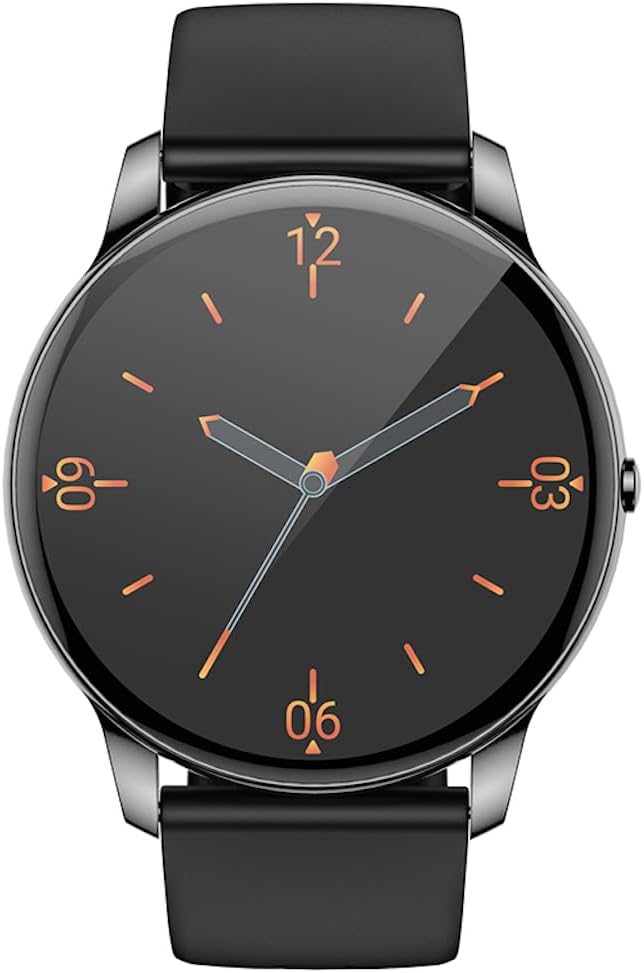
Фронт view of the Hoco Y10 Smart Watch displaying a classic analog watch face.
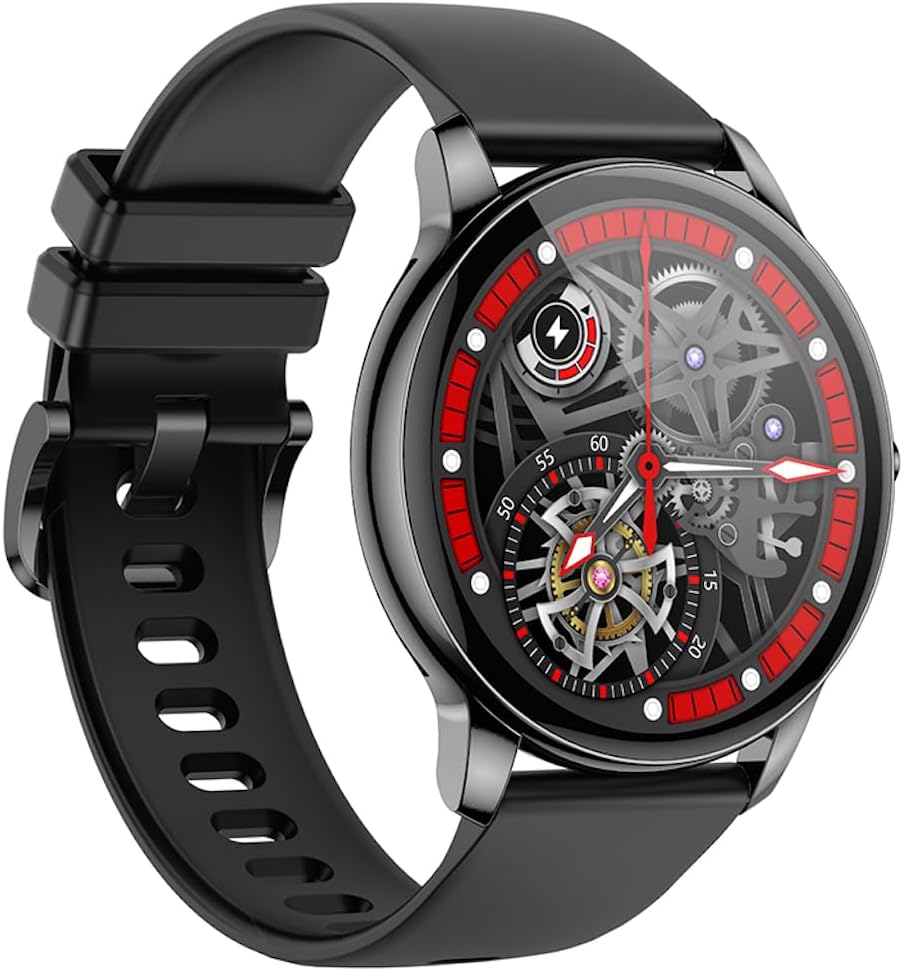
Бурчтуу view of the Hoco Y10 Smart Watch showcasing a mechanical-style watch face.
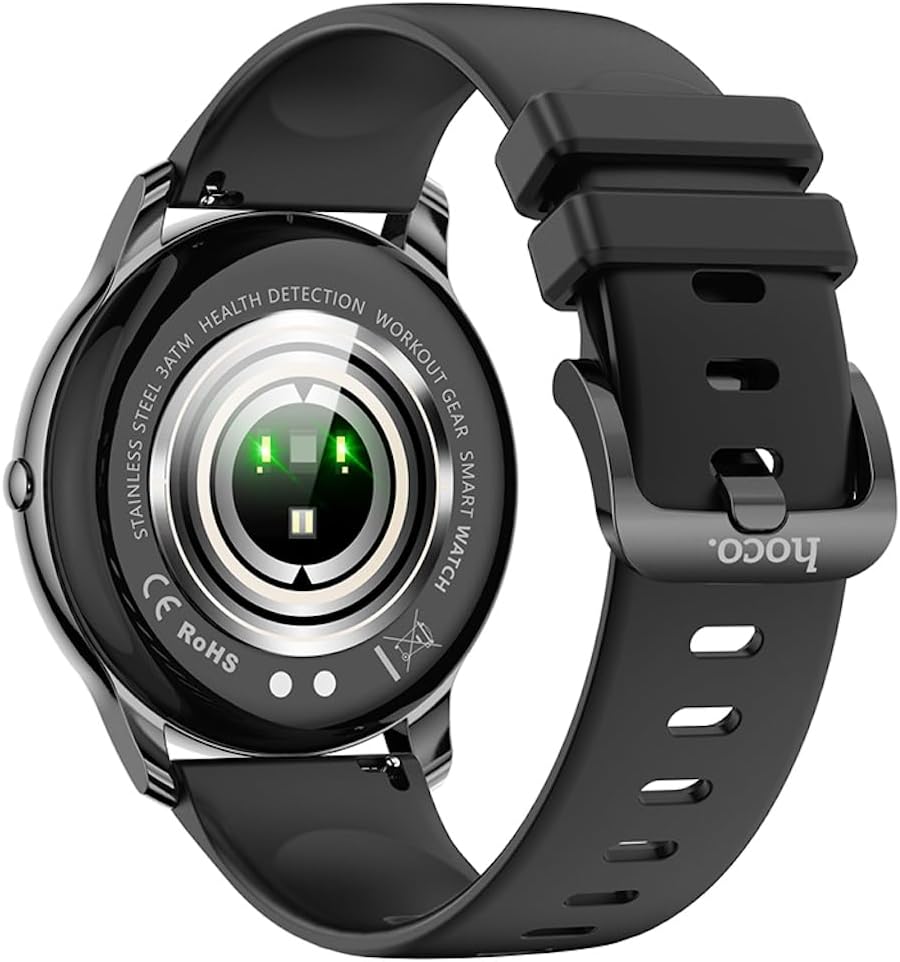
Арткы view of the Hoco Y10 Smart Watch, highlighting the optical sensors for health detection and charging contacts.
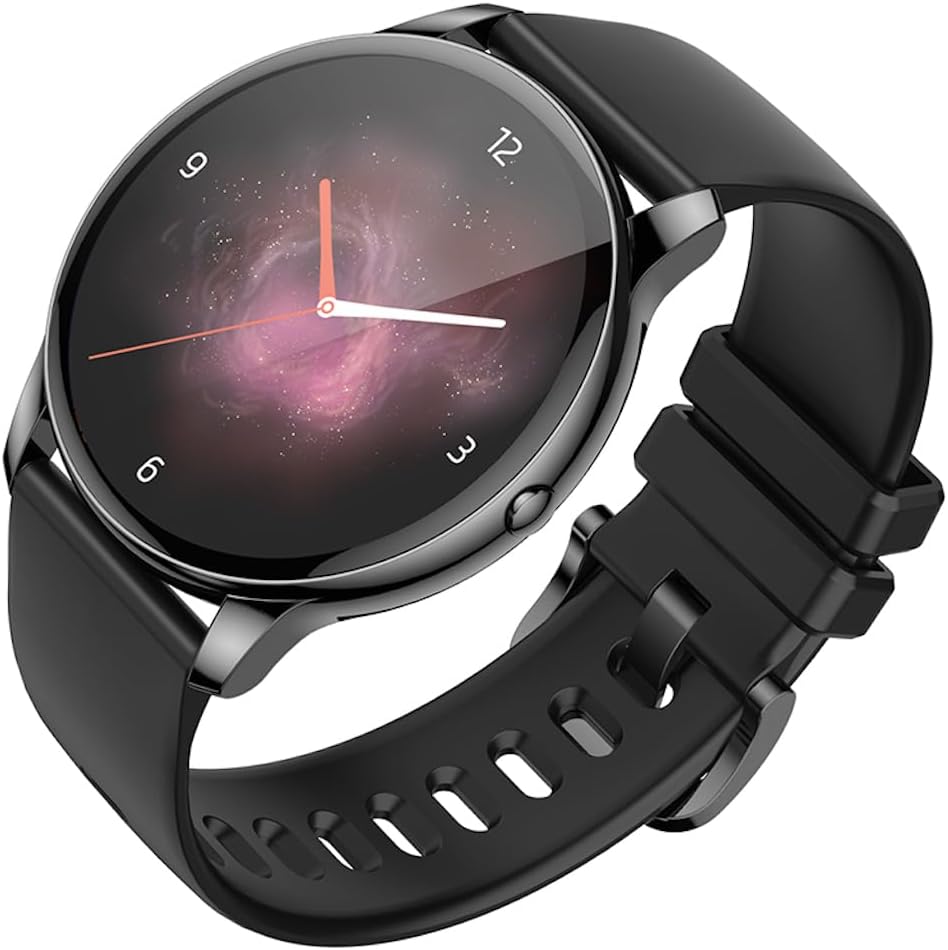
Бурчтуу view of the Hoco Y10 Smart Watch with an abstract, artistic watch face.
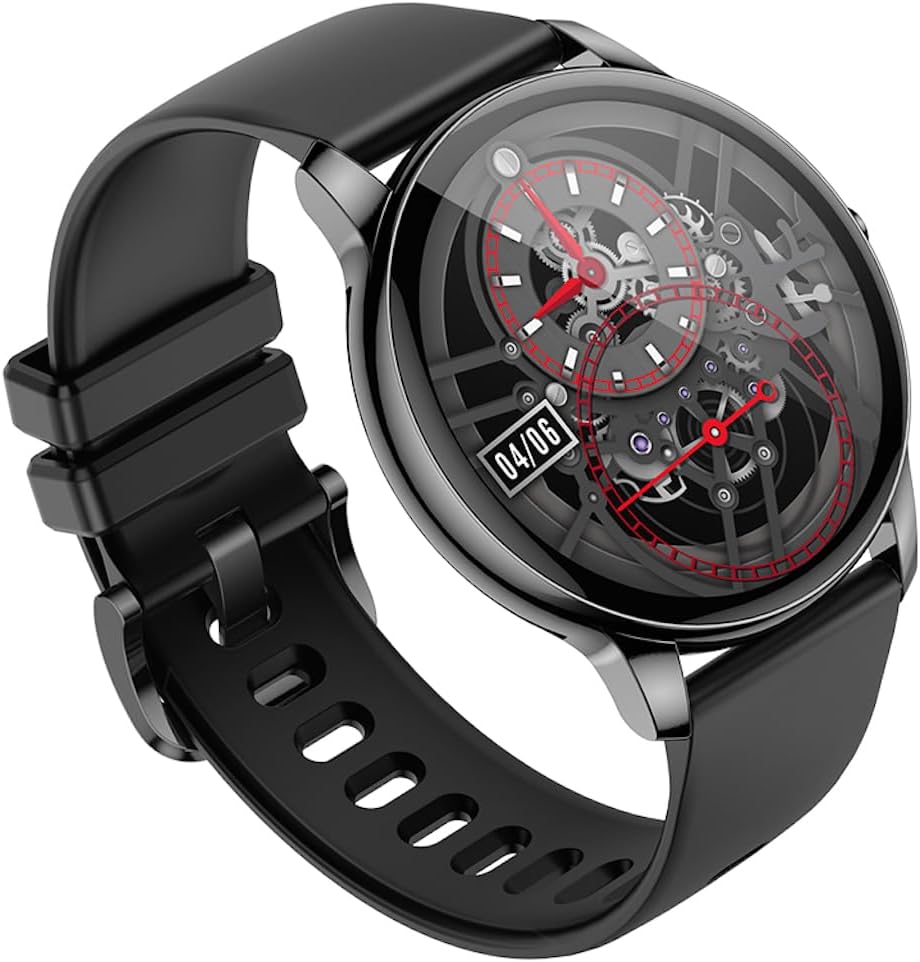
Дагы бир бурч view of the Hoco Y10 Smart Watch, showing a detailed mechanical-style watch face with visible gears.

The Hoco Y10 Smart Watch displayed on a textured, light-colored surface, highlighting its sleek design.
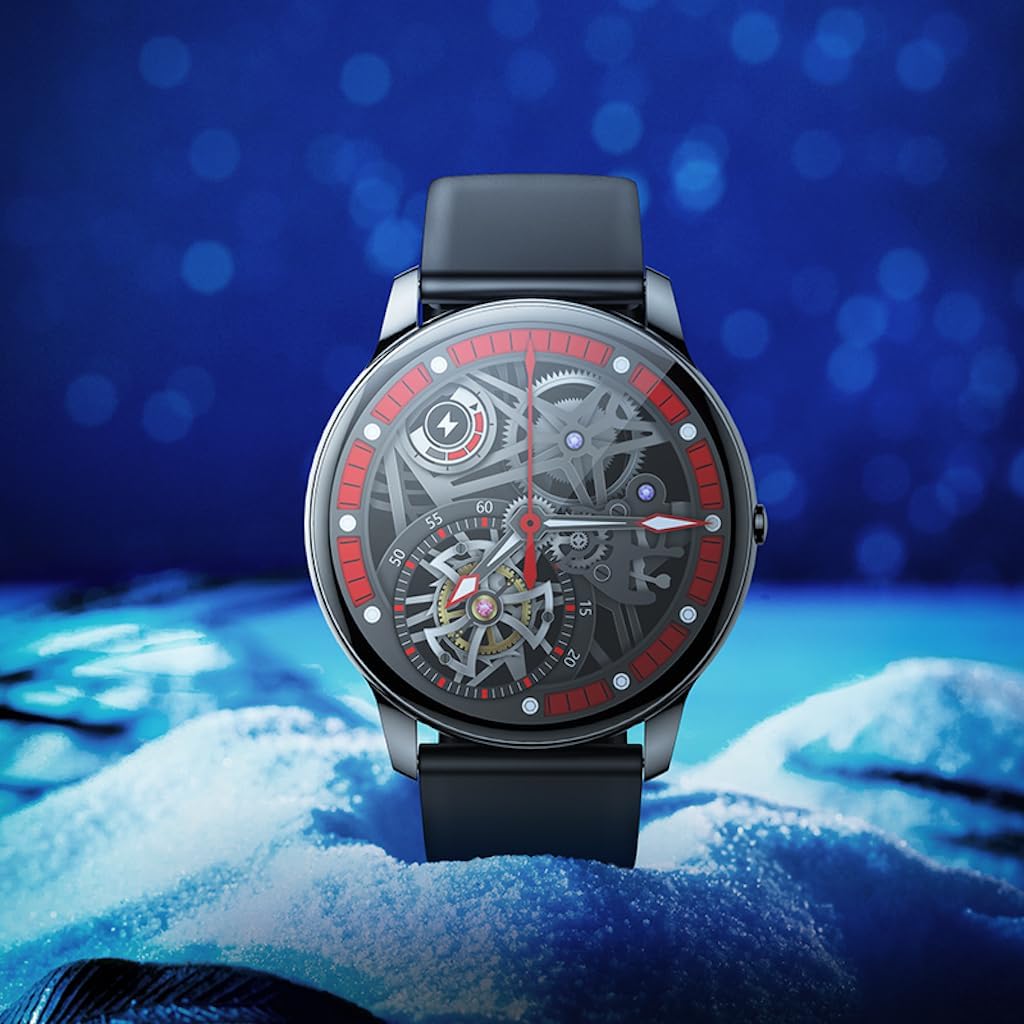
Two Hoco Y10 Smart Watches presented together, one with a digital face and the other with an analog face.
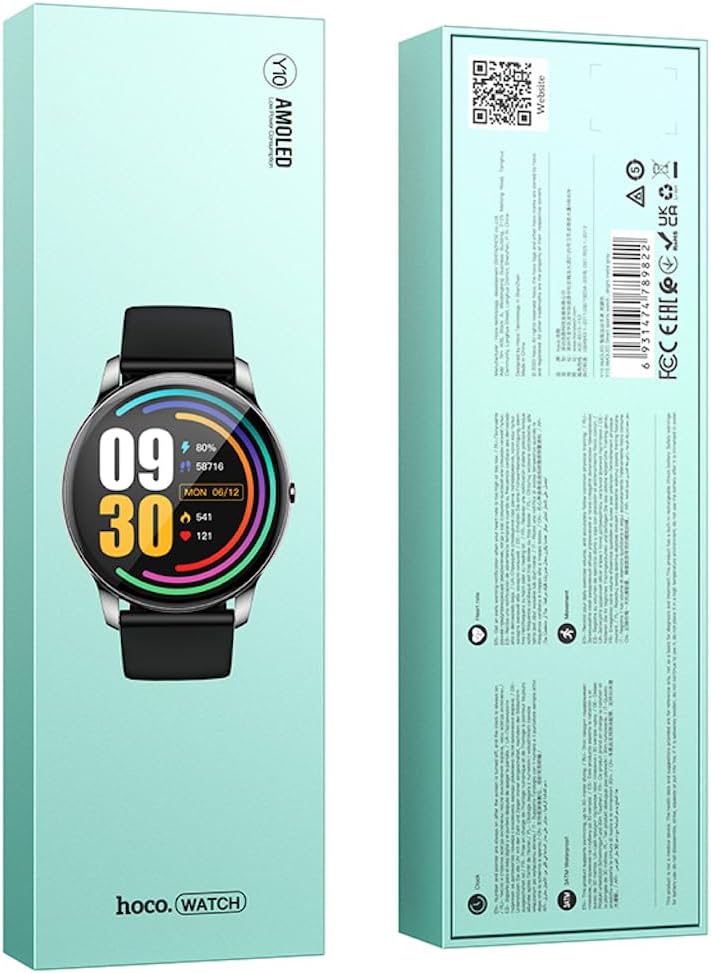
Алдыңкы жана арткы view of the Hoco Y10 Smart Watch product packaging, showing product details and certifications.
Жайгашуу
1. Баштапкы заряддоо
Before first use, fully charge your Hoco Y10 Smart Watch. Connect the provided charging cable to the charging contacts on the back of the watch and plug the USB end into a standard USB power adapter (not included) or a computer USB port. The watch display will indicate charging status. A full charge typically takes approximately 2 hours.
2. Күйгүзүү / Өчүрүү
- Күйгүзүү үчүн: Press and hold the side button until the Hoco logo appears.
- Өчүрүү үчүн: From the watch face, swipe down or navigate to the settings menu, then select "Power Off" or "Shutdown". Confirm your selection.
3. Смартфонуңуз менен жупташуу
To unlock the full features of your Hoco Y10, you need to pair it with your smartphone via Bluetooth. While the specific app name is not provided, most smartwatches require a companion app. Please refer to the QR code on the product packaging or search for "Hoco Smart Watch" or "Hoco Y10" in your phone's app store (Google Play Store for Android, Apple App Store for iOS).
- Смартфонуңузга коштоочу колдонмону жүктөп алып, орнотуңуз.
- Смартфонуңузда Bluetooth иштетилгенин текшериңиз.
- Каттоо эсебин түзүү же кирүү үчүн колдонмону ачып, экрандагы нускамаларды аткарыңыз.
- In the app, select "Add Device" or "Pair Device" and choose "Hoco Y10" from the list of available devices.
- Жупташуу өтүнүчүн саатыңызда жана смартфонуңузда ырастаңыз.
Иштөө нускамалары
Негизги навигация
- Сенсордук экран: Менюларды жана функцияларды чабыттоо үчүн солго/оңго, өйдө/ылдый сүрүңүз. Тандоо үчүн таптаңыз.
- Каптал баскычы: Typically used to wake the screen, return to the watch face, or access the app menu.
Негизги өзгөчөлүктөрү
- Бетти көрүү: Customize your watch face by long-pressing the screen or through the companion app.
- Спорт режимдери: Access various sports tracking modes (e.g., running, walking, cycling) to monitor your activity data.
- Ден соолук мониторинги: The watch supports health detection features, likely including heart rate monitoring. Refer to the app for detailed data and historical trends.
- Эскертмелер: Receive call, message, and app notifications directly on your wrist (requires app setup).
- Орнотуулар: Adjust brightness, language (supports 20 languages), vibration, and other watch settings.
- Музыкалык башкаруу: Жупташкан смартфонуңузда музыка ойнотууну башкарыңыз.
- Аба ырайы: View current weather conditions (requires app synchronization).
Note: The Hoco Y10 does not support direct call functionality.
Техникалык тейлөө жана кам көрүү
- Тазалоо: Саатты жана боону жумшак менен дайыма сүртүп туруңуз, damp кездеме. Катуу химиялык заттарды же абразивдүү материалдарды колдонбоңуз.
- Суу каршылык: The watch is 3ATM waterproof, meaning it can withstand splashes, rain, and brief immersion. Do not wear it while showering with hot water, in saunas, or for diving. After contact with saltwater, rinse with fresh water and dry thoroughly.
- Заряддоо: Заряддоодон мурун сааттын жана кабельдеги заряддоо контакттары таза жана кургак экенин текшериңиз.
- Сактагыч: When not in use for extended periods, store the watch in a cool, dry place. Charge it periodically to prevent deep discharge of the battery.
Проблемаларды чечүү
| Көйгөй | Мүмкүн чечим |
|---|---|
| Саат күйбөй жатат. | Саат толук заряддалганын текшериңиз. Аны заряддагычка кеминде 30 мүнөт туташтырыңыз. |
| Смартфон менен жупташтыруу мүмкүн эмес. |
|
| Туура эмес ден соолук маалыматы. | Саат өтө тар же өтө бош эмес, билегиңизге бекем тагылганын текшериңиз. Сааттын артындагы сенсорлорду тазалаңыз. |
| Батареянын иштөө мөөнөтү кыска. |
|
Техникалык шарттар
| Өзгөчөлүк | Деталь |
|---|---|
| Модел | Y10 |
| Негизги экран | 1.3 дюймдук AMOLED |
| Резолюция | 360 x 360 |
| Суу өткөрбөйт рейтинги | 3ATM |
| CPU | Ruiyu RTL8762DT |
| Эс | 128 Мб |
| Bluetooth версиясы | 5.0 |
| Батарея сыйымдуулугу | 230mAh |
| Чыдамдуулук | 7-10 күн (типтүү колдонуу) |
| Колдоого алынган тилдер | 20 languages (Chinese, English, Russian, Arabic, Vietnamese, Danish, Thai, Polish, Persian, Spanish, Malay, Greek, French, Italy, German, Portuguese, Türkiye, Romania, Hebrew, Burmese) |
| Чалуу функциясы | Колдоого алынбайт |
| Операция системасы | Android (шайкеш) |
| Түс | Bright Metal Grey |
| Элемент Салмагы | 169 г |
Кепилдик жана колдоо
For information regarding the manufacturer's warranty, please refer to the warranty card included with your product or contact your point of purchase. For technical support and further inquiries, please visit the official HOCO webсайт:
Ask a question about this manual
Ask about setup, troubleshooting, compatibility, parts, safety, or missing instructions. Manuals+ will review the question and use this page’s manual context to help answer it.