
1. Киришүү
Сатып алганыңыз үчүн рахматasing the Bewinner T10 HD 1080P Video Projector. This manual provides essential information for setting up, operating, and maintaining your projector to ensure optimal performance and longevity. Please read this manual thoroughly before using the product and keep it for future reference.
The Bewinner T10 projector delivers a high-definition 1080P resolution, providing delicate and vivid images with true color restoration. Equipped with a high-efficiency LED chipset, it supports a native resolution of 1920 x 1080, enhancing image purity for an immersive viewing experience. Its integrated Bluetooth 4.0 allows for fast transmission and compatibility with various external devices such as controllers, wireless headphones, and speakers. Designed with a large-diameter, low-speed, and low-noise fan, it ensures your movie-watching or gaming experience remains undisturbed.
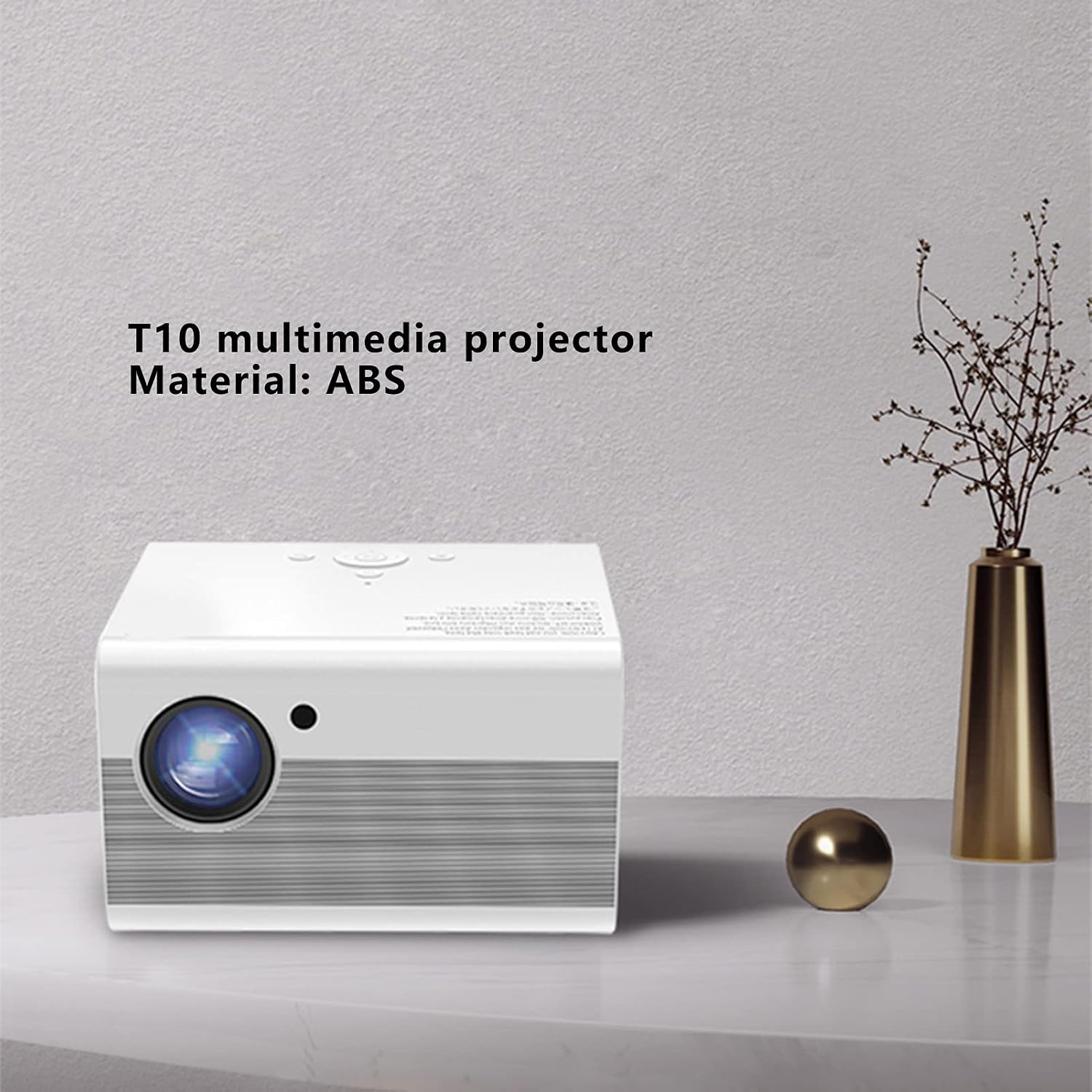
Image 1.1: The Bewinner T10 multimedia projector, showcasing its compact design and ABS material construction.
2. Коопсуздук маалыматы
To prevent fire, electric shock, or injury, please observe the following safety precautions:
- Желдетүүчү тешиктерди жаппаңыз. Аба агымынын туура болушу үчүн проектордун айланасында жетиштүү орун болушун камсыз кылыңыз.
- Проекторду жамгырдын же нымдуулуктун таасирине дуушар кылбаңыз. Аны суу булактарынан алыс кармаңыз.
- Проекторду туруксуз беттерге коюудан алыс болуңуз.
- Проекторду ачпаңыз casinг. Бардык тейлөөлөрдү квалификациялуу кызматкерлерге тапшырыңыз.
- Проектор менен келген кубат адаптерин гана колдонуңуз.
- l болгондо проектордун объективине тике карабаamp күйүп турат, анткени ал көзгө зыян келтириши мүмкүн.
- Keep the projector away from direct sunlight and heat sources.
3. Пакеттин мазмуну
Төмөнкү нерселердин баары пакетиңизге камтылганын текшериңиз:
- 1 x Bewinner T10 Projector
- 1 х Колдонуучунун колдонмосу (бул документ)
- 1 x AV Video Cable
- 1 x HD Multimedia Interface (HDMI) Cable
- 1 x Кубат кабели
- 1 x Алыстан башкаруу
- 1 x Тазалоочу чүпүрөк

Image 3.1: Contents of the Bewinner T10 projector package, including the projector and all accompanying accessories.
4. Продукт бүтүп калдыview
Проектордун компоненттери жана порттору менен таанышып алыңыз.
Фронт View

Сүрөт 4.1: Алдыңкы view of the Bewinner T10 projector, highlighting the projection lens and infrared receiver.
- Проекциялык линза: Сүрөттү экранга чыгарат.
- IR алуучу: Алыстан башкаруу пультунан сигналдарды алат.
Каптал жана арткы View

Сүрөт 4.2: Каптал view of the Bewinner T10 projector, illustrating the ventilation grilles and various input/output ports.
- Вентиляция торлору: Essential for heat dissipation. Do not block.
- Киргизүү порттору: (USB x 2, HD Multimedia Interface, AV Video) for connecting various devices.
- Чыгуу порту: (3.5mm Headphone Jack) for external audio devices.
- Кубат киргизүү: Электр кабелин туташтырат.
5. Орнотуу
5.1 Орнотуу
Place the projector on a stable, flat surface or mount it according to your preference. Ensure the projection path is clear of obstructions. The optimal projection distance is between 1.35m and 5m, yielding a screen size of approximately 45 to 220 inches.
5.2 Кубат туташтыруу
- Электр кабелин проектордун кубат киргизүү портуна туташтырыңыз.
- Plug the other end of the power cable into a suitable electrical outlet (AC 100-240V).
5.3 Киргизүү түзүлүштөрүн туташтыруу
Проектор бир нече киргизүү булактарын колдойт:
- HD Multimedia Interface (HDMI): Connect your laptop, game console, Blu-ray player, or other HDMI-enabled devices using the provided HDMI cable.
- USB: Медиа файлдарды ойнотуу үчүн USB дискти эки USB портунун бирине салыңыз fileтүздөн-түз с.
- AV Video: Use the AV cable to connect older devices like DVD players or VCRs.
5.4 Фокусту жана Keystone жөндөөсүн
- Фокус: Rotate the focus ring on the projector lens until the image appears clear and sharp.
- Негизги ташты оңдоо: If the projected image appears trapezoidal, use the vertical keystone correction feature (±15°) to adjust the image to a rectangular shape. This is typically done via a dial or menu option on the projector or remote.
5.5 Bluetooth байланышы
The projector features integrated Bluetooth 4.0 for connecting external audio devices or controllers.
- Ensure your Bluetooth device (e.g., wireless headphones, speaker) is in pairing mode.
- Navigate to the Bluetooth settings menu on the projector (usually found in the main settings).
- Түзмөгүңүздү жупташтыруу үчүн жеткиликтүү түзмөктөрдүн тизмесинен тандаңыз.
6. Иштөө нускамалары
6.1 Күйгүзүү/өчүрүү
- Күйгүзүү: Проектордун же пульттун кубат баскычын басыңыз.
- Өчүрүү: Press the power button again. The projector will go through a shutdown sequence. Do not unplug the power cable until the fan has stopped and the projector has fully cooled down.
6.2 Булакты тандоо
After powering on, use the 'Source' button on the remote control or the projector's control panel to select the desired input source (HDMI, USB, AV).
6.3 Меню Навигациясы
Use the remote control's arrow keys and 'OK' button to navigate through the projector's on-screen menu. Adjust settings such as picture mode, sound, and system preferences as needed.
6.4 Аудио чыгаруу
The projector has a built-in speaker. For enhanced audio, connect external speakers or headphones to the 3.5mm audio output jack or pair them via Bluetooth.
7. Техникалык тейлөө
7.1 Линзаны тазалоо
Проектордун линзасын акырын сүртүү үчүн оптикалык линзалар үчүн атайын иштелип чыккан жумшак, мамыксыз чүпүрөктү колдонуңуз. Абразивдүү тазалоочу каражаттарды же линзаны чийип салышы мүмкүн болгон ашыкча күч колдонуудан алыс болуңуз.
7.2 Cleaning Ventilation
Regularly check and clean the ventilation grilles to prevent dust buildup, which can impede airflow and cause overheating. Use a soft brush or a can of compressed air to remove dust from the grilles.
7.3 Сактоо
Проекторду узак убакыт бою колдонбогон учурда, аны салкын, кургак жана чаңсыз жерде сактаңыз. Бузулуп калбашы үчүн түпнуска таңгагын же коргоочу кутучаны колдонуңуз.
8. Кыйынчылыктарды
| Көйгөй | Мүмкүн себеп | Чечим |
|---|---|---|
| Сүрөт көрсөтүлгөн жок | Power cable loose; incorrect input source selected; input device not connected. | Check power connection; select correct input source; ensure input device is properly connected and powered on. |
| Сүрөт бүдөмүк | Фокус туураланган эмес; проектор экранга өтө жакын/алыс. | Adjust the focus ring on the lens; reposition the projector within the recommended distance. |
| Сүрөт трапеция түрүндө | Проектор экранга перпендикуляр эмес. | Adjust the keystone correction (vertical ±15°). |
| Үн жок | Volume too low; external audio device not connected/paired; mute function active. | Increase volume; check external audio connections/Bluetooth pairing; disable mute. |
| Пульт иштебей жатат | Batteries depleted; obstruction between remote and IR receiver. | Replace remote control batteries (2 x AAA); ensure clear line of sight to the projector's IR receiver. |
9. Техникалык шарттар
| Өзгөчөлүк | Спецификация |
|---|---|
| Модель номери | Bewinnergz20rdpt3f-12 |
| Материал | ABS |
| Дисплей технологиясы | LCD |
| Жарык булагы технологиясы | LED |
| Жарык булагы Life | > 30000 саат |
| Стандарттык резолюция | 1920 x 1080 |
| Ыргытуу катышы | 1.37 |
| Проекция ыкмасы | Front Projection, Lifting |
| Keystone Correction | Vertical ± 15° |
| Проекциялык аралык | 1.35-5 метр |
| Проекциянын өлчөмү | Approx. 45 - 220 inches |
| Киргизүү порттору | USB x 2, HD Multimedia Interface, AV Video |
| Чыгуу порт | 3.5 мм гарнитура уясы |
| Күтүү режиминде энергия керектөө | < 5 Вт |
| LED жарык күчү | 75 Вт |
| Алыстан башкаруунун батареясы | 2 x AAA батарейкалар (киргизилген эмес) |
| Тtage | 100-240 В |
| Өлчөмдөр | 25 x 22 x 19 см |
| Башкаруу ыкмасы | Алыстан башкаруу |
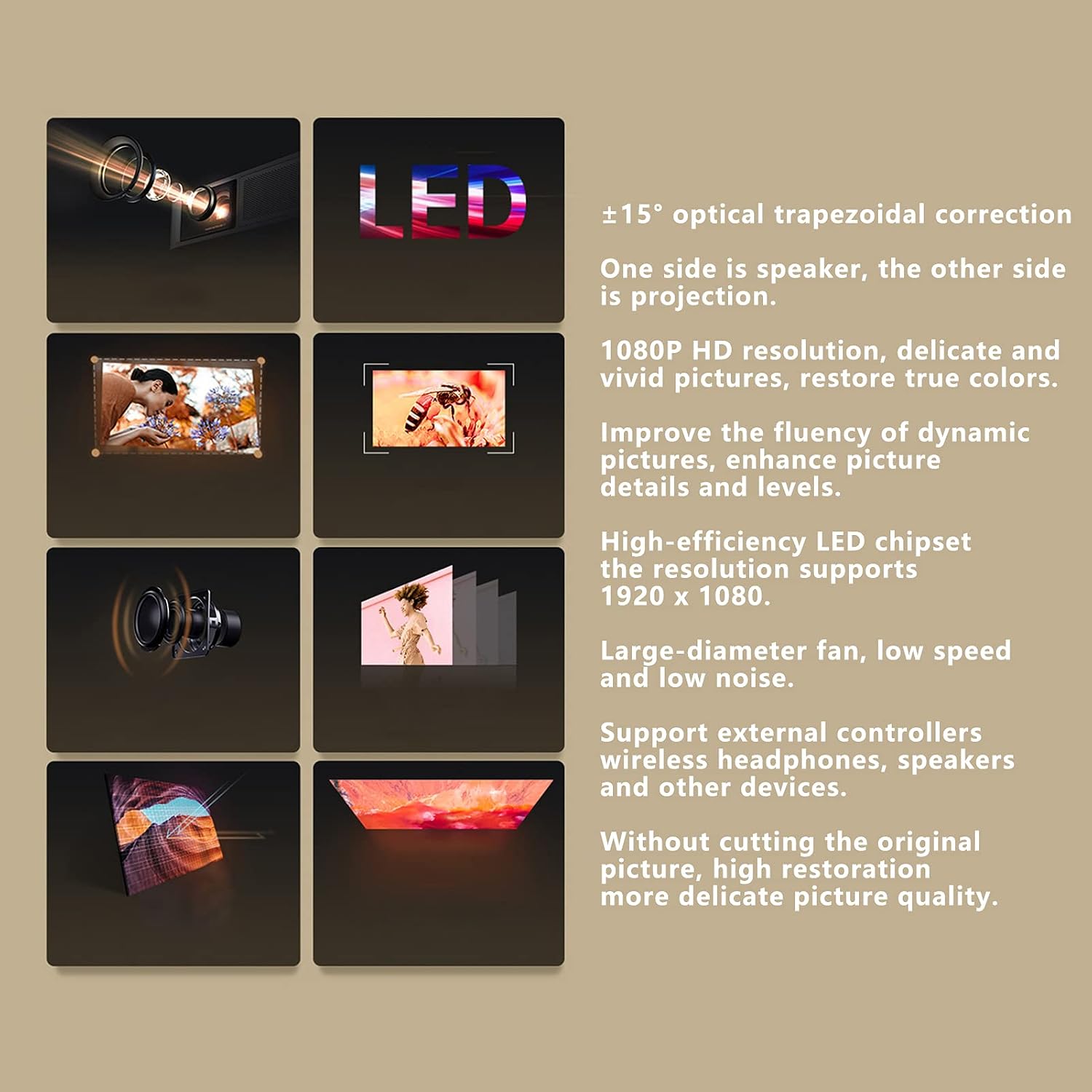
Image 9.1: Visual representation of the Bewinner T10 projector's core features and specifications.
10. Кепилдик жана колдоо
Bewinner products are designed and manufactured to the highest quality standards. For warranty information and technical support, please refer to the documentation provided with your purchase or contact your retailer. Keep your proof of purchase for warranty claims.