
Introduction
The Gtech Multi Platinum Cordless Handheld Vacuum Cleaner is designed for powerful and convenient cleaning in your car, home, and various other spaces. Its lightweight aluminum-reinforced construction ensures durability, while the rechargeable battery provides up to 30 minutes of runtime for fuss-free cleaning. This manual provides essential information for setup, operation, maintenance, and troubleshooting to help you get the most out of your vacuum cleaner.

Image: The Gtech Multi Platinum Cordless Handheld Vacuum Cleaner with its main components and included attachments.
Пакеттин мазмуну
Your Gtech Multi Platinum package should include the following items:
- Gtech Multi Platinum Handheld Vacuum Unit
- Power Head (Motorized Brush Head)
- Жарака куралы
- Узартуу түтүгү
- Чаң тазалоочу щетка
- Кайра заряддалуучу литий-иондук батарейка (алдын ала орнотулган же өзүнчө)
- Батарея заряддагыч
- Scented Cartridges (replaceable)
- Запастык чыпка
- Колдонуучунун Колдонмосу (бул документ)

Сүрөт: Жакын план view of the Gtech Multi Platinum handheld vacuum and its versatile attachments, including the crevice tool, extension tube, and dusting brush.
Жайгашуу
1. Батареяны заряддоо
Before first use, fully charge the battery. The battery provides up to 30 minutes of runtime and takes approximately 3 hours to fully charge.
- Locate the battery charger.
- Connect the charger to the battery. The battery can be charged while installed in the unit or removed.
- Заряддагычты стандарттуу розеткага сайыңыз.
- The indicator lights on the battery will show the charging status. All lights will be solid when fully charged.
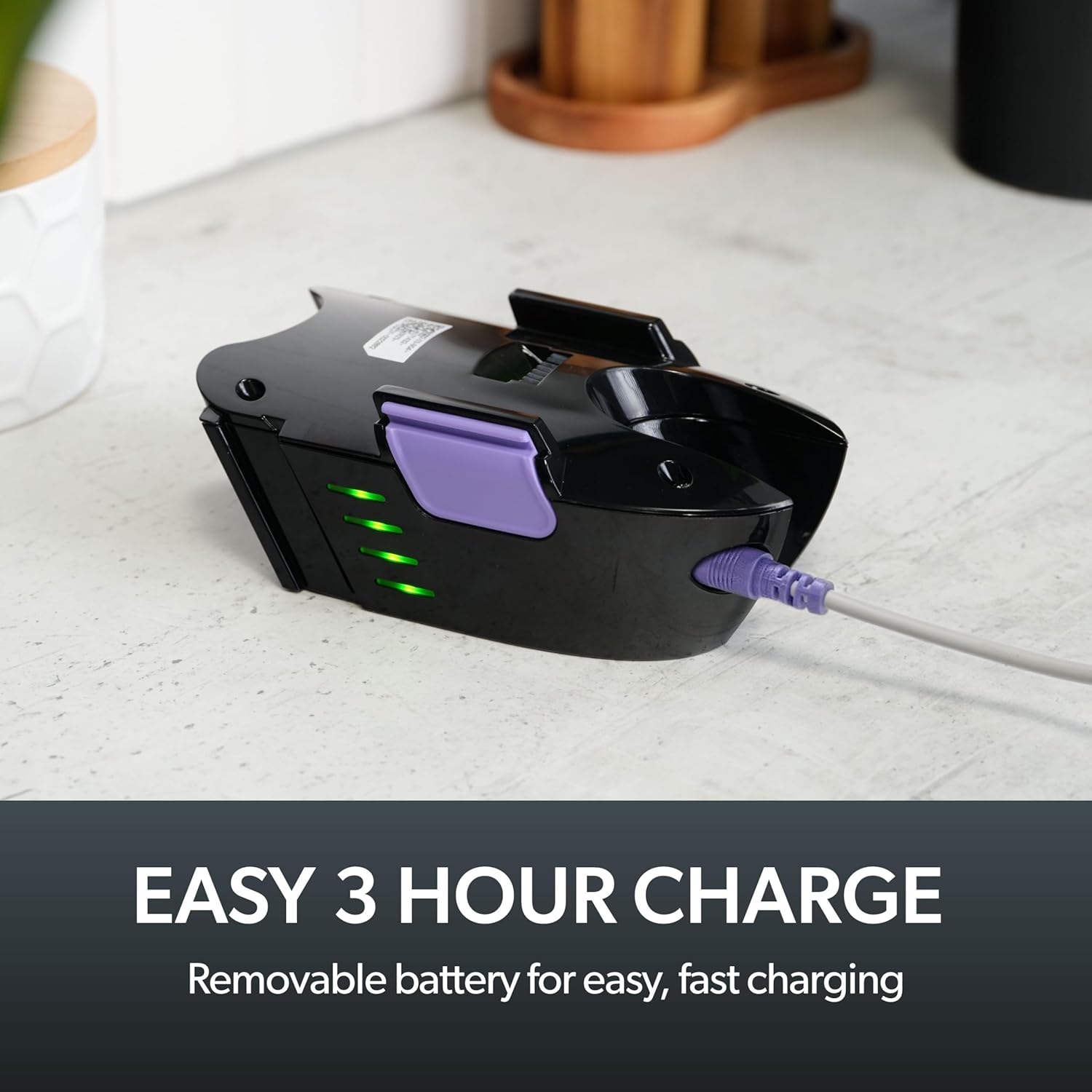
Image: The removable battery of the Gtech Multi Platinum connected to its charger, showing the indicator lights.
2. Аксессуарларды тиркөө
The Gtech Multi Platinum comes with several handy attachments for various cleaning tasks:
- Күч башчысы: Ideal for carpets, upholstery, and stairs. Simply push it onto the main vacuum nozzle until it clicks into place.
- Жарака куралы: Perfect for tight spaces, corners, and edges. Attach directly to the main nozzle.
- Узартуу түтүгү: Use with other attachments to reach high or low areas without bending or stretching. Connect it between the main nozzle and your chosen attachment.
- Чаң тазалоочу щетка: For delicate surfaces like keyboards, shelves, or blinds. Attach to the main nozzle or the extension tube.
Иштөө нускамалары
Күйгүзүү/өчүрүү
To turn the vacuum on, press the power button located on the handle. Press it again to turn the vacuum off.
Жалпы тазалоо
For general floor cleaning, attach the Power Head. Its motorized brush effectively lifts dirt, debris, and pet hair from various surfaces, including carpets and hard floors.

Image: The Gtech Multi Platinum in use, demonstrating its maneuverability on stairs, effectively cleaning both carpeted and hard surfaces.
Тиркемелерди колдонуу
Тазалоо ишиңиз үчүн тиешелүү тиркемени тандаңыз:
- колдонуу Жарака куралы for narrow gaps, car interiors, and along skirting boards.
- The Узартуу түтүгү combined with the Crevice Tool or Dusting Brush is ideal for reaching cobwebs on ceilings or cleaning high shelves.
- The Чаң тазалоочу щетка is gentle enough for delicate items like computer keyboards or intricate furniture.

Image: The Gtech Multi Platinum with a dusting brush attachment, cleaning a laptop keyboard, highlighting its precision for delicate surfaces.

Image: The Gtech Multi Platinum with its extension tube and LED headlights, illuminating hidden dust and dirt in hard-to-reach areas.
Scented Cartridges
The vacuum includes lightly scented cartridges to help neutralize odors and leave your home smelling fresh. Replace them as needed.
Техникалык тейлөө
Кир калдыктарды бошотуу
The large, easy-empty dirt bin should be emptied regularly to maintain optimal suction performance. Simply slide the ejector arm to release collected dirt and dust.

Image: A user emptying the easy-empty dirt bin of the Gtech Multi Platinum, demonstrating the quick and mess-free disposal of debris.
Фильтрди тазалоо
The vacuum features a washable filter system. For best performance, clean the filter regularly:
- Remove the dirt bin and then the filter.
- Tap the filter to remove loose debris.
- Суу тунук болгонго чейин чыпканы муздак суунун астында чайкаңыз.
- Чыпканы чаң соргучка кайра салуудан мурун, аны жок дегенде 24 саат бою толугу менен кургатыңыз. Чаң соргучту нымдуу чыпка менен колдонбоңуз.
A spare filter is included to allow for continuous use while one filter is drying.
Cleaning the Power Head Brush Bar
Periodically check the Power Head brush bar for tangled hair or debris. Use scissors or the included hair/string cutter to carefully remove any obstructions. Ensure the vacuum is turned off before performing this maintenance.
Проблемаларды чечүү
| Көйгөй | Мүмкүн себеп | Чечим |
|---|---|---|
| Вакуум күйбөйт | Батарея заряддалган эмес; Батарея туура эмес салынган | Charge the battery fully; Ensure battery is securely clicked into place |
| Азайтылган соруу күчү | Dirt bin full; Filter clogged; Obstruction in nozzle/attachments/brush bar | Empty dirt bin; Clean/replace filter; Remove any obstructions |
| Power Head brush bar not spinning | Obstruction in brush bar; Power Head not properly attached | Clear any tangled hair/debris; Reattach Power Head securely |
Техникалык шарттар
- Модель аты: Multi Platinum
- Модель номери: ATF061
- Бренд: Gtech
- Өзгөчө өзгөчөлүгү: Lightweight, Handheld
- Чыпка түрү: Картридж (жуула турган)
- Зымсызбы?: Ооба
- Сыйымдуулугу: 0.4 килограмм
- Ватtage: 140 ватт
- Аткаруу убактысы: 30 мүнөткө чейин
- Заряддоо убактысы: Болжол менен 3 саат
- Сунушталган колдонуулар: Indoor (Car, Home, Upholstery, Stairs)
- Форма фактору: Колдук
- Түсү: Ак / Purple
- Продукциянын өлчөмдөрү: 15.2"L x 5.4"W x 9.8"H
- Ызы-чуу деңгээли: 70 дБ
- Элемент Салмагы: 3.3 фунт
- Батарея: 1 литий-иондук батарейка (кошулган)
Расмий продукт Video
Video: An official product video from Gtech Home USA showcasing the features and benefits of the Gtech Multi Platinum vacuum cleaner.
Кепилдик жана колдоо
Gtech products are designed for durability and performance. For specific warranty details, please refer to the warranty card included with your purchase or visit the official Gtech webсайт.
For customer support, technical assistance, or to purchase replacement parts and accessories, please contact Gtech Home USA directly:
- Webсайт: www.gtech.co.uk
- Amazon дүкөнү: Visit the Gtech Store on Amazon
Please have your model number (ATF061) and purchase date ready when contacting support.