
HOCO EQ2 EARBUDS
HOCO Earbuds EQ2 - User Manual
Model: EQ2 EARBUDS | Brand: HOCO
Introduction
The HOCO EQ2 True Wireless Bluetooth 5.3 Earphones are designed to provide an immersive audio experience with deep bass, intuitive touch controls, and a sweatproof design. This manual will guide you through the setup, operation, and maintenance of your new earbuds.
Кутуда эмне бар
- HOCO EQ2 Earbuds (Left and Right)
- Заряддоо кутусу
- USB заряддоо кабели
- Ear Cushions (Multiple Sizes: XS, S, M, L, XL)
- Колдонуучунун колдонмосу (бул документ)
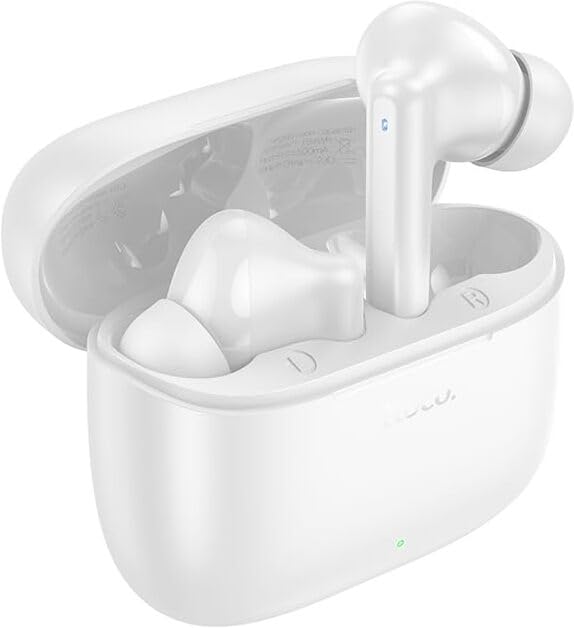
Image: HOCO EQ2 Earbuds and Charging Case.
Орнотуу колдонмосу
1. Баштапкы заряддоо
Before first use, fully charge the earbuds and the charging case. Connect the provided USB cable to the charging port on the case and a power source. The indicator light on the case will show charging status.

Image: Charging case and battery life overview.
2. Түзмөгүңүз менен жупташтыруу
- Кулакчындардын кубаттоочу кутуда жана куту кубатталганын текшериңиз.
- Заряддоо кутусунун капкагын ачыңыз. Кулакчындар жупташтыруу режимине автоматтык түрдө кирет.
- Түзмөгүңүздө (смартфон, планшет, ноутбук) Bluetooth жөндөөлөрүнө өтүп, Bluetooth'ду күйгүзүңүз.
- Издөө "HOCO EQ2" in the list of available devices and select it to connect.
- Туташкандан кийин, сиз ырастоо үнүн угасыз жана кулакчындар колдонууга даяр болот.
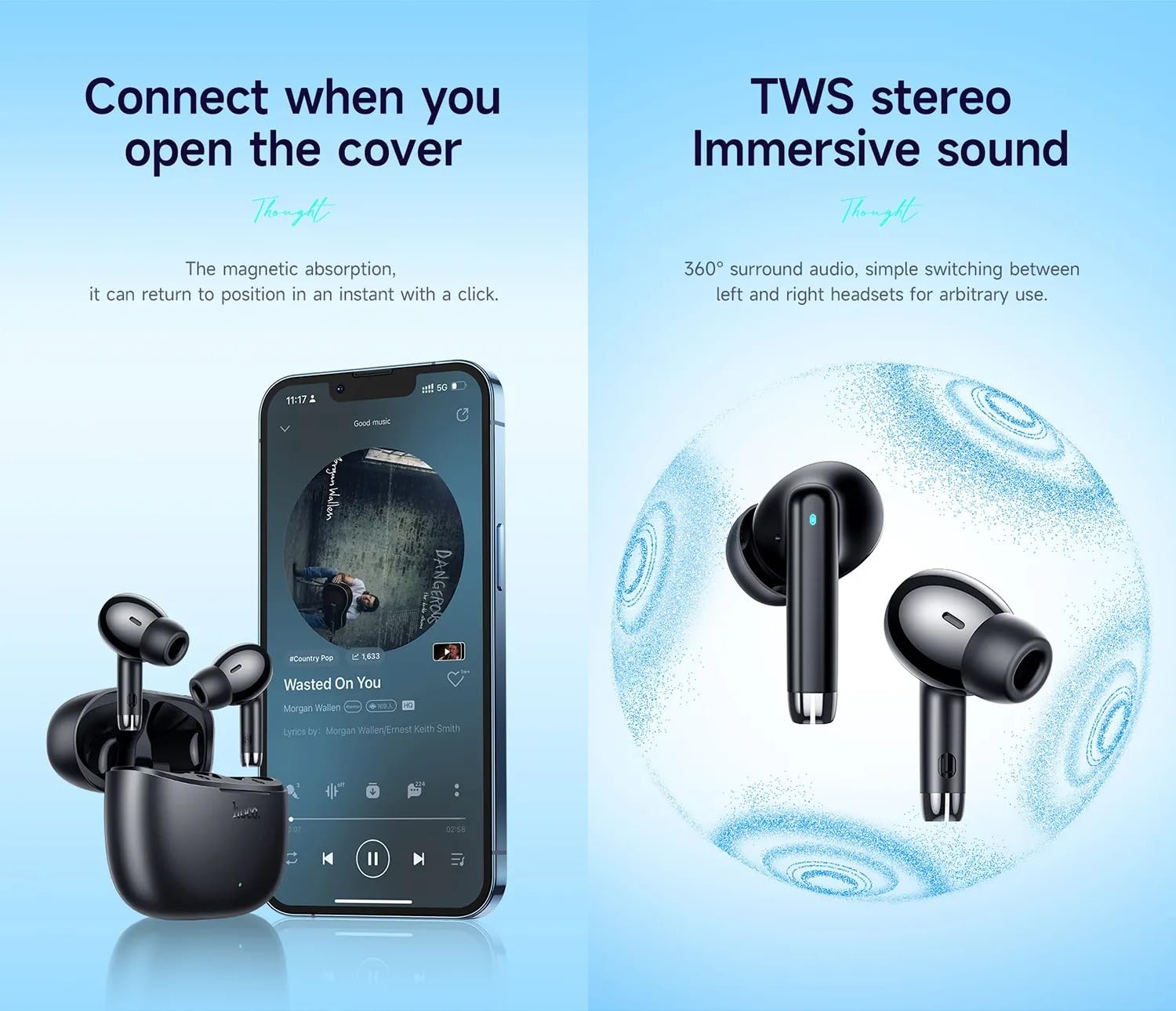
Image: Automatic connection upon opening the case and TWS stereo sound.
The HOCO EQ2 earbuds feature Bluetooth 5.3 for stable and efficient wireless connectivity, supporting seamless pairing with iOS and Android devices, smart TVs, and laptops.
Иштөө нускамалары
Кулакчын тагынуу
The HOCO EQ2 earbuds are designed for a comfortable semi-in-ear fit. Choose the ear cushions that best fit your ears for optimal sound quality and comfort. Gently insert the earbuds into your ear canal until they feel secure.

Image: Person wearing HOCO EQ2 earbuds.

Image: Earbud design and available ear cap sizes.
Touch Controls
The HOCO EQ2 earbuds feature intuitive touch controls on each earbud. Refer to the diagram below for specific functions:

Image: Detailed touch control functions.
- Tap the touch area (L/R): Музыканы ойнотуу/тындыруу.
- Double tap the touch area (L/R): Кийинки трек.
- Triple tap the touch area (L/R): Мурунку трек.
- Long press the touch area for 2s (L/R): Voice assistant activation.
- Чалууларга жооп берүү / аяктоо: (Typically single tap, but not explicitly stated in diagram, common for earbuds)
- Чалууларды четке кагуу: (Typically long press, but not explicitly stated in diagram, common for earbuds)
Оюн режими
The earbuds support a low-latency gaming mode for enhanced audio synchronization during gameplay. Refer to the product's quick start guide or manufacturer's website for specific activation instructions, as this feature is often activated via a specific touch gesture not detailed in the provided image.
Техникалык тейлөө
- Тазалоо: Regularly clean the earbuds and charging case with a soft, dry, lint-free cloth. Do not use harsh chemicals or abrasive materials. Clean the ear cushions and earbud mesh to prevent wax buildup, which can affect sound quality.
- Сактагыч: Кулакчындарды коргоо жана кубаттоо үчүн колдонулбаган учурда аларды кубаттоо кутучасында сактаңыз.
- Суу каршылык: The earbuds are sweatproof and water-resistant, making them suitable for workouts and light rain. However, they are not waterproof and should not be submerged in water. Avoid exposing them to excessive moisture or extreme temperatures.
- Батареяга кам көрүү: Батареянын иштөө мөөнөтүн узартуу үчүн, кулакчындарды жана кубаттоочу кутуну бат-баттан толук кубаттап турбаңыз. Аларды дайыма колдонууда болбосо да, үзгүлтүксүз заряддаңыз.
Проблемаларды чечүү
| Көйгөй | Мүмкүн себеп | Чечим |
|---|---|---|
| Кулакчындар жупташтырылбай жатат/туташтырылбай жатат. | түзмөктө Bluetooth өчүк; кулакчындар жупташтыруу режиминде эмес; кийлигишүү. | Ensure Bluetooth is on. Place earbuds in case, close, then open lid to re-enter pairing mode. Move closer to device. Forget "HOCO EQ2" from device's Bluetooth list and re-pair. |
| Бир же эки кулакчын тең үн чыгарбайт. | Low battery; earbud not properly seated; volume too low; connection issue. | Charge earbuds. Ensure earbuds are correctly placed in ears. Increase device volume. Re-pair earbuds. |
| Заряддоо куту заряддалбай жатат. | Кабель/адаптер бузулган; кир заряддоо порту. | Башка USB кабелин жана кубат адаптерин колдонуп көрүңүз. Кубаттоо портун акырын тазалаңыз. |
| Сенсордук башкаруу жооп бербей жатат. | Убактылуу программалык камсыздоонун бузулушу; кир тийүү сенсору. | Place earbuds back in case, close, then open. Clean the touch sensor area on the earbuds. |
Техникалык шарттар
| Өзгөчөлүк | Деталь |
|---|---|
| Модель аты | EQ2 EARBUDS |
| Байланыш | Bluetooth 5.3 |
| Зымсыз диапазон | 10 метрге чейин |
| Гарнитуранын батареясы | 40 мАч (ар бир кулакчын) |
| Case Батарея | 320mAh |
| Single Headset Playtime | Болжол менен 7 саат |
| Жалпы ойноо убактысы (капка менен) | Болжол менен 28 саат |
| Динамик өлчөмү | 13mm Dynamic Coil Speaker |
| Импеданс | 140 Ом |
| Башкаруу түрү | Сенсордук башкаруу, Үндү башкаруу |
| Суу каршылык | Sweatproof, Water Resistant |
| Материал | Пластик |
| Продукциянын өлчөмдөрү | 11 x 11 x 5 см |
| Элемент Салмагы (жалпы) | 50 грамм |
| Single Headset Weight | 4 грамм |
| Noise Control | Үн изоляциясы |

Image: Product parameters and color options.
Продукт бүттүview Video
Video: HOCO EQ2 Wireless Earbuds Overview. This video provides a visual guide to the key features, design, battery life, and device compatibility of the HOCO EQ2 earbuds.
Кепилдик жана колдоо
The HOCO EQ2 Earbuds come with a 1 жылдык кепилдик сатып алынган күндөн тартып өндүрүш кемчиликтерин жабуу. Кепилдик дооматтары үчүн сатып алганыңыздын далилин сактап коюңуз.
For technical support, warranty claims, or further inquiries, please contact the seller or the manufacturer directly through their official website or customer service channels. Refer to the product packaging or the retailer's webконкреттүү байланыш маалыматы үчүн сайт.
You can also visit the product detail page on Amazon for more information: HOCO EQ2 on Amazon.in
Ask a question about this manual
Ask about setup, troubleshooting, compatibility, parts, safety, or missing instructions. Manuals+ will review the question and use this page’s manual context to help answer it.