
HOCO EQ3 EARBUDS
HOCO EQ3 True Wireless Earbuds User Manual
Model: EQ3 EARBUDS
1. Киришүү
Thank you for choosing the HOCO EQ3 True Wireless Earbuds. These earbuds are designed to provide a high-quality audio experience with seamless Bluetooth 5.3 connectivity, intuitive touch controls, and a comfortable in-ear fit. This manual will guide you through the setup, operation, and maintenance of your new earbuds to ensure optimal performance and longevity.
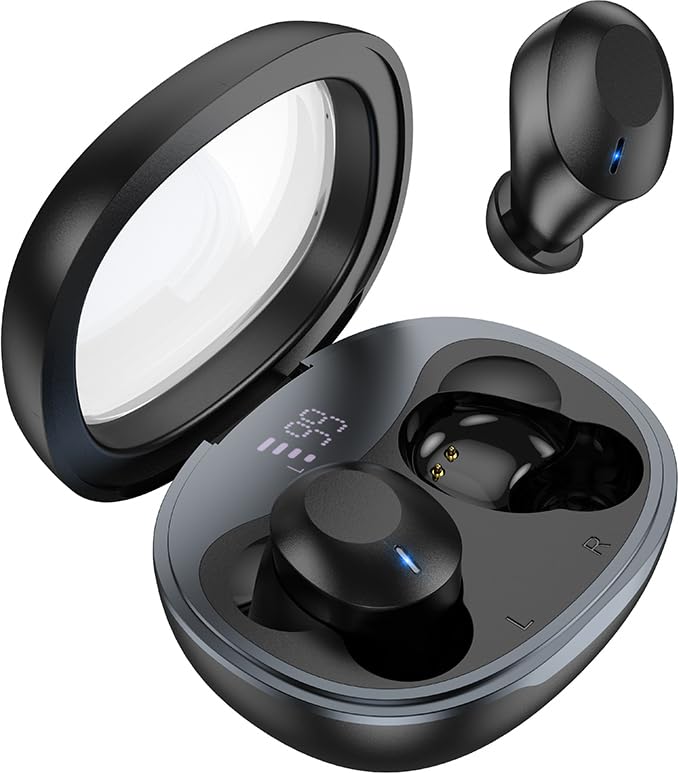
Image: The HOCO EQ3 earbuds, one in the transparent charging case displaying a digital battery percentage, and one earbud removed from the case.
2. Коопсуздук маалыматы
- Do not disassemble, repair, or modify the product. This may cause fire, electronic breakdown, or complete damage to the product.
- Keep the device away from liquids, moisture, or humidity.
- Аппаратты экстремалдык температурага (0°C төмөн же 45°C жогору) тийгизүүдөн сактаңыз.
- Аппаратты күн күркүрөгөн учурда колдонбоңуз.
- Clean the earbuds and charging case with a soft, dry cloth. Do not use harsh chemicals or abrasive materials.
- Dispose of the product responsibly according to local regulations. Do not dispose of with household waste.
3. Кутуда эмне бар
Сураныч, пакеттин мазмунун текшерип, бардык буюмдар бар экенин текшериңиз:
- HOCO EQ3 True Wireless Earbuds (Left and Right)
- Зымсыз кубаттоо кутусу
- USB заряддоо кабели
- Ear Cushions (Multiple Sizes: XS/S/M/L)
- Protective Case (if included as an accessory)
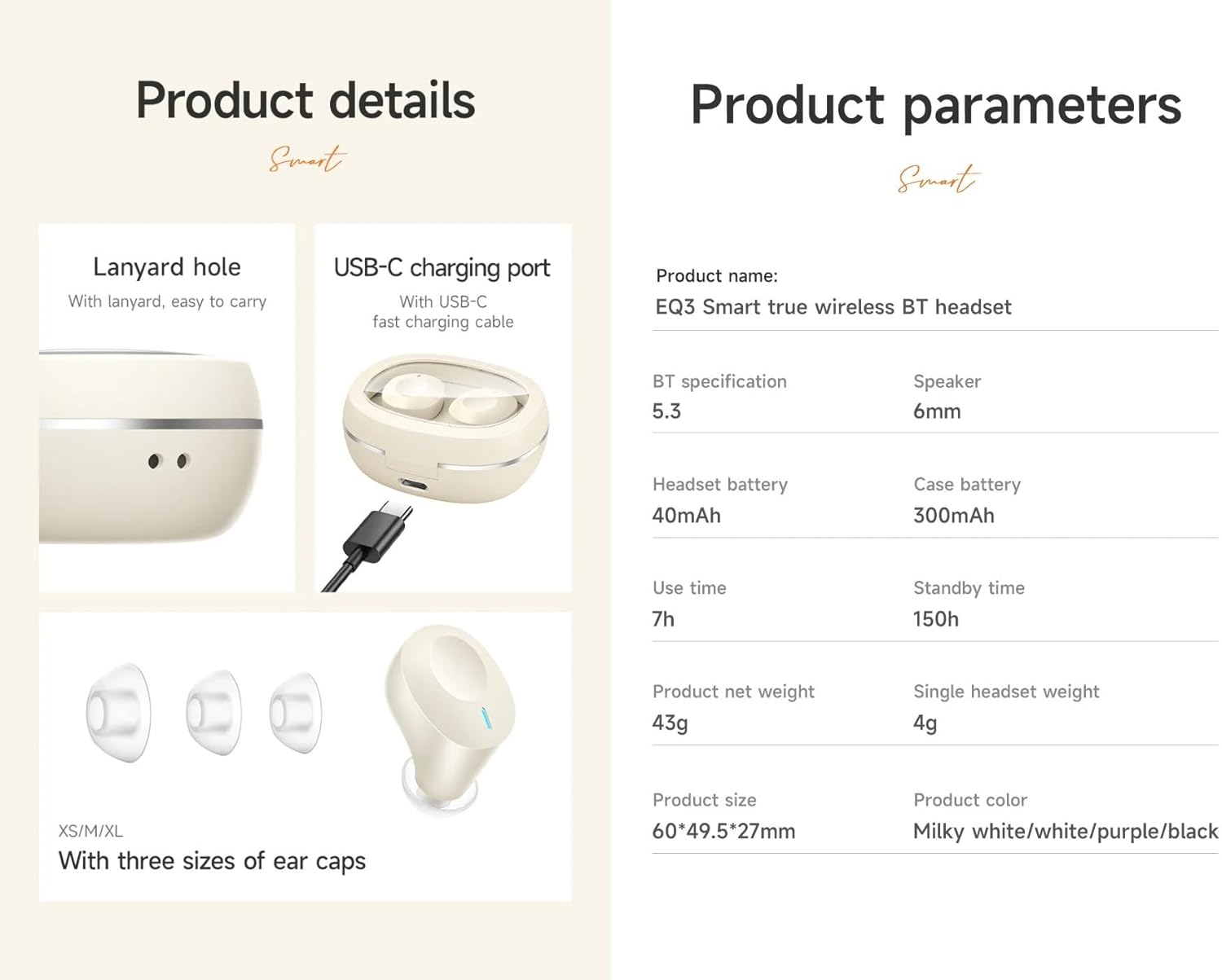
Image: An infographic detailing product features such as the USB-C charging port, lanyard hole, and different sizes of ear caps (XS/S/M/L).
4. Продукт бүтүп калдыview
The HOCO EQ3 earbuds feature a compact design with a transparent charging case that includes a digital power display. Each earbud is equipped with touch control areas for easy operation.
Заряддоо кутусу
- Тунук капкак: Allows visibility of earbuds and digital display.
- Digital Power Display: Калган батареянын пайызын көрсөтөтtagзаряддоо корпусунун э.
- USB-C заряддоо порту: Ишти кайра заряддоо үчүн.
- Lanyard тешик: Жөнөкөй көчүрүү үчүн.
Кулакчындар
- Сенсордук башкаруу аймагы: Ар кандай функциялар үчүн ар бир кулакчындын сырткы бетинде жайгашкан.
- LED көрсөткүчү: Displays pairing status and charging status.
- Микрофон: Так чалуулар үчүн.
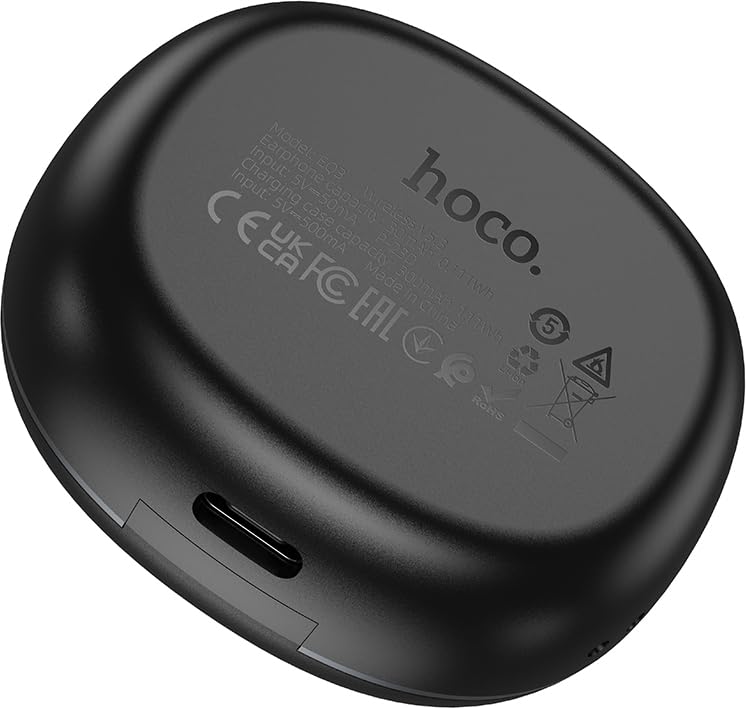
Image: The back of the HOCO EQ3 charging case, showing regulatory marks and basic electrical specifications.
5. Орнотуу
5.1 Кулакчындарды жана кутучаны заряддоо
- Эки кулакчынды тең кубаттоочу кутуга салыңыз. Алардын тиешелүү уячаларына туура орнотулганын текшериңиз (сол жагына L, оң жагына R).
- Connect the USB charging cable to the USB-C port on the charging case and the other end to a compatible USB power source (e.g., computer USB port, wall adapter).
- The digital display on the charging case will show the charging status. The earbuds' LED indicators will also show charging status.
- A full charge for the case takes approximately 1.5-2 hours. The earbuds charge automatically when placed in the case.
5.2 Bluetooth түзмөгү менен жупташтыруу
- Кулакчындардын кубатталганын текшериңиз.
- Open the lid of the charging case. The earbuds will automatically power on and enter pairing mode. The LED indicators on the earbuds will flash, indicating they are ready to pair.
- Түзмөгүңүздө (смартфон, планшет ж.б.) Bluetooth иштетип, жаңы түзмөктөрдү издеңиз.
- Select "HOCO EQ3" from the list of available devices.
- Once connected, the earbuds' LED indicators will stop flashing and remain solid or turn off, and you will hear a confirmation tone.
- The earbuds support master-slave switching, allowing either earbud to be used independently.

Image: An infographic illustrating the automatic connection feature when the charging case cover is opened, and highlighting the high-fidelity sound quality from the dynamic coil unit.
6. Иштөө нускамалары
The HOCO EQ3 earbuds feature intuitive touch controls. The touch control area is located on the outer surface of each earbud.

Image: A diagram illustrating the touch control functions for the HOCO EQ3 earbuds, including single tap, double tap, triple tap, and long press.
6.1 Музыканы ойнотуу
- Ойнотуу/тындыруу: Сол (сол) же оң (оң) кулакчындын тийүү аймагын бир жолу басыңыз.
- Кийинки трек: Double tap the touch area on either the Left (L) or Right (R) earbud.
- Мурунку трек: Triple tap the touch area on either the Left (L) or Right (R) earbud.
6.2 Чалууларды башкаруу
- Чалууга жооп берүү/аяктоо: Кулакчындын тийүү аймагын бир жолу басыңыз.
- Чакырууну четке кагуу: Кулакчындардын биринин тийүү жерин 2 секунд басып туруңуз.
6.3 Үн жардамчысы
- Үн жардамчысын жандыруу (Siri, Google Assistant ж.б.): Кулакчындардын биринин тийүү жерин 2 секунд басып туруңуз.
7. Техникалык тейлөө
7.1 Тазалоо
- Regularly clean the earbuds and charging case to prevent dust and debris buildup.
- Use a soft, dry, lint-free cloth to wipe the surfaces.
- For the ear tips, remove them from the earbuds and clean with a damp чүпүрөк, анан кайра кийер алдында кылдат кургатып.
- Do not use alcohol, benzene, or other volatile liquids for cleaning.
7.2 Сактоо
- Колдонулбаганда, кулакчындарды коргоо жана кубаттоо үчүн кубаттоочу кутучага сактаңыз.
- Аппаратты салкын, кургак жерде, тике күн нурунан жана экстремалдык температурадан алыс сактаңыз.
8. Кыйынчылыктарды
If you encounter any issues with your HOCO EQ3 earbuds, please refer to the following common solutions:
| Көйгөй | Мүмкүн себеп | Чечим |
|---|---|---|
| Кулакчындар күйбөй жатат | Батарея аз | Кулакчындарды кубаттоочу кутуга салып, толугу менен кубаттаңыз. |
| Түзмөк менен жупташтыруу мүмкүн эмес | Bluetooth off, earbuds not in pairing mode, or previously paired. | Ensure Bluetooth is on. Open case lid to enter pairing mode. Forget "HOCO EQ3" from your device's Bluetooth list and try pairing again. |
| Бир гана кулакчын иштейт | Бир кулакчын туташтырылган эмес же батареясы аз. | Эки кулакчынды тең кубаттоочу кутуга кайра салып, капкагын 5 секундга жаап, кайра ачыңыз. Экөө тең кубатталганын текшериңиз. |
| Үн жок же үнү төмөн | Device volume too low, earbud volume too low, or poor connection. | Increase volume on your device. Ensure earbuds are properly connected. Clean ear tips if blocked. |
| Заряддоо куту заряддалбай жатат | Кабель же кубат булагы туура эмес. | Башка USB-C кабелин жана кубат адаптерин колдонуп көрүңүз. Кабелдин бекем туташканын текшериңиз. |
9. Техникалык шарттар
Detailed technical specifications for the HOCO EQ3 True Wireless Earbuds:
| Өзгөчөлүк | Спецификация |
|---|---|
| Модель аты | EQ3 EARBUDS |
| Bluetooth версиясы | 5.3 (Chip: JL AC6983D2) |
| Зымсыз байланыш технологиясы | Bluetooth |
| Кулакчындын батареянын кубаттуулугу | 40 мАч (ар бир кулакчын) |
| Заряддоо корпусунун батареясынын сыйымдуулугу | 300mAh |
| Use Time (Single Charge) | 15 саатка чейин |
| Жалпы ойноо убактысы (заряддоо кутусу менен) | 28 саатка чейин |
| Күтүү убактысы | 150 саат |
| Башкаруу ыкмасы | Touch Control |
| Сууга туруктуулук деңгээли | Сууга чыдамдуу |
| Noise Control | Активдүү Шумду Жоюу (ANC) |
| Камтылган компоненттер | Cable, Ear Cushions, Protective Case, Wireless Charging Case |
| Материал | Пластик |
| Элемент Салмагы | 48 Grams (Total weight: 43g from feature bullets) |
| Продукциянын өлчөмдөрү | 60 x 49.5 x 27 mm (Case); 25 x 15 x 7 cm (Package) |
| Түс | Кара |

Image: An infographic highlighting key features such as 28 hours total listening time, Hi-Fi sound quality, Bluetooth 5.3, LED digital display, magnetic switch, lightweight design, TWS stereo, and touch control.
10. Кепилдик жана колдоо
For warranty information and customer support, please refer to the warranty card included in your product packaging or contact HOCO customer service through their official webсайтында же ыйгарым укуктуу дистрибьюторлордо. Кепилдик боюнча дооматтар үчүн сатып алганыңызды тастыктаган документти сактап коюңуз.
Өндүрүүчү: HOCO
Пакер: Pejy
Импорттоочу: Pejy
Ask a question about this manual
Ask about setup, troubleshooting, compatibility, parts, safety, or missing instructions. Manuals+ will review the question and use this page’s manual context to help answer it.