
Introduction
This manual provides essential instructions for the proper use, setup, and maintenance of your HOCO X89 Type-C to Lightning Charging Data Cable. Please read this manual thoroughly before using the product to ensure optimal performance and safety.
Продукт бүттүview
The HOCO X89 is a high-quality Type-C to Lightning cable designed for efficient charging and data transfer between compatible devices. It features a durable braided wire exterior and aluminum alloy joints for enhanced longevity.
Негизги өзгөчөлүктөрү:
- Узундугу: 1 метр (3.2 фут)
- Салмагы: 26 грамм
- Сырткы материал: Braided wire for durability and tangle resistance.
- Joint Material: Aluminum alloy for robust connections.
- кубаттоо колдоо: Supports Power Delivery (PD) 20W fast charging for compatible Apple devices.
- Байланыш: Type-C to Lightning connectors.
Кутуда эмне бар:
- 1 x HOCO X89 Type-C to Lightning Charging Data Cable
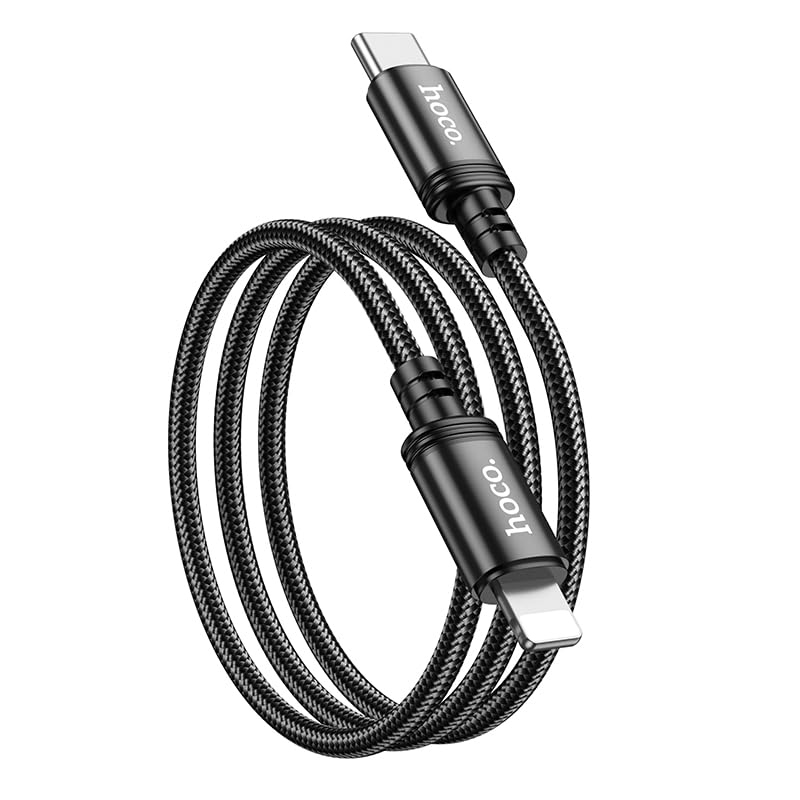
Image: The HOCO X89 cable, coiled, displaying both the Type-C connector and the Lightning connector.
Жайгашуу
The HOCO X89 cable is designed for plug-and-play functionality. No software installation is required.
- Туташтыргычтарды аныктоо: The cable has two distinct ends: a USB Type-C connector and a Lightning connector.
- Connect to Power Source/Data Port: Insert the USB Type-C end of the cable into a compatible power adapter (e.g., a PD-enabled wall charger) or a device with a Type-C port (e.g., a laptop, power bank).
- Түзмөккө туташуу: Insert the Lightning end of the cable into the charging/data port of your compatible Apple device (e.g., iPhone, iPad).
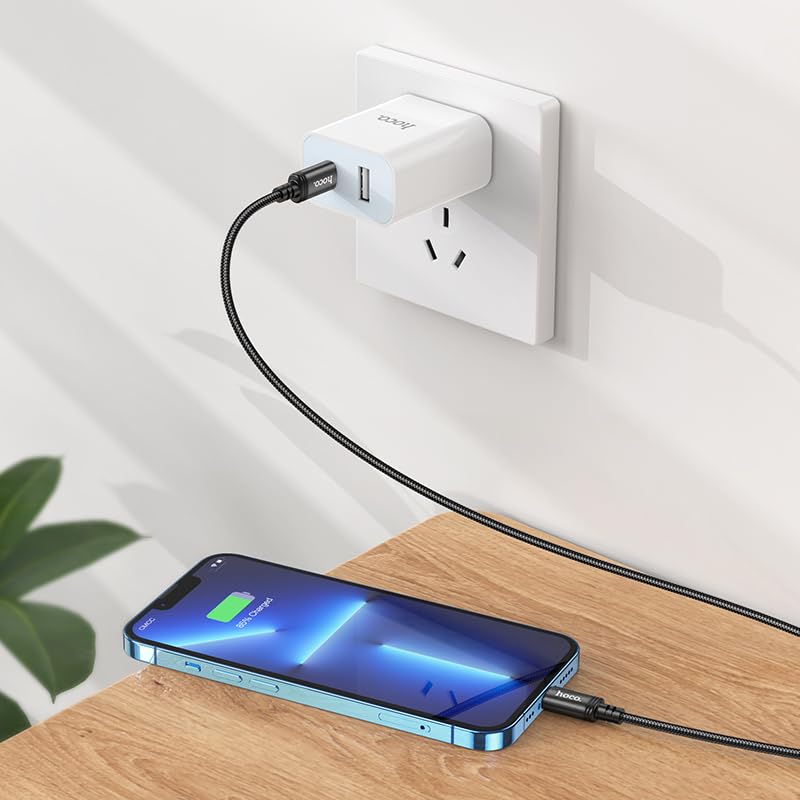
Image: The HOCO X89 cable in use, connecting an iPhone to a wall charger for charging.
Иштөө нускамалары
Аспабыңызды кубаттоо:
- Ensure the Type-C end is connected to a power source (wall adapter, power bank, computer). For fast charging, use a Power Delivery (PD) compatible adapter.
- Connect the Lightning end to your Apple device.
- The device should indicate that it is charging. The HOCO X89 supports up to 20W PD charging, allowing for faster charging times on compatible devices.
Маалыматтарды өткөрүү:
- Connect the Type-C end to a computer or laptop.
- Connect the Lightning end to your Apple device.
- Компьютериңиз туташкан түзмөктү таанып, сизге маалыматтарды өткөрүп берүүгө мүмкүндүк бериши керек files, sync data, or perform backups. Follow your device's operating system instructions for data management.
Техникалык тейлөө жана кам көрүү
- Тазалоо: Use a soft, dry cloth to wipe the cable and connectors. Avoid using liquids or abrasive cleaners.
- Сактагыч: Кабельди күн нурунан жана экстремалдык температурадан алыс салкын, кургак жерде сактаңыз. Кабелдин ички бузулушуна жол бербөө үчүн, аны курч бурчта катуу ороп же ийүүдөн качыңыз.
- Колдонуу: Кабелди сайганда же сууруп алганда, ар дайым туташтыргычтын башын кармаңыз, кабелдин өзүн тартпаңыз.
- Зыяндан качуу: Do not expose the cable to water, excessive force, or sharp objects.
Проблемаларды чечүү
- Түзмөк кубатталбай жатат:
- Кабелдин эки учу тең бекем туташтырылганын текшериңиз.
- Кубат адаптеринин туура иштеп жатканын жана розеткага сайылып турганын текшериңиз.
- Башка кубат адаптерин же USB портун колдонуп көрүңүз.
- Түзмөгүңүздүн кубаттоо порту таза жана таштандыдан таза экенин текшериңиз.
- Жай кубаттоо:
- Ensure you are using a Power Delivery (PD) compatible wall adapter for fast charging.
- Түзмөгүңүздөгү керексиз тиркемелерди жабыңыз.
- Avoid using your device heavily while charging.
- Маалыматтарды өткөрүү маселелери:
- Ensure the Type-C end is connected to a data-enabled USB port on your computer.
- Restart both your computer and your Apple device.
- Check your device's settings for data transfer permissions.
- Компьютериңиздеги башка USB портун колдонуп көрүңүз.
Техникалык шарттар
| Модель аты | X89_C To I |
| Бренд | HOCO |
| Туташтыргыч түрү | USB Type-C to Lightning |
| Кабель түрү | Заряддоо жана маалымат кабели |
| Узундук | 1 метр (3.2 фут) |
| Салмагы | 26г |
| Сырткы материал | Braided Wire |
| Joint Material | Алюминий эритмеси |
| Заряддоо протоколу | Supports Power Delivery (PD) 20W |
| Шайкеш түзмөктөр | iPhones (6/6S/7/7+/8/8+/10/11/12/13), iPads, and other Apple devices with Lightning port; Laptops and power adapters with Type-C port. |
| Түс | Кара |
Коопсуздук маалыматы
- Кабелди бөлүктөргө бөлүүгө же өзгөртүүгө аракет кылбаңыз.
- Балдар жетпеген жерде сактаңыз.
- Avoid extreme temperatures, humidity, and corrosive environments.
- If the cable appears damaged, discontinue use immediately.
- Use only with compatible and certified power adapters.
Кепилдик жана колдоо
For warranty information and customer support, please refer to the product packaging or contact your retailer. HOCO products are designed for reliability and performance.