
HOCO ES64_Green
HOCO Bluetooth Neck Band In-Ear Earphones User Manual
Model: ES64_Green | Brand: HOCO
1. Киришүү
The HOCO Bluetooth Neck Band In-Ear Earphones (Model ES64_Green) are designed to provide a high-quality audio experience with extended playback time and convenient features. This manual provides essential information for setting up, operating, and maintaining your earphones.
Негизги өзгөчөлүктөр төмөнкүлөрдү камтыйт:
- Bluetooth 5.3 connectivity for stable and efficient pairing.
- Бир кубаттоо менен 30 саатка чейин үзгүлтүксүз колдонуу.
- Ergonomic neckband design for comfortable wear.
- Toggle switch button for convenient operation.
- Lightweight design at 26.5g.
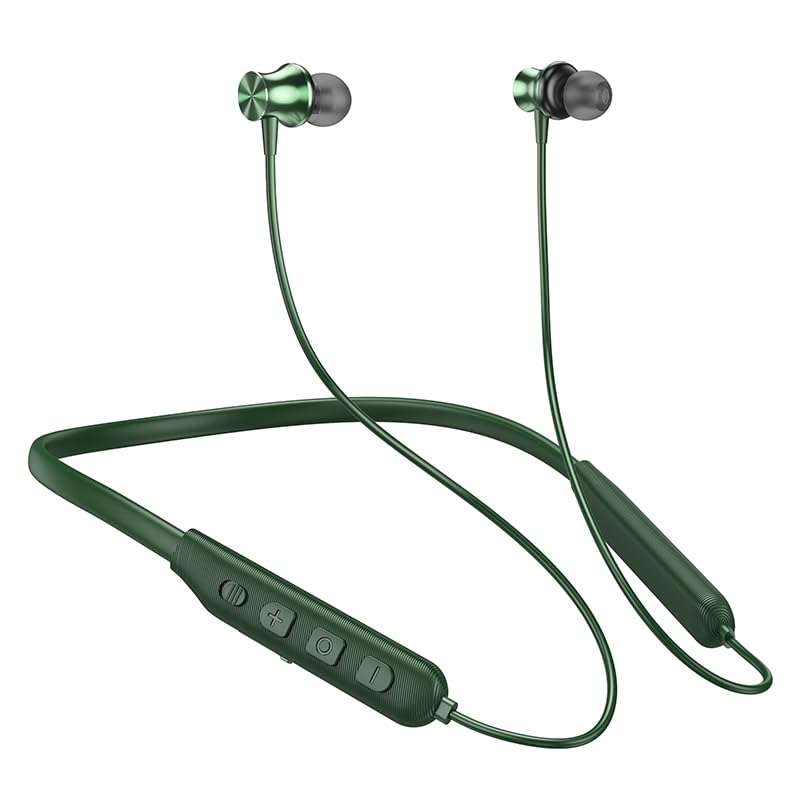
Image: The HOCO Bluetooth Neck Band in green, showcasing its in-ear design and flexible neckband.
2. Пакеттин мазмуну
Сураныч, пакетте төмөнкү нерселерди текшериңиз:
- HOCO Bluetooth Neck Band In-Ear Earphones (ES64_Green)
- Ear Cushions (additional sizes may be included)
- Колдонуучунун Колдонмосу (бул документ)
- Charging Cable (not explicitly listed in "whats_in_the_box" but implied for charging)
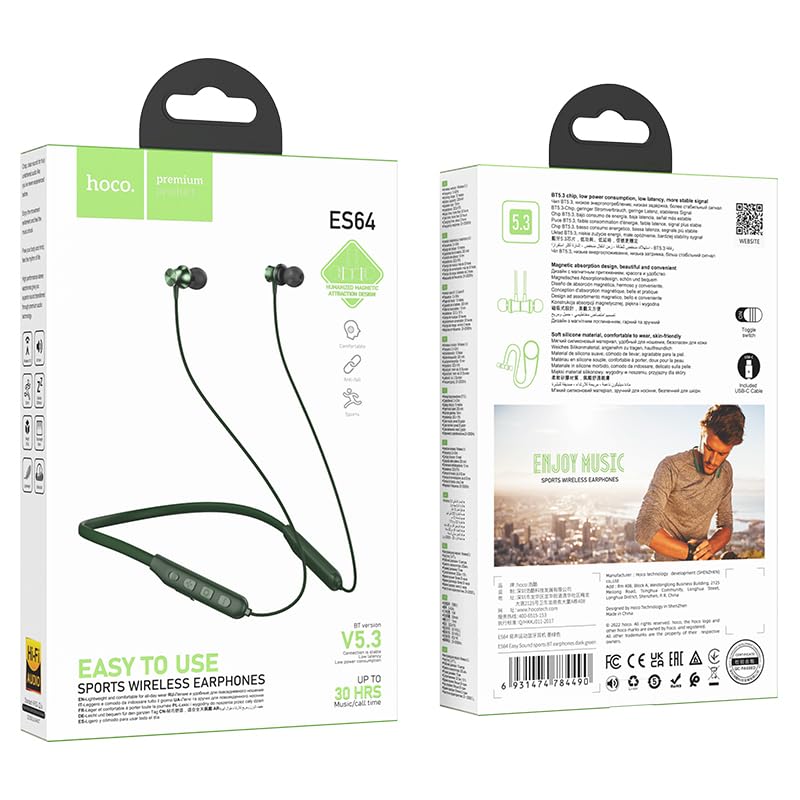
Сүрөт: алдыңкы жана арткы view of the HOCO Bluetooth Neck Band product packaging, showing the earphones and key features.
3. Продукт бүтүп калдыview
Familiarize yourself with the components and controls of your HOCO Bluetooth Neck Band.
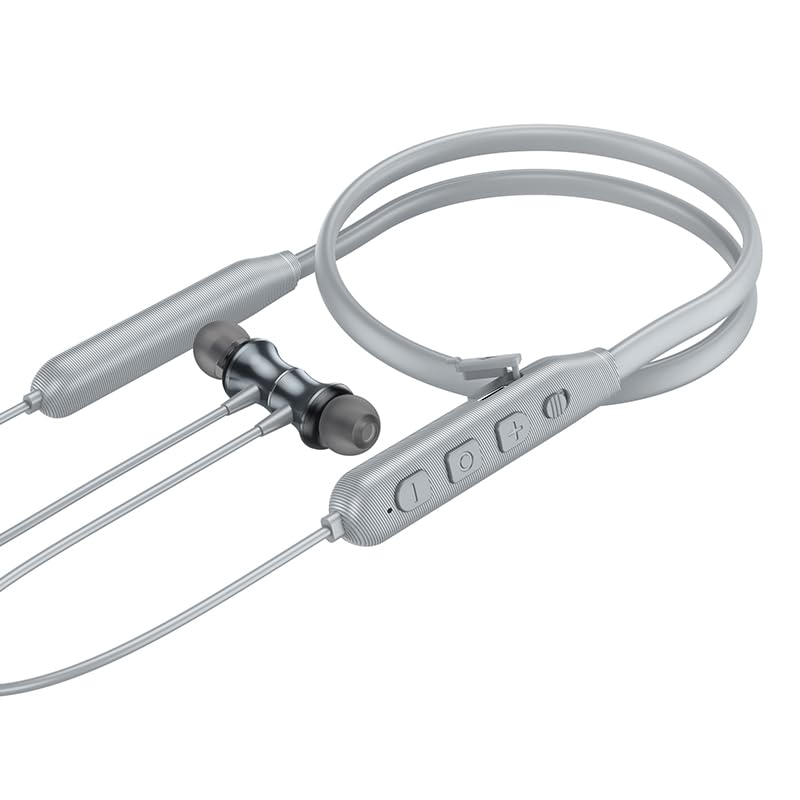
Сүрөт: Жакын план view of the control panel on the HOCO Bluetooth Neck Band, showing the toggle switch, volume buttons, and multi-function button.
Башкаруу каражаттары:
- Көп функциялуу баскыч (MFB): Күйгүзүү/өчүрүү, ойнотуу/тындыруу, чалууларга жооп берүү/аяктоо.
- Үнүн жогорулатуу (+): Үнүн жогорулатуу, Кийинки трек (узун басуу).
- Үнүн төмөндөтүү (-): Үндү азайтуу, Мурунку трек (узун басуу).
- Которуу/күйгүзүү: For convenient power control.
- Заряддоо порту: USB Type-C (implied by modern devices, though not specified as Type-C).
- LED көрсөткүчү: Кубаттоону, жупташтырууну жана кубаттоо абалын көрсөтөт.
4. Орнотуу
4.1 Наушниктерди заряддоо
Before first use, fully charge your earphones. A full charge takes approximately 2 hours.
- Connect the charging cable to the charging port on the neckband.
- Кабелдин экинчи учун USB кубат адаптерине (кошумча эмес) же компьютердин USB портуна туташтырыңыз.
- The LED indicator will show the charging status (e.g., red while charging, blue when fully charged).
The ASAP Charge feature allows for quick charging to provide additional playtime with a short charge.
4.2 Bluetooth түзмөгү менен жупташтыруу
Follow these steps to pair your HOCO Bluetooth Neck Band with your smartphone or other Bluetooth-enabled device:
- Кулакчындардын толук заряддалганын жана өчүрүлгөнүн текшериңиз.
- Slide the toggle switch to the "On" position or long-press the MFB until the LED indicator flashes rapidly (usually blue and red alternately), indicating pairing mode.
- Түзмөгүңүздө Bluetooth иштетиңиз жана жеткиликтүү түзмөктөрдү издеңиз.
- Select "HOCO ES64" (or similar name) from the list of found devices.
- Once connected, the LED indicator will typically show a slow blue flash or turn off, and you will hear an audible confirmation.
The earphones support Bluetooth v5.3 for stable connection and can connect to two devices simultaneously (specific instructions for dual pairing may vary by device, refer to your device's manual).
5. Иштөө нускамалары
5.1 Күйгүзүү/өчүрүү
- Күйгүзүү: Slide the toggle switch to "On" or long-press the MFB until the LED indicator lights up.
- Өчүрүү: Slide the toggle switch to "Off" or long-press the MFB until the LED indicator turns off.
5.2 Музыканы ойнотуу
- Ойнотуу/тындыруу: MFBди кыска басыңыз.
- Көлөмү: "+" баскычын кыска басыңыз.
- Үнүн азайтуу: "-" баскычын кыска басыңыз.
- Кийинки трек: "+" баскычын көпкө басыңыз.
- Мурунку трек: "-" баскычын көпкө басыңыз.
5.3 Чалууларды башкаруу
- Чакырууга жооп берүү: Short press the MFB when an incoming call rings.
- Чакырууну аяктоо: Чалуу учурунда MFB баскычын кыска басыңыз.
- Чакырууну четке кагуу: Long press the MFB when an incoming call rings.
- Акыркы номерди кайра терүү: MFBди эки жолу басыңыз.
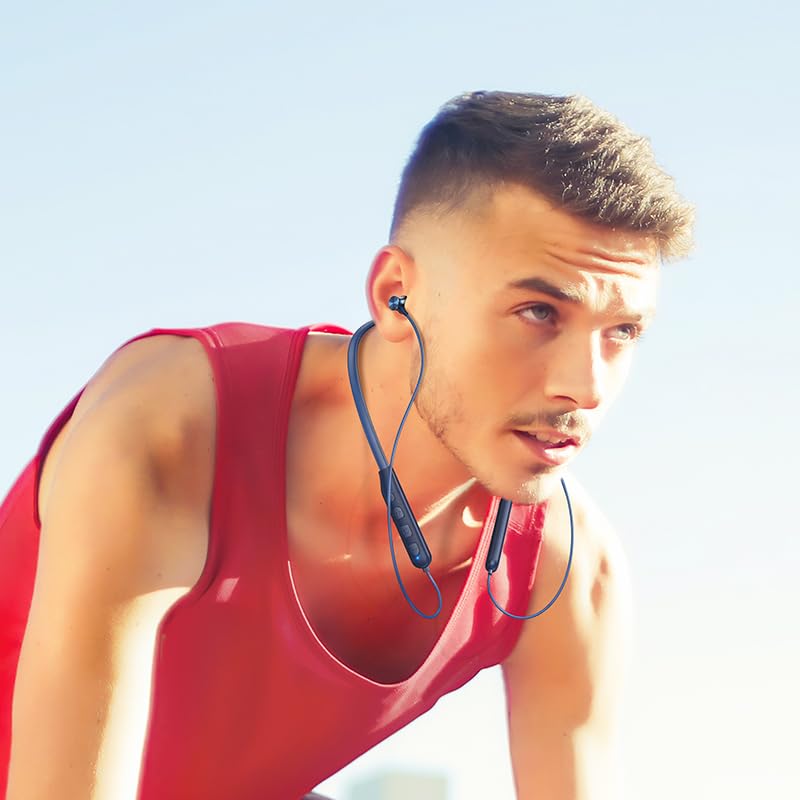
Image: A person wearing the HOCO Bluetooth Neck Band during a run, demonstrating its comfortable and secure fit for active use.
5.4 Видео көрсөтүү
For a visual guide on the product's features and usage, please watch the official product video below:
Video: Official HOCO product video demonstrating the features and usage of the Bluetooth Neck Band, including its long playback time, ASAP Charge, and Bluetooth pairing capabilities.
6. Техникалык тейлөө
Proper care will extend the lifespan of your earphones:
- Тазалоо: Use a soft, dry cloth to clean the earphones. Do not use harsh chemicals or abrasive materials.
- Сактагыч: Наушниктерди салкын, кургак жерде, күндүн тике тийген нурунан жана экстремалдык температурадан алыс сактаңыз.
- Суу каршылык: The earphones are water resistant. Avoid submerging them in water or exposing them to heavy rain for prolonged periods. Dry them thoroughly if they get wet.
- Заряддоо: Do not overcharge the battery. Disconnect the charger once the earphones are fully charged.
7. Кыйынчылыктарды
If you encounter issues with your HOCO Bluetooth Neck Band, try the following solutions:
| Көйгөй | Мүмкүн чечим |
|---|---|
| Күйгүзүлбөй жатат | Батарея заряддалганын текшериңиз. Кубат булагына туташып, кайра аракет кылыңыз. |
| Түзмөк менен жупташтыруу мүмкүн эмес |
|
| Үн жок же үнү төмөн |
|
| үзгүлтүктүү байланыш |
|
8. Техникалык шарттар
| Өзгөчөлүк | Деталь |
|---|---|
| Модель аты | ES64_Green |
| Байланыш технологиясы | Зымсыз (Bluetooth) |
| Bluetooth версиясы | 5.3 (chip: JL AC7003) |
| Батарея сыйымдуулугу | 200mAh |
| Заряддоо убактысы | 2 саатка жакын |
| Убакытты колдонуңуз | 30 саат |
| Күтүү убактысы | 350 саат |
| Earphones Total Length | 85см |
| Салмагы | 26.5г |
| Материал | Пластик |
| Башкаруу түрү | Physical Button, Toggle Switch |
| Сууга туруктуулук деңгээли | Сууга чыдамдуу |
| Заряддалуучу батареяны камтыйт | Ооба |
| Өндүрүүчү | HOCO |
| Келип чыккан өлкө | Кытай |
9. Кепилдик жана колдоо
Your HOCO Bluetooth Neck Band In-Ear Earphones come with a 1 жылдык кепилдик сатып алынган күндөн тартып. Бул кепилдик өндүрүштүк кемчиликтерди камтыйт жана буюмдун нормалдуу колдонууда белгиленгендей иштешин камсыздайт.
For warranty claims, technical support, or any inquiries, please contact your retailer or the official HOCO customer service. Keep your purchase receipt as proof of purchase.
For more information, you may visit the official HOCO website (if available, a placeholder link would be here, but since none is provided, I will omit a specific URL).
Ask a question about this manual
Ask about setup, troubleshooting, compatibility, parts, safety, or missing instructions. Manuals+ will review the question and use this page’s manual context to help answer it.