
Gibbon Mounts FDS111C
Gibbon Mounts Mobile Standing Desk (Model FDS111C) - Instruction Manual
Model: FDS111C | Brand: Gibbon Mounts
1. Продукт бүтүп калдыview
The Gibbon Mounts Mobile Standing Desk is a versatile and adjustable workstation designed for various environments, including home, office, and medical settings. It features pneumatic height adjustment, hidden casters for easy mobility, and a spacious, waterproof tabletop.
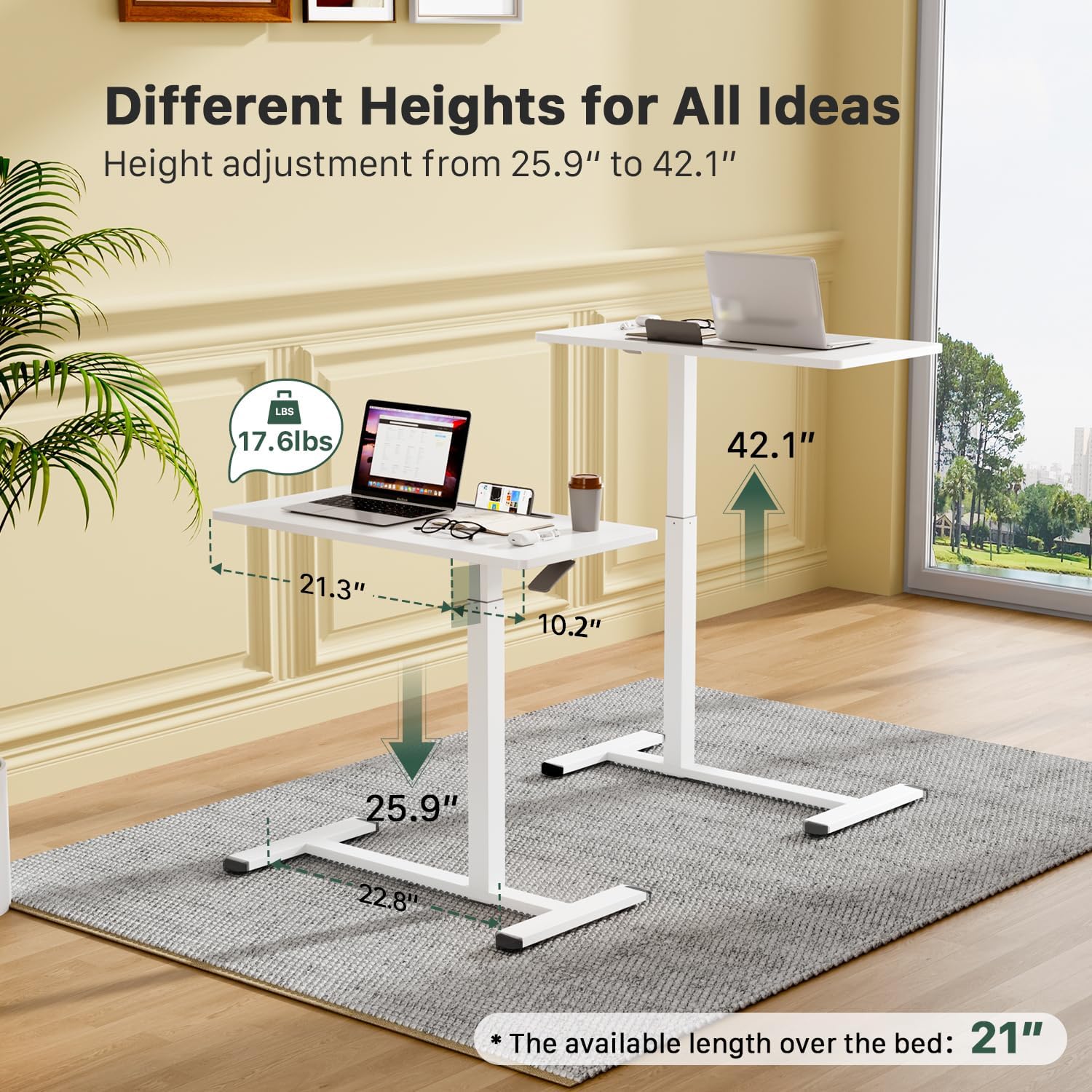
Image: The desk demonstrating its adjustable height range, suitable for both sitting and standing positions.
2. Негизги өзгөчөлүктөрү
- Easy Height Adjustment: Features a built-in gas spring for smooth transitions between sitting (25.9") and standing (42.1") positions.
- Hidden Casters for Mobility: Equipped with 4 hidden wheels for effortless movement across various floor types. The low-profile base (1.2" minimum height) allows it to tuck under furniture.
- Portable Workstation: Offers a 31.5" W x 15.7" D surface, ideal for laptops, tablets, external keyboards, and other work essentials.
- Көп функционалдуу дизайн: Suitable for use in offices, schools, hospitals, conference rooms, or as a bedside/couch table.
- Суу өткөрбөй турган үстөл: The surface is designed to be waterproof for easy cleaning and durability.
- Integrated Slot: A convenient slot is included for holding tablets or smartphones.
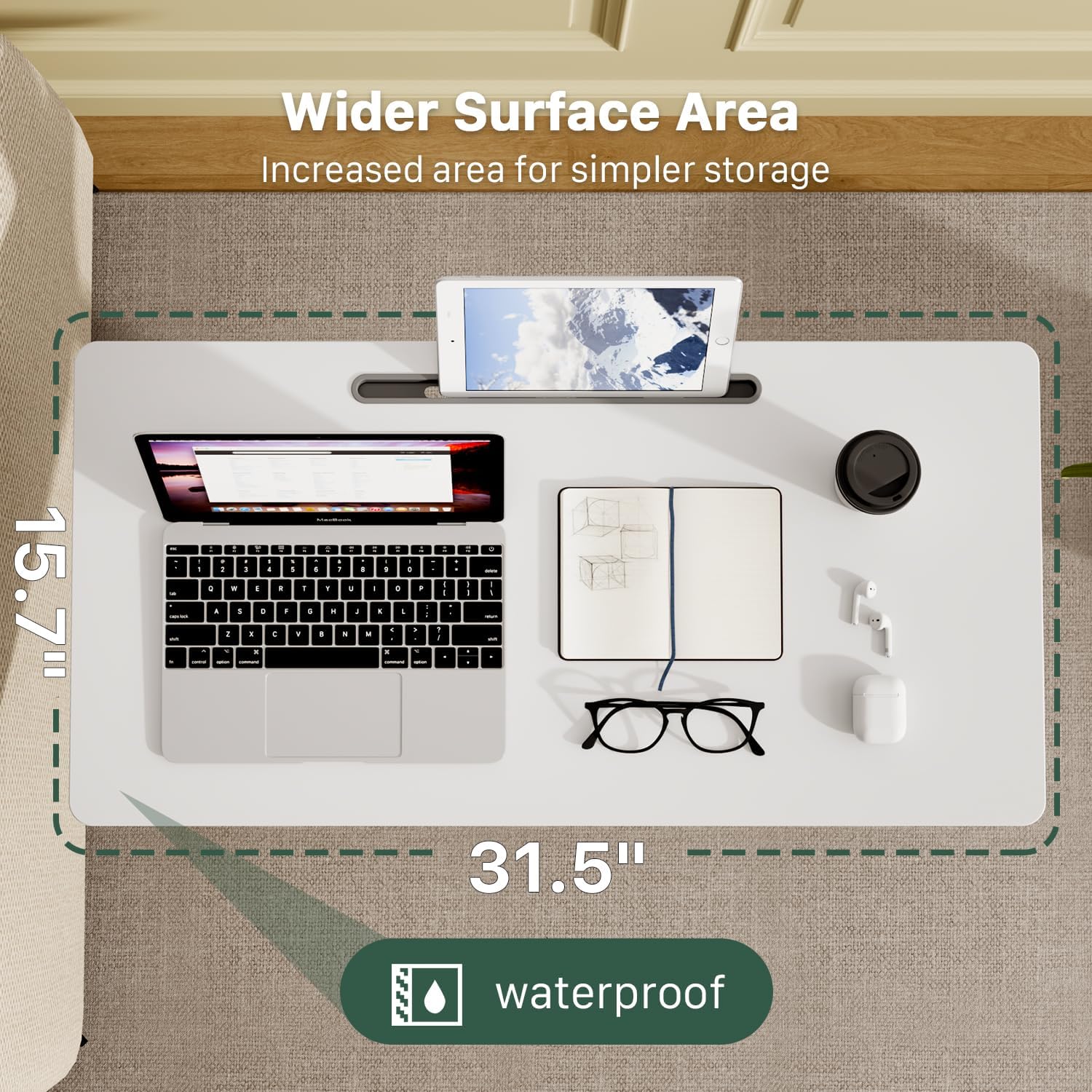
Сүрөт: деталдуу view of the gas spring lifting mechanism and the integrated cell phone slot.
3. Орнотуу жана чогултуу
The Gibbon Mounts Mobile Standing Desk is designed for straightforward assembly. All necessary hardware and detailed step-by-step instructions are included.
Чогултуу кадамдары:
- Step 1: Prepare the Column: Before installing the column to the connecting part, pull the plastic cover upward. Do not rotate the plastic cover.
- Step 2: Fix the Column to the Desktop: Securely attach the main column to the underside of the desktop using the provided screws.
- Step 3: Fix the Base to the Column: Attach the base supports to the bottom of the column using the remaining screws.

Image: Visual guide for the 3-step assembly process.
4. Иштөө нускамалары
Бийиктигин тууралоо:
The desk features a pneumatic gas spring for smooth height adjustments. The height can be adjusted from 25.9 inches to 42.1 inches.
- Үстөлдү көтөрүү үчүн: Squeeze the handle located under the desktop and gently pull the desktop upwards to the desired height.
- Үстөлдү түшүрүү үчүн: Squeeze the handle and apply downward pressure on the desktop until it reaches the desired lower height.

Image: Instructions for raising and lowering the desk.
Мобилдүүлүк:
The desk is equipped with hidden casters for easy movement. The low-profile base allows it to slide under most furniture with a minimum clearance of 1.2 inches.
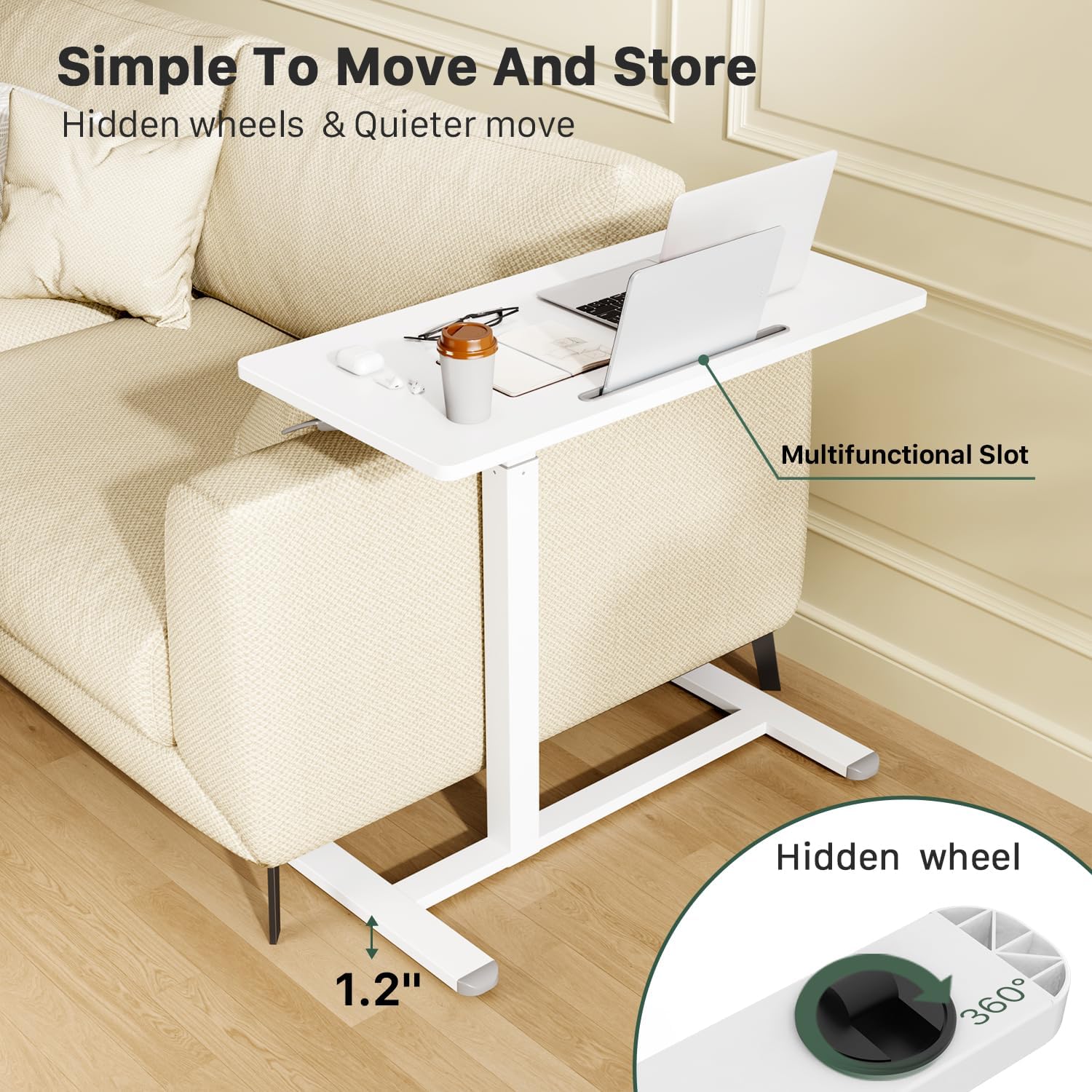
Image: The desk's hidden wheels and low-profile base for easy movement and placement under furniture.
For optimal movement, ensure the path is clear of obstructions. The wheels are designed for smooth gliding on various surfaces.
5. Техникалык тейлөө
To ensure the longevity and optimal performance of your Gibbon Mounts Mobile Standing Desk, follow these simple maintenance guidelines:
- Тазалоо: Иш тактаны жана алкакты жарнама менен сүртүңүзamp кездеме. Финишке зыян келтирүүчү катаал химиялык заттардан алыс болуңуз.
- Туруктуулукту текшерүү: Мезгил-мезгили менен бардык бурамалар менен байланыштарды текшерип, алардын бекемдигин текшерип туруңуз. Керек болсо кайра тартыңыз.
- Кастерге кам көрүү: Keep the hidden casters free of debris to maintain smooth movement.
- Салмак сыйымдуулугу: Do not exceed the maximum weight capacity of 17.6 pounds (8 kg) to prevent damage and ensure stability.
6. Кыйынчылыктарды
If you encounter any issues with your mobile standing desk, refer to the following common troubleshooting tips:
- Desk Not Adjusting Height Smoothly:
- Ensure the height adjustment handle is fully squeezed.
- Check for any obstructions around the gas spring mechanism.
- Verify that the desk is not overloaded beyond its weight capacity.
- Difficulty Moving the Desk:
- Inspect the hidden casters for any trapped debris (e.g., hair, lint) and clean them if necessary.
- Ensure the floor surface is suitable for rolling.
- Desk Feels Unstable:
- Бардык монтаж бурамаларын текшерип, бош болсо, аларды бекемдеңиз.
- Үстел тегиз, тегиз бетке коюлганын текшериңиз.
- максималдуу салмак жөндөмдүүлүгүн ашпагыла.
If the issue persists, please contact Gibbon Mounts customer support for further assistance.
7. Техникалык шарттар
| Өзгөчөлүк | Деталь |
|---|---|
| Модель номери | FDS111C |
| Бренд | Гиббон тоолору |
| Продукциянын өлчөмдөрү (D x W x Y) | 15.7"D x 31.5"W x 25.9"H (Min) to 42.1"H (Max) |
| Түс | Ак |
| Материалдын түрү | Эритме болот, инженердик жыгач |
| Көтөрүү механизми | Pneumatic Gas Spring |
| Максималдуу салмак боюнча сунуш | 17.6 фунт (8 кг) |
| Өзгөчөлүктөр | Adjustable Height, C table design, Hidden Wheels, Multifunctional Slot |
| Ассамблея талап кылынат | Ооба (Куралдар камтылган) |
8. Кепилдик жана колдоо
This Gibbon Mounts Mobile Standing Desk comes with a Чектелген Кепилдик. For specific warranty details and to register your product, please refer to the documentation included in your package or visit the official Gibbon Mounts webсайт.
For customer support, technical assistance, or to inquire about replacement parts, please contact Gibbon Mounts directly. You can often find contact information on the manufacturer's webсайт же продукт сатылып алынган сатуучу аркылуу.
Өндүрүүчү: GIBBON MOUNTS
Интернет дүкөн: Visit the Gibbon Mounts Store on Amazon
9. Продукт видеолору
Gibbon Mounts Bedside Mobile Standing Desk
Video: An official product video from Gibbon Joy demonstrating the mobile standing desk's features and use as a bedside table.
Simple & Modern, Medium-sized standing desk
Video: A video by Aimee Mielke showcasing the desk's simple design and functionality as a standing desk.
Ask a question about this manual
Ask about setup, troubleshooting, compatibility, parts, safety, or missing instructions. Manuals+ will review the question and use this page’s manual context to help answer it.