
1. Киришүү
The HOCO EW35 True Wireless Earbuds are designed to provide a high-quality audio experience with convenience and comfort. Featuring Bluetooth 5.3 connectivity, touch controls, and deep bass, these earbuds are suitable for various activities, including music listening and calls.
This manual provides detailed instructions on how to set up, operate, and maintain your HOCO EW35 earbuds to ensure optimal performance and longevity.
2. Пакеттин мазмуну
Сураныч, пакеттин мазмунун текшерип, бардык буюмдар бар экенин текшериңиз:
- HOCO EW35 True Wireless Earbuds (Left and Right)
- Зымсыз кубаттоо кутусу
- Заряддоо кабели
- Кулак жаздыкчалары
- Колдонуучунун Колдонмосу (бул документ)
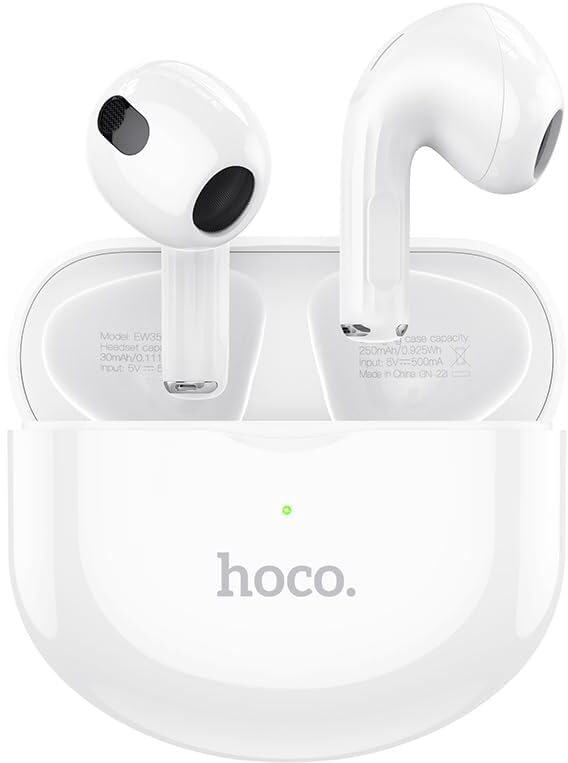
Image: HOCO EW35 True Wireless Earbuds with their charging case, showcasing the product's design and components.
3. Продукт бүтүп калдыview
The HOCO EW35 earbuds consist of two individual earpieces and a portable charging case. Each earbud features a touch-sensitive area for control and an integrated microphone for calls.
Компоненттери:
- Кулакчындар: Left and Right earpieces with touch controls and audio output.
- Заряддоо кутусу: Stores and charges the earbuds, with an LED indicator for battery status.
- Заряддоо порту: Located on the charging case for connecting the charging cable.
- LED көрсөткүчү: On the charging case, indicates charging status and pairing mode.
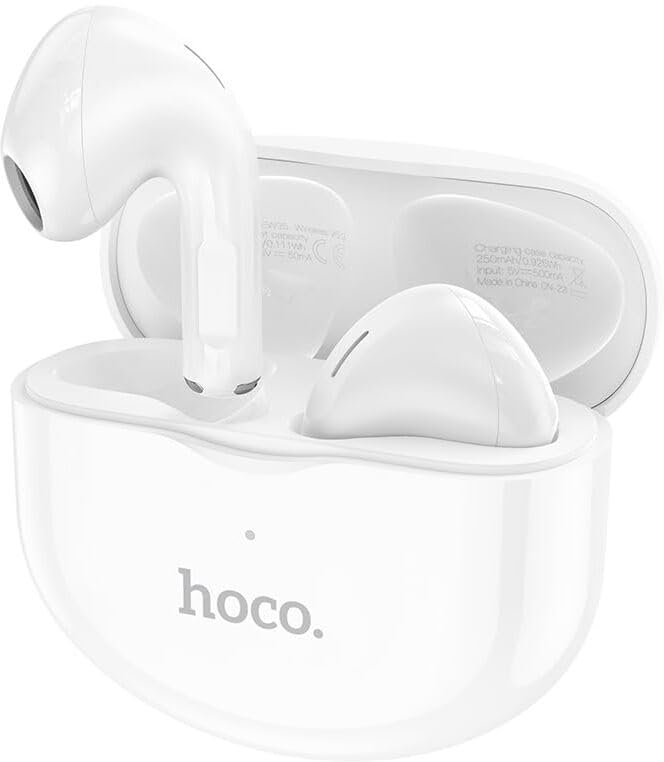
Image: The HOCO EW35 earbuds resting inside their open charging case, showing the individual earbuds and the case's interior.
4. Орнотуу
4.1 Кулакчындарды жана кутучаны заряддоо
Биринчи колдонуудан мурун, кулакчындарды жана заряддоо кутучасын толук заряддаңыз.
- Кулакчындарды заряддоо кутусуна салыңыз. Алардын тиешелүү уячаларына туура отурганын текшериңиз.
- Connect the charging cable to the charging port on the case and the other end to a USB power source (e.g., computer, wall adapter).
- The LED indicator on the charging case will illuminate to show charging status. It will typically turn off or change color when fully charged.
- The earbuds will charge automatically when placed in the case, provided the case has power.
Батарея сыйымдуулугу: Charging case: 250mAh; Headset: 30mAh.
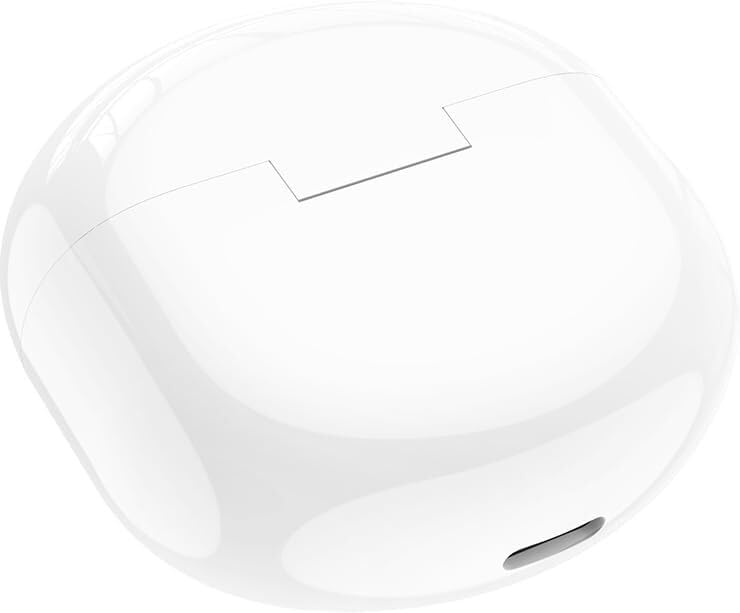
Image: The HOCO EW35 charging case in a closed position, ready for charging or storage.
4.2 Bluetooth түзмөгү менен жупташтыруу
Кулакчындар кубаттоочу кутудан чыгарылганда автоматтык түрдө жупташтыруу режимине өтөт.
- Заряддоо кутусун ачып, эки кулакчынды алып салыңыз. Алар автоматтык түрдө күйүп, бири-бири менен жупташууга аракет кылышат.
- Түзмөгүңүздө (смартфон, планшет, ноутбук) Bluetooth иштетиңиз.
- Издөө available Bluetooth devices. You should see "HOCO EW35" or a similar name in the list.
- Select "HOCO EW35" to connect. Once connected, a voice prompt will confirm the successful pairing.
- Эгер жупташтыруу ишке ашпай калса, кулакчындарды корпуска кайра салып, капкакты жаап, бир нече секунд күтүп, андан кийин кадамдарды кайталаңыз.
The earbuds support master-slave switching, meaning either earbud can be used independently after initial pairing.
5. Иштөө нускамалары
5.1 Сенсордук башкаруу
The HOCO EW35 earbuds feature intuitive touch controls on the outer surface of each earbud. The specific functions may vary slightly based on the device and application.
| Акция | Функция |
|---|---|
| Бир таптоо (Сол/Оң гарнитура) | Музыка ойнотуу/тындыруу, Чалууга жооп берүү/аяктоо |
| Эки жолу таптаңыз (оң кулакчын) | Кийинки трек |
| Эки жолу таптаңыз (Сол кулакчын) | Мурунку трек |
| Үч жолу таптап (сол/оң кулакчын) | Үн Жардамчысын жандырыңыз (Siri, Google Жардамчы) |
| Узун басуу (Сол/Оң кулакчын) | Чакырууну четке кагуу |
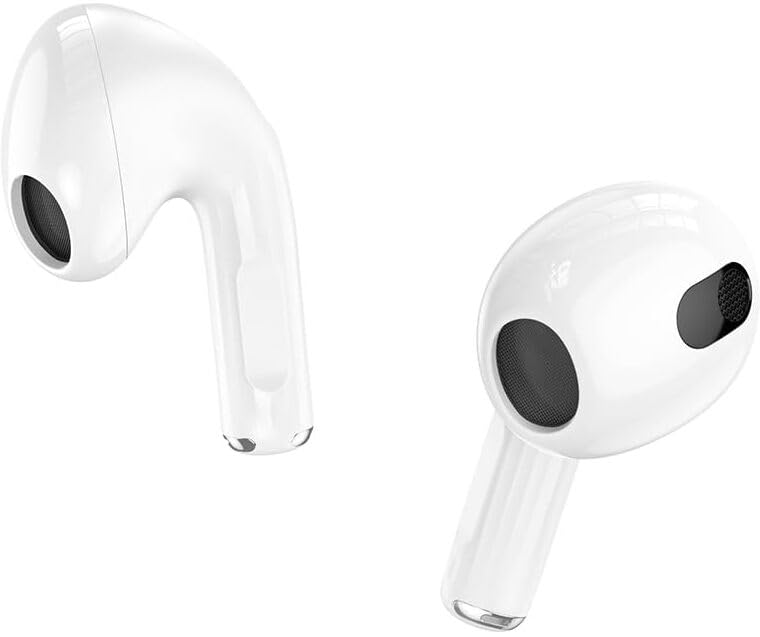
Сүрөт: жакын план view of the individual HOCO EW35 earbuds, highlighting their design and touch-sensitive areas.
5.2 Күйгүзүү/өчүрүү
- Күйгүзүү: Кулакчындар заряддоо кутусунан чыгарылганда автоматтык түрдө күйөт.
- Өчүрүү: Кулакчындарды кайра заряддоо кутусуна салып, капкагын жабыңыз. Алар автоматтык түрдө ажыратылып, өчүрүлөт.
5.3 Чакыруу функциялары
- Чакырууга жооп берүү: Кулакчындарды бир жолу таптаңыз.
- Чакырууну аяктоо: Чалуу учурунда кулакчындардын бирин бир жолу басыңыз.
- Чакырууну четке кагуу: Long press either earbud for approximately 2 seconds.
6. Техникалык тейлөө
Proper maintenance ensures the longevity and optimal performance of your HOCO EW35 earbuds.
- Тазалоо: Use a soft, dry, lint-free cloth to clean the earbuds and charging case. Do not use abrasive cleaners or solvents. Gently clean the charging contacts on both the earbuds and the case.
- Сактагыч: Колдонулбай турган учурда, кулакчындарды чаңдан, кирден жана бузулуудан коргоо үчүн ар дайым кубаттоочу кутучасында сактаңыз.
- Суу каршылык: The earbuds are sweatproof and water-resistant. However, they are not designed for submersion in water. Avoid exposing them to excessive moisture or liquids.
- Температура: Кулакчындарды өтө жогорку температурага (ысык же суук) дуушар кылбаңыз, анткени бул батареянын иштөө мөөнөтүнө жана жалпы иштешине таасир этиши мүмкүн.
7. Кыйынчылыктарды
If you encounter issues with your HOCO EW35 earbuds, refer to the following common problems and solutions:
- Кулакчындар бири-бири менен жупташпайт:
Place both earbuds back into the charging case, close the lid, and wait for 5 seconds. Then, open the lid and remove them again. They should automatically connect to each other.
- Кулакчындар түзмөккө туташпай жатат:
Ensure Bluetooth is enabled on your device. Forget "HOCO EW35" from your device's Bluetooth settings and attempt to pair again from scratch (Section 4.2).
Кулакчындардын жана кубаттоочу кутучанын батареясы жетиштүү заряддалганын текшериңиз.
- Үн жок же үнү төмөн:
Check the volume level on both your connected device and the earbuds. Ensure the earbuds are properly seated in your ears.
Кулакчын динамигинин торундагы калдыктарды тазалаңыз.
- Заряддоо кутучасы заряддалбай жатат:
Ensure the charging cable is securely connected to both the case and the power source. Try a different USB port or power adapter.
- Сенсордук башкаруу жооп бербей жатат:
Ensure your fingers are clean and dry when using touch controls. A restart (placing earbuds back in case and taking them out) can sometimes resolve this.
8. Техникалык шарттар
Key technical specifications for the HOCO EW35 True Wireless Earbuds:
| Өзгөчөлүк | Деталь |
|---|---|
| Модель аты | EW35 |
| Bluetooth версиясы | 5.3 |
| Чип | JL AC6983 |
| Заряддоо корпусунун батареясынын сыйымдуулугу | 250mAh |
| Гарнитуранын Батарея сыйымдуулугу | 30mAh |
| Кызмат убактысы | 18 саатка чейин (кубаттоочу корпусу менен) |
| Күтүү убактысы | 150 саат |
| Өлчөмдөрү (корпус) | 51 x 51 x 22.1 мм |
| Салмагы (жалпы) | 35.6г |
| Башкаруу ыкмасы | тийүү |
| Noise Control | Активдүү ызы-чууну жокко чыгаруу |
| Сууга туруктуулук деңгээли | Sweatproof / Water Resistant |
| Шайкеш түзмөктөр | Бардык Bluetooth түзмөктөрү, ноутбуктар, уюлдук телефондор, планшеттер, компьютерлер, акылдуу телевизорлор, iOS, Android |
9. Кепилдик жана колдоо
HOCO products are manufactured to high quality standards. For warranty information or technical support, please refer to the warranty card included with your purchase or visit the official HOCO webбайланыш маалыматы үчүн сайт.
Сураныч, кепилдик дооматтар үчүн сатып алуу далилиңизди сактап коюңуз.