
Introduction
Thank you for choosing the HOCO W40 Bluetooth Headphones. These wireless headphones are designed to provide a high-quality audio experience with deep bass, clear calls, and comfortable wear. This manual will guide you through the setup, operation, and maintenance of your new headphones.
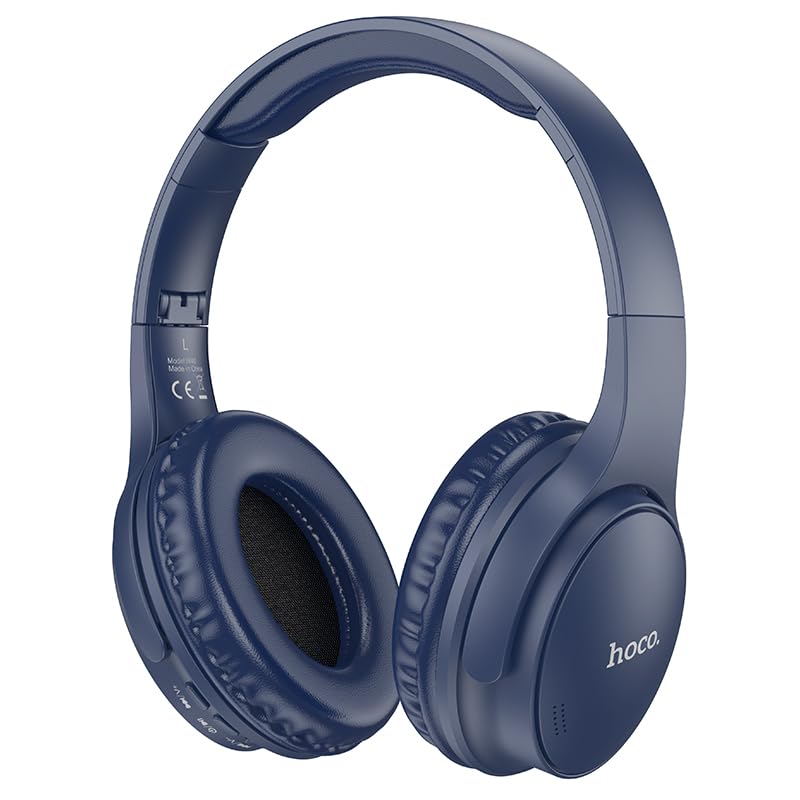
Image: HOCO W40 Bluetooth Headphones in a folded position, showcasing the earcups and headband. The headphones are blue.
Кутуда эмне бар
Сураныч, бардык буюмдар бар экенине ынануу үчүн пакетиңиздин мазмунун текшериңиз:
- HOCO W40 Bluetooth Headphones
- Кулак жаздыкчалары
- Headband (integrated with headphones)
The package includes the HOCO W40 Bluetooth Headphones, along with ear cushions and the integrated headband for comfortable use.
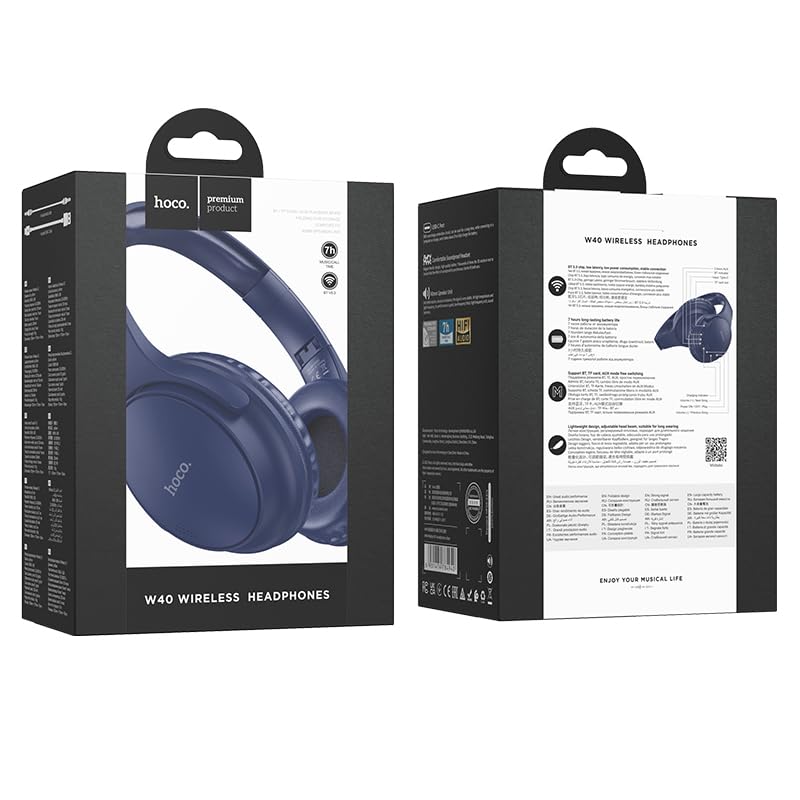
Image: Retail packaging for the HOCO W40 Wireless Headphones, showing the product image and some features on the box.
Продукт бүттүview
Familiarize yourself with the various parts and controls of your HOCO W40 headphones.
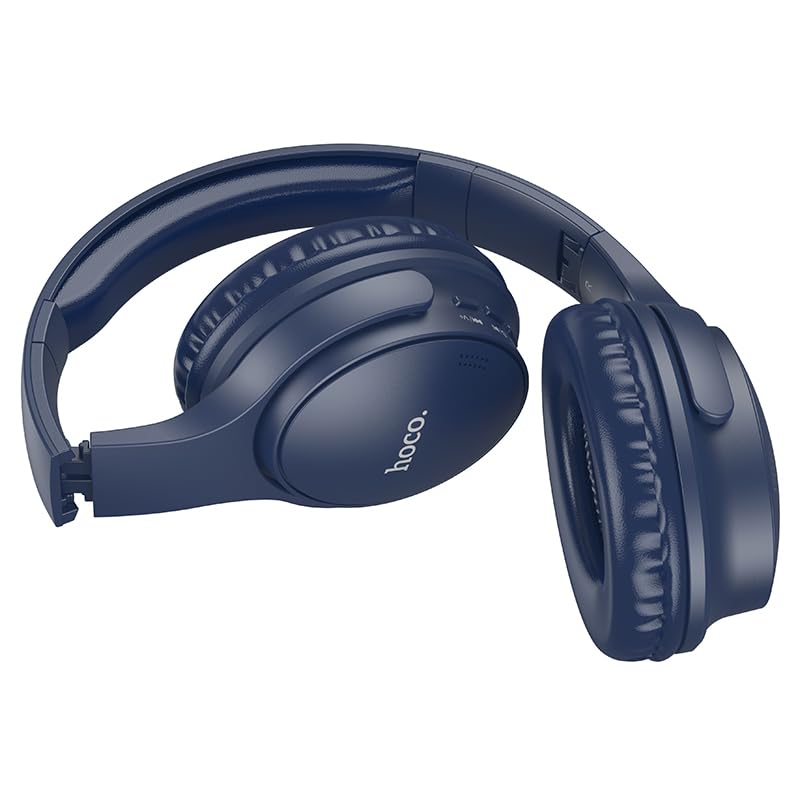
Сүрөт: каптал view of the HOCO W40 Bluetooth Headphones, highlighting the earcup and headband design. The controls are visible on the right earcup.
Башкаруу каражаттары жана көрсөткүчтөр:
- Кубат баскычы: Used to power the headphones on/off and initiate pairing.
- Үндү көзөмөлдөө: Adjusts the listening volume using touch controls.
- Көп функциялуу баскыч (MFB): Ойнотуу/тындыруу, чалууларга жооп берүү/аяктоо үчүн.
- Микрофон: Колсуз чалуулар үчүн орнотулган.
- Заряддоо порту: Заряддоо кабелин туташтыруу үчүн.
- LED көрсөткүчү: Кубат абалын, жупташтыруу режимин жана кубаттоо абалын көрсөтөт.
The headphones feature touch controls for volume adjustment and other functions, along with a built-in microphone for clear communication.
Жайгашуу
1. Наушниктерди заряддоо
Before first use, fully charge your headphones. A full charge takes approximately 1 саат.
- Connect the charging cable (not included in the JSON's 'whats_in_the_box' but typically provided) to the charging port on the headphones.
- Кабелдин экинчи учун USB кубат булагына туташтырыңыз (мисалы, компьютер, дубал адаптер).
- LED индикатору кубаттоо абалын көрсөтөт (мисалы, кубаттоо учурунда кызыл, толук кубатталганда көк/өчүк).
Once fully charged, the headphones provide up to 12 саат of continuous playtime.
2. Bluetooth түзмөгү менен жупташуу
The HOCO W40 headphones use Bluetooth 5.3 for stable and seamless connectivity. They are compatible with smartphones, tablets, laptops, and other Bluetooth-enabled devices (iOS, Android).
- Наушниктердин өчүрүлгөнүн текшериңиз.
- Press and hold the Power Button until the LED indicator flashes rapidly (usually blue and red alternately), indicating pairing mode.
- Түзмөгүңүздө Bluetooth иштетиңиз жана жеткиликтүү түзмөктөрдү издеңиз.
- Select "HOCO W40" from the list of found devices.
- Once paired, the LED indicator will stop flashing and may turn solid blue or off, depending on the model.
- The headphones have a wireless range of up to 10 метр.
If pairing is unsuccessful, turn off both devices, wait a few seconds, and repeat the steps.
Иштөө нускамалары
Күйгүзүү/өчүрүү
- Күйгүзүү: Press and hold the Power Button for approximately 3 seconds until the LED indicator lights up.
- Өчүрүү: Press and hold the Power Button for approximately 5 seconds until the LED indicator turns off.
Музыкалык башкаруу
- Ойнотуу/тындыруу: Көп функциялуу баскычты (КФБ) кыска басыңыз.
- Көлөмү: Tap the designated touch control area for volume up.
- Үнүн азайтуу: Tap the designated touch control area for volume down.
- Кийинки трек: Double-tap the MFB or use the designated touch control.
- Мурунку трек: Triple-tap the MFB or use the designated touch control.
Note: Specific touch control gestures may vary slightly. Refer to the quick start guide included with your product for precise details.
Чалууларды башкаруу
- Чалууга жооп берүү/аяктоо: Көп функциялуу баскычты (КФБ) кыска басыңыз.
- Чакырууну четке кагуу: MFBди 2 секунд басып туруңуз.
- Акыркы номерди кайра терүү: Чалуу болбогондо MFBди эки жолу басыңыз.
Техникалык тейлөө
Proper care will extend the life of your HOCO W40 headphones.
- Тазалоо: Наушниктерди тазалоо үчүн жумшак, кургак чүпүрөктү колдонуңуз. Абразивдүү тазалагычтарды же эриткичтерди колдонбоңуз.
- Сактагыч: Наушниктерди салкын, кургак жерде күндүн тике тийген нурунан жана экстремалдык температурадан алыс сактаңыз.
- Суу каршылык: The headphones are water resistant, making them suitable for workouts and outdoor activities. However, they are not designed for submersion in water. Avoid prolonged exposure to heavy rain or direct water jets.
- Батареяга кам көрүү: Батареянын иштөө мөөнөтүн сактоо үчүн, кулакчындарды тез-тез колдонбосоңуз да, үзгүлтүксүз кубаттап туруңуз. Батареяны узак убакыт бою толугу менен зарядсыздандырбаңыз.
Проблемаларды чечүү
| Көйгөй | Мүмкүн чечим |
|---|---|
| Кулакчындар күйбөйт. | Ensure the headphones are charged. Connect them to a power source and try again after a few minutes. |
| Түзмөк менен жупташтыруу мүмкүн эмес. |
|
| Үн жок же үнү төмөн. |
|
| Чалуу сапаты начар. |
|
Техникалык шарттар
| Модел | W40 |
| Бренд | HOCO |
| Байланыш технологиясы | Зымсыз (Bluetooth 5.3) |
| Bluetooth диапазону | 10 метр |
| Батареянын иштөө мөөнөтү | 12 саатка чейин |
| Заряддоо убактысы | Болжол менен 1 саат |
| Аудио драйвер түрү | Динамикалык драйвер |
| Noise Control | Үн изоляциясы |
| Сууга туруктуулук деңгээли | Сууга чыдамдуу |
| Башкаруу түрү | Үндү башкаруу (сенсордук) |
| Камтылган микрофон | Yes, for Hands-Free Calls |
| Шайкеш түзмөктөр | Smartphones, Tablets, Laptops (Universal Compatibility) |
| Материал | Пластик |
| Элемент Салмагы | 180 г |
Расмий продукт Video
Көрүү үчүн расмий продукт видеосун көрүңүзview of the HOCO W40 Bluetooth Headphones and their key features.
Видео: расмий продукт бүттүview of the HOCO W40 Bluetooth Headphones, demonstrating its features, battery life, design, and device compatibility.
Кепилдик жана колдоо
For warranty information and customer support, please refer to the documentation included with your purchase or visit the official HOCO webсайт. Ар кандай кепилдик дооматтары үчүн сатып алганыңыздын далилин сактаңыз.
Кошумча жардам алуу үчүн, сиз продукт сатылып алынган сатуучуга да кайрылсаңыз болот.