
DCU TECNOLOGIC 10053843
DCU TECNOLOGIC Senior Smartwatch Instruction Manual
Модель: 10053843
Introduction
This manual provides comprehensive instructions for the DCU TECNOLOGIC Senior Smartwatch, Model 10053843. This smartwatch is designed to facilitate communication and provide safety features for elderly users, including GPS tracking, 4G video calls, and health monitoring. Please read this manual carefully before using the device to ensure proper operation and to maximize its features.
Негизги өзгөчөлүктөрү
- 4G Connectivity & Video Calls: Supports 4G SIM card for calls, text, voice messages, and video calls.
- Чыныгы убакыттагы жайгашкан жер: Integrated GPS + LBS + Wi-Fi positioning system for approximate location tracking.
- Өзгөчө кырдаалдардагы функциялар: SOS emergency button and fall detection alert.
- Ден соолук мониторинги: Monitors heart rate, blood pressure, blood oxygen (SpO2), pedometer, sedentary alarm, and medication reminders.
- Дисплей: 1.69-inch IPS Full Touch screen for clear visuals and easy interaction.
- Узактыгы: IPX6 суу өткөрбөйт рейтинги.
- Кошумча функциялар: Camera, gallery, calculator, stopwatch, contact directory, and automatic rejection of unknown calls.
- Шайкештик: Compatible with iOS 9.0 or higher and Android 4.4 or higher devices.
Орнотуу колдонмосу
1. SIM картаны орнотуу
The smartwatch requires a 4G LTE SIM card (not included) with a dedicated phone number, data, and call minutes for full functionality (calls, messages, location tracking). Prepaid, duplicate, or multi-SIM cards are not supported.
- PIN кодду өчүрүү: If your SIM card has a PIN, insert it into a mobile phone first and disable the PIN code.
- SIM салыңыз: Carefully insert the activated 4G SIM card into the designated slot on the smartwatch. Refer to the diagram below for SIM card orientation.

Сүрөт: Арткы view of the smartwatch showing the SIM card slot. Ensure correct orientation when inserting the SIM card.
2. Баштапкы заряддоо
Before first use, fully charge the smartwatch. Connect the charging cable to the watch and a compatible USB power source. A full charge typically takes 2-3 hours. The battery life is approximately 1 day, so daily charging is recommended.

Image: The smartwatch connected to its charging cable.
3. Колдонмону жупташтыруу
Download the companion application on a compatible smartphone (iOS 9.0+ or Android 4.4+). Follow the in-app instructions to pair the smartwatch with the smartphone. This enables full access to features like location tracking, health data, and remote settings management.
Иштөө нускамалары
1. Күйгүзүү/өчүрүү
- Күйгүзүү: Экран күйгөнгө чейин кубат баскычын (адатта капталда) басып туруңуз.
- Өчүрүү: Кубат баскычын басып, кармап туруңуз, андан кийин экранда "Өчүрүү" дегенди тандаңыз.
2. Навигация
The 1.69-inch IPS Full Touch screen allows for intuitive navigation. Swipe left/right or up/down to access different menus and functions. Tap icons to select them.
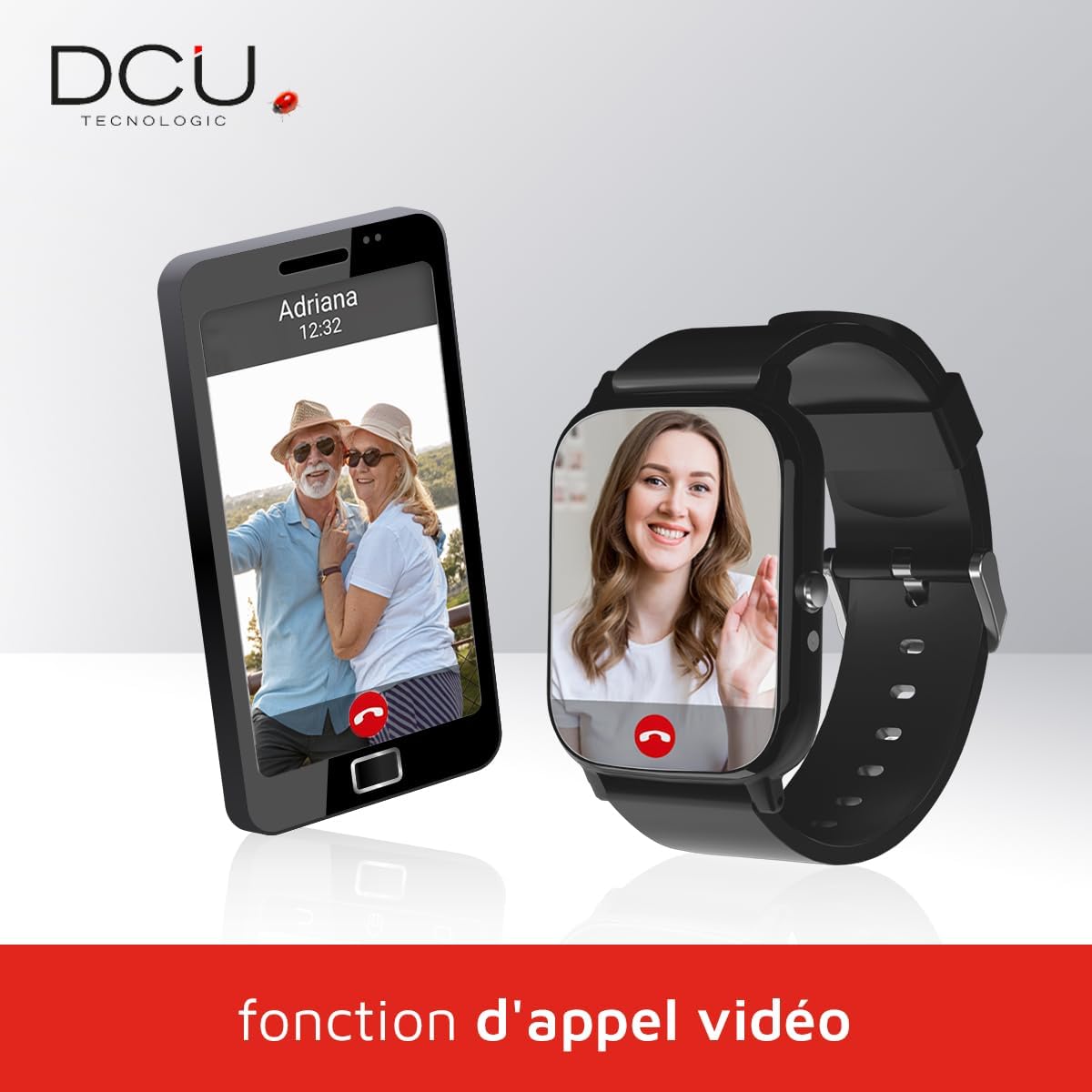
Image: The smartwatch screen showing the main interface with time and date.
3. Making Calls and Video Calls
- Үн чалуулар: Access the "Contacts" menu, select a contact, and tap the call icon. The watch supports automatic rejection of unknown calls.
- Видео чалуулар: Navigate to the video call function. Select a contact to initiate a video call. This feature requires 4G data connectivity.

Image: A visual representation of the video call function between the smartwatch and a smartphone.
4. GPS Tracking and Safety Zones
The smartwatch uses GPS, LBS, and Wi-Fi for approximate location tracking. Through the companion app, you can view the wearer's location and set up "safety zones." An alert will be sent to the paired phone if the wearer leaves a designated safety zone.

Image: The smartwatch interface overlaid with a map and a location pin, illustrating the GPS tracking feature.
5. SOS Emergency Button and Fall Detection
In an emergency, press and hold the SOS button on the watch. This will send an alert to pre-set emergency contacts. The watch also features fall detection, which can automatically trigger an alert if a fall is detected.

Image: The smartwatch positioned near a red emergency light, symbolizing the SOS and fall detection features.
6. Ден соолуктун мониторинги
Access health functions from the main menu. The watch can measure heart rate, blood pressure, and blood oxygen levels. It also includes a pedometer to track steps, a sedentary alarm to remind users to move, and medication reminders.

Image: The smartwatch screen showing various health monitoring icons, such as heart rate, blood oxygen, and step counter.
Техникалык тейлөө
- Тазалоо: Саатты жумшак, кургак чүпүрөк менен сүртүңүз. өжөр кир үчүн, бир аз d колдонууamp cloth and immediately dry. Avoid harsh chemicals.
- Суу каршылык: The watch is IPX6 waterproof, meaning it is protected against strong jets of water. It is not suitable for swimming or submersion. Avoid exposing it to hot water or steam.
- Батареяга кам көрүү: Charge the watch daily. Avoid completely draining the battery frequently to prolong its lifespan. Do not expose the watch to extreme temperatures.
- Программалык камсыздоо жаңыртуулары: Keep the companion app updated to ensure the latest features and security patches for your smartwatch.
Проблемаларды чечүү
| Көйгөй | Мүмкүн себеп | Чечим |
|---|---|---|
| Саат күйбөйт. | Батарея аз. | Charge the watch for at least 30 minutes before attempting to power on. |
| Cannot make/receive calls or use 4G features. | SIM card not installed correctly, SIM card not activated, or no data/call plan. SIM PIN active. | Ensure the 4G SIM card is correctly inserted and activated with a valid plan. Deactivate SIM PIN on another phone before inserting. |
| Inaccurate GPS location. | Weak GPS signal (indoors, dense areas). | Ачык жерге көчүңүз view of the sky. GPS accuracy can vary. LBS and Wi-Fi assist with approximate location. |
| Health monitoring readings seem incorrect. | Improper fit, movement during measurement, or not a medical device. | Ensure the watch is snug on the wrist. Remain still during measurements. Note that this device is not a medical instrument; readings are for reference only. |
| Watch not pairing with smartphone app. | Bluetooth/Wi-Fi off on phone, app outdated, or watch not in pairing mode. | Ensure Bluetooth and Wi-Fi are enabled on your phone. Update the app. Restart both the watch and phone, then try pairing again. |
Техникалык шарттар
| Өзгөчөлүк | Деталь |
|---|---|
| Бренд | DCU TECNOLOGIC |
| Модель номери | 10053843 |
| Түс | Боз |
| Screen Size | 1.69 дюйм |
| Байланыш | 4G Cellular, Wi-Fi |
| Өзгөчөлүктөр | Video Calls, ECG (implied by 'Ec'), Alarm Clock, GPS, LBS, Wi-Fi Positioning, SOS Button, Fall Detection, Health Monitoring (Heart Rate, Blood Pressure, SpO2, Pedometer, Sedentary Alarm, Medication Reminders) |
| Шайкеш түзмөктөр | Smartphones (iOS 9.0+, Android 4.4+) |
| Батареянын курамы | Алюминий оксиди |
| Батарея сыйымдуулугу | 1000 mAh (estimated) |
| Зымсыз байланыш стандарты | 802.11n (Wi-Fi) |
| Эстутум сактоо сыйымдуулугу | 1 ГБ |
| Суу каршылык | IPX6 |
| Тилдер жеткиликтүү | Spanish, English, French, Italian |
Кепилдик жана колдоо
продукт менен келет 3 жылдык кепилдик. For warranty claims or technical support, please contact DCU TECNOLOGIC customer service. Refer to the product packaging or the official DCU TECNOLOGIC webбайланыш маалыматы үчүн сайт.
Software updates are not guaranteed beyond the initial release, as per available information. Information regarding spare parts availability is also not provided.
Ask a question about this manual
Ask about setup, troubleshooting, compatibility, parts, safety, or missing instructions. Manuals+ will review the question and use this page’s manual context to help answer it.