
1. Киришүү
This manual provides essential instructions for the safe operation and maintenance of your Cuifati S99 4K Camera Drone. Please read this manual thoroughly before operating the drone to ensure proper usage and to prevent damage or injury. Keep this manual for future reference.
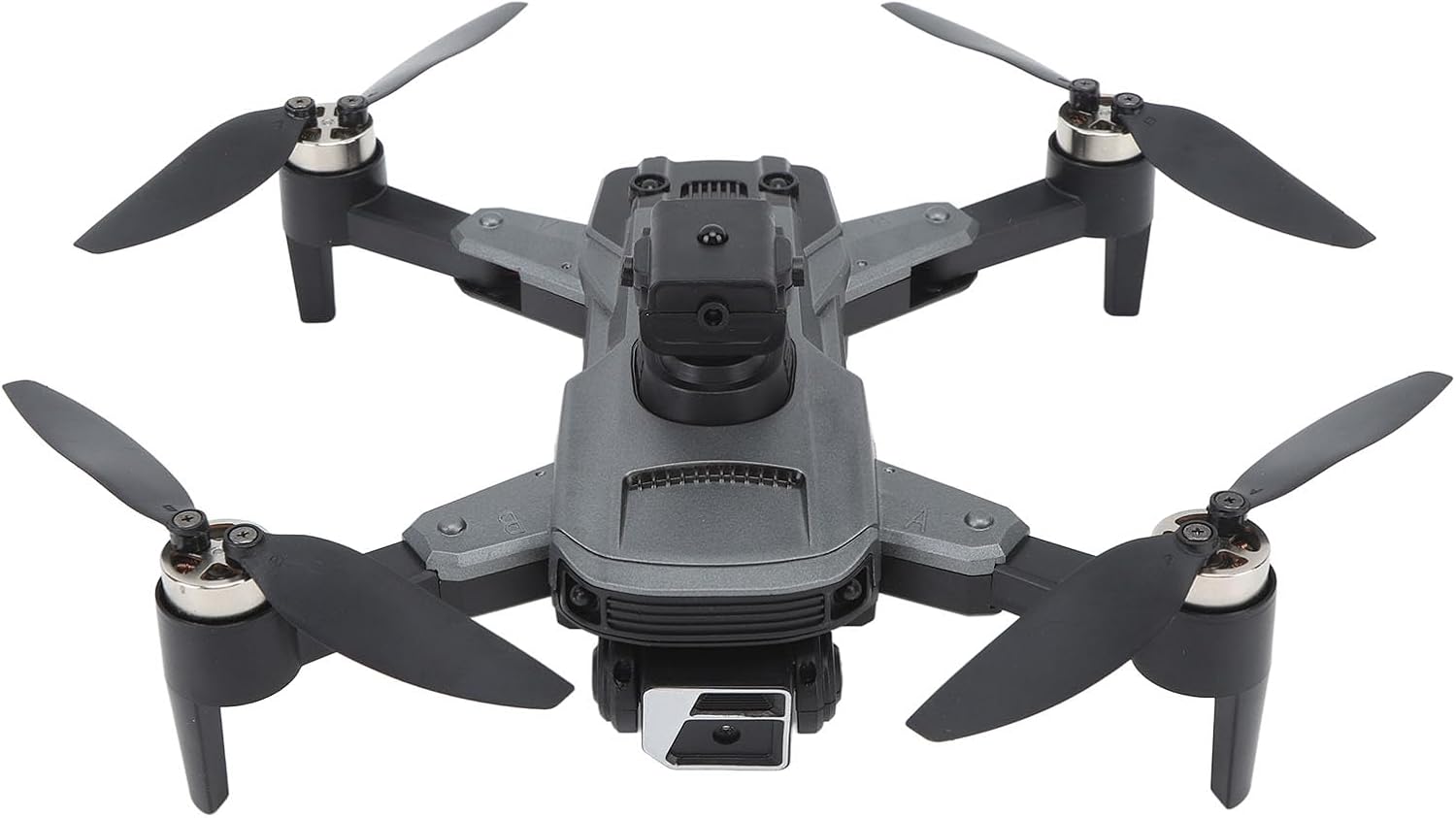
Image 1.1: The Cuifati S99 4K Camera Drone, showcasing its four propellers and central body with camera.
2. Коопсуздук маалыматы
Operating a drone requires attention to safety. Adhere to the following guidelines:
- Учуу алдында текшерүү: Always inspect the drone, propellers, and battery before each flight.
- Экологиялык шарттар: Avoid flying in strong winds, rain, or snow. Maintain clear line of sight.
- Батареянын коопсуздугу: Use only approved batteries and chargers. Do not overcharge or puncture batteries.
- Тоскоолдуктан качуу: Utilize the drone's obstacle avoidance features, but always remain vigilant of surroundings.
- Жашы боюнча сунуш: Бул продукт 14 жаштан улуу колдонуучулар үчүн сунушталат.
- Купуялыкты урматтоо: Be mindful of privacy laws when using the camera feature.
3. Пакеттин мазмуну
Пакетте бардык буюмдар бар экенин текшериңиз:
- Cuifati S99 Drone
- Алыстан башкаруу
- Заряддалуучу батарея
- USB заряддоо кабели
- Запастык пропеллер
- Screwdriver
- User Manual

Image 3.1: Visual representation of the drone, remote control, battery, and accessories included in the package.
4. Орнотуу
4.1. Батареяны орнотуу жана заряддоо
- Дрондун өчүрүлгөнүн текшериңиз.
- Дрондогу батарея бөлүкчөсүн табыңыз.
- Insert the modular battery firmly until it clicks into place.
- To charge, remove the battery and connect it to the USB charging cable. Connect the cable to a suitable USB power source. The charging indicator will show the charging status.

Image 4.1: Illustration of the modular battery being inserted into the drone, highlighting its easy installation and removal.
4.2. Пропеллерди орнотуу
If propellers are not pre-installed or need replacement, attach them according to the markings (A and B) on the propellers and motor arms. Use the provided screwdriver to secure them.
4.3. Алыстан башкарууну орнотуу
- Install required batteries (not specified in product data, assume standard AA/AAA) into the remote control.
- Extend the phone holder on the remote control to mount your smartphone.
4.4. Колдонмону орнотуу
Download the official Cuifati drone application from your smartphone's app store (iOS or Android). This app is essential for accessing advanced features and real-time viewing.
5. Иштөө нускамалары
5.1. Күйгүзүү жана Жупташтыруу
- Дронду тегиз, тегиз жерге орнотуңуз.
- Power on the drone, then power on the remote control.
- The drone and remote control will automatically pair. Refer to the remote control's indicator lights for pairing status.
- Open the drone app on your smartphone and connect to the drone's Wi-Fi network for real-time viewing and advanced controls.
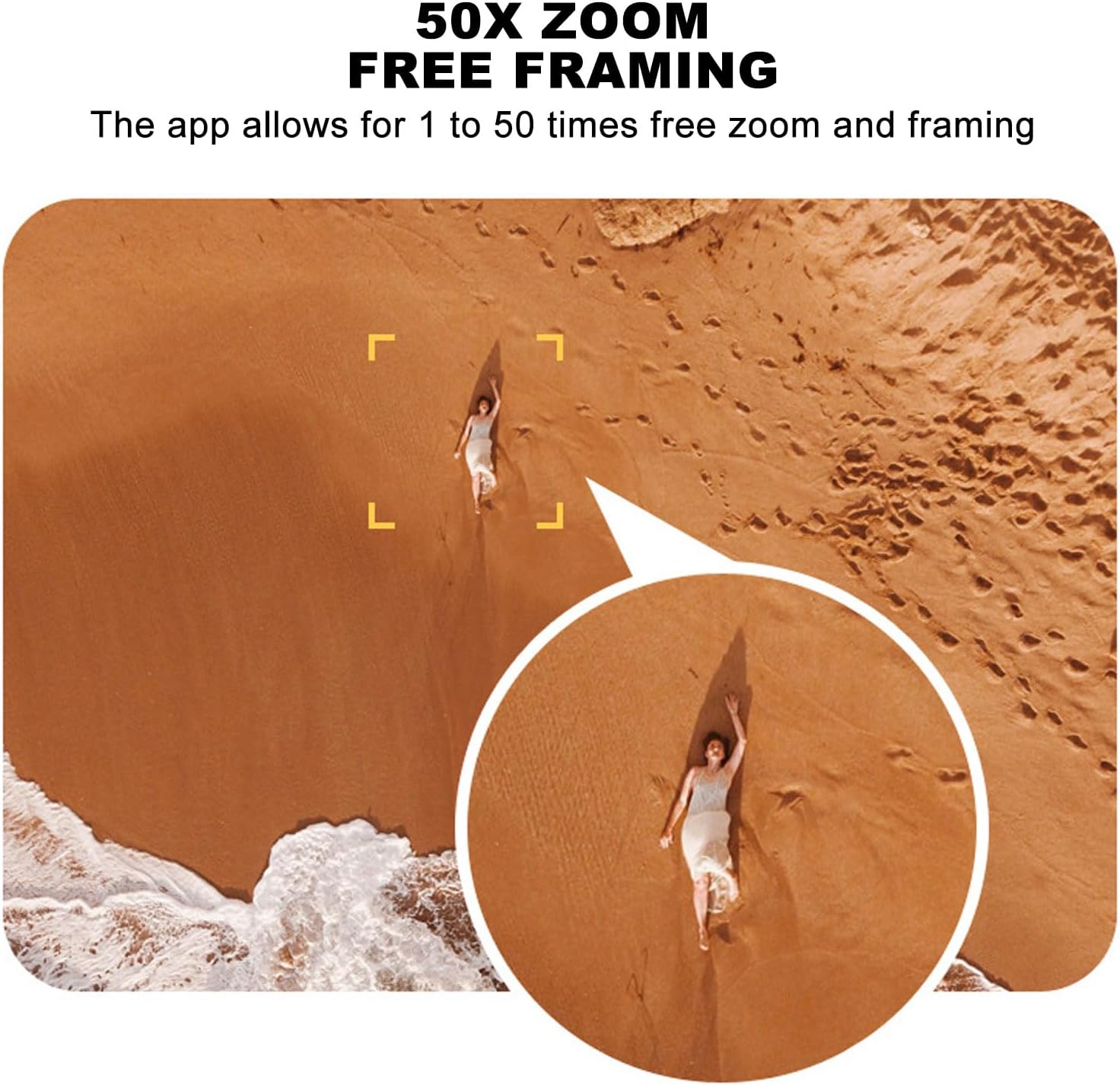
Image 5.1: A smartphone mounted on the remote control displaying real-time video feed from the drone's camera.
5.2. Учуу жана конуу
- Бир ачкычтуу учуу: Press the designated one-key takeoff button on the remote control or in the app. The drone will automatically ascend to a safe hovering altitude.
- Бир ачкыч конуу: Press the designated one-key landing button. The drone will automatically descend and land.
5.3. Учууну башкаруу элементтери
- Алыстан башкаруу: Use the joysticks on the remote control for directional flight (forward, backward, left, right, ascend, descend, rotate).
- Тартылуу күчү индукциясы: In the app, activate gravity induction mode to control flight by tilting your smartphone.
- Optical Visual Hovering: The S99 drone features optical visual hovering, allowing it to maintain a stable position without constant throttle input.
- 360-Degree Roll: Execute aerial stunts with a single button press for a 360-degree roll.
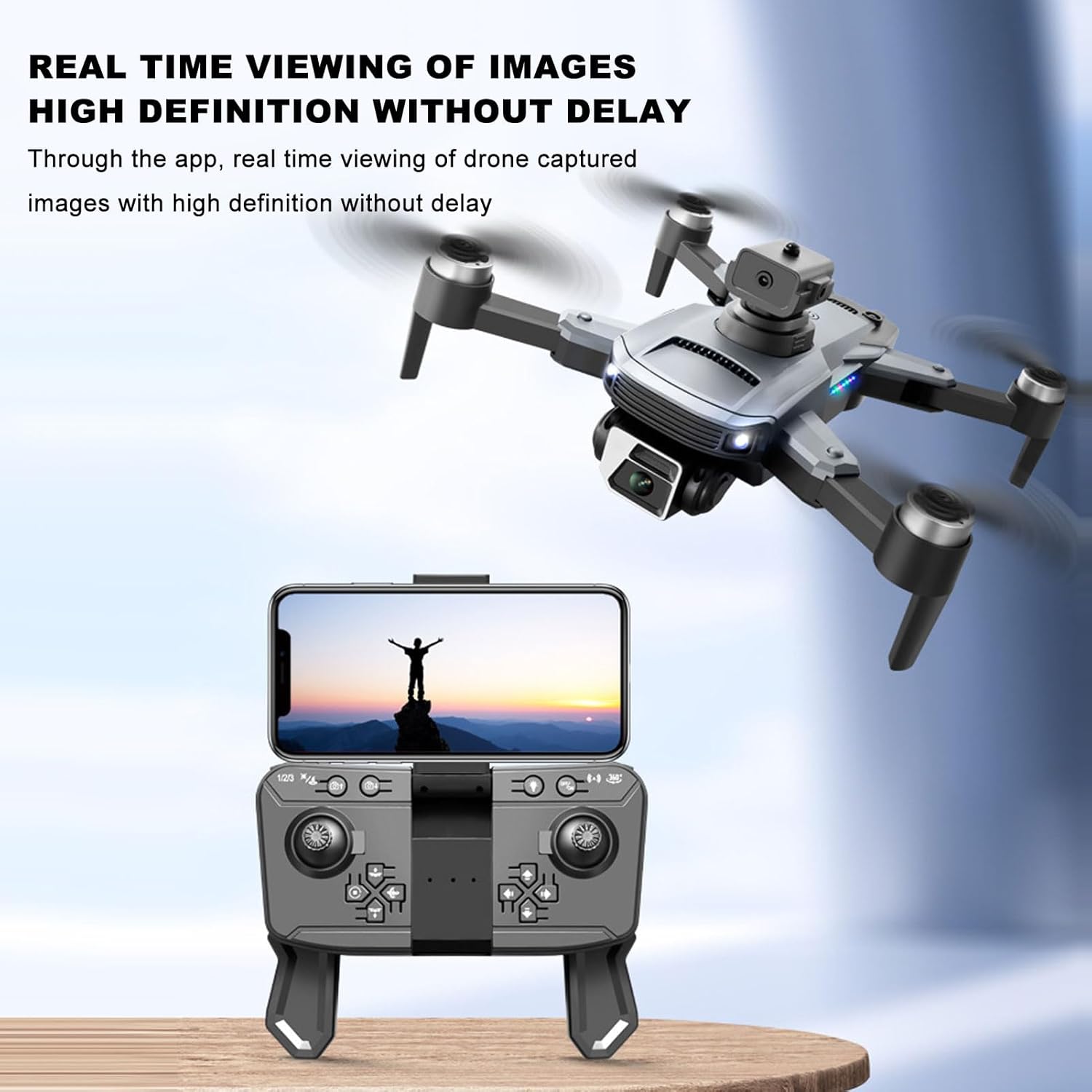
Image 5.2: A user demonstrating gravity induction control by tilting a smartphone to maneuver the drone.
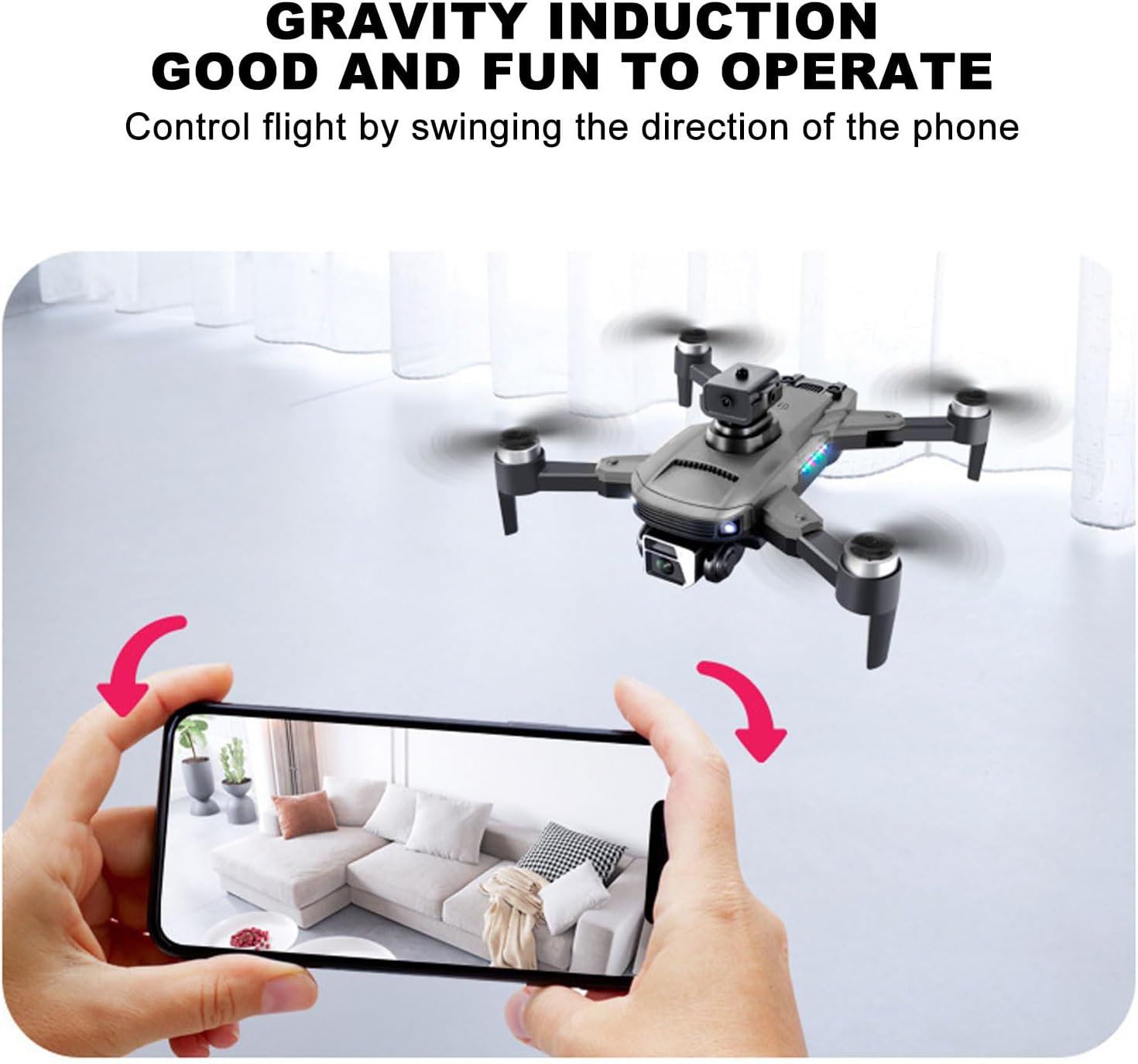
Image 5.3: Multiple drones performing a synchronized 360-degree roll, illustrating the stunt capability.
5.4. Камеранын иштеши
- 4K Dual Camera: The drone is equipped with a high-definition 4K camera.
- 90-Degree Electric Angle Adjustment: Adjust the camera angle remotely via the app or remote control.
- 50x Digital Zoom: Utilize the app to zoom up to 50 times for detailed shots.
- Жаңсоо менен сүрөткө тартуу: Сүрөткө же видеого тартууну баштоо үчүн белгилүү бир кол жаңсоолорун аткарыңыз.
- Real-Time FPV: View жаша фооtage from the drone's camera directly on your smartphone via the app.
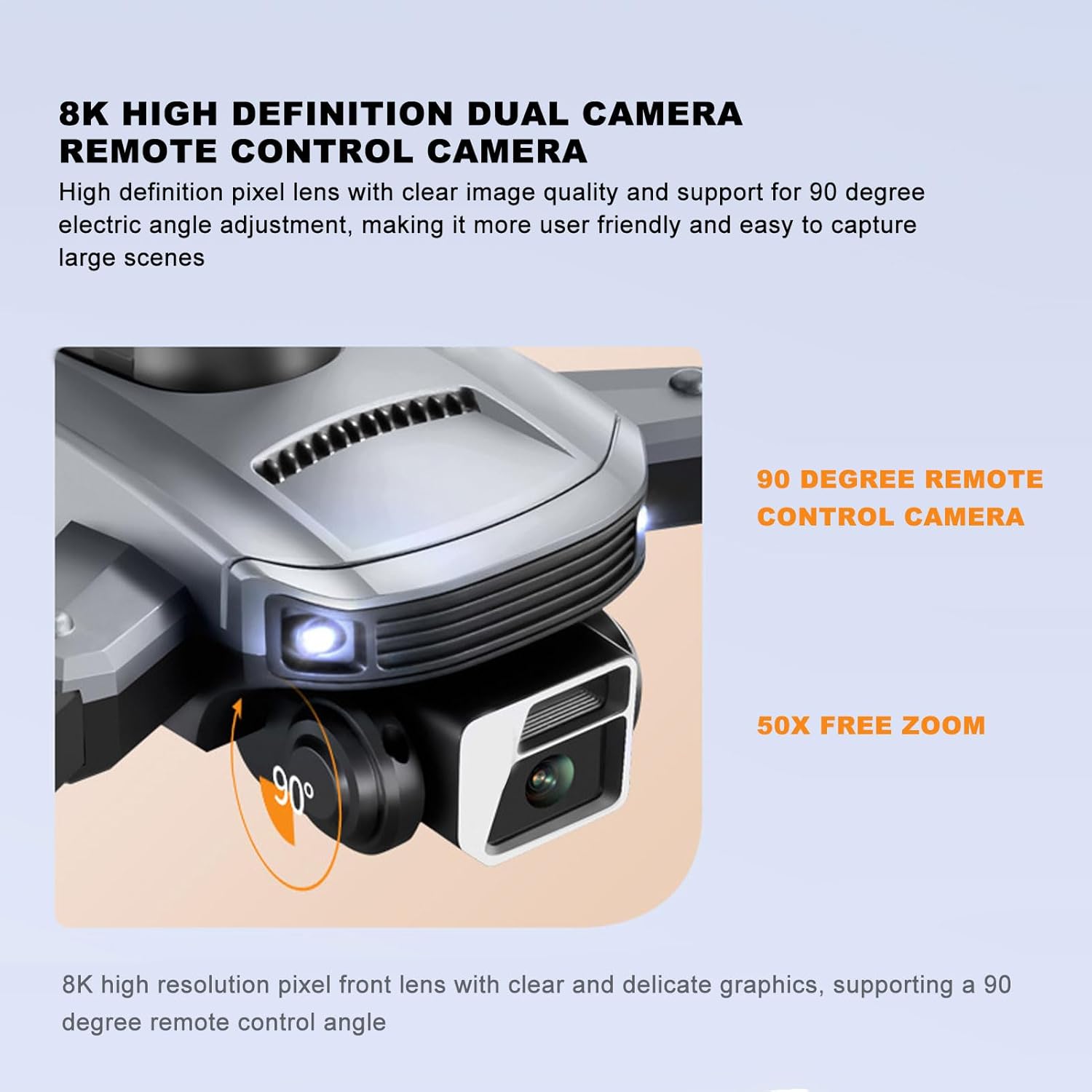
Image 5.4: Close-up of the drone's 4K camera, indicating its 90-degree remote control adjustment capability.
5.5-сүрөт: Антенна view demonstrating the 50x zoom feature, focusing on a person on a beach.
5.5. Тоскоолдуктардан качуу
The S99 drone is equipped with four-way obstacle avoidance sensors (front, rear, left, right) that automatically detect and intelligently avoid obstacles, enhancing flight safety.
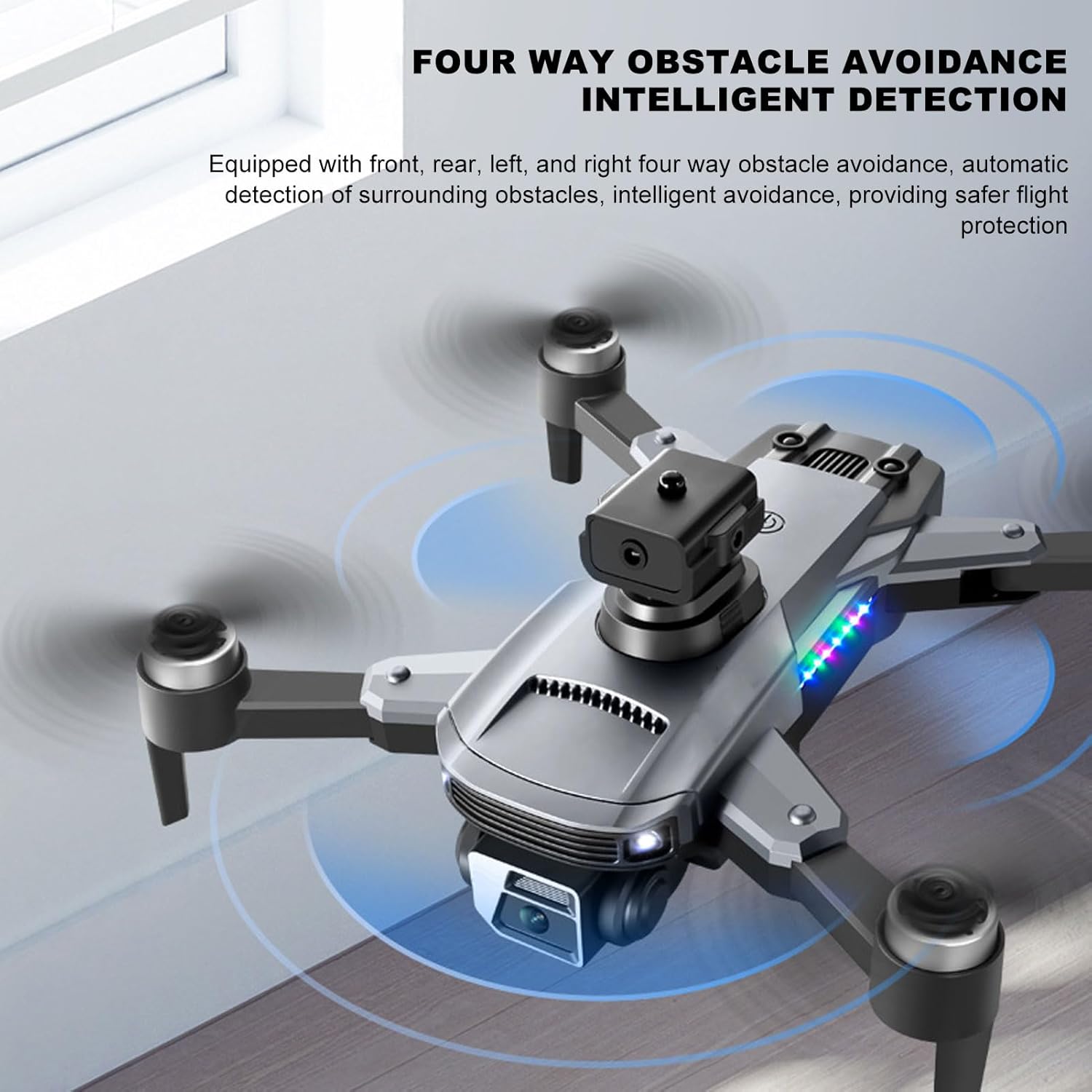
Image 5.6: The drone in flight with visual indicators of its four-way obstacle avoidance system detecting surrounding objects.
6. Техникалык тейлөө
- Тазалоо: Gently wipe the drone body and camera lens with a soft, dry cloth. Avoid using liquids.
- Пропеллер текшерүү: Regularly check propellers for damage (cracks, bends). Replace damaged propellers immediately.
- Батареяга кам көрүү: Батареяларды салкын, кургак жерде сактаңыз. Батареяларды толук зарядсыз абалда көпкө калтырбаңыз.
- Сактагыч: When not in use, store the drone and remote control in a protective case to prevent dust and physical damage.
7. Кыйынчылыктарды
| Көйгөй | Мүмкүн себеп | Чечим |
|---|---|---|
| Дрон күйбөйт | Батарея туура орнотулган эмес же заряды түгөнгөн | Батарея толук заряддалганын жана туура салынганын текшериңиз. |
| Drone fails to pair with remote | Remote control or drone not powered on, or too far apart | Ensure both devices are on and within close proximity. Restart both if necessary. |
| Туруксуз учуу же дрифт | Propellers damaged, drone not calibrated, or strong wind | Check propellers for damage and replace if needed. Perform drone calibration as per app instructions. Avoid flying in windy conditions. |
| No real-time video feed | Smartphone not connected to drone's Wi-Fi, or app issue | Verify Wi-Fi connection. Restart the app and drone. |
| Батареянын иштөө мөөнөтү кыска | Батареянын начарлашы же туура эмес заряддоо | Ensure proper charging cycles. Consider replacing the battery if performance significantly degrades over time. |
8. Техникалык шарттар
| Өзгөчөлүк | Деталь |
|---|---|
| Бренд | Cuifati |
| Модель аты | CUIFATImu9824bk0w |
| Видео тартуунун резолюциясы | 4K |
| Байланыш технологиясы | USB, Wi-Fi |
| Батарея сыйымдуулугу | 2000 миллионamp Саат |
| Батарея клеткасынын курамы | Литий |
| Алыстан башкаруу технологиясы | 2.4 ГГц радио жыштыгы |
| Максималдуу диапазон | 100 метр |
| Элемент Салмагы | 1.14 фунт |
| Пакеттин өлчөмдөрү | 10.12 x 7.05 x 3.7 дюйм |
| Skill Level | Орто |
| Колдоого алынган сүрөт форматы | JPEG |
| Видео тартуу форматы | MP4 |
| Оптикалык сенсор технологиясы | CMOS |
9. Кепилдик жана колдоо
The Cuifati S99 4K Camera Drone comes with a 90-day warranty. For technical support, warranty claims, or further assistance, please contact Cuifati customer service or visit the official Cuifati store online.
Official Cuifati Store: Visit Cuifati Store

Image 9.1: The Cuifati brand logo, representing the manufacturer.