
HOCO BS33_Military Green
HOCO BS33 Bluetooth Speaker User Manual
Model: BS33_Military Green
1. Продукт бүтүп калдыview
The HOCO BS33 Portable Bluetooth Speaker delivers immersive deep bass and high-quality audio. Designed for versatility, it connects effortlessly to various Bluetooth-enabled devices and supports multiple playback modes. Its compact and portable design makes it suitable for both indoor and outdoor use, offering up to 5 hours of continuous playback on a single charge.
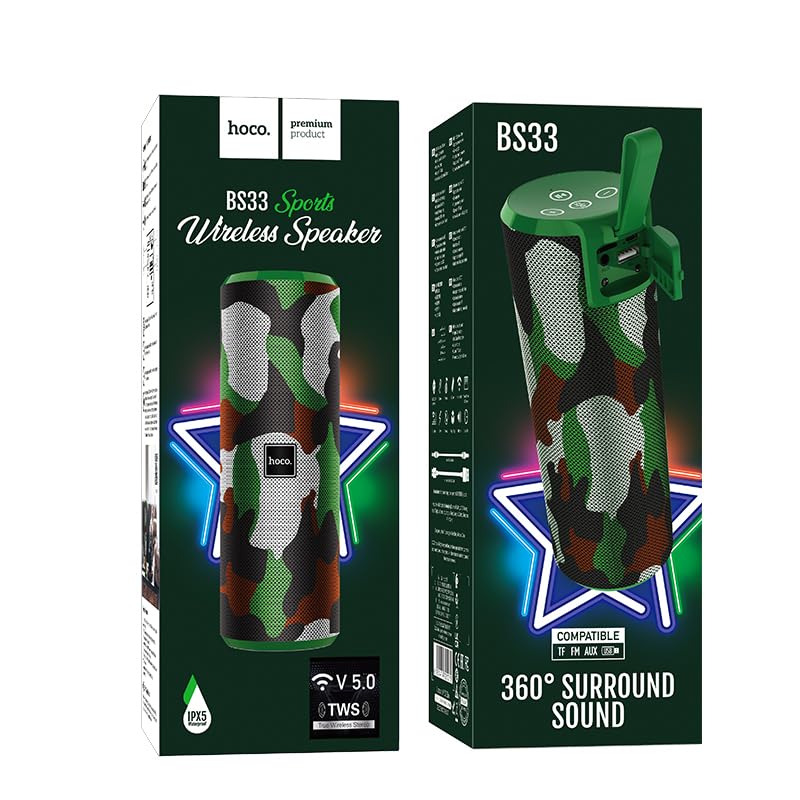
Image 1.1: HOCO BS33 Bluetooth Speaker in its packaging, highlighting its 360-degree surround sound feature and V5.0 Bluetooth.
2. Негизги өзгөчөлүктөрү
- Immersive Deep Bass: Enjoy powerful sound with deep bass for an enhanced listening experience.
- Зымсыз туташуу: Bluetooth 5.3 ensures seamless connection to all Bluetooth devices - smartphones, tablets, laptops, and more.
- Көп режимде ойнотуу: Supports Bluetooth, FM radio, TF card, U disk, and AUX input for versatile audio enjoyment.
- Компакт жана көчмө: Take this speaker anywhere with its portable design, perfect for indoor and outdoor use.
- Батареянын узак иштөө мөөнөтү: 1200mAh battery offers up to 5 hours of continuous playback time with just 1.5 hours of charging.
- Easy-to-Use Button Controls: Conveniently control music playback, volume, and modes with intuitive buttons.
- Wide Bluetooth Range: Enjoy a wireless range of up to 10 meters for flexible placement options.
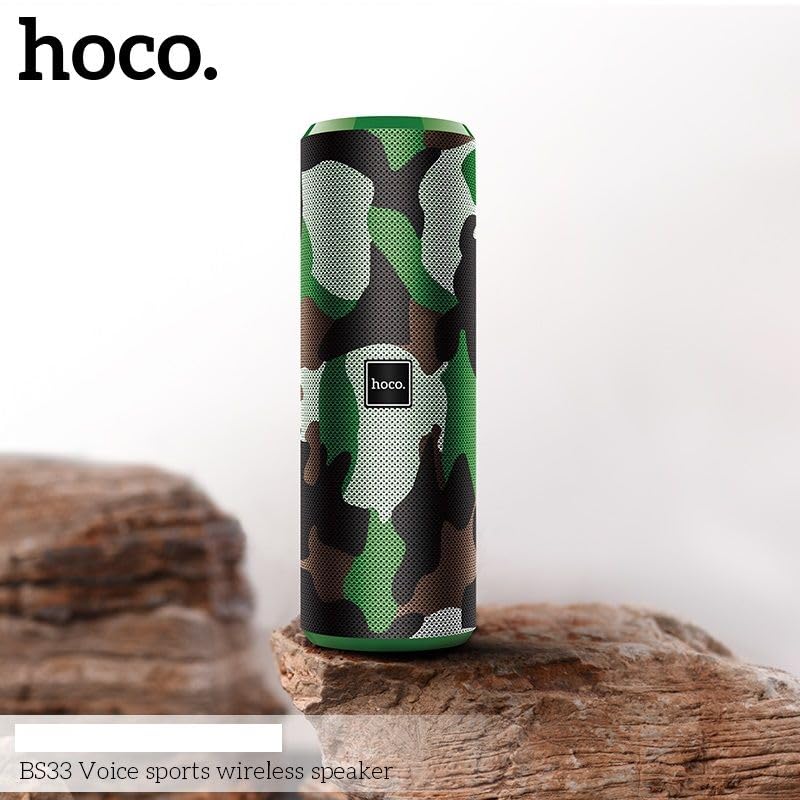
Image 2.1: The HOCO BS33 speaker in camouflage green, showcasing its portable design on a natural rock surface.
3. Баштоо
3.1 Динамикти заряддоо
Before first use, fully charge the speaker. Connect the speaker to a power source using the provided charging cable. The 1200mAh battery takes approximately 1.5 hours to fully recharge, providing up to 5 hours of continuous playback.
3.2 Күйгүзүү/өчүрүү
- Күйгүзүү үчүн, индикатор жарыгы күйгөнгө чейин күйгүзүү баскычын басып, кармап туруңуз.
- Өчүрүү үчүн, индикатор жарыгы өчмөйүнчө кубат баскычын кайра басып, кармап туруңуз.
3.3 Bluetooth жупташтыруу
- Динамик күйгүзүлгөнүн жана Bluetooth жупташтыруу режиминде экенин текшериңиз (жаркылдаган LED менен көрсөтүлгөн).
- Түзмөгүңүздө (смартфон, планшет, ноутбук) Bluetooth иштетиңиз жана жеткиликтүү түзмөктөрдү издеңиз.
- Select "HOCO BS33" from the list of devices.
- Once connected, the speaker will emit an audible confirmation, and the LED indicator will become solid.
The speaker features Bluetooth 5.3 for stable and seamless connections with a wireless range of up to 10 meters.
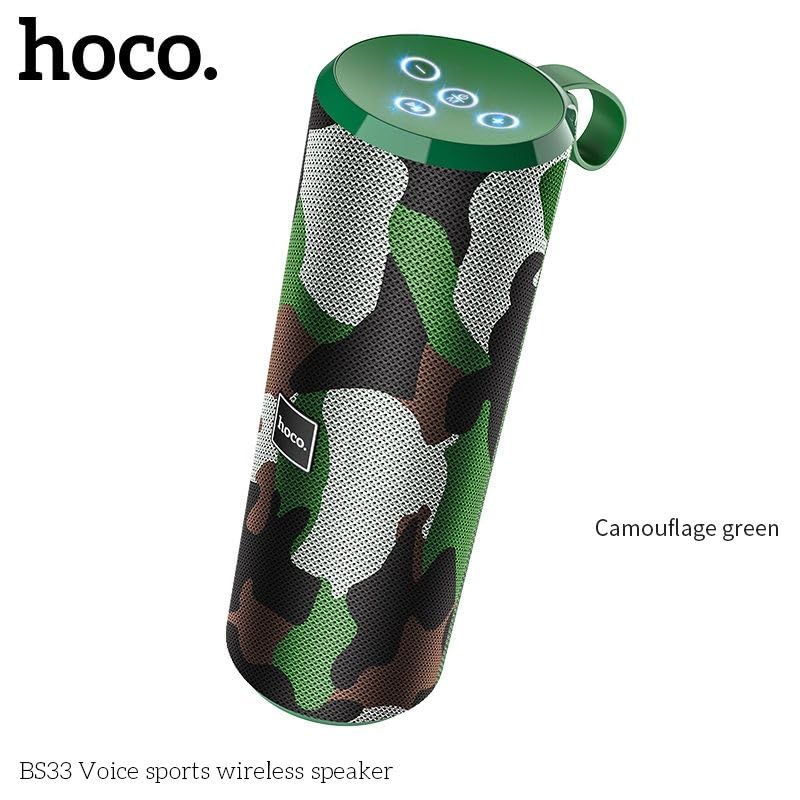
Сүрөт 3.1: Бурчтуу view of the HOCO BS33 speaker, highlighting the top panel with control buttons and the integrated carrying handle.
4. Иштөө нускамалары
4.1 Ойнотуу режимдери
The HOCO BS33 supports multiple playback options:
- Bluetooth режими: Connect wirelessly to your smartphone, tablet, or laptop.
- FM радиосу: Сүйүктүү радиостанцияларыңызды күүлүңүз.
- TF картасы: Insert a TF (MicroSD) card with your music files.
- U Disk (USB Drive): Connect a USB flash drive with music files.
- AUX киргизүү: Use a 3.5mm audio cable to connect to devices without Bluetooth.
4.2 Башкаруу баскычтары
The speaker features intuitive button controls for easy operation:
- Кубат баскычы: Күйгүзүү/өчүрүү үчүн басып туруңуз.
- Ойнотуу/тындыруу баскычы: Музыканы ойнотуу же тындыруу үчүн басыңыз.
- Үнүн жогорулатуу (+): Үнүн жогорулатуу үчүн басыңыз. Кийинки трекке өтүү үчүн басып туруңуз.
- Үнүн төмөндөтүү (-): Үндү азайтуу үчүн басыңыз. Мурунку трек үчүн басып, кармап туруңуз.
- Режим баскычы (M): Press to switch between Bluetooth, FM, TF card, U disk, and AUX modes.
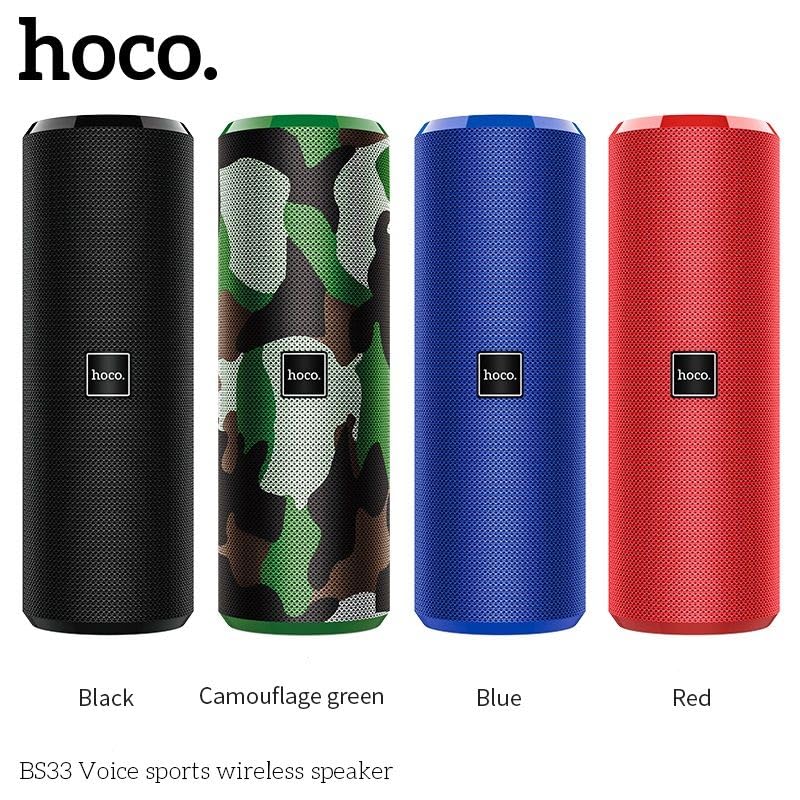
Image 4.1: A display of four HOCO BS33 speakers in various colors, including black, camouflage green, blue, and red, demonstrating the available aesthetic options.
5. Продукт видеосу
Видео 5.1: Расмий продукт көргөзмөсүasing the HOCO Bluetooth Speaker BS33, its features, and compatibility with various devices. This video provides a visual demonstration of the speaker's design and functionality.
6. Техникалык шарттар
| Бренд | HOCO |
| Модель аты | BS33_Military Green |
| Динамик түрү | Саундбар |
| Байланыш технологиясы | Bluetooth 5.3 |
| Bluetooth спецификациясы | Bluetooth V5.0 JL AC6925F; support protocol A2DP, AVRCP, HFP |
| Зымсыз диапазон | 10 метрге чейин |
| Батарея сыйымдуулугу | 1200mAh |
| Батареянын иштөө мөөнөтү | 5 саатка чейин |
| Заряддоо убактысы | 1.5 саат |
| Динамиктин максималдуу чыгаруу күчү | 10 Ватт |
| Frequency Response | 2400 Гц |
| Аудио чыгаруу режими | Стерео |
| Продукциянын өлчөмдөрү | 21D x 7.2W x 7H Сантиметр |
| Салмагы | 471г |
| Суу өткөрбөйт | Жок |
| Controller Type | баскыч |
| Камтылган компоненттер | Bluetooth Speaker |
7. Кыйынчылыктарды
- Кубат жок: Динамиктин толук заряддалганын текшериңиз. Кубат булагына туташтырып, кайра аракет кылыңыз.
- Bluetooth жупташтыруу мүмкүн эмес:
- Динамик жупташтыруу режиминде экенин текшериңиз (жаркыраган LED).
- Түзмөгүңүздө Bluetooth иштетилгенин текшериңиз.
- Динамикти түзмөгүңүзгө жакыныраак жылдырыңыз (10 метр аралыкта).
- Телефонуңуздун Bluetooth жөндөөлөрүнөн түзмөктү унутуп, кайра жупташтырып көрүңүз.
- Үн жок:
- Динамиктин жана туташкан түзмөгүңүздүн үнүнүн деңгээлин текшериңиз.
- Ensure the correct playback mode is selected (Bluetooth, AUX, TF, U Disk, FM).
- AUX колдонуп жатсаңыз, кабель толугу менен салынганын жана бузулбагандыгын текшериңиз.
- Үн сапаты начар:
- Move the speaker away from other electronic devices that may cause interference.
- Ensure the speaker is within the Bluetooth range.
- Аудио булагынын сапатын текшерүү.
8. Кутуда эмне бар
Продукт пакетине төмөнкүлөр кирет:
- HOCO BS33 Bluetooth Speaker
- Заряддоо кабели (USB)
- Колдонуучунун Колдонмосу (бул документ)
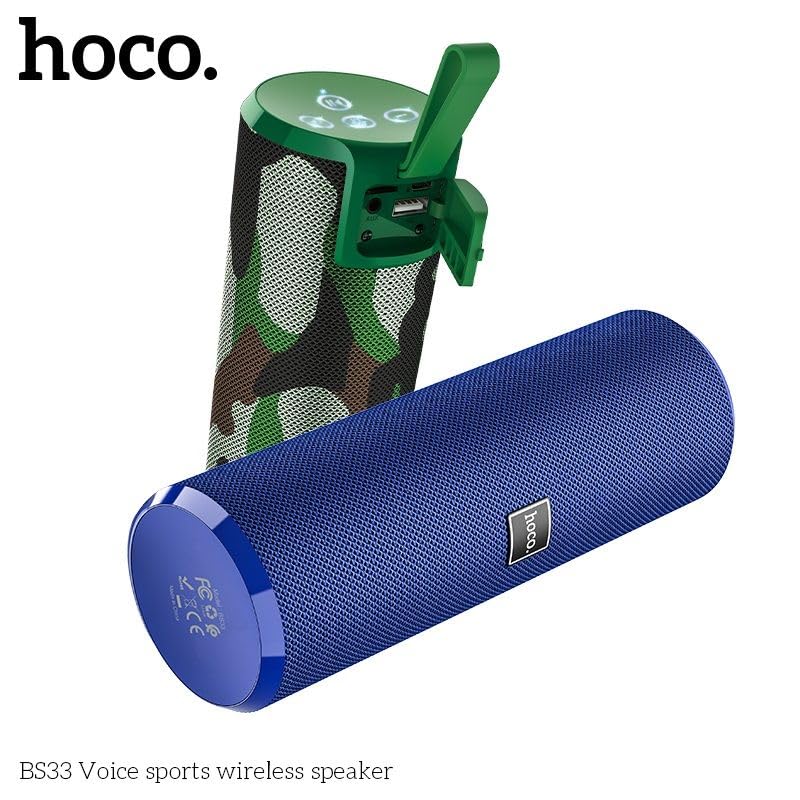
Image 8.1: Two HOCO BS33 speakers, one in camouflage green and another in blue, demonstrating the product's design and color variations.
9. Кепилдик жана колдоо
This product comes with a standard brand warranty. For detailed information regarding warranty terms, conditions, and support, please refer to the warranty policy provided with your purchase or visit the official HOCO webсайт.
For further assistance or technical support, please contact HOCO customer service.
Ask a question about this manual
Ask about setup, troubleshooting, compatibility, parts, safety, or missing instructions. Manuals+ will review the question and use this page’s manual context to help answer it.