
1. Киришүү
Thank you for choosing the Arrow Dancer SP23 Wireless Earbuds. These earbuds are designed to provide a high-fidelity audio experience with low latency, making them suitable for music, calls, and gaming. Featuring Bluetooth 5.3 connectivity and an IPX5 waterproof rating, they offer stable performance and durability for various activities.
This manual provides detailed instructions on how to set up, operate, and maintain your SP23 Wireless Earbuds to ensure optimal performance and longevity.
2. Кутуда эмне бар
Пакетиңиздин мазмунун текшериңиз. Эгерде кандайдыр бир нерселер жок болсо же бузулса, кардарларды колдоо менен байланышыңыз.
- 2 x AD SP23 Wireless Earbuds
- 1 x Wireless Earphone Charging Case
- 3 x Extra Ear tips (S, M, L)
- 1 х C түрү кубаттоо кабели
- 1 x User Manual

Image: The SP23 Wireless Earbuds, charging case, extra ear tips, and Type C charging cable displayed with the product packaging.
3. Продукт бүтүп калдыview
The Arrow Dancer SP23 Wireless Earbuds feature an ergonomic design for a comfortable and secure fit. The compact charging case not only protects the earbuds but also provides additional battery life on the go. The case includes an ambient light feature and a Type-C charging port.
Сүрөт: жакын план view of the SP23 Wireless Earbuds and their charging case, highlighting their design.
4. Орнотуу
4.1 Алгачкы заряддоо
Before first use, fully charge the earbuds and the charging case. Connect the provided Type C cable to the charging port on the case and a USB power source. The indicator lights on the case will show the charging status. The earbuds will charge automatically when placed inside the case.
4.2 Bluetooth жупташтыруу
- Заряддоо кутучасынын кубатталганын жана кулакчындардын ичинде экенин текшериңиз.
- Заряддоо кутучасын ачыңыз. Кулакчындар жупташтыруу режимине автоматтык түрдө кирет.
- Түзмөгүңүздө (смартфон, планшет ж.б.) Bluetooth иштетиңиз.
- Издөө available Bluetooth devices and select "SP23" from the list.
- Туташтырылгандан кийин, сиз ырастоо чакыруусун угасыз жана кулакчындардын индикатор жарыктары өзгөрөт.
For subsequent use, the earbuds will automatically connect to the last paired device when removed from the case, provided Bluetooth is enabled on the device.
Видео: Бүттүview of the SP23 Wireless Earbuds, demonstrating unboxing, charging, and handling of the earbuds and case.
5. Иштөө нускамалары
5.1 Күйгүзүү/өчүрүү
- Күйгүзүү: Заряддоо кутучасын ачсаңыз, кулакчындар автоматтык түрдө күйөт.
- Өчүрүү: Place the earbuds back into the charging case and close the lid. They will power off and begin charging.
5.2 Сенсордук башкаруу
The SP23 Earbuds feature intuitive fingerprint touch controls. The specific functions are:
- Ойнотуу/тындыруу: Кулакчындарды бир жолу таптаңыз.
- Үнүн жогорулатуу/төмөндөтүү: Double tap on the right earbud for volume up, double tap on the left earbud for volume down.
- Кийинки трек: Оң кулакчынды үч жолу таптаңыз.
- Мурунку трек: Сол кулакчынды үч жолу таптаңыз.
- Чалууга жооп берүү/аяктоо: Кирүүчү чалуу учурунда гарнитураны бир жолу таптаңыз.
- Чакырууну четке кагуу: Кирүүчү чалуу учурунда кулакчындын бирин 2 секунд басып туруңуз.
- Үн Жардамчысын жандыруу: Кулакчындардын бирин 3 секунд басып туруңуз.
5.3 Оюн режими (аз кечигүү)
The SP23 Earbuds are designed with a low latency feature for an enhanced gaming experience. This mode minimizes audio delay, allowing for better synchronization between audio and visuals. To activate or deactivate gaming mode, refer to the specific instructions in your device's Bluetooth settings or the earbuds' touch control guide (if applicable, typically a long press or specific tap sequence not detailed in the provided data).

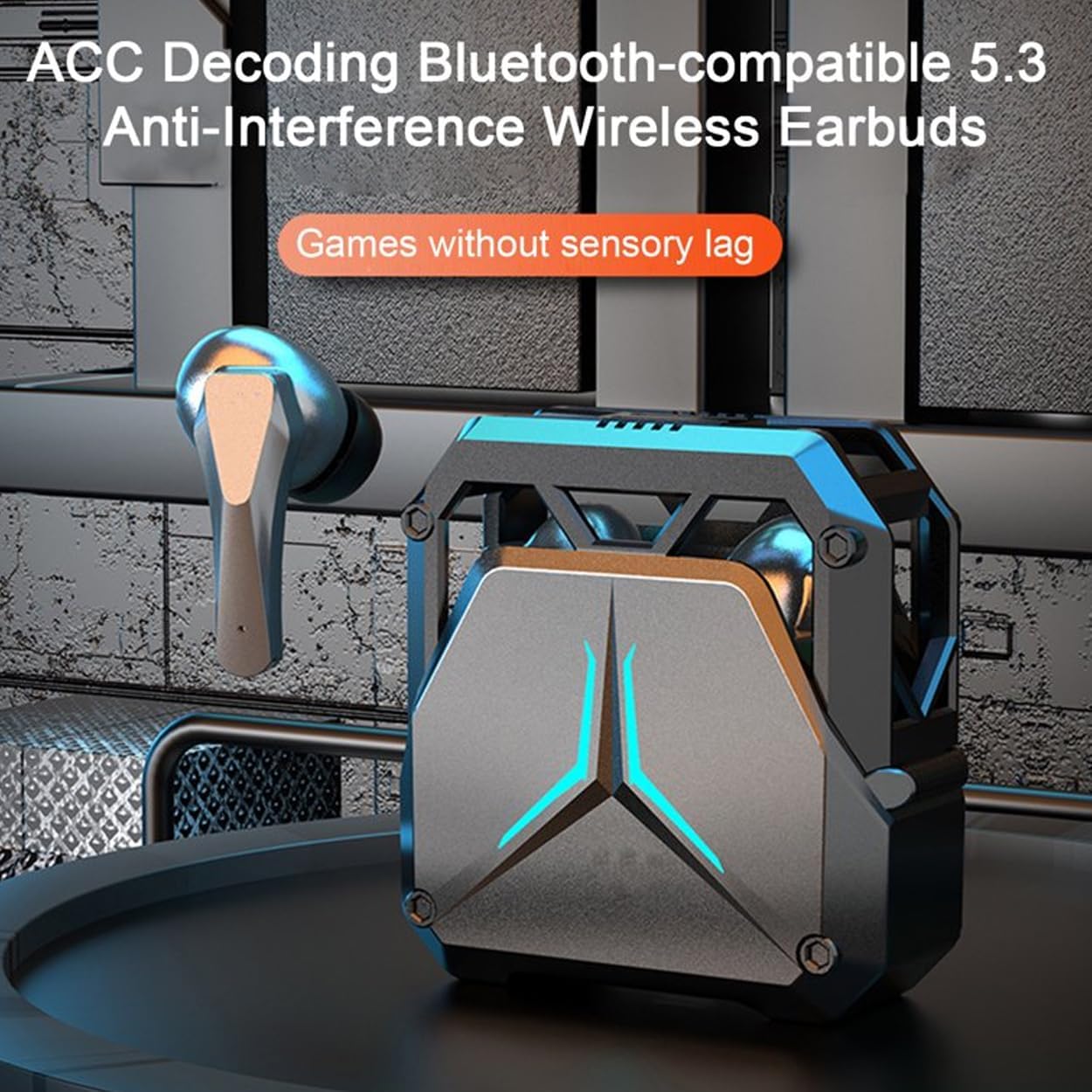
Image: The SP23 Wireless Earbuds and charging case set against a gaming scene, illustrating their low-latency capability.
6. Негизги өзгөчөлүктөрү
- HiFi Immersive Sound: Experience rich audio with balanced deep bass and crisp highs.
- Аз кечигүү менен ойнолуучу оюндар: Enjoy synchronized audio for gaming and video streaming with minimal delay.
- Crystal Clear Чалуулар: Advanced noise reduction technology ensures clear communication.
- IPX5 суу өткөрбөйт рейтинги: Терге жана жарык чачыракка туруштук берет, машыгууга жана сырттагы иш-чараларга ылайыктуу.
- Ergonomic and Secure Fit: Designed for comfort and stability, with multiple ear tip sizes included.
- Интуитивдик сенсордук башкаруулар: Manage music, calls, and volume with simple taps.
- Узартылган ойноо убактысы: Efficient power consumption for long-lasting use.
- Кеңири шайкештик: Connects seamlessly with Android, iOS, and Windows devices via Bluetooth 5.3.

Image: The SP23 Wireless Earbuds charging case positioned near a smartphone, indicating universal compatibility with various operating systems.
7. Техникалык тейлөө
- Тазалоо: Кулакчындарды жана заряддоо кутусун жумшак, кургак, түксүз чүпүрөк менен дайыма тазалап туруңуз. Катуу химиялык заттарды же абразивдүү материалдарды колдонбоңуз.
- Кулак кеңештери: Кулак учтарын алып, маал-маалы менен суу жана жумшак самын менен тазалаңыз. Кайра жабыштыруудан мурун алар толугу менен кургатылганын текшериңиз.
- Заряддоо байланыштары: Keep the charging contacts on both the earbuds and inside the case clean and dry to ensure proper charging.
- Сактагыч: Store the earbuds in their charging case when not in use to protect them from dust and damage. Avoid extreme temperatures.
- Суу каршылык: The IPX5 rating means the earbuds are resistant to low-pressure water jets. Do not submerge them in water or expose them to heavy rain. Dry them thoroughly if they get wet.
8. Кыйынчылыктарды
If you encounter issues with your SP23 Wireless Earbuds, refer to the following common solutions:
| Көйгөй | Чечим |
|---|---|
| Кулакчындар жупташкан жок | Ensure earbuds are charged. Place them back in the case, close the lid, then open it again to re-enter pairing mode. Turn off and on Bluetooth on your device. Forget "SP23" from your device's Bluetooth list and re-pair. |
| Бир кулакчын иштебей жатат | Place both earbuds back in the charging case, close the lid, and then open it again. Ensure both earbuds are charged. If the issue persists, try resetting the earbuds (refer to specific reset instructions if available, or try forgetting and re-pairing). |
| Көлөмү төмөн же үн сапаты начар | Adjust the volume on both your device and the earbuds. Ensure ear tips are correctly sized and form a good seal in your ear. Clean any debris from the earbud speakers. |
| Кулакчындар бат-баттан ажыратылат | Ensure your device is within the Bluetooth range (up to 10 meters) and there are no significant obstructions. Avoid strong electromagnetic interference. Re-pair the earbuds with your device. |
| Заряддоо куту заряддалбай жатат | Check the Type C cable and power adapter. Ensure the charging cable is securely connected to both the case and the power source. Clean the charging port if necessary. |
9. Техникалык шарттар
| Өзгөчөлүк | Деталь |
|---|---|
| Модель аты | AD SP23 Wireless Earbuds |
| Байланыш технологиясы | Зымсыз (Bluetooth 5.3) |
| Bluetooth диапазону | 10 метр |
| Аудио кечигүү | 100 Миллисекунд |
| Батареянын иштөө мөөнөтү (наушник) | 6 саат |
| Заряддоо убактысы | 1.5 саат |
| Сууга туруктуулук деңгээли | IPX5 (Сууга туруктуу) |
| Башкаруу ыкмасы | тийүү |
| Наушник уясы | C түрү |
| Элемент Салмагы | 3.2 унция (болжол менен 90.7 грамм) |
| Продукциянын өлчөмдөрү | 3.5 x 2 x 1.5 дюйм |
| Материал | Пластик |
| Өндүрүүчү | Arrow Dancer |
10. Кепилдик жана колдоо
Arrow Dancer products are designed for reliability and performance. For information regarding warranty coverage, please refer to the warranty card included in your product packaging or visit the official Arrow Dancer website. If you experience any issues or have questions not covered in this manual, please contact Arrow Dancer customer support for assistance.
Кардарларды колдоо: Please refer to the contact information provided on the product packaging or the official Arrow Dancer webсайт.