
1. Киришүү
This manual provides essential information for the safe and effective operation of your Twotrees TS2-20W Laser Engraver and Cutter. This high-energy laser machine is designed for precision engraving and cutting on various materials such as wood, metal, and glass. Please read this manual thoroughly before initial use and keep it for future reference.
2. Коопсуздук маалыматы
Operating a laser engraver involves inherent risks. Adhering to safety guidelines is paramount to prevent injury and damage.
- Көздү коргоо: Always wear appropriate laser safety goggles (OD6+) when the machine is in operation. The TS2-20W laser head is equipped with a protective cover and a filter blocking 97% of UV light, but additional eye protection is strongly recommended.
- Вентиляция: Ensure adequate ventilation in your workspace to dissipate fumes and smoke generated during engraving and cutting.
- Өрт коркунучу: Laser processing can ignite flammable materials. Never leave the machine unattended during operation. Keep a fire extinguisher nearby.
- Шашылыш токтотуу: The machine features an instant stop system that activates in case of involuntary movement or tilt. Familiarize yourself with the location of the emergency stop button.
- Материалдык шайкештик: Do not engrave or cut unknown materials. Some materials can produce toxic fumes or catch fire easily. Avoid materials containing PVC.
- Балдар жана үй жаныбарлары: Балдарды жана үй жаныбарларын операциядан алыс кармаңыз.
Сүрөт 2.1: The laser module displays critical safety warnings. Always observe these precautions.
3. Продукт бүтүп калдыview жана өзгөчөлүктөрү
The Twotrees TS2-20W is a high-performance laser engraver and cutter designed for precision and versatility.
Негизги өзгөчөлүктөрү:
- Exceptional Cutting Power: Equipped with a 20W laser, capable of cutting wood up to 15mm thick and opaque acrylic up to 10mm thick.
- High Precision and Speed: Features an ultra-fine focal spot of 0.08 x 0.08 mm and a maximum resolution of 1000 DPI for sharp engravings. Achieves movement precision of 0.01 mm and speeds up to 20,000 mm/min.
- Broad Software Compatibility: Seamlessly integrates with professional engraving software such as LaserGRBL (Windows) and LightBurn (multi-platform). Supports various file formats including NC, BMP, JPG, PNG, DXF, and GCODE.
- Robust and Easy Assembly: Constructed from modular aluminum alloy, allowing for assembly in approximately 40 minutes, resulting in a sturdy and durable structure.

Сүрөт 3.1: The laser module's focus accuracy and cutting depth on wood and acrylic.

Сүрөт 3.2: The industrial design of the TS2-20W, emphasizing its structural integrity.

Сүрөт 3.3: Examples of materials that can be processed by the TS2-20W.
4. Орнотуу
The Twotrees TS2-20W is designed for straightforward assembly. Follow these general steps for initial setup:
- Пакеттен чыгаруу: Бардык компоненттерди таңгактан кылдаттык менен алып салыңыз. Таңгактоо тизмесинде көрсөтүлгөн бардык бөлүктөрдүн бар экендигин текшериңиз.
- Ассамблея: Assemble the modular aluminum alloy frame according to the detailed assembly guide provided separately (or refer to the manufacturer's official assembly videos). The process typically takes around 40 minutes. Ensure all connections are secure.
- Жайгашкан жери: Place the assembled machine on a stable, level, and heat-resistant surface in a well-ventilated area.
- Кубат туташуу: Connect the power adapter to the machine and then to a suitable power outlet. Do not power on the machine yet.
- Программалык камсыздоону орнотуу: Install the recommended engraving software (LaserGRBL for Windows or LightBurn for multi-platform use) on your computer. Ensure your computer meets the software's system requirements.
- Компьютерге туташуу: Connect the laser engraver to your computer using the provided USB cable.
5. Иштөө нускамалары
Once the machine is set up and software is installed, you can begin your engraving or cutting projects.
- Күйгүзүү: Turn on the laser engraver.
- Программалык камсыздоону ишке киргизүү: Launch your chosen engraving software (LaserGRBL or LightBurn) on your computer.
- Материалды жайгаштыруу: Place the material to be engraved or cut onto the working area of the machine. Ensure it is flat and securely positioned.
- Фокусту тууралоо: The TS2-20W features a fixed focus laser. Adjust the height of the laser module using the designated mechanism to achieve the optimal focal distance for your material. The independent belt tension adjustment and steel guide rail ensure precise movement.
- Design Loading: Дизайныңызды жүктөңүз file (NC, BMP, JPG, PNG, DXF, GCODE, etc.) into the software.
- Параметр орнотуулары: Adjust engraving/cutting parameters (power, speed, passes) based on the material type and desired outcome. Refer to software documentation or online resources for recommended settings.
- Preview and Start: Программалык камсыздоонун алдын ала версиясын колдонуңузview function to verify the engraving area. Once satisfied, ensure all safety precautions are in place (eye protection, ventilation) and initiate the engraving/cutting process.
- Мониторинг: Monitor the machine during operation. Be prepared to use the emergency stop if any issues arise.

Сүрөт 5.1: Adjusting the fixed focus laser module for optimal performance.

Сүрөт 5.2: The laser engraver connected to a computer running compatible software.
6. Техникалык тейлөө
Үзгүлтүксүз тейлөө сиздин лазердик оюгучуңуздун узак иштөөсүн жана оптималдуу иштешин камсыздайт.
- Лазердик линзаны тазалоо: Лазердин күчүн жана тактыгын сактоо үчүн лазердик линзаны мезгил-мезгили менен жумшак, түксүз чүпүрөк жана линза тазалоочу эритме менен тазалап туруңуз.
- Cleaning the Working Area: Remove debris, dust, and material scraps from the working area after each use to prevent interference with machine movement.
- Checking Belts and Rails: Inspect the drive belts for tension and wear. Ensure the guide rails are clean and free of obstructions. Lubricate moving parts as recommended by the manufacturer.
- Программалык камсыздоонун жаңыртуулары: Өндүрүүчүнү текшериңиз website for any available firmware updates to ensure your machine operates with the latest features and improvements.
7. Кыйынчылыктарды
Бул бөлүм сиз кабылышы мүмкүн болгон жалпы көйгөйлөрдү карайт. Татаал маселелер үчүн колдоо бөлүмүн караңыз.
- Машина күйбөй жатат: Check the power cable connection and the power outlet. Ensure the power switch is in the 'On' position.
- Лазер иштебей жатат/алсыз чыгаруу: Verify the laser module connection. Clean the laser lens. Check software power settings.
- Гравюра/кесүү сапаты начар: Adjust focus height. Check material parameters (speed, power). Ensure the material is flat and secure. Clean the lens.
- Машина компьютерге туташпай жатат: Ensure the USB cable is securely connected. Reinstall software drivers if necessary. Try a different USB port or cable.
- Unexpected Stops: The machine has a safety stop feature for movement or tilt. Check for any physical obstructions or vibrations that might trigger this.
8. Техникалык шарттар
| Өзгөчөлүк | Спецификация |
|---|---|
| Модел | TS2-20W |
| Лазердик күч | 20 Вт (20000 мВт) |
| Лазердик толкун узундугу | 445 ± 5нм |
| Электрдик талап | 24V 4A DC |
| Motherboard | 32-бит |
| Гравюра ылдамдыгы | 20,000 мм/мин чейин |
| Гравюра аянты | 410 x 410 мм |
| Focal Spot Size | 0.08 x 0.08 мм |
| Max чечим | 1000 DPI |
| Wood Cutting Ability (1 Pass) | 15 мм чейин |
| Black Acrylic Cutting Ability (1 Pass) | 10 мм чейин |
| Пакеттин өлчөмдөрү | 73.8 x 30.4 x 23 см |
| Салмагы | 9.66 кг |
| Камтылган бөлүктөр | Лазердик гравер |

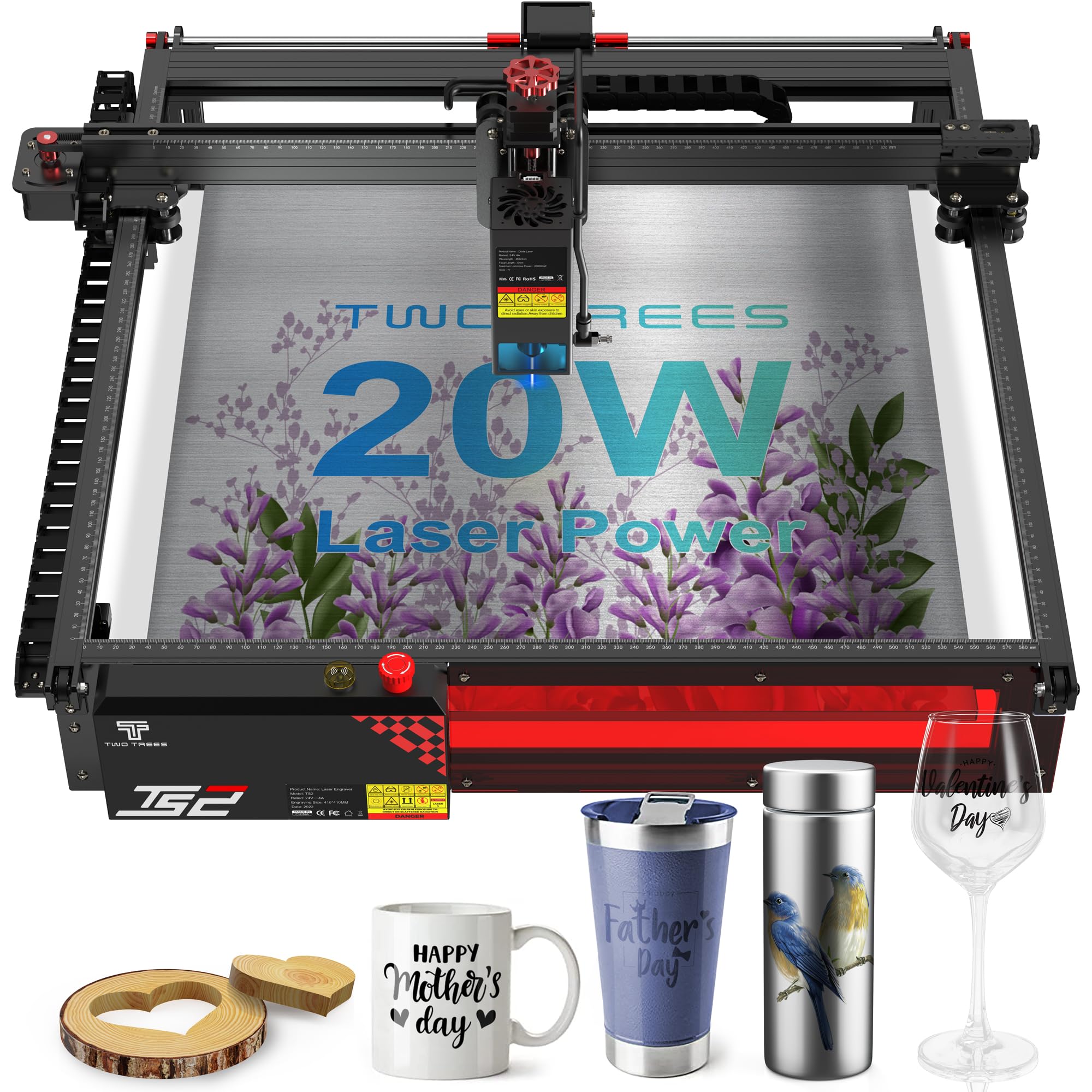
Сүрөт 8.1: Өлчөмдүү аяктадыview of the Twotrees TS2-20W laser engraver.
9. Колдоо жана кепилдик
For any questions, technical assistance, or support regarding your Twotrees TS2-20W laser engraver, please contact the seller directly through the platform where you made your purchase. The manufacturer commits to responding to inquiries within 24 hours.
Кепилдик маалыматы: Specific warranty terms and conditions may vary. Please refer to your purchase documentation or contact the seller for detailed warranty information.
Онлайн ресурстар: Visit the official Twotrees webакыркы драйверлер, микропрограмма жаңыртуулары жана кошумча колдоо ресурстары үчүн сайт.