
Introduction
This manual provides detailed instructions for the operation and maintenance of your Cuifati Portable Cassette Player with Auto Reverse. Please read this manual thoroughly before using the device to ensure proper functionality and to maximize your listening experience.
Пакеттин мазмуну
Төмөндө тизмеленген нерселердин баары пакетиңизге камтылганын текшериңиз:
- 1 x Cuifati Portable Cassette Player
- 1 х Наушник
- 1 x USB кубат кабели
- 1 x User Manual
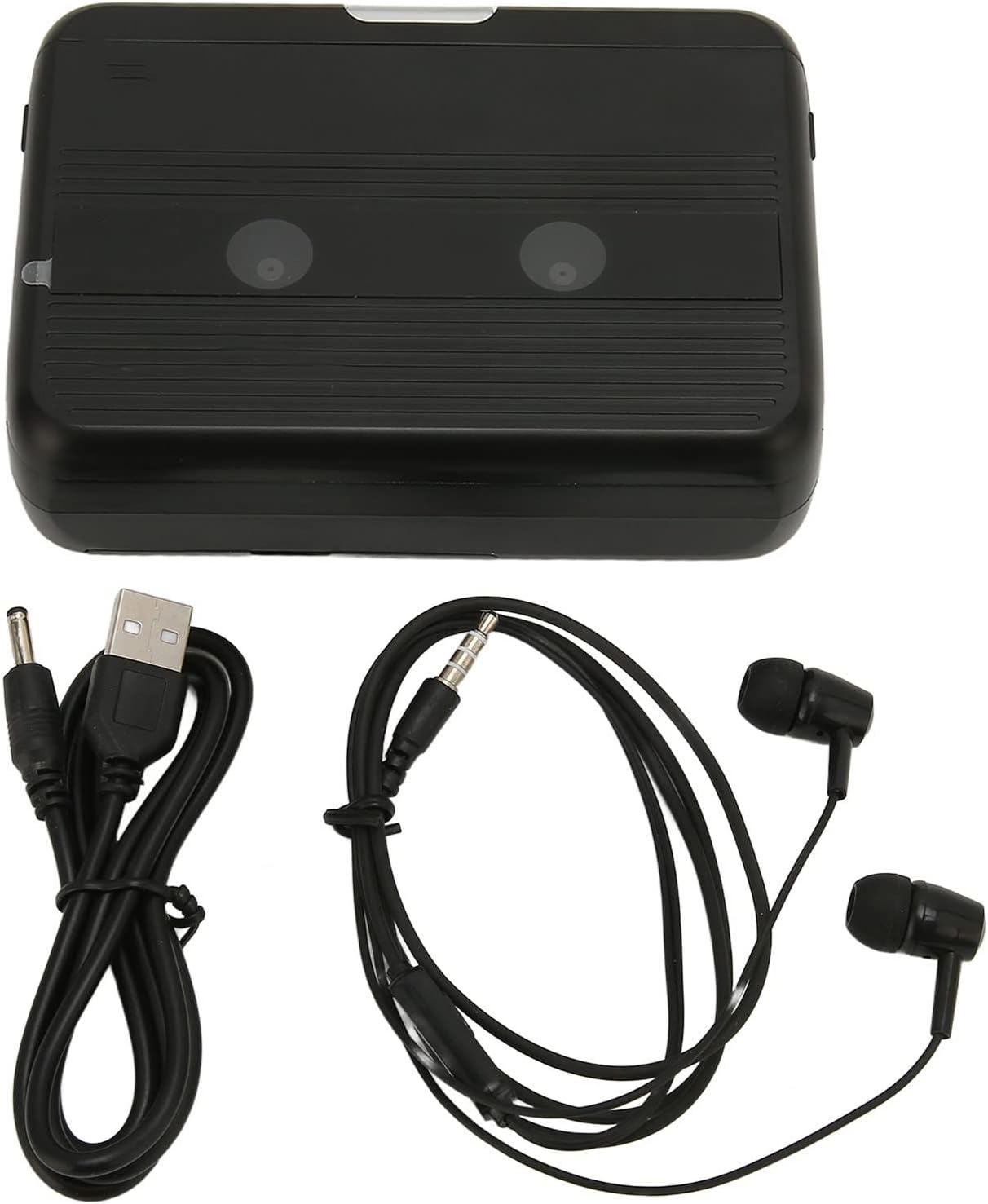
The Cuifati Portable Cassette Player shown alongside its included USB power cord and wired headphones.
Продукт бүттүview
Кассета ойноткучуңуздун ар кандай бөлүктөрүн жана башкаруу элементтерин билип алыңыз.
Фронт View (Ачык)
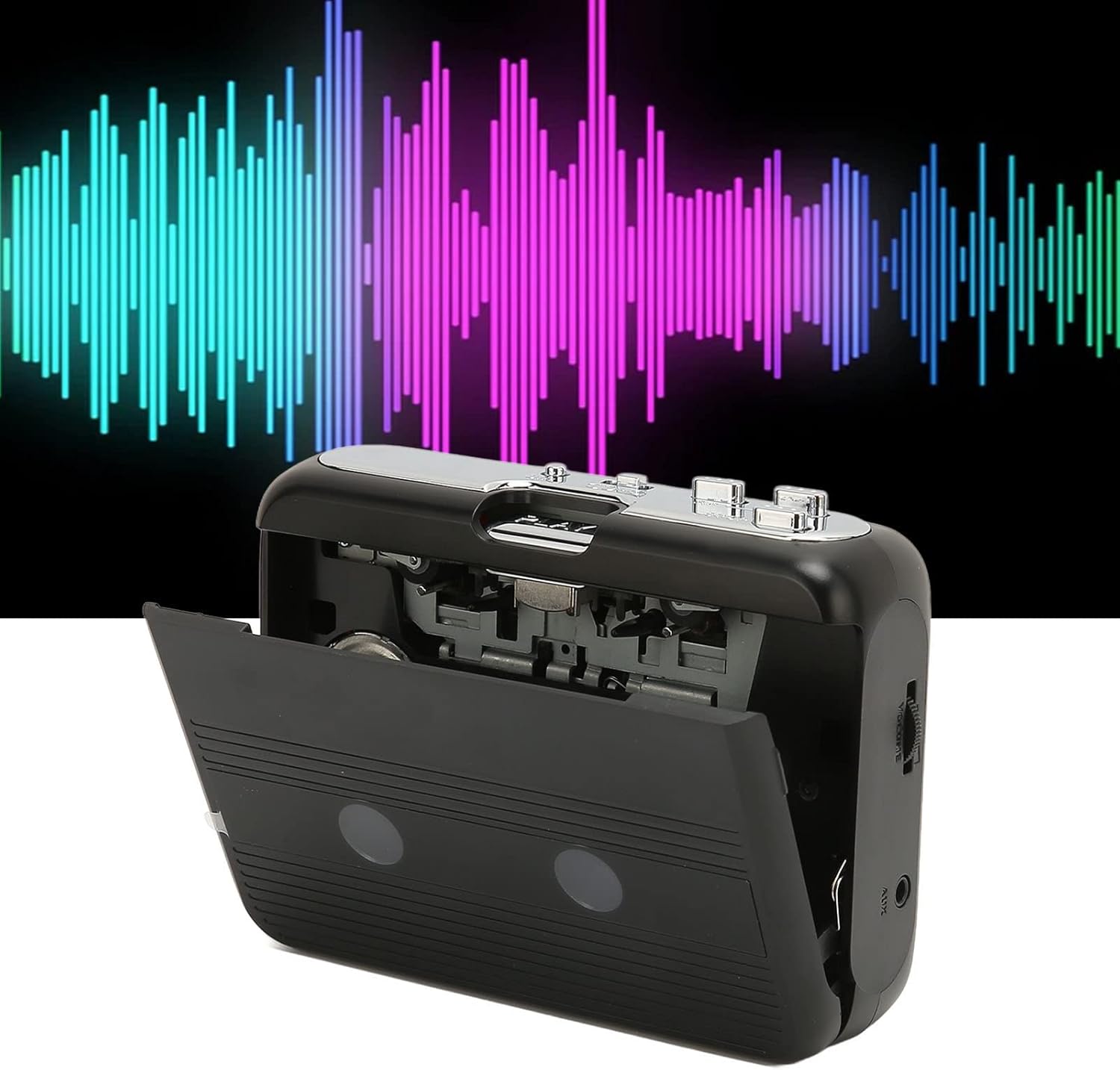
Фронт view of the Cuifati Portable Cassette Player with the cassette compartment door open, revealing the tape mechanism.
Фронт View (Жабык)
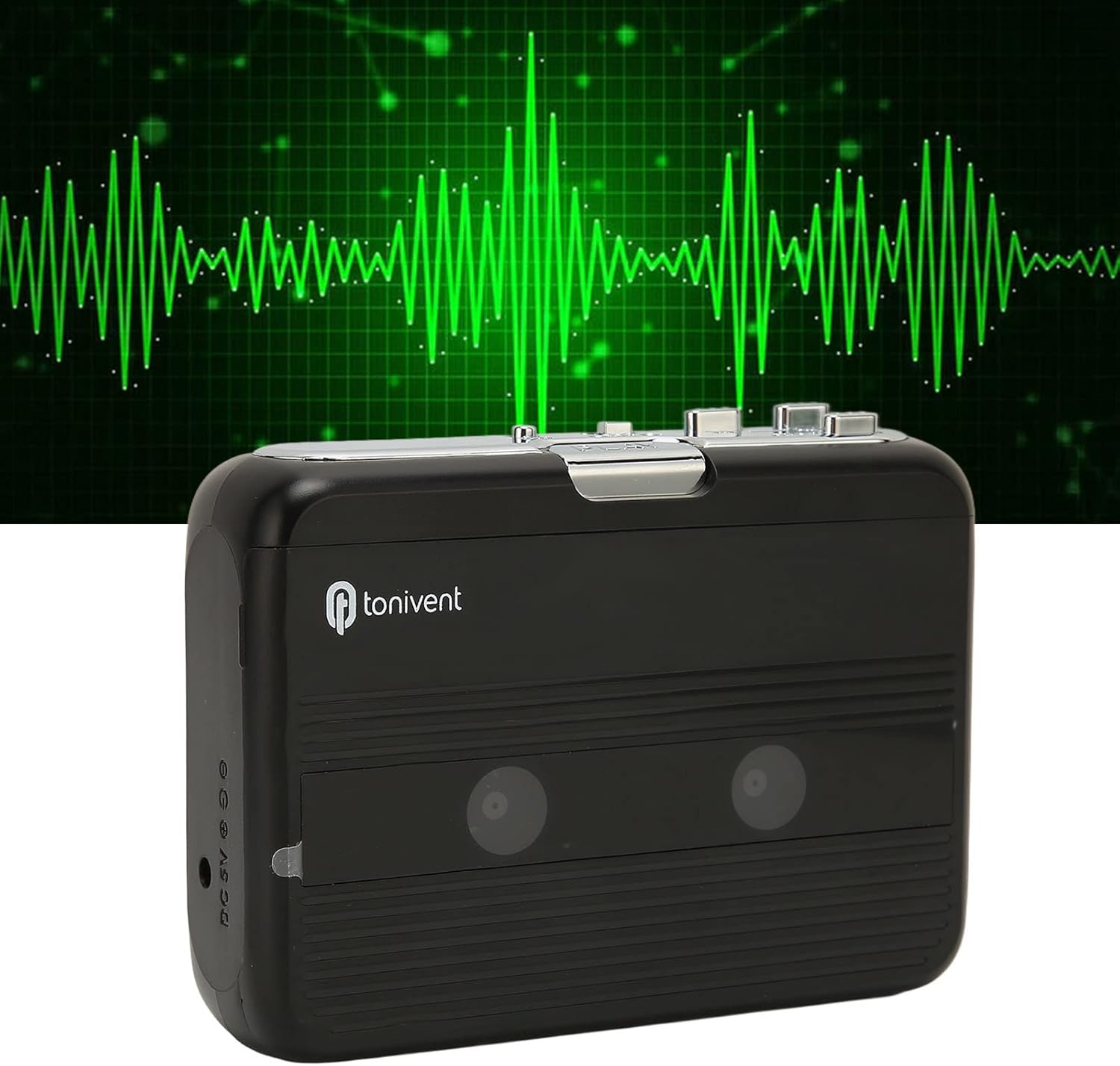
Фронт view of the Cuifati Portable Cassette Player with the cassette compartment door closed.
Cassette Mechanism

Жакын план view of the cassette player's internal mechanism, showing the tape heads and rollers.
Side View (Controls and Ports)

Side view of the cassette player, highlighting the volume control wheel and the AUX output port.
Негизги башкаруу элементтери:
- Ойнотуу баскычы: Кассетаны ойнотууну баштайт.
- Токтотуу баскычы: Ойнотууну токтотот.
- Fast Forward (FF) Button: Лента тез илгерилет.
- Rewind (REW) Button: Тасманы тез артка түрөт.
- Auto Reverse Button: Changes tape direction during playback.
- Үндү башкаруу дөңгөлөгү: Аудио чыгаруу деңгээлин тууралайт.
- FM/Tape Switch: Selects between FM radio and cassette playback mode.
- Headphone/AUX Output Jack: Кулакчындарды же тышкы аудио түзмөктөрдү туташтырат.
- DC 5V киргизүү: USB энергия менен камсыз кылуу үчүн.
Жайгашуу
Электр камсыздоо
The cassette player can be powered by two (2) AA batteries or via a USB power supply.
- Батарея орнотуу:
- Аппараттын арт жагында жайгашкан батарея бөлүкчөсүнүн капкагын ачыңыз.
- Бөлүмдүн ичинде көрсөтүлгөндөй туура полярдуулукту (+/-) камсыз кылып, эки АА батарейканы салыңыз.
- Батарея уясынын капкагын бекем жабыңыз.
- USB кубат туташуусу:
- Connect the small end of the included USB power cord to the DC 5V input port on the cassette player.
- Connect the standard USB end to a USB power adapter (not included) or a computer's USB port.
Кассета лентасын салуу
- Gently open the cassette compartment door.
- Insert a cassette tape with the exposed tape facing upwards and the side you wish to play facing the front.
- Кассета бөлүмүнүн эшигин бекем чыкылдаган үн чыкканга чейин жабыңыз.
Иштөө нускамалары
Кассеталарды ойнотуу
- Кассетанын туура салынганын текшериңиз.
- Set the FM/Tape switch to the "Tape" position.
- басыңыз Play ойнотууну баштоо үчүн баскыч.
- тууралаңыз Үндү башкаруу дөңгөлөгү каалаган угуу деңгээлиңизге чейин.
- Ойнотууну токтотуу үчүн, басыңыз Токто баскычы.
- Тез алдыга жылдыруу үчүн басыңыз FF баскычын басыңыз. Артка түрүү үчүн, REW баскычы. Басуу Токто to disengage.
Auto Reverse Function
The player features an auto-reverse function, allowing the tape to play in both directions without needing to manually flip the cassette.
- Ойнотуу учурунда басыңыз Auto Reverse button to switch the tape direction. The player will automatically reverse and continue playing the other side of the tape.
FM радиосун колдонуу
- Set the FM/Tape switch to the "FM" position.
- Use the tuning dial (if present, otherwise the FF/REW buttons might serve as tuning) to scan for FM radio stations.
- тууралаңыз Үндү башкаруу дөңгөлөгү каалаган угуу деңгээлиңизге чейин.
Using the Built-in Speaker
The device includes a built-in speaker for direct audio output. No special action is required; audio will play through the speaker unless headphones are connected.
Connecting Headphones or External Audio Devices
For private listening or connecting to external speakers, use the 3.5mm headphone/AUX output jack.
- Plug the included headphones or your own 3.5mm audio cable into the Headphone/AUX Output Jack.
- When headphones are connected, audio will automatically switch from the built-in speaker to the headphones.

A person listening to music with headphones, illustrating the headphone usage.
Техникалык тейлөө
Proper care ensures the longevity and optimal performance of your cassette player.
- Тазалоо: Аппараттын сыртын тазалоо үчүн жумшак, кургак чүпүрөктү колдонуңуз. Суюк тазалагычтарды же абразивдүү материалдарды колдонбоңуз.
- Тасма баштары: Periodically clean the tape heads with a specialized cassette head cleaner to maintain sound quality.
- Сактагыч: Узак мөөнөткө колдонулбаганда, батарейкалардын агып кетпеши үчүн алып салыңыз. Аппаратты түз күн нурунан жана экстремалдык температурадан алыс салкын, кургак жерде сактаңыз.
- Чаңдан качуу: Keep the cassette compartment closed when not in use to prevent dust accumulation.
Проблемаларды чечүү
If you encounter issues with your cassette player, refer to the following common problems and solutions:
| Көйгөй | Мүмкүн себеп | Чечим |
|---|---|---|
| Күч жок | Dead batteries; USB cable not connected; faulty power source. | Replace batteries; ensure USB cable is securely connected to a working power source. |
| No sound from speaker/headphones | Volume too low; headphones not fully plugged in; FM/Tape switch in wrong position; dirty tape heads. | Increase volume; ensure headphones are fully inserted; set switch to correct mode (Tape/FM); clean tape heads. |
| Poor sound quality (cassette) | Dirty tape heads; worn-out tape; incorrect tape insertion. | Clean tape heads; try a different tape; re-insert tape correctly. |
| FM радиосу статикалык/начар кабыл алуу | Алсыз сигнал; тоскоолдук. | Relocate the player to an area with better reception; try adjusting the player's orientation. |
| Тасма ойнобойт/кыймылдабайт | Tape jammed; mechanism issue; tape not inserted correctly. | Check for tape jams; ensure tape is inserted correctly; if issue persists, contact support. |
Техникалык шарттар
| Өзгөчөлүк | Деталь |
|---|---|
| Бренд | Cuifati |
| Модель номери | Cuifatibi73wk0z4p |
| ASIN | B0CDD42V9J |
| Электр камсыздоо | 2 x AA Batteries or USB DC 5V |
| Функциялар | Cassette Playback, Auto Reverse, FM Radio, Built-in Speaker, Headphone Output |
| Аудио чыгаруу | 3.5mm Headphone/AUX Jack |
| Элемент Салмагы | 10.3 унция |
Маанилүү коопсуздук маалыматы
- Аппаратты сууга, нымдуулукка же экстремалдык температурага тийгизбеңиз.
- Аппаратты түшүрүүдөн же катуу таасирлерден сактаныңыз.
- Аппаратты өз алдынча бөлүүгө же оңдоого аракет кылбаңыз. Бардык тейлөөлөрдү квалификациялуу кызматкерлерге тапшырыңыз.
- Батареяларды жергиликтүү эрежелерге ылайык таштаңыз.
- Үндүн катуу деңгээлинде узакка созулган угуу угуунун бузулушуна алып келиши мүмкүн. Үндү коопсуз деңгээлге тууралаңыз.
Кепилдик жана колдоо
Кепилдик маалыматы же техникалык колдоо үчүн, сатып алуу учурунда берилген документтерди караңыз же сатуучуга кайрылыңыз. Сатып алганыңыздын далили катары сатып алуу дүмүрчөгүңүздү сактаңыз.