
1. Продукт бүтүп калдыview
The Cuddeback Sun&Shade Solar Power Bank PW003 is designed to provide continuous power to your CuddeLink and Tracks trail cameras. This unit features high-efficiency polycrystalline solar panels and a built-in NiMH battery, ensuring reliable operation in various outdoor conditions.
The system is engineered for durability and performance, allowing your cameras to run indefinitely without frequent battery changes. It is compatible with all CuddeLink and Tracks camera models.

Сүрөт 1.1: Алдыңкы view of the Cuddeback Sun&Shade Solar Power Bank PW003. This image shows the solar panel array designed to capture sunlight for charging.
2. Пакеттин мазмуну
Сиздин пакетте бардык компоненттер бар экенин текшериңиз:
- Cuddeback Sun&Shade Solar Power Bank (PW003)
- Кошумча кабель
- Genius Mount Bracket
- Монтаждоо боосу
3. Орнотуу нускамалары
Follow these steps to set up your Cuddeback Sun&Shade Solar Power Bank:
- Монтаждоо ордун тандаңыз: Select a location that provides adequate sunlight exposure for the solar panel. The Sun&Shade panel is designed to charge in both direct sun and shaded conditions, making it suitable for woodland setups.
- Attach the Genius Mount: Secure the Genius Mount bracket to the back of the solar power bank.
- Күн панелин орнотуу: Use the provided mounting strap to attach the solar panel to a tree or post. Ensure the panel is stable and positioned to maximize light exposure throughout the day.
- Камерага туташуу: Connect the provided connecting cable from the solar power bank to your CuddeLink or Tracks camera. Ensure the connection is secure.

Image 3.1: Solar panel mounted on a tree, demonstrating a typical installation.

Image 3.2: A person installing the solar panel, illustrating the mounting process.
4. Иштөө нускамалары
The Cuddeback Sun&Shade Solar Power Bank operates automatically once connected to your camera and exposed to light.
- Автоматтык заряддоо: The polycrystalline solar panel charges the internal NiMH batteries when exposed to sunlight or even in shaded conditions.
- Кубат жеткирүү: The charged internal batteries provide continuous power to your connected CuddeLink or Tracks camera.
- Fail-Safe Backup: If the solar panel's internal battery depletes due to prolonged low light conditions, your camera will automatically switch to its own internal battery power. Once sufficient light returns and the solar panel recharges, the camera will resume drawing power from the solar bank. No manual reset is required.
- Статус көрсөткүчтөрү: The solar power bank features built-in LED lights to indicate its battery status and charging activity. Refer to the back of the unit for these indicators.
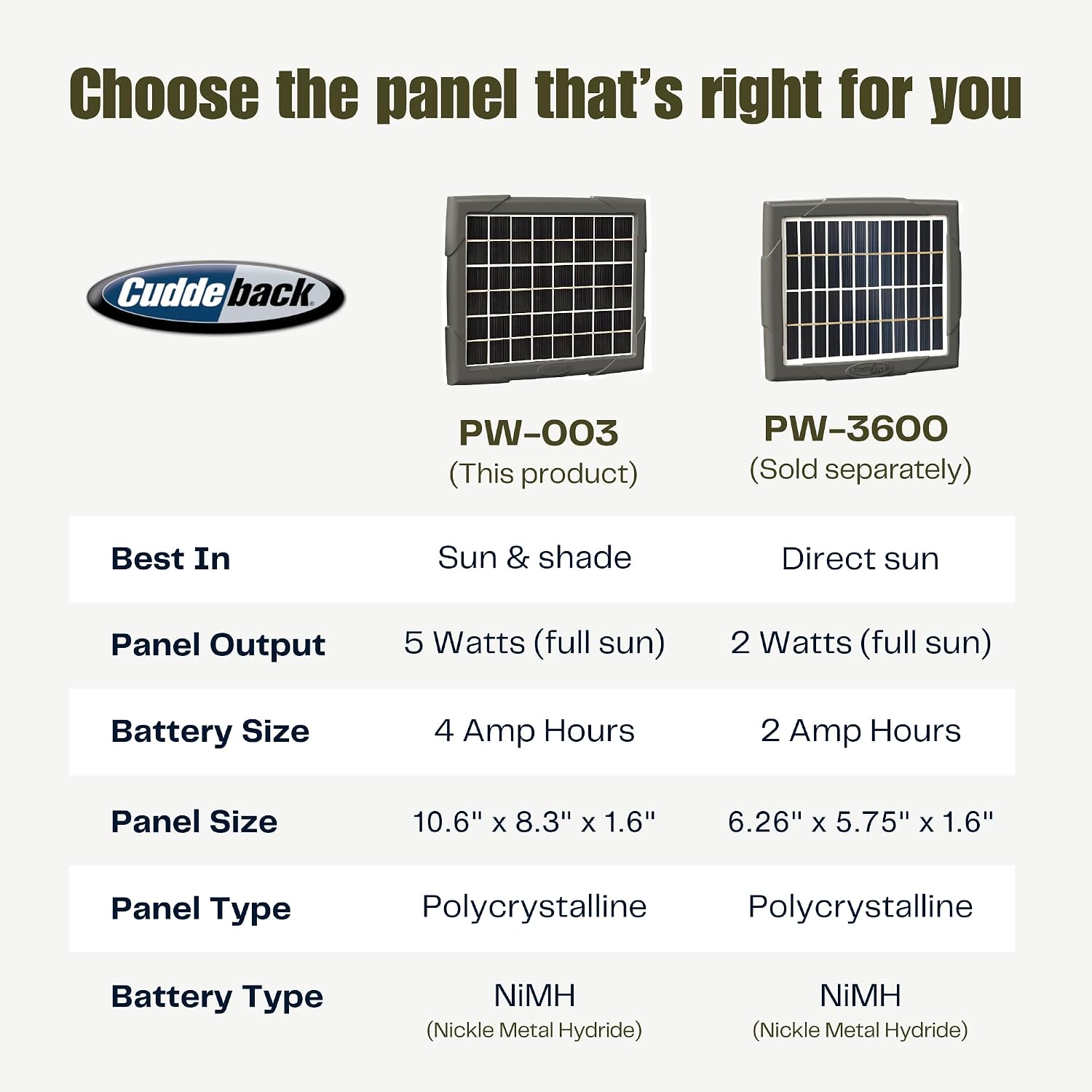
Сүрөт 4.1: Арткы view of the solar panel showing the LED indicators for battery status and charging.
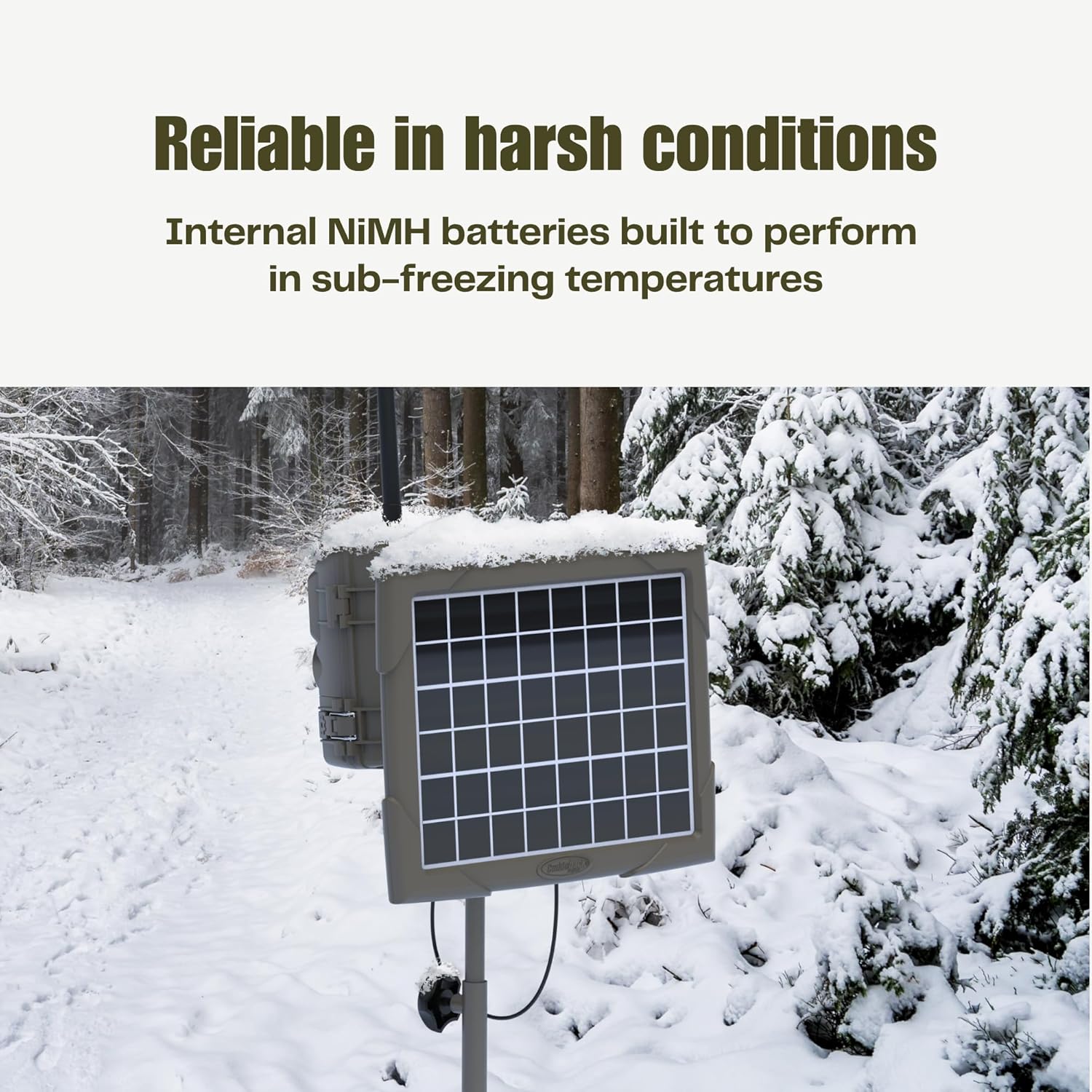
Image 4.2: The solar panel operating in snowy conditions, demonstrating its reliability in harsh environments.

Image 4.3: The solar panel shown with various CuddeLink and Tracks cameras, highlighting compatibility.
5. Техникалык тейлөө
To ensure optimal performance and longevity of your solar power bank, consider the following maintenance tips:
- Панелди таза кармоо: Periodically inspect and clean the surface of the solar panel to remove dirt, dust, leaves, or snow that may obstruct sunlight. Use a soft, damp тазалоо үчүн кездеме.
- Байланыштарды текшерүү: Regularly verify that the connecting cable between the solar panel and your camera is secure and free from damage.
- Монтаждоону текшерүү: Ensure the mounting strap and bracket remain firmly attached to prevent the panel from shifting or falling.
6. Кыйынчылыктарды
If your camera is not receiving power from the solar bank, consider these troubleshooting steps:
- Күн нурунун таасирин текшерүү: Ensure the solar panel is receiving adequate light. Even in shaded areas, some light is necessary for charging.
- Кабель туташуусун текшерүү: Confirm that the power cable is securely connected to both the solar panel and the camera.
- Inspect Panel Cleanliness: Clean the solar panel surface if it is obstructed by dirt, debris, or snow.
- Монитор LED көрсөткүчтөрү: Observe the LED status lights on the back of the panel. If the 'Low' indicator is on, the internal battery may need more time to charge.
- Camera's Internal Battery: Remember that the camera will switch to its internal battery if the solar bank's charge is too low. This is normal operation.
7. Техникалык шарттар
| Өзгөчөлүк | Деталь |
|---|---|
| Бренд | Cuddeback |
| Модель номери | PW-003 |
| Батарея сыйымдуулугу | 4000 мАч |
| Батарея клеткасынын түрү | NiMH |
| Power Source | Күн |
| Тtage | 12 вольт |
| Panel Output | 5 Watts (full sun) |
| Панелдин өлчөмдөрү | 10.6" x 8.3" x 1.6" |
| Шайкеш түзмөктөр | CuddeLink and Tracks Cameras |
| Элемент Салмагы | 7.5 фунт |
| UPC | 196271916604 |
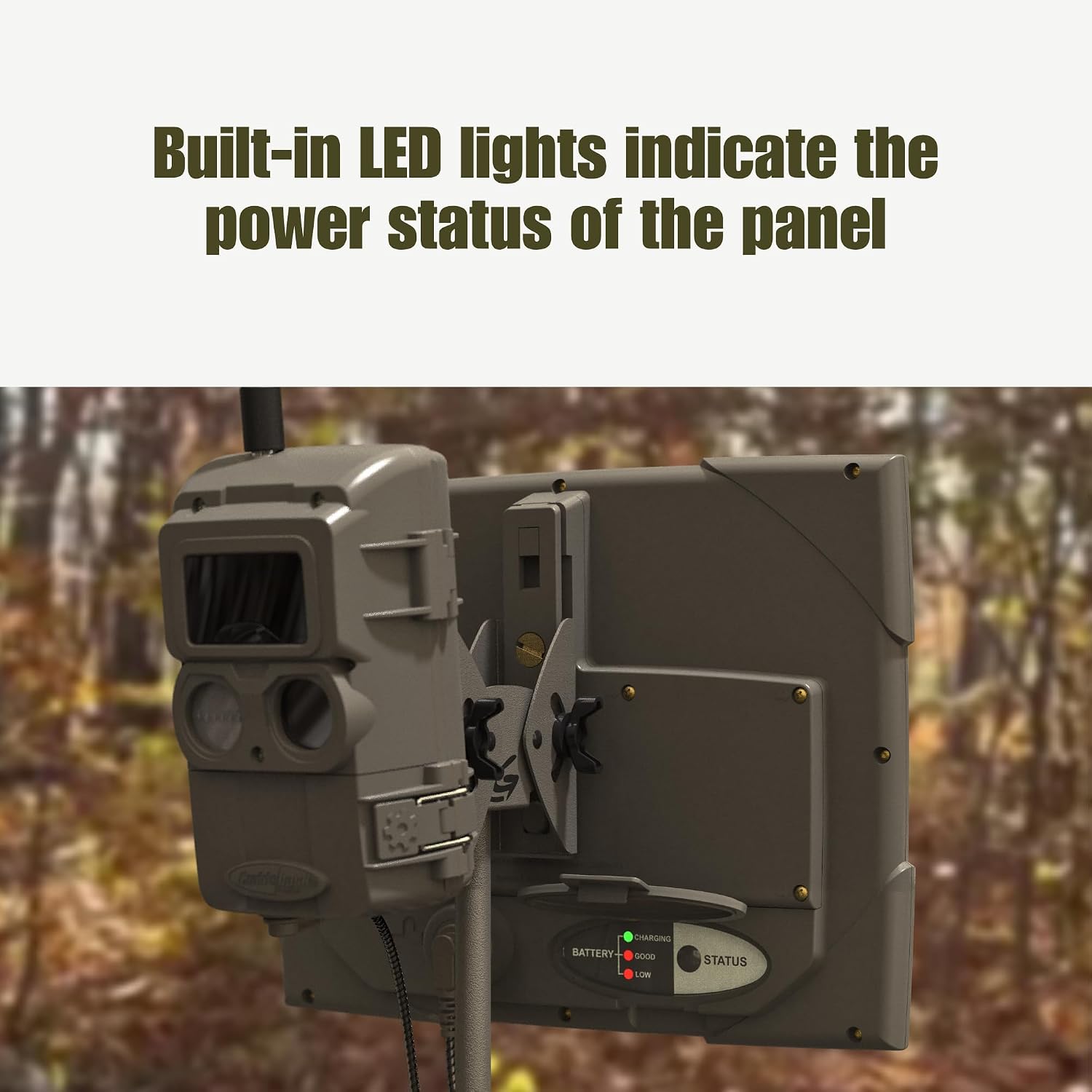
Image 7.1: Comparison table detailing specifications for PW-003 and PW-3600 solar panels.
8. Кепилдик жана колдоо
For warranty information or technical support, please refer to the official Cuddeback webсайтка же түздөн-түз кардарларды тейлөөгө кайрылыңыз. Кепилдик дооматтар үчүн сатып алуу дүмүрчөгүңүздү сактаңыз.


