
Introduction
Thank you for choosing the iKF Y3 Wired Retro Headphones. This manual provides essential information for setting up, operating, maintaining, and troubleshooting your headphones. Please read it thoroughly to ensure optimal performance and longevity of your device.

Image: The iKF Y3 Retro Wired Headphones, showcasing their vintagэлектрондук рухтун жетеги менен дизайн.
Продукт бүттүview
Негизги өзгөчөлүктөрү
- Ретро дизайн: Metal steel bars create a vintagэлектрондук рухтун жетеги менен эстетикалык.
- Жеңил жана ыңгайлуу: Weighing approximately 50g, with breathable, dense sponge ear pads for extended wear.
- HiFi үн сапаты: Equipped with 30mm white magnetic speakers for clear, dual-channel stereo audio.
- Ийкемдүү жана ыңгайлуу: Features a retractable body and manually adjustable earcups for a personalized fit.
- Жогорку шайкештик: Connects to devices with a standard 3.5mm audio jack, including phones, tablets, and computers.
Пакеттин мазмуну
Пакетте бардык буюмдар бар экенин текшериңиз:
- 1 x iKF Y3 Wired Headphones
- 1 x User Manual
- 2 x Pairs of Replacement Ear Pads (1 Black, 1 Orange)

Image: The iKF Y3 headphones, user manual, and two pairs of ear pads (black and orange) included in the package.
Жайгашуу
1. Баш боосун тууралоо
Gently extend or retract the metal steel bars of the headband to fit your head comfortably. The earcups can also be manually adjusted for optimal positioning over your ears.

Image: The iKF Y3 headphones demonstrating the ergonomic headband design for a pressure-free fit.
2. Түзмөккө туташуу
Locate the 3.5mm audio jack on your device (phone, tablet, laptop, PC). Insert the 3.5mm plug of the iKF Y3 headphones firmly into the audio jack. No additional drivers or software are required for basic audio playback.
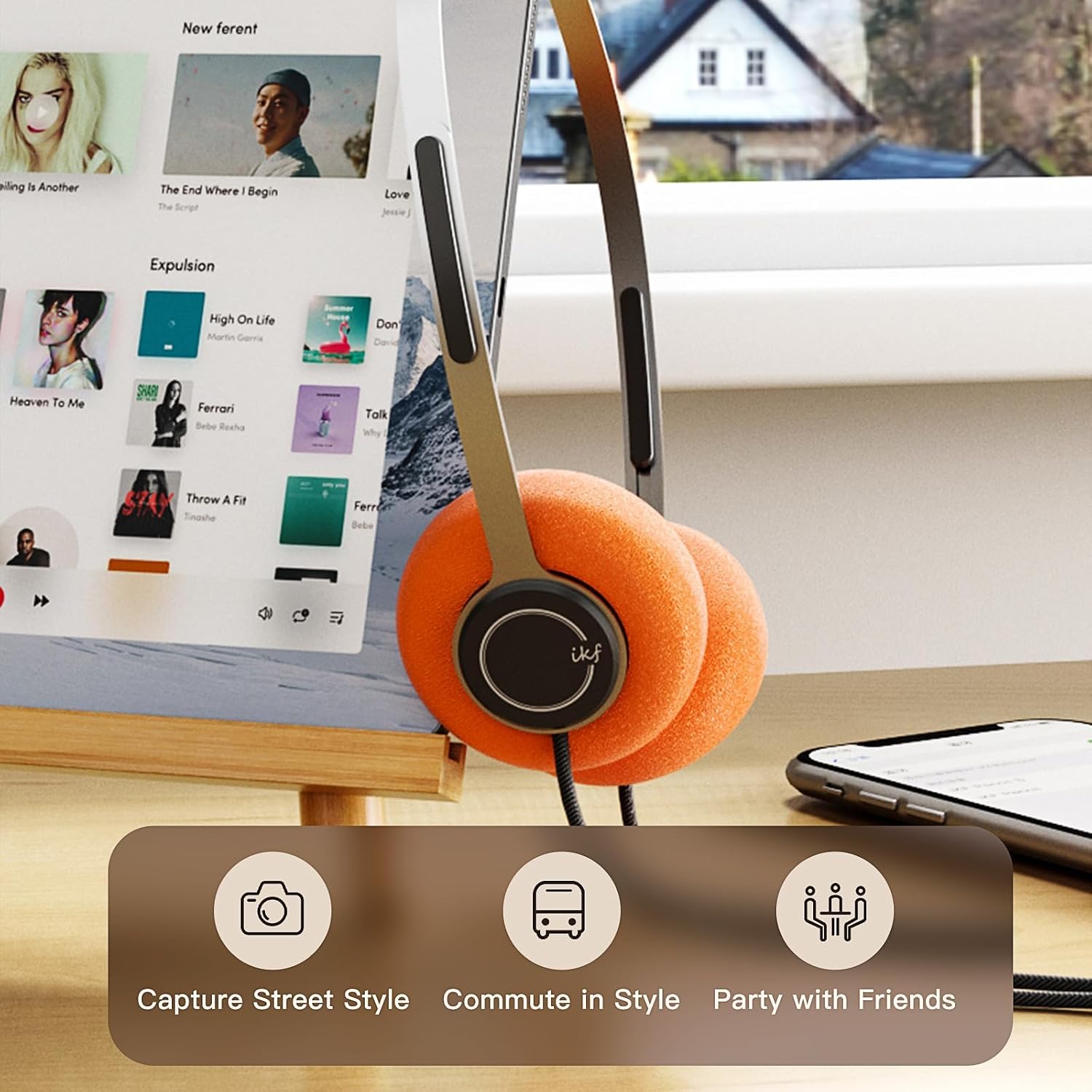
Image: iKF Y3 headphones connected to a tablet, illustrating compatibility with various devices for music and communication.
Иштөө нускамалары
Үндү көзөмөлдөө
The iKF Y3 headphones feature an inline controller on the cable for convenient volume adjustment:
- Көлөмүн жогорулатуу: Slide the volume button upwards.
- Көлөмдү азайтуу: Slide the volume button downwards.
Note: The volume level on your connected device (phone, tablet, PC) will also affect the overall sound output. Adjust both for your preferred listening level.
Call and Media Control
The inline controller also allows for basic call and media management:
- Play/Pause Music / Answer/End Call: Single click the central button.
- Чакырууну четке кагуу: Long press the central button.
- Кийинки трек: Double click the central button.
- Мурунку трек: Triple click the central button.

Image: Close-up of the inline controller on the headphone cable, showing the volume slider and multi-function button for media and call control.
Техникалык тейлөө
Тазалоо
- Use a soft, dry cloth to wipe the headphones.
- For ear pads, gently wipe with a slightly damp кездемеге ороп, колдонуудан мурун толугу менен кургатыңыз.
- Катуу химиялык заттарды, эриткичтерди же абразивдүү тазалагычтарды колдонуудан алыс болуңуз.
Наушниктерди алмаштыруу
The iKF Y3 headphones come with detachable sponge ear cushions, allowing for easy replacement:
- Gently pull off the existing ear pad from the earcup.
- Align the new ear pad with the earcup and carefully stretch it over the edge until it is securely fitted.

Image: Illustration of the detachable sponge ear cushions, highlighting the ease of switching between different styles (black and orange).
Сактагыч
Store your headphones in a cool, dry place away from direct sunlight and extreme temperatures. Avoid tangling the cable to prevent damage.
Проблемаларды чечүү
| Көйгөй | Мүмкүн себеп | Чечим |
|---|---|---|
| Үн жок | Headphone plug not fully inserted. Device volume too low. Incorrect audio output selected on device. | Ensure 3.5mm plug is fully inserted. Increase volume on both headphones and connected device. Check device audio settings to ensure headphones are selected as output. |
| Үн бурмаланган же түшүнүксүз | Volume too high. Damaged cable or connector. | Lower the volume. Inspect the cable and 3.5mm plug for any visible damage. Try with another device to isolate the issue. |
| Микрофон иштебей жатат | Microphone input not selected on device. | Check your device's audio input settings and ensure the headphone microphone is selected. |
Техникалык шарттар

Сүрөт: жарылган view of the iKF Y3 headphone's internal components, highlighting the 30mm neodymium driver for crystal clear sound.
| Өзгөчөлүк | Деталь |
|---|---|
| Бренд | iKF |
| Модель аты | iKF Y3 |
| Түс | Күрөң |
| Байланыш технологиясы | Зымдуу |
| Наушник уясы | 3.5 мм Джек |
| Кулак жайгаштыруу | On-Ear |
| Импеданс | 32 Ом |
| Звукоизоляция | Үн изоляциясы |
| Аудио драйвер түрү | Динамикалык |
| Аудио драйверинин өлчөмү | 30 миллиметр |
| Жыштык диапазону | 20 Гцден 20,000 Гцге чейин |
| Продукт Салмагы | Болжол менен 50г |
| Шайкеш түзмөктөр | Computer, Laptop, Mobile Phone |
| Продукт өзгөчөлүктөрү | Adjustable Headband, Retro Design, Lightweight, HiFi Sound Quality |
| Башкаруу түрү | Media Control (Inline Controller) |
| Келип чыккан өлкө | Кытай |
Кепилдик жана колдоо
For warranty information and customer support, please refer to the documentation provided with your purchase or contact iKF customer service through their official webсайт. Кепилдик дооматтар үчүн сатып алганыңыздын далилин сактаңыз.