
1. Киришүү
This manual provides detailed instructions for the setup, operation, and maintenance of your ENUOSUMA S05 Fitness Tracker Watch. Please read this manual thoroughly before using the device to ensure proper function and to maximize your user experience.
2. Коопсуздук маалыматы
- Жаңы көнүгүү программасын баштоодон мурун же мурдатан ден соолугуңуз менен байланышкан көйгөйлөр болсо, дарыгериңиз менен кеңешиңиз.
- This device is not a medical device and is not intended for use in the diagnosis, treatment, or prevention of any disease. All health data is for reference only.
- Аппаратты экстремалдык температурадан, тике күн нурларынан жана жегич суюктуктардан алыс кармаңыз.
- Түзмөктү өз алдынча бөлүктөргө бөлүүгө же оңдоого аракет кылбаңыз. Бул кепилдикти жокко чыгарат.
- Ensure the charging contacts are clean and dry before charging to prevent corrosion or damage.
3. Пакеттин мазмуну
Сураныч, пакетте төмөнкү нерселерди текшериңиз:
- ENUOSUMA S05 Fitness Tracker Watch (1 unit)
- Кубаттоочу кабель (1 даана)
- Колдонуучунун колдонмосу (1 бирдик)
4. Орнотуу
4.1 Аппаратты заряддоо
Before first use, fully charge your ENUOSUMA S05 Fitness Tracker Watch. Connect the charging cable to the charging contacts on the back of the watch and plug the USB end into a standard USB power adapter (5V/1A recommended) or a computer USB port. A full charge typically takes approximately 2.5 hours.
4.2 Колдонмону орнотуу жана жупташтыруу
- Download the DaFit App: Scan the QR code in the manual (if provided) or search for 'DaFit' in the Apple App Store (for iOS) or Google Play Store (for Android).
- Орнотуу жана ачуу: Install the app on your smartphone and open it.
- Bluetooth иштетүү: Смартфонуңузда Bluetooth иштетилгенин текшериңиз.
- Түзмөктү жупташтыруу: In the DaFit app, navigate to the 'Device' section and tap 'Add Device'. Select 'S05' from the list of available devices. Follow the on-screen prompts to complete the pairing process.
- Уруксаттарды берүү: Allow the app necessary permissions (e.g., notifications, location) for full functionality.
4.3 Баштапкы орнотуулар
After successful pairing, set up your personal profile within the DaFit app, including gender, age, height, and weight. This information helps improve the accuracy of activity and health data.
5. Аппаратты иштетүү
5.1 Негизги навигация
- Сенсордук экран: Swipe left/right to navigate between main functions. Swipe up/down to view эскертмелер же тез орнотуулар.
- Каптал баскычы: Press to wake the screen, return to the main watch face, or long-press to power on/off.
5.2 Ден соолуктун мониторинги
The ENUOSUMA S05 provides comprehensive health monitoring features. Ensure the watch is worn snugly on your wrist for accurate readings.

Image: Advanced Health Monitoring features on the ENUOSUMA S05 Fitness Tracker Watch, displaying charts for Heart Rate, Blood Pressure, Blood Oxygen, and Sleep Tracking.
- Жүрөктүн кагышын көзөмөлдөө: The watch continuously monitors your heart rate 24/7. View real-time data on the watch or detailed trends in the DaFit app.
- Кандагы кычкылтектин (SpO2) мониторинги: Measure your blood oxygen saturation levels. Access this function from the watch menu.
- Кан басымынын мониторинги: Monitor your blood pressure. This feature is for reference and not for medical diagnosis.
- Уйкуга көз салуу: The watch automatically tracks your sleep patterns, including deep sleep, light sleep, and awake times. Review your sleep quality analysis in the DaFit app.

Image: The ENUOSUMA S05 Fitness Tracker Watch displaying scientific sleep analysis, showing durations for deep sleep and light sleep.
5.3 Активдүүлүккө көз салуу
Track your daily activities and workouts with the ENUOSUMA S05.

Image: A man running outdoors, illustrating the all-day activity tracking capabilities of the ENUOSUMA S05 Fitness Tracker Watch, with data for step count, distance, calories, and heart rate.
- Күнүмдүк аракет: The watch records steps, distance, and calories burned throughout the day.
- Спорт режимдери: Choose from 8 built-in sport modes to track specific activities. These modes provide real-time data relevant to your chosen exercise.
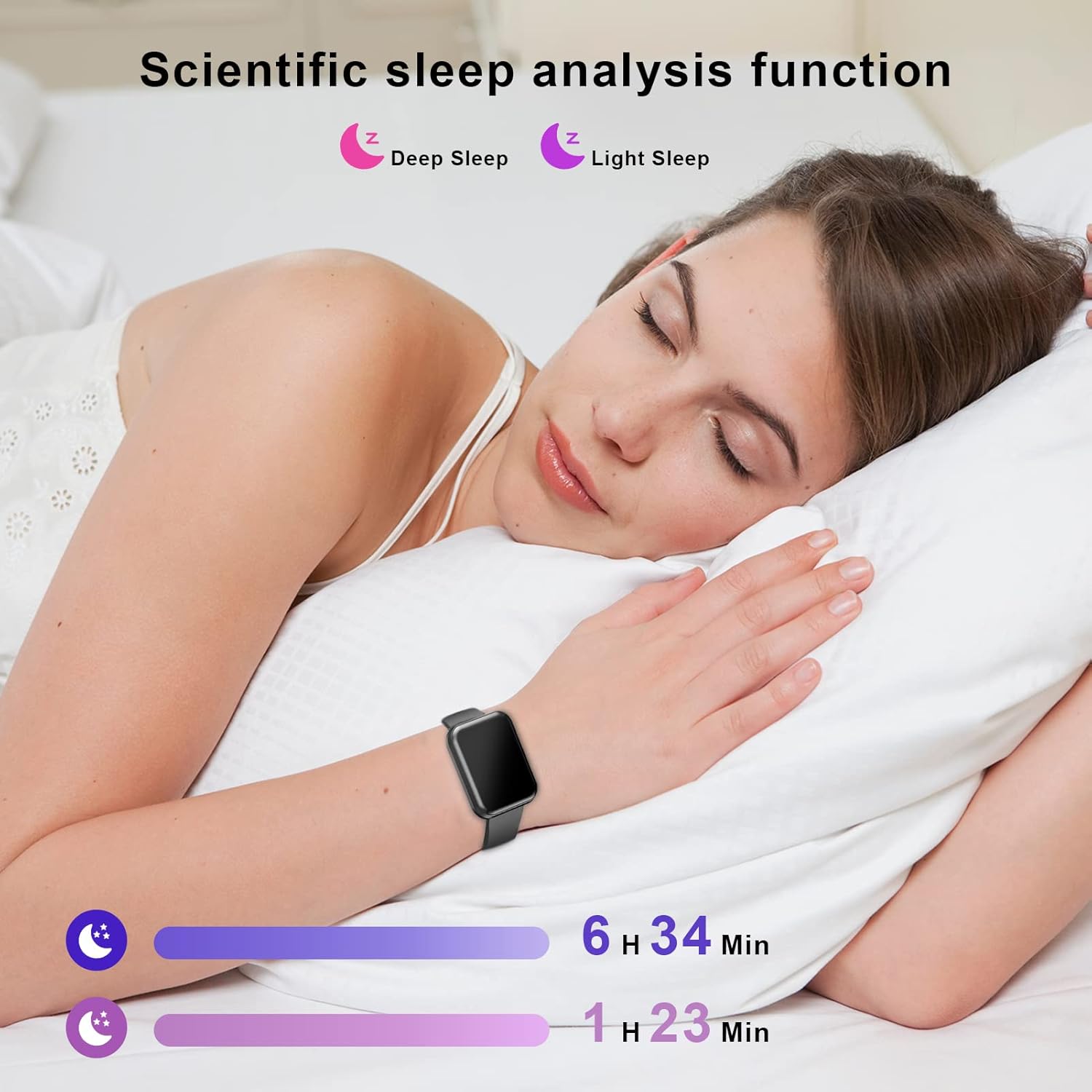
Image: A collage depicting various sports activities such as running, cycling, and racket sports, illustrating the 8 sport modes offered by the ENUOSUMA S05 Fitness Tracker Watch.
5.4 Акылдуу функциялар
Connect your ENUOSUMA S05 to your smartphone for enhanced smart features.

Image: A woman working on a laptop, with social media application icons displayed, symbolizing the smart notification capabilities of the ENUOSUMA S05 Fitness Tracker Watch.
- Эскертмелер: Receive call, SMS, and app notifications (WhatsApp, Facebook, Messenger, Instagram, etc.) directly on your watch.
- Музыкалык башкаруу: Саатыңыздан смартфонуңуздагы музыканы ойнотууну башкарыңыз (ойнотуу, тындыруу, тректерди өткөрүп жиберүү).
- Камераны башкаруу: Саатыңызды смартфонуңуздун камерасы үчүн алыстан башкаруучу жапкыч катары колдонуңуз.
- Аба ырайы дисплей: View учурдагы аба ырайы жана божомолдор.
- Ойготкуч саат: Ойготкучтарды түздөн-түз саатка же колдонмо аркылуу орнотуңуз.
- Секундомер: Utilize the built-in stopwatch function for timing activities.
- Отуруучу эстеткич: Receive alerts to remind you to move after periods of inactivity.
- Жарыктыкты жөндөө: Adjust the screen brightness for optimal visibility.

Сүрөт: Коллаж көрсөтүүasing various practical functions of the ENUOSUMA S05 Fitness Tracker Watch, such as Stopwatch, Sedentary Reminder, Weather, Camera Control, Music Control, and Brightness Adjustment.
6. Техникалык тейлөө
6.1 Тазалоо
Саатыңызды жана боону жумшак менен дайыма тазалап туруңуз, damp cloth. Avoid using harsh chemicals or abrasive materials. Ensure the watch is dry before charging.
6.2 Сууга туруктуулук (IPX68)
The ENUOSUMA S05 is IPX68 waterproof, meaning it is resistant to dust and can withstand immersion in water up to 1.5 meters for up to 30 minutes. It is suitable for daily use, hand washing, and light rain. However, it is not recommended for hot showers, saunas, or diving, as steam and high water pressure can damage the device.
6.3 Батареяга кам көрүү
- Батареянын иштөө мөөнөтүн узартуу үчүн, бат-баттан батарейканы толук зарядсыздандырбаңыз.
- Эгерде түзмөк көпкө колдонулбаса, аны салкын, кургак жерде сактаңыз.
- Берилген заряддоо кабелин гана колдонуңуз.
7. Кыйынчылыктарды
- Күйгүзүлбөй жаткан саат: Саат толук заряддалганын текшериңиз. Аны заряддагычка кеминде 10 мүнөт туташтырыңыз.
- Телефон менен жупташтыруу мүмкүн эмес:
- Телефонуңузда Bluetooth иштетилгенин текшериңиз.
- Саат Bluetooth диапазонунда (адатта 10 метр) экенин текшериңиз.
- Телефонуңузду да, саатыңызды да өчүрүп күйгүзүңүз.
- Түзмөктү DaFit колдонмосу аркылуу ажыратып, кайра жупташтырып көрүңүз.
- Туура эмес ден соолук маалыматтары: Саат өтө тар же өтө бош эмес, билегиңизге бекем тагылганын текшериңиз. Сааттын артындагы сенсорду тазалаңыз.
- Билдирмелер алынган жок:
- Check if notifications are enabled in the DaFit app for specific applications.
- Ensure your phone's notification settings allow the DaFit app to send alerts.
- Keep the DaFit app running in the background.
8. Техникалык шарттар
| Бренд | ENUOSUMA |
| Модел | S05 |
| Дисплей өлчөмү | 1.39 дюйм |
| Операция системасы | Android Wear (Compatible with Android 5.0+ and iOS 9.0+) |
| Байланыш технологиясы | Bluetooth 4.0, Wi-Fi |
| Батарея сыйымдуулугу | 179.99 Amp Саат (Литий Полимер) |
| Батареянын иштөө мөөнөтү | Up to 7 days (regular use), 35 days (standby) |
| Заряддоо убактысы | Болжол менен 2.5 саат |
| Суу каршылык | IPX68 |
| Өзгөчөлүктөр | Heart Rate Monitor, Blood Pressure Monitor, Blood Oxygen Monitor, Sleep Monitor, Activity Tracker, Sedentary Reminder, Notifications, Music Control, Camera Control, Weather, Alarm, Stopwatch, Brightness Adjustment |
9. Кепилдик жана колдоо
Кепилдик жөнүндө маалымат жана кардарларды колдоо кызматы үчүн, сатып алууңузга тиркелген документтерди караңыз же сатуучуга кайрылыңыз. Кепилдик боюнча дооматтар үчүн сатып алууну тастыктаган документти сактап коюңуз.