
1. Киришүү
This manual provides detailed instructions for the installation, operation, and maintenance of your TAFFIO 9-inch Touch Android Head Unit. This unit is designed for specific compatibility with Mazda CX-7 vehicles manufactured between 2007 and 2014. Please read this manual thoroughly before use to ensure proper functionality and to maximize your experience with the device.
Key features include an intuitive user interface, FULL HD resolution capacitive multi-touch screen, FM/AM radio with RDS, USB/SD/SDHC media playback, Bluetooth hands-free calling and A2DP music streaming, 2-Zone function, Auto-Memory, Back-Zone function, day and night display, Play Store access for Android apps, customizable EQ settings, rear camera connection, multiple audio/video inputs/outputs, integrated CarPlay & Android Auto, and built-in WiFi.
2. Пакеттин мазмуну
Төмөндө тизмеленген нерселердин баары пакетиңизде бар экенин текшериңиз. Эгерде кандайдыр бир нерселер жок болсо же бузулса, кардарларды колдоо менен байланышыңыз.

2.1-сүрөт: Камтылган компоненттер
- TAFFIO 9-inch Android Head Unit with Frame
- Power Cable with CAN-BUS Decoder
- USB Cables (for data and charging)
- GPS антеннасы
- 4G Антенна
- RCA Cables (Audio/Video input/output)
- Радио антенна адаптери
- Арткы камера киргизүү кабели
- Тышкы микрофон
- Орнотуу боюнча колдонмо
- Кыйынчылыктарды табуу боюнча колдонмо
- Frame Removal Tool
- Монтаждоо бурамалар
3. Орнотуу жана орнотуу
The TAFFIO head unit features a Plug & Play installation design, minimizing the need for additional adapters or mounting frames. However, professional installation is recommended to ensure correct wiring and vehicle integration.
3.1 Алдын ала орнотуу текшерүү тизмеси
- Унаанын от алдыруу өчүрүлгөнүн жана батареянын ажыратылганын текшериңиз.
- Gather all necessary tools, including the provided frame removal tool.
- Review the vehicle's specific wiring diagram for your Mazda CX-7 (2007-2014).
3.2 Агрегатты туташтыруу
Connect the various cables to the back of the head unit as shown in the diagram below. Ensure all connections are secure before mounting the unit.

Сүрөт 3.1: Арткы панелдик байланыштар
- GPS антеннасы: Навигация функциясы үчүн GPS антеннасын туташтырыңыз.
- 4G антенна: Connect the 4G antenna for mobile data connectivity (if applicable).
- Rear CAM IN: Connect your backup camera here. If using an original rear camera, connect with No. 3.
- USB порттору: Медиа ойнотуу же маалыматтарды өткөрүү үчүн USB түзмөктөрүн туташтырыңыз.
- CAN-BUS Connector: Connect the vehicle's CAN-BUS system for steering wheel controls and other vehicle data integration.
- RCA Plugs & SIM Slot: Connect RCA cables for audio/video input/output and insert a SIM card if 4G functionality is desired.
- Радио антенна: Унаанын радио антеннасын туташтырыңыз.
- Video IN (Optional): For additional video input sources.
- Microphone IN (Optional): For an external microphone.
- Subwoofer (Optional): Тышкы сабвуферди туташтыруу үчүн.
- Video IN 2 (Optional): Second optional video input.
- AUX IN: Көмөкчү аудио киргизүү.
- Audio Output L/R: Сол жана Оң аудио чыгуулары.
After connecting all necessary cables, carefully mount the head unit into the dashboard opening, securing it with the provided fixing brackets and screws. Reconnect the vehicle battery and test the unit.
4. Иштөө нускамалары
The TAFFIO head unit runs on Android 12, offering a familiar and intuitive interface. Navigate using the capacitive multi-touch screen or the physical buttons on the unit.
4.1 Негизги интерфейс
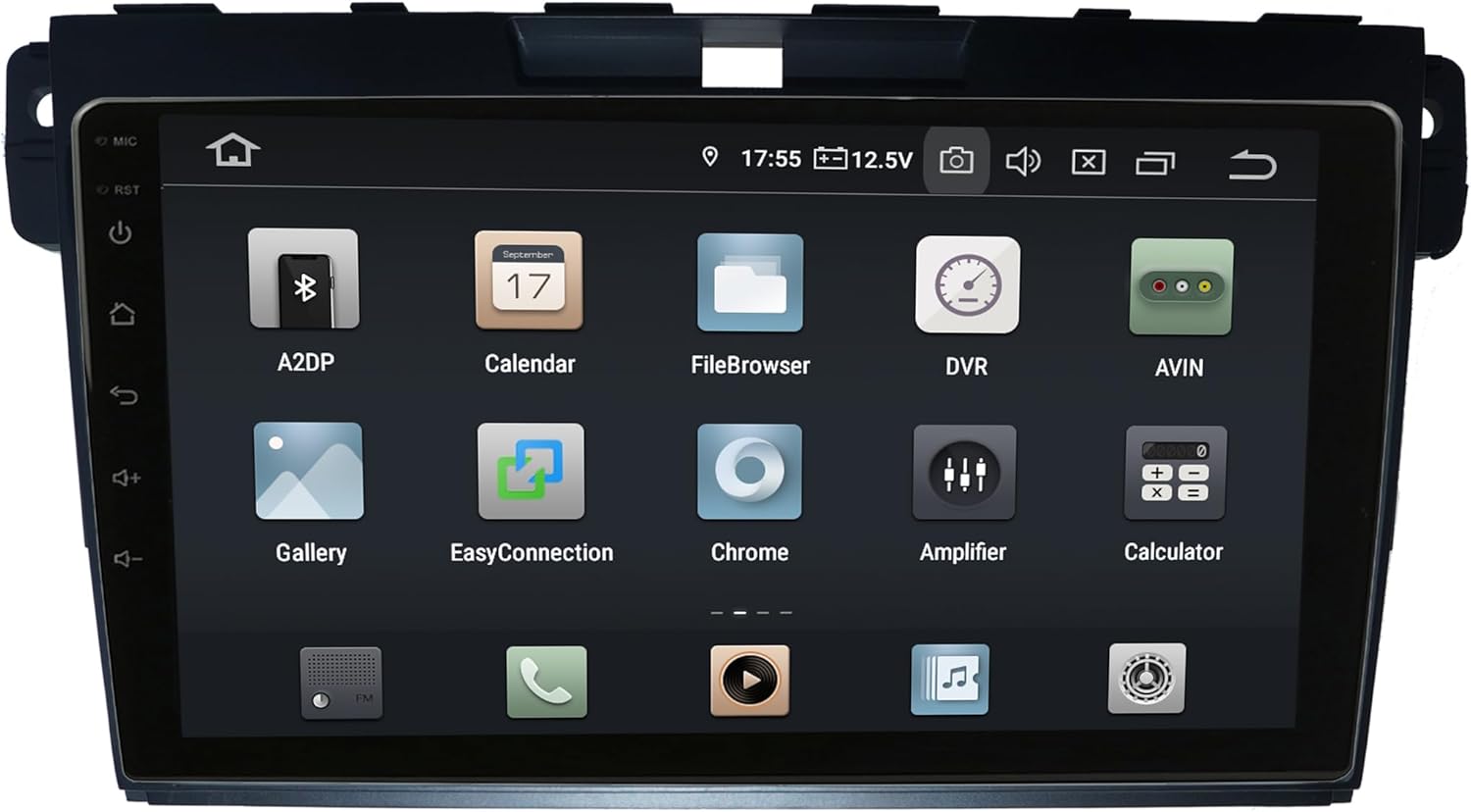
Figure 4.1: Main Android Interface
From the main screen, you can access all installed applications and system settings. Swipe left or right to navigate through app pages.
4.2 CarPlay жана Android Auto
The unit supports integrated Wireless CarPlay and Android Auto without requiring additional adapters. Connect your compatible smartphone via USB or wirelessly (if supported by your phone and the unit's software) to access navigation, music, messages, and more directly on the head unit's screen.
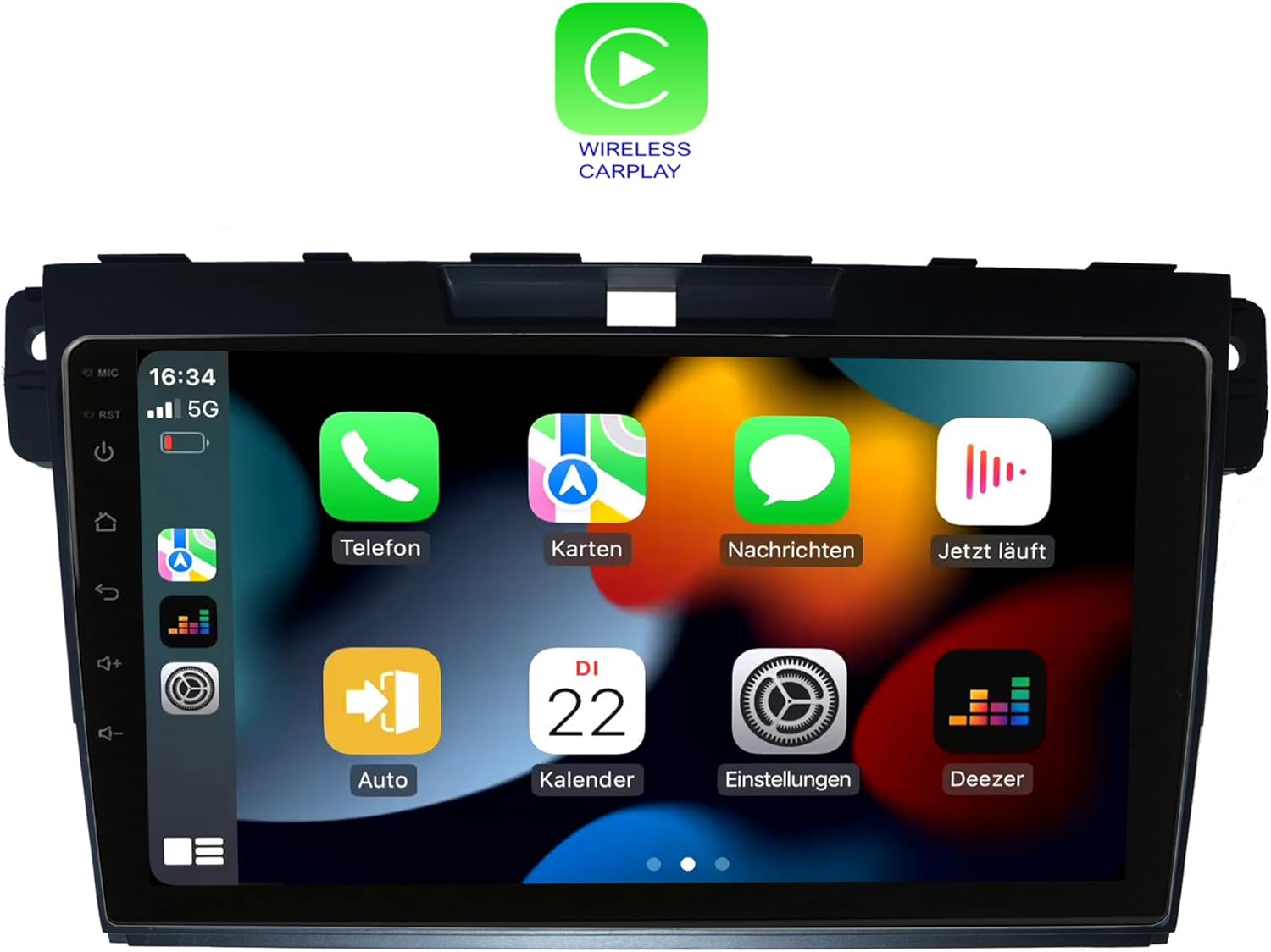
Figure 4.2: Wireless CarPlay Interface
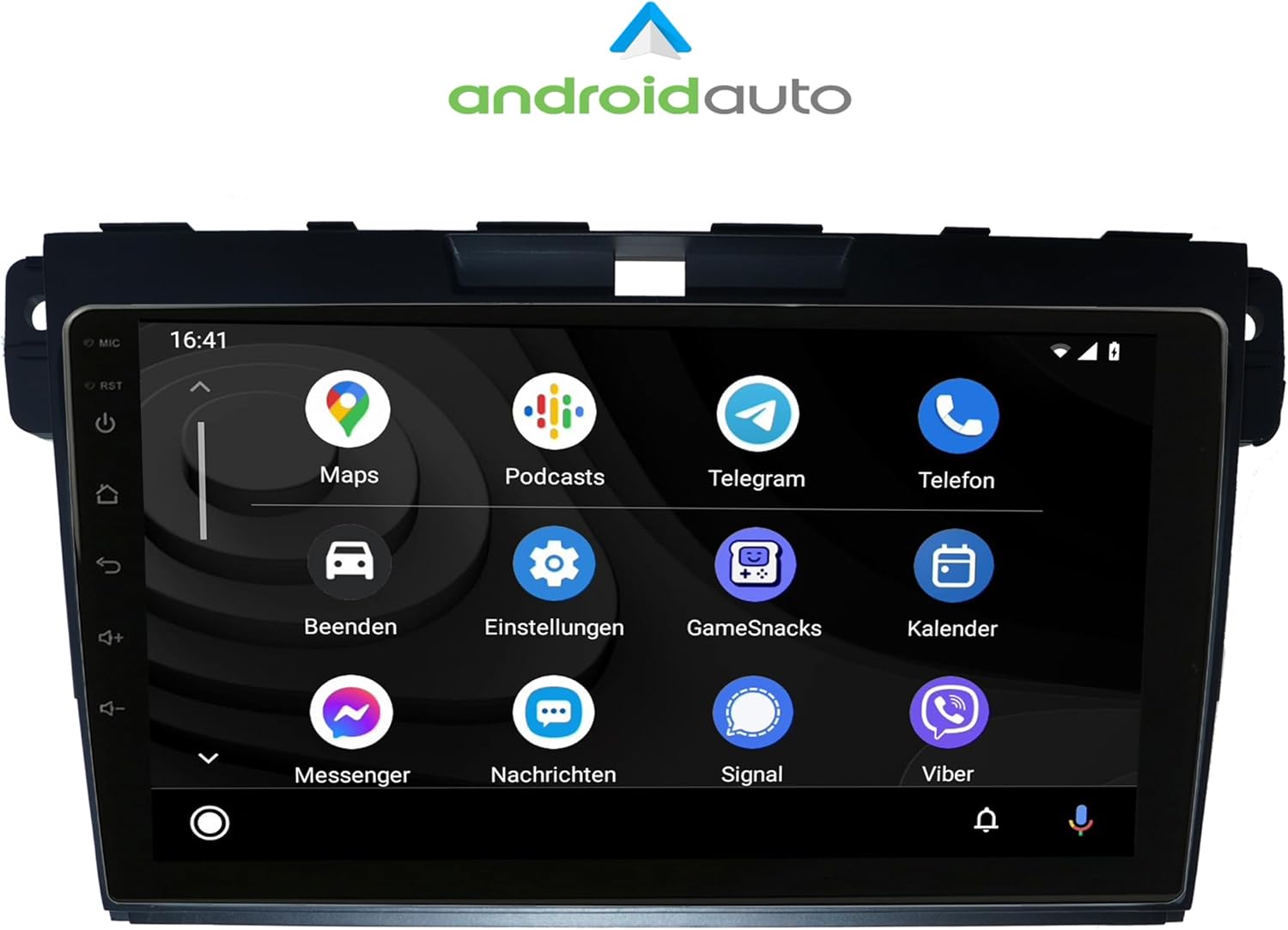
4.3-сүрөт: Android Auto интерфейси
4.3 Radio (FM/AM)
Access the Radio application to tune into FM or AM stations. The unit supports RDS (Radio Data System) for displaying station information. Use the on-screen controls or physical buttons to scan, save presets, and adjust volume.

Сүрөт 4.4: Радио интерфейси
4.4 Bluetooth функциялары
Pair your mobile phone via Bluetooth for hands-free calling and A2DP music streaming. The unit supports phonebook synchronization for easy access to your contacts.

Figure 4.5: Bluetooth Dialer
4.5 Audio Settings (Amplifier/EQ)
Customize your audio experience using the built-in amplifier and equalizer settings. Adjust bass, treble, and balance, or select from predefined EQ presets (Pop, Classic, Rock, Jazz). You can also fine-tune the sound stage for optimal listening.

4.6-сүрөт: Amplifier and EQ Settings
4.6 Башка функциялар
- Навигация: Utilize the integrated GPS for worldwide map navigation.
- WiFi: Connect to local WLAN hotspots or your smartphone's hotspot for internet access and app downloads.
- 2-Zone Function: Allows navigation on the main screen while rear passengers can watch videos or listen to music.
- Back-Zone Function: Navigate in the front while TV or video content plays in the back.
- Автоматтык эс тутум: All saved settings and positions are automatically retained.
- Day and Night Display: Automatic or manual adjustment of screen brightness for optimal visibility.
- Play Store: Download and install additional Android applications.
5. Техникалык тейлөө
To ensure the longevity and optimal performance of your TAFFIO head unit, follow these maintenance guidelines:
- Тазалоо: Экранды жана сыртын тазалоо үчүн жумшак, кургак чүпүрөктү колдонуңуз. Абразивдүү тазалагычтардан же эриткичтерден качыңыз.
- Программалык камсыздоо жаңыртуулары: Periodically check for and install software updates to ensure the unit has the latest features and bug fixes. Connect to Wi-Fi to perform updates.
- Температура: Түзмөктүн иштешине жана иштөө мөөнөтүнө таасир этиши мүмкүн болгон өтө жогорку температурага дуушар кылбаңыз.
- Күч: Ensure stable power supply to prevent damage. Avoid frequent power interruptions.
6. Кыйынчылыктарды
For common issues and solutions, refer to the included "Troubleshooting Guide" document. If you encounter problems not covered in the guide, or if solutions do not resolve the issue, please contact TAFFIO customer support.
Жалпы маселелер төмөнкүлөрдү камтышы мүмкүн:
- Электр кубаты жок же түзмөк күйбөйт.
- Үн жок же бурмаланган аудио.
- GPS signal loss or inaccurate navigation.
- Bluetooth туташуу көйгөйлөрү.
- Touchscreen unresponsiveness.
- CarPlay/Android Auto connection failures.
7. Техникалык шарттар
| Өзгөчөлүк | Деталь |
|---|---|
| Модель номери | LMGQ9187 |
| Дисплей өлчөмү | 9 дюйм |
| Операция системасы | Android 12 |
| Процессор | Octa-Core 1.6Ghz CPU |
| RAM | 4 ГБ |
| Ички сактагыч | 64 ГБ Flash |
| Экран түрү | Capacitive Multi-Touch |
| Резолюция | FULL HD |
| Байланыш | Wi-Fi, Bluetooth |
| Навигация | GPS (Дүйнөлүк карта түрү) |
| Өзгөчөлүктөр | CarPlay, Android Auto, Touchscreen, Bluetooth |
| Аудио чыгаруу режими | AUX |
| Монтаж түрү | Куралдар тактасы |
| Унаа кызматынын түрү | Car (Mazda CX-7 2007-2014) |
8. Кепилдик жана колдоо
This TAFFIO head unit comes with a 2 жылдык кепилдик. For warranty claims, technical support, or any inquiries, please refer to the contact information provided in your purchase documentation or visit the official TAFFIO webсайт.
Кепилдикти текшерүү үчүн сатып алганыңыздын далилин сактап коюңуз.