
1. Киришүү
Сатып алганыңыз үчүн рахматasing the Blaupunkt Rock & Roll PS150 Wireless Bluetooth Outdoor Party Speaker. This manual provides essential information for the safe and efficient operation of your device. Please read it thoroughly before use and retain it for future reference.
2. Коопсуздук маалыматы
- Динамикти экстремалдык температурага, түз күндүн нуруна же жогорку нымдуулукка дуушар кылбаңыз.
- Спикерди түшүрүүдөн же катуу таасирлерге дуушар кылуудан качыңыз.
- Do not attempt to disassemble or modify the speaker. Repairs should only be performed by qualified service personnel.
- Keep the speaker away from water and other liquids to prevent electric shock or damage.
- Динамикти иштетип жатканда туура желдетүүнү камсыз кылыңыз.
3. Кутуда эмне бар
- Blaupunkt Rock & Roll PS150 Party Speaker
- Караоке микрофон
- Заряддоо кабели
- User Manual
4. Продукт бүтүп калдыview
The Blaupunkt Rock & Roll PS150 is a portable outdoor party speaker designed for robust audio performance and ease of transport. It features a powerful 100W output, X-Bass enhancement, and multiple connectivity options.

Сүрөт 1: Алдыңкы view of the Blaupunkt Rock & Roll PS150 Party Speaker.
5. Башкаруу элементтери жана байланыштар
The control panel on top of the speaker provides access to all functions.

2-сүрөт: Детальдуу view баяндамачынын башкаруу панелинин.
- Кубат баскычы: Press to turn the speaker ON/OFF.
- Булак баскычы: Select input source (Bluetooth, AUX, USB).
- X-Bass Button: Activate or deactivate the X-Bass sound enhancement.
- Меню баскычы: Access various settings.
- Track Select Buttons (< / >): Тректердин ортосунда өтүңүз.
- TWS баскычы: Чыныгы зымсыз стерео жупташтырууну баштаңыз.
- Үндү терүү: Башкы үнүн тууралаңыз.
- Номерленген баскычтар (1-6): For direct track selection or preset functions.
- AUX кирүү порту: 3.5 мм аудио кабели аркылуу тышкы аудио түзмөктөрдү туташтыруу.
- USB порт: For USB playback and charging (5V, 2000mAh).
6. Орнотуу жана заряддоо
6.1 Алгачкы заряддоо
Before first use, fully charge the speaker. Connect the charging cable to the speaker's charging port and a suitable power adapter. The charging indicator will illuminate. A full charge ensures optimal battery life for the 4500mAh battery.
6.2 Күйгүзүү/өчүрүү
Динамикти КҮЙГҮЗҮҮ же ӨЧҮРҮҮ үчүн башкаруу панелиндеги Кубат баскычын басып, кармап туруңуз.
7. Операция
7.1 Bluetooth жупташтыруу
- Turn on the speaker. The Bluetooth indicator will flash, indicating it's in pairing mode.
- Смартфонуңузда же планшетиңизде Bluetooth күйгүзүп, жеткиликтүү түзмөктөрдү издеңиз.
- Select "Blaupunkt PS150" from the list.
- Жупташтырылгандан кийин, Bluetooth индикатору жарк этүүнү токтотуп, туруктуу бойдон калат.
7.2 AUX-кирүү режими
Connect an external audio device (e.g., MP3 player) to the AUX IN port using a 3.5mm audio cable. Press the Source button to select AUX mode.
7.3 USB ойнотуу
Аудио менен USB дискти салыңыз files into the USB port. The speaker will automatically switch to USB mode and begin playback. Use the track select buttons to navigate.
7.4 Караоке функциясы
Connect the provided karaoke microphone to the designated microphone input. Adjust the microphone volume as needed. The speaker is ready for karaoke performances.

Figure 3: Using the karaoke function with the PS150 speaker.
7.5 X-Bass Feature
Press the X-Bass button to enhance the bass output for a deeper, more impactful sound experience.

Figure 4: Visual representation of the X-Bass feature.
8. Portability and Design
The PS150 is designed for portability with integrated wheels and a retractable handle, making it easy to transport to any location.
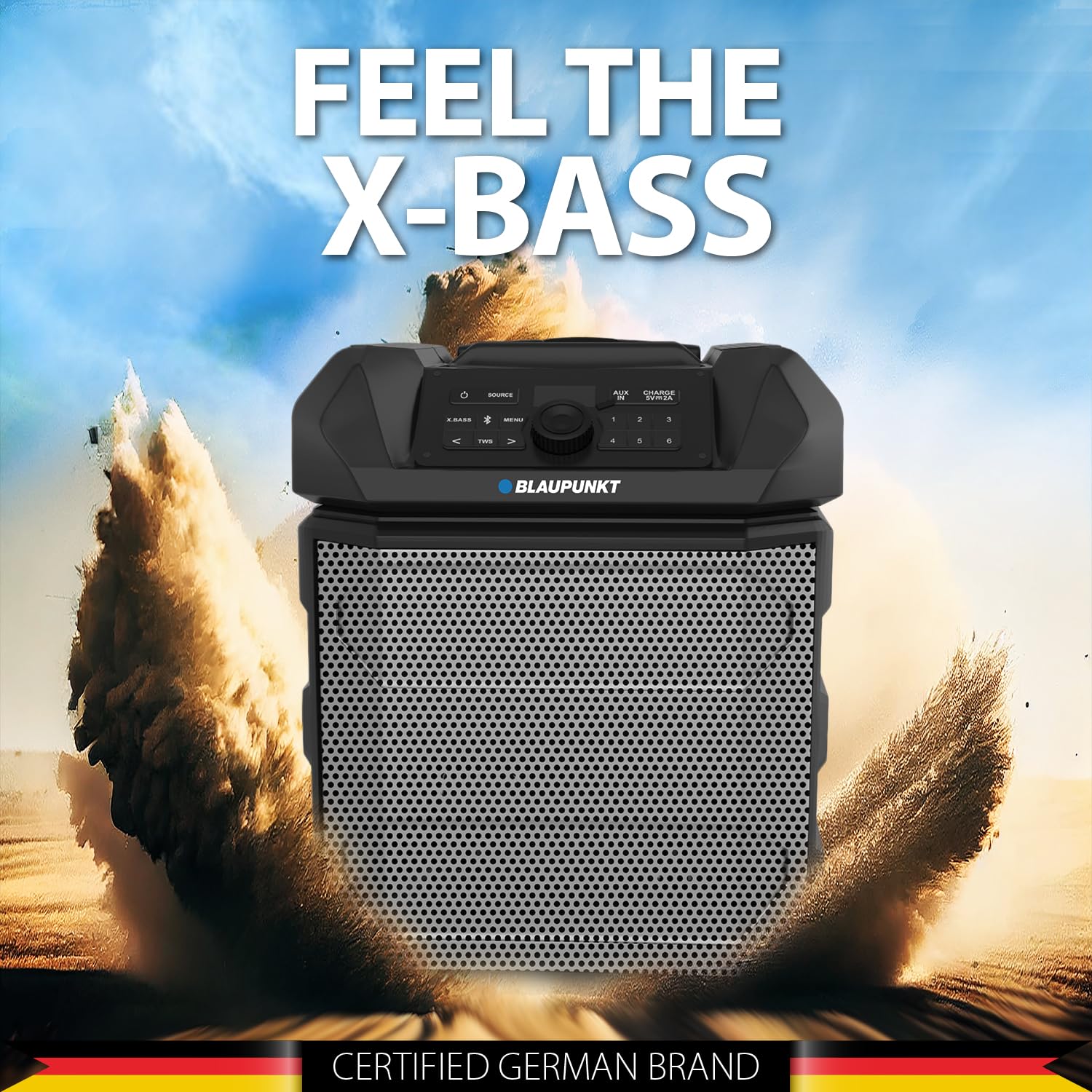
Figure 5: The PS150 speaker being transported with its wheels and handle.
9. Техникалык шарттар
| Өзгөчөлүк | Спецификация |
|---|---|
| Бренд | BLAUPUNKT |
| Модель номери | PS150 BK |
| Чыгуу Wattage | 100 Ватт |
| Байланыш технологиясы | Bluetooth |
| Шайкеш түзмөктөр | Смартфон, Планшет |
| Power Source | Батарея менен иштейт |
| Батарея сыйымдуулугу | 4500mAh |
| Аудио киргизүү | Көмөкчү |
| USB чыгышы | 5 В, 2000 мАч |
| Элементтин өлчөмдөрү (L x W x Y) | 43 x 31.5 x 52.5 сантиметр |
| Элемент Салмагы | 7500 грамм |
| Коргоочу материал | Акрилонитрил бутадиен стирол (ABS) |
10. Техникалык тейлөө
- Динамикти жумшак, кургак чүпүрөк менен тазалаңыз. Абразивдүү тазалагычтарды же эриткичтерди колдонбоңуз.
- Колдонулбаганда динамикти салкын, кургак жерде сактаңыз.
- Тике күн нурунун же экстремалдык температуранын узакка созулган таасиринен алыс болуңуз.
11. Кыйынчылыктарды
11.1 Күч жок
- Динамик толугу менен кубатталганын текшериңиз.
- Электр кабелинин бекем туташтырылганын текшериңиз.
- Press and hold the power button for a few seconds to ensure it's not just a short press.
11.2 Үн жок
- Динамиктин да, туташкан түзмөктүн да үнүн жогорулатыңыз.
- Ensure the correct input source (Bluetooth, AUX, USB) is selected.
- If using Bluetooth, ensure the device is properly paired.
- Эгер AUX колдонуп жатсаңыз, кабелдин туташуусун текшериңиз.
11.3 Bluetooth Disconnection
- Ensure the connected device is within the Bluetooth range (typically 10 meters).
- Avoid obstacles between the speaker and the device that may interfere with the signal.
- Түзмөктү жупташып, кайра жупташып көрүңүз.
12. Кепилдик жана колдоо
The Blaupunkt Rock & Roll PS150 comes with a 1-year warranty from the date of purchase. For warranty claims, technical support, or any other inquiries, please contact:
- Өндүрүүчү: Envent Worldwide Pvt Ltd
- Customer Care WhatsApp Support: 8860022600
- Электрондук почта ID: wecare@blaupunktaudio.in