
1. Киришүү
Welcome to the user manual for your JKZTJOF K-1028E Universal Air Conditioner Remote Control. This manual provides detailed instructions on how to set up, operate, and troubleshoot your new remote control. Please read this manual carefully before use to ensure optimal performance and longevity of your device.
The K-1028E is designed to be compatible with over 99% of air conditioner brands, offering a convenient 1000-in-1 solution. Эскертүү: This universal remote control is not compatible with WINDOW and PORTABLE air conditioner units.

Image: The K-1028E universal A/C remote control with text highlighting its compatibility with over 1000 air conditioner brands and a note about incompatibility with window and portable units.
2. Продукт бүтүп калдыview
Негизги өзгөчөлүктөрү
- Кеңири шайкештик: Controls over 1000 different air conditioner brands.
- Ыңгайлуу функциялар: Includes clock, timer (ON/OFF), factory default reset, fast cooling, and fast heating functions.
- Колдонууга оңой: Simple programming methods for quick setup.
- Чоң экран дисплей: Clear LCD screen for easy viewжөндөөлөрдү орнотуу.
- LED жарык: Integrated light for use in dark environments.
- Эргономикалык дизайн: Кармоого жана иштетүүгө ыңгайлуу.
Remote Control Layout

Image: A detailed diagram of the K-1028E universal A/C remote control, labeling each button and display element such as temperature display, wind strength, mode key, timer keys, and set key.
The remote control features a clear LCD screen at the top, displaying temperature, mode, fan speed, and other indicators. Below the screen are various function buttons:
- ЖАРЫК Ачкыч: Activates the backlight for the LCD screen.
- КҮЙГҮЗҮҮ/ӨЧҮРҮҮ баскычы: Кондиционерди күйгүзөт же өчүрөт.
- TEMP +/- Keys: Температуранын жөндөөсүн тууралайт.
- MODE ачкычы: Иш режимдери (мисалы, муздак, жылытуу, желдеткич, кургак, авто) аркылуу өтөт.
- F.SPEED Key: желдеткич ылдамдыгын тууралайт.
- M.SWING / A.SWING Keys: Controls manual or automatic swing of the air deflector.
- УБАКЫТ КҮЙГҮЗҮҮ / УБАКЫТ ӨЧҮРҮҮ баскычтары: Автоматтык түрдө күйгүзүү же өчүрүү үчүн таймерди орнотот.
- F.COOL / F.HEAT Keys: Activates fast cooling or fast heating modes.
- SET баскычы: Функцияларды программалоо жана орнотуу үчүн колдонулат.
- СААТ баскычы: Учурдагы убакытты орнотот.
- OK Ачкыч: Confirms selections during programming or setting.
3. Орнотуу жана программалоо
Батарея орнотуу
Before using the remote control, you need to install two AAA batteries (not included). Ensure correct polarity (+/-) when inserting the batteries.
- Алыстан башкаруу пультунун артындагы батарея бөлүмүнүн капкагын ачыңыз.
- Insert two AAA batteries, matching the polarity indicators inside the compartment.
- Батарея уясынын капкагын бекем жабыңыз.

Сүрөт: алдыңкы жана арткы view of the K-1028E universal A/C remote control, showing the LCD screen, buttons, and battery compartment with manual code input instructions.
Programming Your Air Conditioner
Some air conditioners may work directly with the K-1028E remote without programming. If your air conditioner does not respond, follow one of the programming methods below. It is recommended to try the Manual Code Input method first if you know your AC brand.
1-ыкма: Кодду кол менен киргизүү
This method requires you to find the specific code for your air conditioner brand from the provided code list (usually found in the remote's packaging or on the back of the remote itself).
- Manually power on your air conditioner unit.
- басып, кармап туруңуз SET button on the remote control for approximately 3 seconds until the code on the LCD screen starts flashing.
- колдонуу TEMP + or ТЕМПЕРАТУРА - buttons to input the 3-digit code for your air conditioner brand.
- Point the remote at your air conditioner and press the КҮЙГҮЗҮҮ/ӨЧҮРҮҮ button repeatedly. If the air conditioner responds (e.g., turns on/off, changes mode), you have found the correct code.
- басыңыз OK button to confirm and save the code. The code will stop flashing.
Метод 2: Автоматтык издөө
This method allows the remote to automatically search for a compatible code.
- Manually power on your air conditioner unit.
- басып, кармап туруңуз SET button for approximately 6 seconds. The code on the LCD screen will start flashing and automatically increase. The remote is now in automatic search mode.
- Point the remote at your air conditioner. The remote will send out codes one by one.
- When your air conditioner responds (e.g., turns on/off, beeps), immediately press the OK button to confirm and save the code.
Method 3: Manual Code Search
This method is similar to automatic search but allows for manual incrementing of codes.
- Manually power on your air conditioner unit.
- басып, кармап туруңуз SET button for approximately 3 seconds until the code on the LCD screen starts flashing.
- басыңыз SET button repeatedly to manually cycle through the codes.
- Point the remote at your air conditioner. When your air conditioner responds, immediately press the OK button to confirm and save the code.
4. Иштөө нускамалары
Негизги операция
- Күйгүзүү/өчүрүү: басыңыз КҮЙГҮЗҮҮ/ӨЧҮРҮҮ кондиционерди күйгүзүү же өчүрүү үчүн баскычты басыңыз.
- Режим тандоо: басыңыз РЕЖИМ button to cycle through available modes (e.g., Cool, Heat, Fan, Dry, Auto). The current mode will be displayed on the LCD screen.
- Температураны жөндөө: колдонуу TEMP + or ТЕМПЕРАТУРА - каалаган температураны көбөйтүү же азайтуу үчүн баскычтар.
- Желдетүүчү ылдамдыкты жөндөө: басыңыз F.SPEED button to cycle through different fan speeds (e.g., Auto, Low, Medium, High).
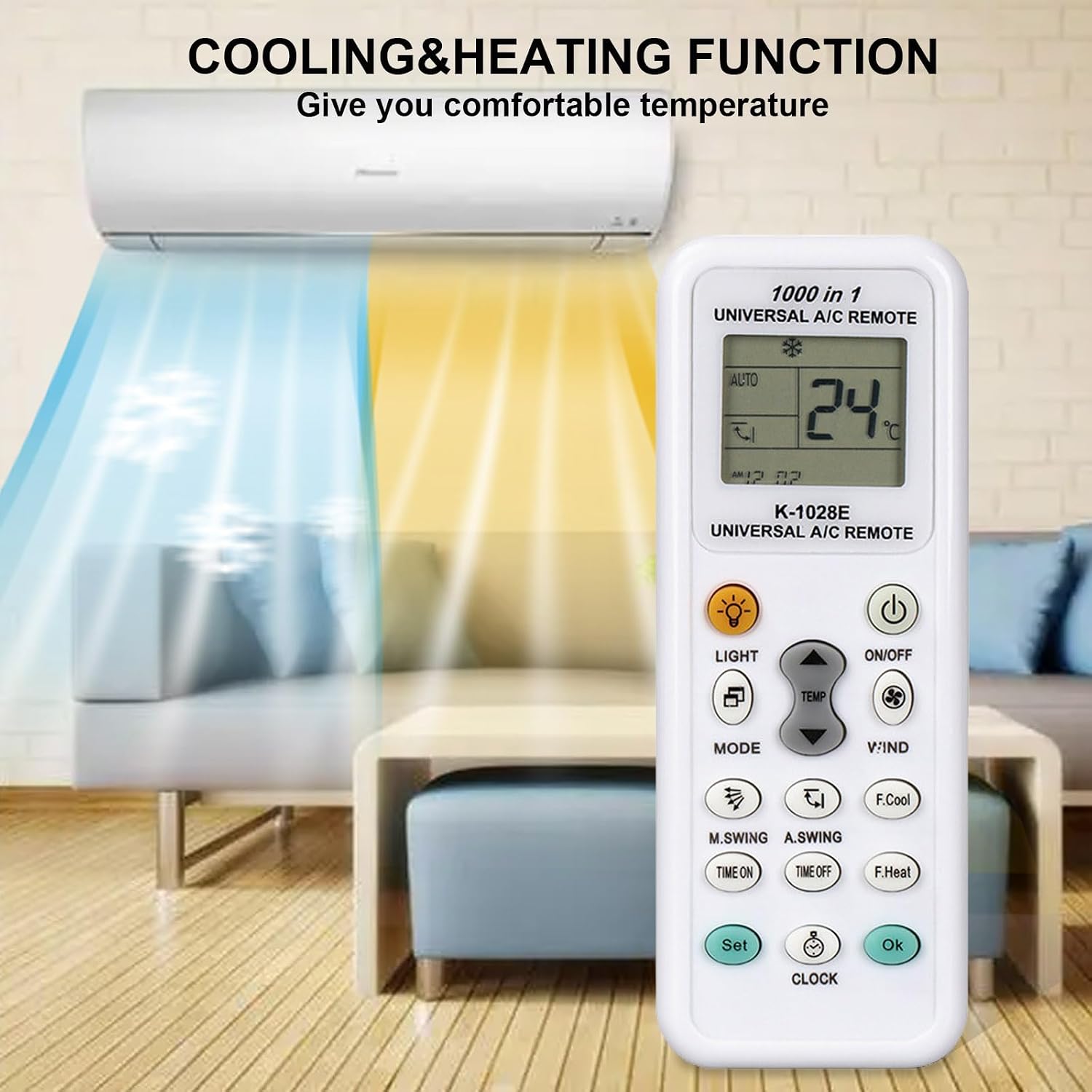
Image: The K-1028E remote control in a living room setting, illustrating its cooling and heating functions with blue and orange airflows from an air conditioner unit.
Өркүндөтүлгөн функциялар
- Timer ON/OFF: Басыңыз УБАКЫТ or Убакыт өчүк to set a specific time for the air conditioner to turn on or off automatically. Use TEMP + or ТЕМПЕРАТУРА - to adjust the time, then press OK ырастоо үчүн.
- Саатты жөндөө: басыңыз СААТ баскычын басып, анан колдонуңуз TEMP + or ТЕМПЕРАТУРА - учурдагы убакытты коюу үчүн. Басыңыз СААТ кайра же OK ырастоо үчүн.
- Жарык функциясы: басыңыз ЖАРЫК button to illuminate the remote's LCD screen for better visibility in low light conditions.
- Swing Control: колдонуу M.SWING (Manual Swing) or А.СВИНГ (Automatic Swing) buttons to adjust the direction of the air deflector.
- Fast Cooling/Heating: Басыңыз F.COOL тез муздатуу үчүн же F.HEAT for rapid heating.

Image: The K-1028E remote control being used in a bedroom, demonstrating its long-distance control capability (up to 26 feet) and fast response time (0.2 seconds).
5. Техникалык тейлөө
Тазалоо жана сактоо
- Пультту жумшак, кургак чүпүрөк менен сүртүңүз. Суюк тазалагычтарды же абразивдүү материалдарды колдонбоңуз.
- Эгерде алыстан башкаруу пульту көпкө чейин колдонулбаса, агып кетүүнүн жана бузулуунун алдын алуу үчүн батарейкаларды алып салыңыз.
- Пультту күн нурунан жана экстремалдык температурадан алыс, салкын, кургак жерде сактаңыз.
6. Кыйынчылыктарды
Жалпы маселелер жана чечимдер
- Пульт иштебейт:
- Check if batteries are installed correctly and have sufficient power. Replace if necessary.
- Пульт менен кондиционердин ресиверинин ортосунда эч кандай тоскоолдук жок экенин текшериңиз.
- Verify that the remote is programmed with the correct code for your air conditioner. Re-program if unsure.
- Кондиционер буйруктарга жооп бербей жатат:
- Пульттун түз эле кондиционерге багытталганын текшериңиз.
- The remote's operating range is approximately 26 feet (8 meters). Ensure you are within this range.
- If the air conditioner has its own power button, try operating it manually to confirm it is functioning.
- Display issues (e.g., dim screen, missing segments):
- Replace the batteries. Low battery power can affect display clarity.
- Cannot find a compatible code:
- Try all programming methods (Manual Code Input, Automatic Search, Manual Code Search).
- Ensure your air conditioner is not a window or portable unit, as these are generally not compatible.
7. Техникалык шарттар
Продукт спецификациялары
- Модел: K-1028E
- Бренд: JKZTJOF
- Шайкештик: Universal for over 99% of air conditioner brands (not compatible with window or portable A/C units).
- Күч: 2 x AAA батарейкалар (киргизилген эмес)
- Колдоого алынган түзмөктөрдүн максималдуу саны: 1 (controls one A/C unit at a time)
- Өзгөчө өзгөчөлүгү: Universal control with clock, timer, fast cool/heat, LED light.
- Түсү: Ак
8. Кепилдик жана колдоо
Кепилдик маалымат
Specific warranty details for the JKZTJOF K-1028E Universal Air Conditioner Remote Control are not provided in this manual. Please refer to the product packaging or contact your retailer for warranty terms and conditions.
Кардарларды колдоо
If you encounter any issues that cannot be resolved using the troubleshooting guide, or if you require further assistance, please contact the seller or manufacturer's customer support. Have your product model number (K-1028E) and purchase details ready when contacting support.