
1. Продукт бүтүп калдыview
The Manba Mini Wireless Controller is a compact and portable gaming device designed for classic and retro games. Its small size makes it convenient for on-the-go use. This controller offers multi-platform compatibility, supporting various operating systems and gaming consoles.
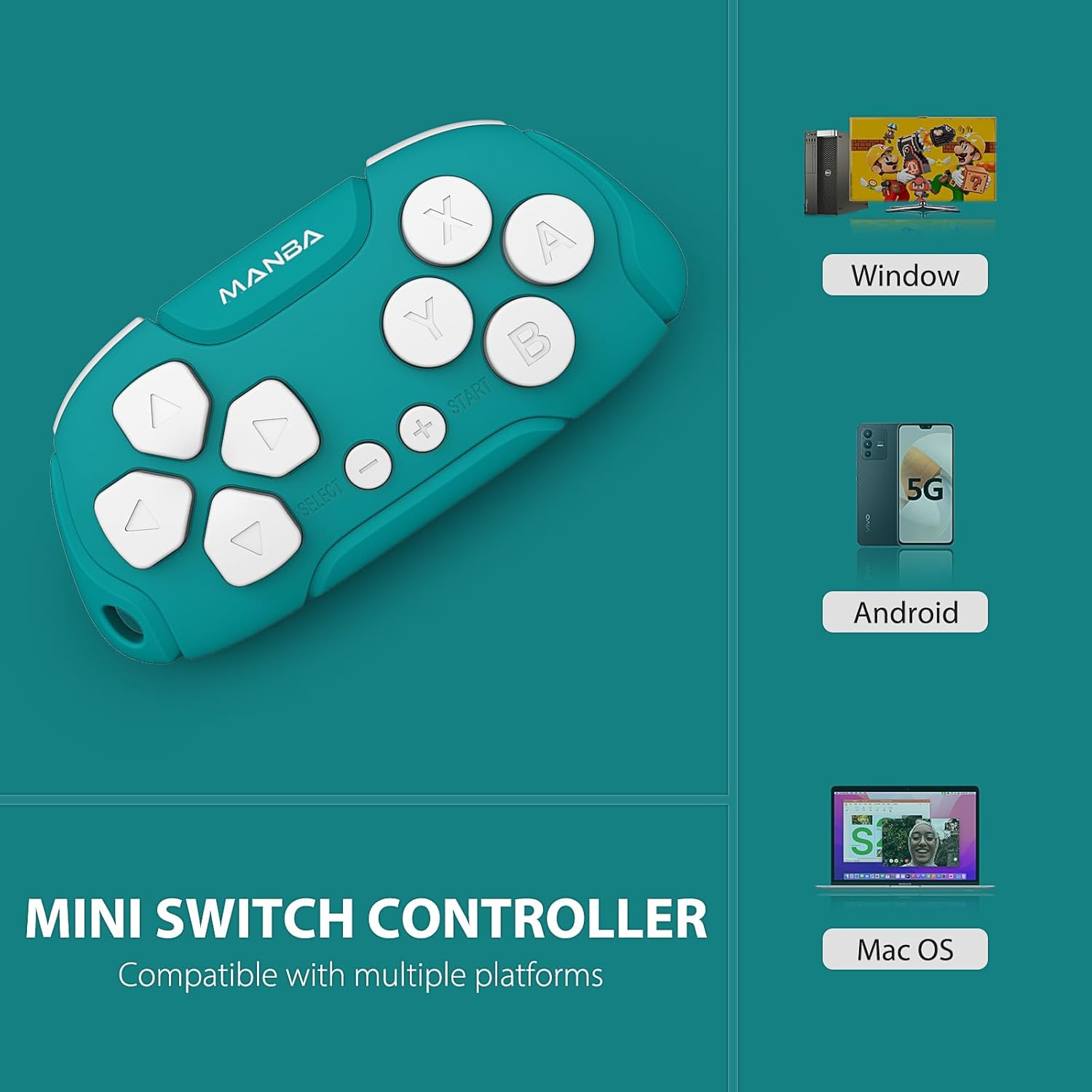
Image 1.1: Manba Mini Wireless Controller compatible with multiple platforms.
Beyond gaming, the controller can function in keyboard mode, making it suitable for applications like Anki (with remapping) and Clip Studio Paint, transforming it into a compact shortcut device.
2. Пакеттин мазмуну
Пакетиңизде бардык буюмдар бар экенин текшериңиз:
- 1 × Manba Mini Wireless Controller
- 1 × Micro-USB заряддоо кабели
- 1 × Нускама (бул документ)
3. Орнотуу жана туташуу
3.1 Контроллерди заряддоо
Before first use, fully charge the controller. Connect the provided micro-USB cable to the controller's charging port and the other end to a USB power source (e.g., computer USB port, USB wall adapter). The LED indicator will show charging status and turn off when fully charged. A full charge typically takes 1-2 hours and provides approximately 8 hours of play time.
3.2 Күйгүзүү/өчүрүү
- Күйгүзүү үчүн: Press and hold the START button for a few seconds until the indicator light illuminates.
- Өчүрүү үчүн: Press and hold the START button for a few seconds until the indicator light turns off. The controller will also automatically power off after a period of inactivity.
3.3 Түзмөктөр менен жупташтыруу
The Manba Mini Wireless Controller supports various connection modes for different platforms. Refer to the specific instructions below for your device.
3.3.1 Nintendo Switch / Switch Lite / Switch OLED

Image 3.1: Controller compatibility with Nintendo Switch models.
- Nintendo Switch'иңизден HOME менюсуна өтүңүз.
- Тандоо Контроллер > Катуу/Тартипти өзгөртүү.
- On the Manba Mini Controller, press and hold the Y + START buttons simultaneously until the LED indicator starts flashing rapidly.
- Once the controller appears on the Switch screen and the LED indicator becomes solid, the pairing is complete.
3.3.2 Windows (X-input)
- On the Manba Mini Controller, press and hold the X + START buttons simultaneously until the LED indicator starts flashing rapidly.
- On your Windows PC, go to Bluetooth & other devices settings.
- Тандоо Bluetooth же башка аспапты кошуңуз > Bluetooth.
- Select the controller from the list of available devices.
- Once connected, the LED indicator on the controller will become solid.
3.3.3 Android / MacOS
- On the Manba Mini Controller, press and hold the A + START buttons simultaneously until the LED indicator starts flashing rapidly.
- On your Android device or Mac, go to Bluetooth орнотуулары.
- Bluetooth'ту иштетип, жаңы түзмөктөрдү издеңиз.
- Select the controller from the list of available devices.
- Once connected, the LED indicator on the controller will become solid.
4. Иштөө нускамалары
4.1 General Gaming Use
The Manba Mini Wireless Controller is optimized for classic and retro games. It features a D-pad, action buttons (A, B, X, Y), and shoulder buttons (L, R). Familiarize yourself with the button layout for optimal gameplay.
4.2 Keyboard Mode for Productivity
In keyboard mode, the controller can be used as a shortcut remote for various applications. This is particularly useful for:
- Anki: For efficient flashcard review. Custom mapping may be required using software like Karabiner Elements on macOS.
- Clip Studio Paint: As a compact shortcut controller for digital art.

Image 4.1: Controller use with Anki for efficient study.
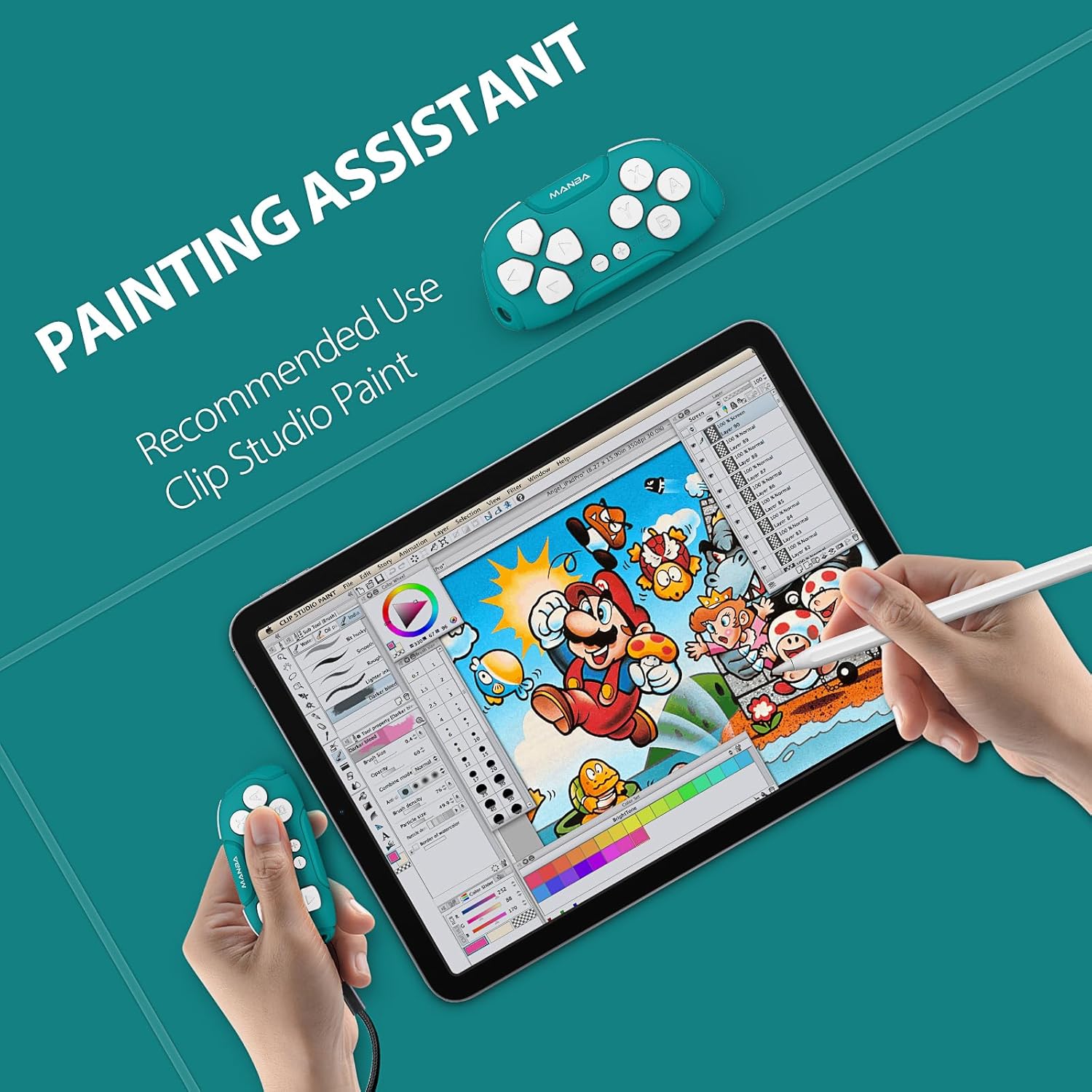
Image 4.2: Controller functioning as a painting assistant for Clip Studio Paint.
5. Кароо жана тейлөө
To ensure the longevity and optimal performance of your Manba Mini Wireless Controller, follow these care guidelines:
- Тазалоо: Контроллерди сүртүү үчүн жумшак, кургак чүпүрөктү колдонуңуз. өжөр кир үчүн, бир аз гampчүпүрөктү суу менен. Катуу химиялык заттардан же абразивдүү тазалагычтардан алыс болуңуз.
- Сактагыч: Контроллерди түз күн нурунан жана экстремалдык температурадан алыс салкын, кургак жерде сактаңыз.
- Тамчылардан качуу: Бышык болгону менен, кайра-кайра түшүрүү ички компоненттерге зыян келтириши мүмкүн. Этияттык менен колдонуңуз.
- Суюктук таасири: Do not expose the controller to water or other liquids.
6. Кыйынчылыктарды
If you encounter issues with your Manba Mini Wireless Controller, refer to the following common problems and solutions:
- Контроллер туташпай/жупташпай жатат:
- Контроллердин толук заряддалганын текшериңиз.
- Түзмөгүңүздө Bluetooth иштетилгенин текшериңиз.
- Make sure you are using the correct button combination for pairing with your specific platform (Y+START for Switch, X+START for Windows, A+START for Android/MacOS).
- Контроллерди да, түзмөгүңүздү да өчүрүп-күйгүзүп көрүңүз.
- Түзмөгүңүздүн Bluetooth жөндөөлөрүнөн контроллердин мурунку жупташтырууларын алып салып, кайра жупташтырууга аракет кылыңыз.
- Buttons Not Responding Correctly:
- Ensure the controller is properly paired and connected.
- For keyboard mode applications like Anki, ensure any necessary remapping software (e.g., Karabiner Elements for macOS) is correctly configured.
- D-Pad Functionality: Note that the D-pad on this controller consists of four individual buttons, not a single connected piece with a pivot point like some traditional controllers. This means it is possible to press opposing directions simultaneously (e.g., left and right), which may affect performance in certain platformers or timing-sensitive games. This design is intentional for its versatility in keyboard mode but differs from standard gaming D-pads.
- Кыска батареянын иштөө мөөнөтү:
- Ensure the controller is being charged for the recommended 1-2 hours.
- Батареянын иштөө мөөнөтү узак убакыт бою узак убакыт колдонулганда начарлашы мүмкүн.
- Ensure the controller is powered off when not in use to conserve battery.
7. Техникалык шарттар

Image 7.1: The compact size of the Manba Mini Wireless Controller.
| Өндүрүүчү | Манба |
| Модел | Mini Wireless Controller |
| ASIN | B0CFQJFQZG |
| Пакеттин өлчөмдөрү | 3.7 x 2.13 x 1.18 дюйм |
| Батарея | 1 Lithium Polymer battery (included), 180 mAh capacity |
| Батареянын иштөө мөөнөтү | Approximately 8 hours after 1-2 hours charging |
| Шайкештик | Nintendo Switch, Windows (X-input), Android, macOS |
8. Кепилдик жана колдоо маалыматы
For warranty information or technical support, please refer to the documentation included with your purchase or visit the official Manba brand store. Contact details for customer service are typically provided on the manufacturer's webсайт.
You can visit the Manba Store for more information: Manba Official Store


