
Introduction
This manual provides comprehensive instructions for the setup, operation, and maintenance of your Surfans F22 Portable HiFi MP3 Player. Please read this manual thoroughly before using the device to ensure proper functionality and to maximize your listening experience.
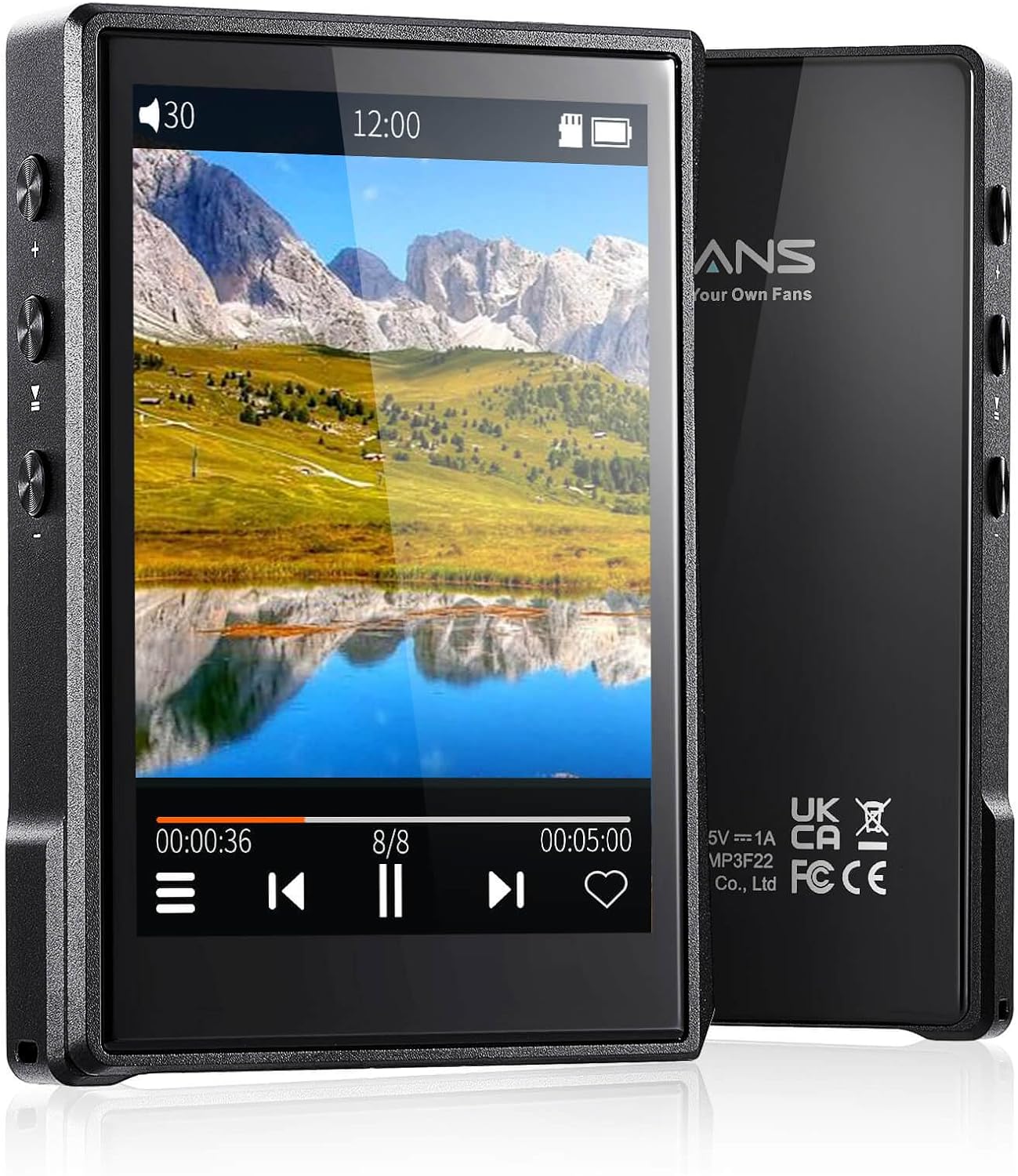
Сүрөт: алдыңкы жана арткы view of the Surfans F22 Portable HiFi MP3 Player, showcasing its 2.8-inch touchscreen and sleek design.
Пакеттин мазмуну
Пакетте бардык буюмдар бар экенин текшериңиз:
- Surfans F22 HiFi Music Player
- Колдонуучунун Колдонмосу (бул документ)
- USB-C Cable
- 32GB Memory Card (pre-installed or included separately)
Түзмөк бүттүview
Familiarize yourself with the physical components of your F22 player.

Image: Diagram illustrating the various ports and buttons on the Surfans F22 MP3 Player, including the power button, volume controls, headphone jack, and USB-C port.
- 2.8-inch IPS TFT Full Touchscreen: Main interface for navigation and control.
- Кубат баскычы: Аппаратты күйгүзөт/өчүрүп, экранды кулпулайт/кулпусун ачат.
- Үн баскычтары: Аудио чыгаруу деңгээлин тууралайт.
- Наушник уячасы (3.5 мм): Зымдуу кулакчындарды туташтырыңыз.
- USB-C порту: Заряддоо жана маалыматтарды өткөрүү үчүн.
- Микро SD карта слоту: 1 ТБ чейин кеңейтилүүчү сактоо үчүн.
Жайгашуу
1. Аппаратты заряддоо
Before first use, fully charge the F22 player. Connect the provided USB-C cable to the device's USB-C port and the other end to a USB power adapter (not included) or a computer's USB port. The charging indicator will show progress. A full charge typically takes approximately 2 hours and provides up to 10 hours of playback.
2. Micro SD картаны салуу
The F22 comes with a 32GB memory card. For additional storage, you can insert a Micro SD card (up to 1TB) into the designated slot. Ensure the card is inserted correctly until it clicks into place.

Image: A Surfans F22 MP3 Player shown with a Micro SD card being inserted into its slot, illustrating the expandable storage capability.
3. Музыканы өткөрүп берүү Files
Connect the F22 player to your computer using the USB-C cable. The device will appear as a removable storage drive. Drag and drop your music files (FLAC, WMA, WAV, DSF, DSD, MP3, etc.) into the appropriate folders on the player's internal storage or the Micro SD card.

Image: A Surfans F22 MP3 Player displaying music playback, with a person wearing headphones in the background, symbolizing the high-fidelity audio experience.
Иштөө нускамалары
1. Күйгүзүү/өчүрүү жана экранды кулпулоо
- Күйгүзүү үчүн, экран күйгөнгө чейин Күйгүзүү баскычын басып, кармап туруңуз.
- To power off, press and hold the Power button, then select "Power Off" on the screen.
- To lock/unlock the screen, briefly press the Power button.
2. Интерфейсте навигация
The F22 features a 2.8-inch touchscreen for navigation. Swipe left/right or up/down to browse menus and lists. Tap icons to select options or open applications.
3. Музыканы ойнотуу
- Китепканаңызга кирүү үчүн негизги менюдан "Музыка" бөлүмүн тандаңыз.
- Browse by Artist, Album, Song, Genre, or Folder.
- Ойнотууну баштоо үчүн ырды таптаңыз.
- During playback, use the on-screen controls for play/pause, skip track, and volume adjustment. Physical volume buttons also control volume.

Image: The Surfans F22 MP3 Player screen showing options for music playback modes: List play, Single play, List loop, and Random, indicating flexible listening options.
4. Bluetooth байланышы
The F22 supports Bluetooth 4.2 for wireless audio output.
- Go to "Settings" and select "Bluetooth".
- Turn Bluetooth on. The player will scan for available devices.
- Жупташтыруу үчүн тизмеден каалаган Bluetooth кулакчыныңызды же динамикти тандаңыз.
- Once paired, audio will stream wirelessly to the connected device.

Image: A visual representation of the Surfans F22 MP3 Player's Bluetooth 4.2 capabilities, showing connections to Bluetooth headphones, a Bluetooth speaker, and a car stereo system.
5. E-Book Functionality
The F22 also supports E-book reading.
- Transfer compatible E-book fileс аппаратка.
- From the main menu, select "E-book".
- Browse and select a book to open and read.
Техникалык тейлөө
- Тазалоо: Аппаратты тазалоо үчүн жумшак, кургак чүпүрөктү колдонуңуз. Суюк тазалагычтардан же абразивдүү материалдардан алыс болуңуз.
- Сактагыч: Ойноткучту салкын, кургак жерде, күн нуру түз тийбеген жана өтө жогорку температурадан алыс сактаңыз.
- Батареяга кам көрүү: Батареянын иштөө мөөнөтүн узартуу үчүн, бат-баттан батарейканы толук зарядсыздандырбаңыз. Аппаратты узак убакыт бою колдонбосо дагы, үзгүлтүксүз заряддаңыз.
- Программалык камсыздоо жаңыртуулары: Өндүрүүчүнү текшериңиз webОптималдуу иштөөнү жана жаңы функцияларды камсыз кылуу үчүн мезгил-мезгили менен микропрограммалык камсыздоонун жаңыртууларын алып туруу үчүн сайтты карап туруңуз.
Проблемаларды чечүү
| Көйгөй | Мүмкүн себеп | Чечим |
|---|---|---|
| Түзмөк күйбөйт. | Батарея аз. | Аппаратты жок эле дегенде 30 мүнөткө кубаттаңыз. |
| Үн жок. | Volume too low; headphones not connected properly; incorrect audio output. | Increase volume; ensure headphones are fully plugged in; check Bluetooth connection if using wireless. |
| Которуу мүмкүн эмес files. | USB cable issue; device not recognized by computer. | Try a different USB port or cable; ensure the device is in data transfer mode if prompted. |
| Bluetooth байланышы туруксуз. | Interference; device too far from player. | Reduce distance between devices; avoid obstacles; try re-pairing. |
| Экран жооп бербейт. | Убактылуу программалык ката. | Perform a soft reset by holding the Power button until the device restarts. |
Техникалык шарттар
| Өзгөчөлүк | Деталь |
|---|---|
| Модел | Surfans F22 Hi Res Music Player |
| Процессор | RK3308G 64-bit Quad-core ARM Cortex-A35 |
| Дисплей | 2.8-inch IPS TFT Full Touchscreen (240*320 resolution) |
| Аудио форматтары колдоого алынат | FLAC, WMA, WAV, DSF, DSD (Native DSD 128/256), PCM (up to 384kHz/32bit), DFF, DTS, APE, OGG, M4A, AIFF, AAC, MP3, Apple Lossless |
| Bluetooth | Версия 4.2 |
| Ички сактагыч | 32GB (included) |
| Кеңейтүүчү сактагыч | 1 ТБ чейинки Micro SD карта |
| Батарея | 1500 мАч литий полимери |
| Батареянын иштөө мөөнөтү | 10 саатка чейин ойнотуу |
| Заряддоо убактысы | Approximately 2 hours (fast charge) |
| Өлчөмдөр | 4.72 x 3.15 x 1.77 дюйм |
| Салмагы | 7.4 унция |
| Байланыш | USB-C |
| Өзгөчөлүктөр | Equalizer, Hi-Res Audio, E-book function |
Кепилдик жана колдоо
The Surfans F22 Portable HiFi MP3 Player comes with a one-year return and exchange guarantee from the date of purchase. This warranty covers manufacturing defects under normal use.
For technical support, warranty claims, or further assistance, please contact Surfans customer service through their official website or the retailer where the product was purchased. Please have your purchase receipt and product model number (F22) available when contacting support.
Өндүрүүчү: Surfans
Webсайт: Surfans Official Store