
Introduction
This manual provides instructions for the Brizled Smart Christmas Tree Topper, Model STPRGB001. This device is designed to enhance your holiday decorations with customizable lighting effects, controlled via a smartphone application or voice commands through compatible smart home assistants.

Figure 1: Brizled Smart Christmas Tree Topper with app control interface.
Маанилүү коопсуздук маалыматы
- Ensure the product is used indoors or in a protected outdoor environment suitable for electronic devices.
- Аппаратты ашыкча нымдуулукка же экстремалдык температурага дуушар кылбаңыз.
- Балдар жана үй жаныбарлары жетпеген жерде сактаңыз.
- Тазалоодон же тейлөөдөн мурун электр энергиясын өчүрүңүз.
- Use only with the specified power adapter.
Пакеттин мазмуну
Бардык элементтер бар экенин текшериңиз:
- Brizled Smart Christmas Tree Topper (1 unit)
- Кубат адаптери (1 бирдик)
- Колдонуучунун Колдонмосу (бул документ)
Техникалык шарттар
| Өзгөчөлүк | Деталь |
|---|---|
| Модель номери | STPRGB001 |
| Өлчөмү | 7.5 дюйм (19.4 см) |
| LED саны | 11 LED |
| Коргошун узундугу | 9.84 фут |
| Байланыш | Wi-Fi (2.4 ГГц гана) |
| Контролдоо ыкмалары | App Control, Voice Control (Alexa, Google Assistant) |
| Түс параметрлери | 16 миллион RGB түстөр |
| Power Source | AC Power Adapter (No batteries required) |
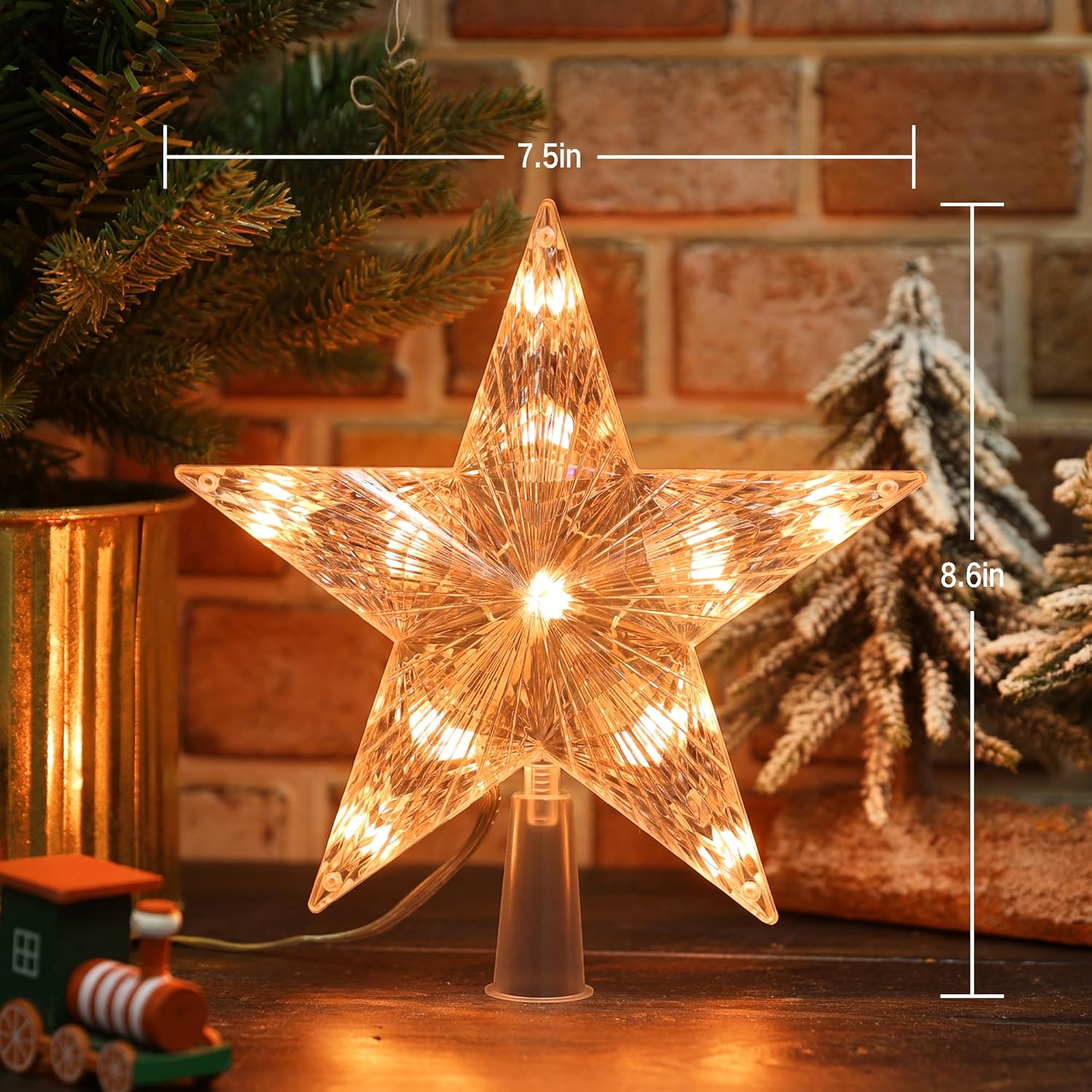
Figure 2: Product dimensions for the Brizled Smart Christmas Tree Topper.
Орнотуу нускамалары
1. Физикалык орнотуу
- Carefully remove the Brizled Smart Christmas Tree Topper from its packaging.
- Place the base of the star topper securely onto the top of your Christmas tree. Ensure it is stable and upright.
- Connect the power adapter to the tree topper and then plug it into a standard electrical outlet.
2. Колдонмону жүктөп алуу жана орнотуу
The Brizled Smart Christmas Tree Topper is controlled via a dedicated smartphone application. Издөө "Brizled" or "Smart Tree Topper" in your device's app store.
- For iOS devices: Download from the Apple App Store.
- For Android devices: Download from the Google Play дүкөнү.
Колдонмону орнотуп, жаңы колдонуучу болсоңуз, каттоо эсебин түзүңүз.

Figure 3: App interface showing Wi-Fi connection status for the tree topper.
3. Connecting to Wi-Fi and Pairing
- Ensure your smartphone is connected to a 2.4GHz Wi-Fi network. 5GHz networks are not supported.
- Орнотулган тиркемени ачыңыз.
- Follow the in-app instructions to add a new device. This typically involves selecting "Lighting" or "Christmas Lights" and then following prompts to put the tree topper into pairing mode (often indicated by a blinking light).
- Суралганда, Wi-Fi тармагыңыздын сырсөзүн киргизиңиз.
- Once connected, you can rename your device for easier identification.
Иштөө нускамалары
1. Колдонмону башкаруу
The Brizled app provides comprehensive control over your tree topper:
- Түс тандоо: Choose from 16 million RGB colors using a color wheel or preset options.
- Жарыктыкты жөндөө: Жарыктын интенсивдүүлүгүн 0%дан 100%ке чейин тууралаңыз.
- Динамикалык режимдер: Select from various pre-programmed lighting effects such as fades, flashes, chases, and more.
- Custom DIY Modes: Create and save your own unique lighting patterns and color sequences.
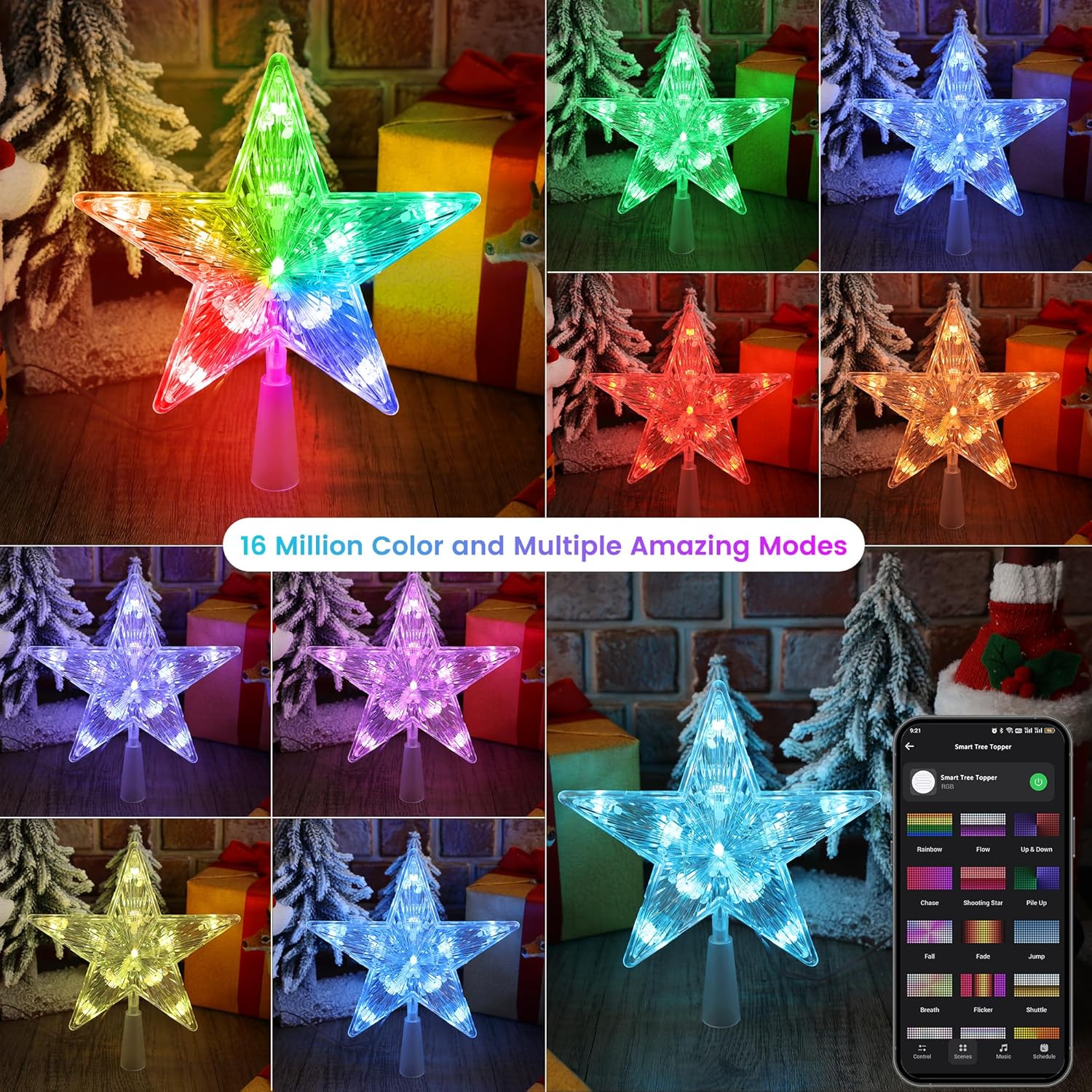
4-сүрөт: Мисamples of 16 million color options and multiple dynamic modes available via the app.

Figure 5: The app interface showing various preset stunning modes for the tree topper.
2. Үн менен башкаруу (Alexa жана Google Жардамчысы)
Integrate your tree topper with Amazon Alexa or Google Assistant for hands-free control. Ensure your device is linked within the respective smart home app.
Жалпы үн буйруктары:
- "Alexa, [Түзмөктүн аталышын] күйгүзүңүз."
- "Окей Google, [Түзмөктүн аталышын] өчүр."
- "Alexa, set [Device Name] to red."
- "Hey Google, brighten [Device Name] to 75%."
- "Alexa, dim [Device Name]."

Figure 6: Voice control integration with smart assistants like Alexa and Google Home.
3. Automations and Schedules
Set up custom schedules and automations within the app to control when your tree topper turns on/off, changes colors, or activates specific modes.
- Графиктер: Program specific times for the topper to operate daily or on selected days.
- Автоматташтыруулар: Create rules based on conditions like sunrise/sunset, or in conjunction with other smart devices.
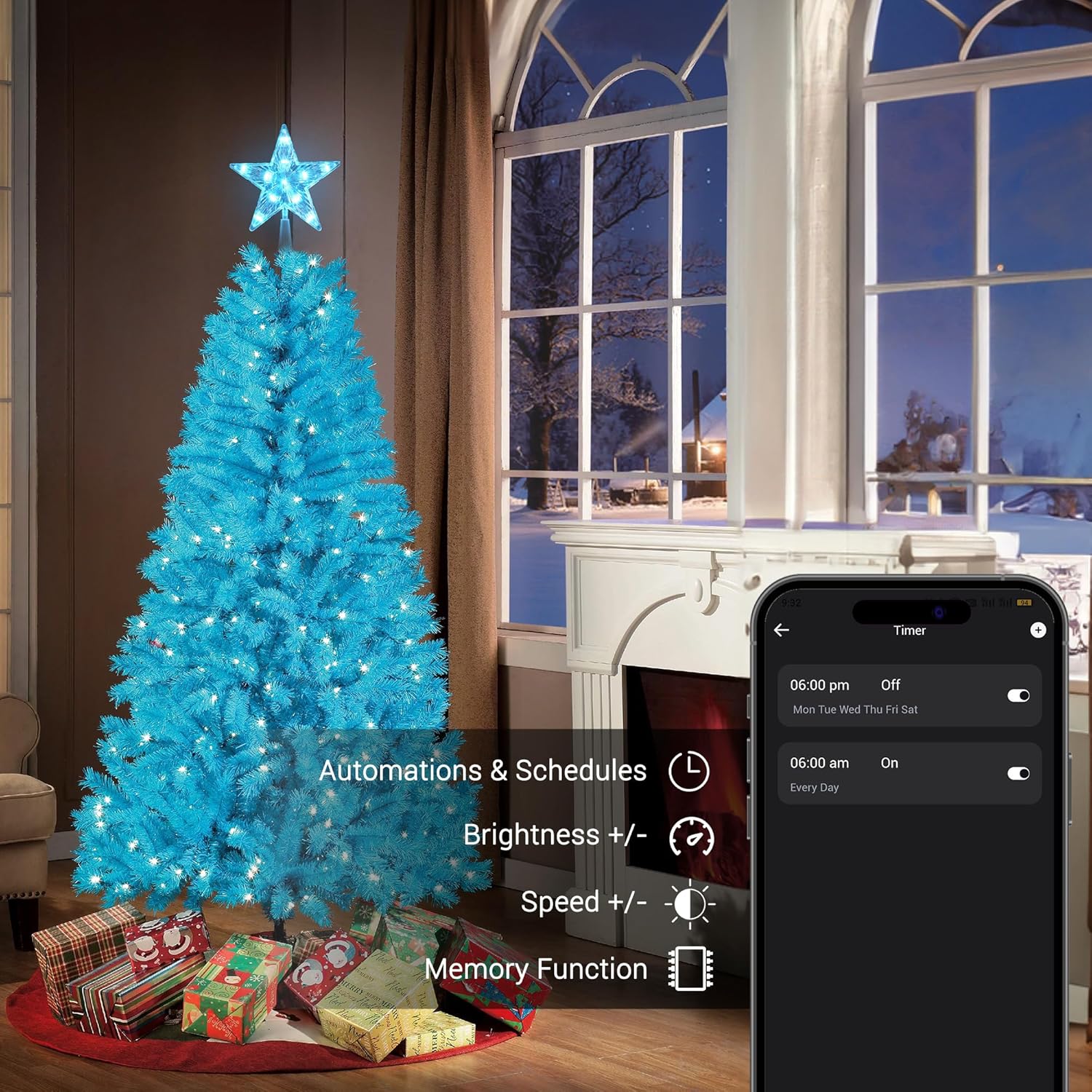
Figure 7: App interface for setting automations and schedules, including brightness and speed adjustments.
4. Музыканы синхрондоштуруу
The tree topper can synchronize its lighting effects with music played through your smartphone's microphone or a connected audio source. Select from various rhythm types within the app.

Figure 8: The app's music sync feature, allowing lights to dance to music.
5. Топтук көзөмөл
If you have multiple Brizled smart lighting products, you can group them within the app to control them simultaneously. This allows for synchronized color changes, brightness adjustments, and scene activations across all grouped devices.
Техникалык тейлөө
- Тазалоо: Gently wipe the tree topper with a soft, dry cloth. Do not use abrasive cleaners or solvents.
- Сактагыч: When not in use, store the tree topper in its original packaging or a protective container in a cool, dry place.
- Текшерүү: Periodically check the power cord and connections for any signs of damage. Discontinue use if damage is found.
Проблемаларды чечүү
| Көйгөй | Мүмкүн себеп | Чечим |
|---|---|---|
| Topper does not light up. | No power, loose connection, or device malfunction. | Ensure the power adapter is securely plugged into the topper and the wall outlet. Check if the outlet is functional. |
| Wi-Fi'га туташпай жатат. | Incorrect Wi-Fi band, wrong password, or too far from router. | Confirm your router is broadcasting a 2.4GHz network. Re-enter Wi-Fi password carefully. Move the topper closer to the router during setup. |
| Үн башкаруу иштебейт. | Not linked to smart assistant, incorrect device name, or internet connectivity issues. | Verify the topper is linked in your Alexa/Google Home app. Use the exact device name. Check your internet connection. |
| Жарыктар жымыңдап же туруксуз иштеп жатат. | Unstable power supply or software glitch. | Unplug the topper for 30 seconds, then plug it back in. Ensure the power source is stable. |
Кепилдик жана колдоо
Brizled products are designed for quality and reliability. For warranty information, technical support, or customer service inquiries, please refer to the contact information provided on the product packaging or visit the official Brizled webсайт.
Сиз да зыярат кылсаңыз болот Brizled Store on Amazon кошумча продукт маалымат жана колдоо ресурстар үчүн.