
1. Бүттүview
The BoxWave DirectSync PD Cable is a 10-foot USB-C to USB-C cable designed for efficient power delivery and high-speed data transfer. It supports up to 100 Watts of Power Delivery (PD), making it suitable for charging a wide range of devices, including laptops, tablets, and smartphones. The cable features a durable braided nylon construction and reinforced strain reliefs to ensure longevity and reliable performance.
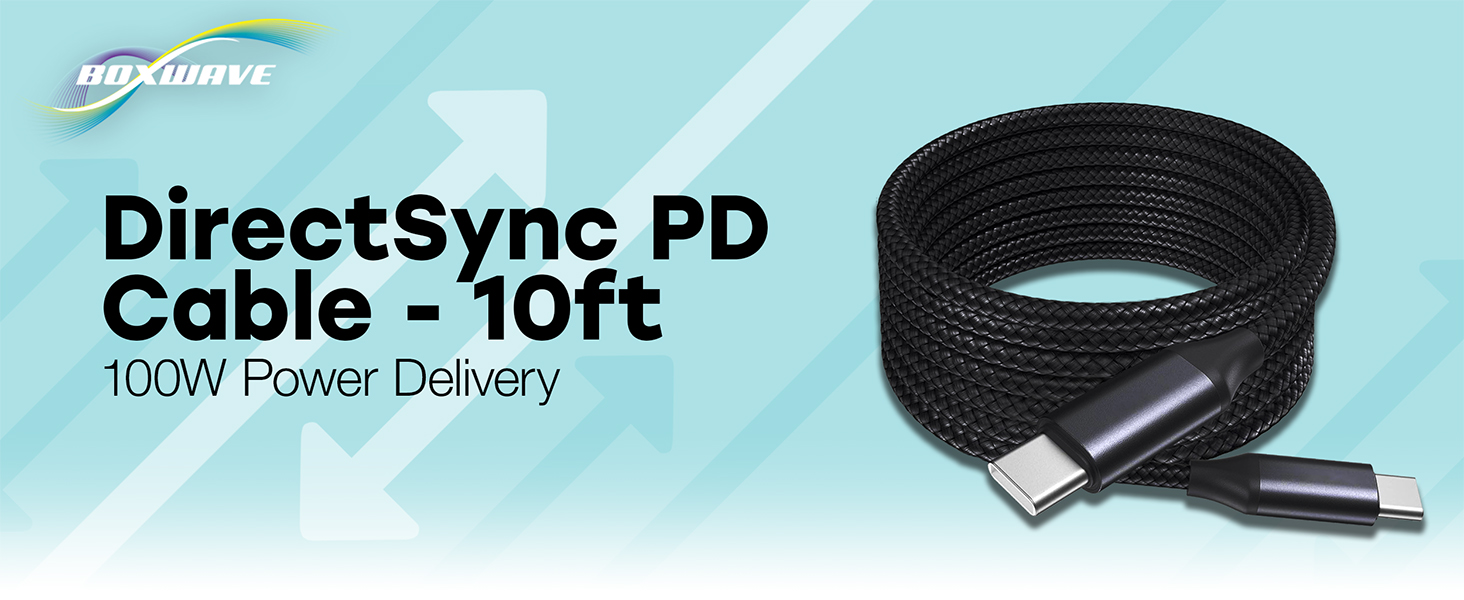
Image: The BoxWave DirectSync PD Cable, highlighting its 10-foot length and 100W Power Delivery capability.
2. Орнотуу
Setting up your DirectSync PD Cable is straightforward. This cable is designed for universal compatibility with USB-C enabled devices.
- Портторду аныктоо: Ensure your charging adapter and device both have USB-C ports.
- Кубат Булагына туташуу: Plug one end of the DirectSync PD Cable into a compatible USB-C power adapter or a computer's USB-C port.
- Түзмөккө туташуу: Plug the other end of the cable into your device's USB-C port.
- Байланышты текшерүү: Маалыматтарды өткөрүү үчүн түзмөгүңүз кубатталып жатканын же туташып турганын көрсөтүшү керек.

Image: A visual representation of the DirectSync PD Cable connected to a laptop and a smartphone, illustrating simultaneous charging and data synchronization.
3. Иштөө нускамалары
The DirectSync PD Cable offers dual functionality for both charging and data transfer.
3.1 Аппаратыңызды заряддоо
Connect the cable as described in the Setup section. The cable supports up to 100W Power Delivery, allowing for rapid charging of compatible devices. Charging speed will depend on your power adapter's output and your device's charging capabilities.
3.2 Жогорку ылдамдыктагы маалыматтарды берүү
When connected to a computer, the DirectSync PD Cable facilitates high-speed data transfers up to 480Mbps. This allows you to sync files, photos, and videos between your device and computer efficiently while simultaneously charging.

Image: The DirectSync PD Cable connected to a laptop, illustrating its capability for high-wattagэлектр энергиясын жеткирүү.
4. Техникалык тейлөө
To ensure the longevity and optimal performance of your BoxWave DirectSync PD Cable, follow these maintenance guidelines:
- Курч ийилгенден качыңыз: While the braided nylon is durable, avoid extreme bending or kinking, especially near the connectors.
- Таза туташтыргычтар: Periodically inspect and gently clean the USB-C connectors with a dry, soft cloth to remove dust or debris.
- Туура сактоо: When not in use, coil the cable loosely. Avoid tightly wrapping it around objects or pulling it taut.
- Этияттык менен мамиле кылуу: Кабелди сайганда же сууруп алганда, ар дайым туташтыргычтын башын кармаңыз, кабелдин өзүн тартпаңыз.

Image: Detail of the cable's durable nylon braided exterior.

Сүрөт: жакын план view of the reinforced rubberized strain relief at the connector, designed to prevent fraying.
5. Кыйынчылыктарды
If you encounter issues with your DirectSync PD Cable, refer to the following common problems and solutions:
- Түзмөк кубатталбай жатат:
- Ensure both ends of the cable are securely plugged into the power source and your device.
- Verify that your power adapter is functioning correctly and provides sufficient power for your device.
- Test the cable with another compatible device or power source to rule out issues with the cable itself.
- Check your device's charging port for any obstructions or damage.
- Жай кубаттоо ылдамдыгы:
- Confirm that your power adapter supports Power Delivery (PD) and provides adequate wattage (e.g., 100W for maximum speed).
- Ensure your device also supports fast charging via USB-C PD.
- Заряддоо учурунда түзмөктү көп колдонуудан алыс болуңуз, анткени бул процессти жайлатышы мүмкүн.
- Маалыматтарды өткөрүү маселелери:
- Ensure the cable is connected directly between your device and computer, bypassing any hubs or adapters that might not support data transfer.
- Check your device's settings to ensure data transfer mode is enabled (e.g., 'File Transfer' or 'MTP').
- Түзмөгүңүздү да, компьютериңизди да өчүрүп-күйгүзүңүз.
- Компьютериңиздеги башка USB-C портун колдонуп көрүңүз.
6. Техникалык шарттар
| Өзгөчөлүк | Деталь |
|---|---|
| Бренд | BoxWave |
| Туташтыргыч түрү | USB түрү C |
| Кабель түрү | USB |
| Power Delivery | 100 Вт чейин |
| Маалыматтарды өткөрүү ылдамдыгы | 480 Мбит/сек |
| Кабелдин узундугу | 10 фут (болжол менен 3 метр) |
| Материал | Braided Nylon Alloy |
| Түс | Jet Black |
| Connector Gender | Эркектен эркекке |
| Өзгөчө өзгөчөлүк | Braided, Strain Relief |
| Элемент Салмагы | 6 унция |
7. Кепилдик жана колдоо
BoxWave products are designed for quality and reliability. For specific warranty information regarding your DirectSync PD Cable, please refer to the packaging or the official BoxWave website. If you require technical assistance or have questions about your product, please contact BoxWave customer support through their official channels. Support contact information can typically be found on the product packaging or on the BoxWave webсайт.
Онлайн колдоо: Visit the BoxWave webКөп берилүүчү суроолор, колдоо макалалары жана байланыш параметрлери үчүн сайт.
Электрондук почта колдоо: Кардарларды тейлөө электрондук почта дарегин алуу үчүн продуктунун документтерине кайрылыңыз.