
1. Киришүү
The BAKON 882 is a versatile 2-in-1 SMD Hot Air Rework and Soldering Station designed for precision electronic work. This manual provides essential information for safe and effective operation, maintenance, and troubleshooting of your device.
1.1. Пакеттин мазмуну
- BAKON 2-in-1 Hot Air Rework and Soldering Iron Station
- Solder Wire (0.8mm, 10g)
- 5 Additional Styles of Soldering Iron Tips
- 2 Additional Sized Hot Air Nozzles
- 1 Solder Sucker
- 1 Anti-static Tweezers
- 1 Brass Tip Cleaner
- 1 Sponge Tip Cleaner
- 1 Instruction Manual
2. Коопсуздук нускамалары
Жарааттарды же жабдууларды бузууну болтурбоо үчүн ар дайым төмөнкү коопсуздук чараларын сактаңыз:
- Электр коопсуздугу: This model operates on 110V with a U.S. plug. Ensure the power cord is firmly connected to the machine and a grounded outlet. Do not operate with wet hands or in damp чөйрөлөр.
- Жылуулук коркунучу: The soldering iron and hot air gun reach high temperatures. Avoid direct contact with heated elements. Allow tools to cool before handling or storing.
- Түтүн: Ширетүүчү түтүндү дем алуудан сактануу үчүн жакшы желдетилген жерде колдонуңуз.
- ESD коопсуздугу: The station features ESD safety. Always use appropriate anti-static measures when working with sensitive electronic components.
- Балдар: Балдар жетпеген жерде сактаңыз.
- Күйүүчү материалдар: Тез күйүүчү материалдарды жумуш аймагынан алыс кармаңыз.
3. Продукциянын өзгөчөлүктөрү
The BAKON 882 offers advanced features for efficient and precise soldering and rework tasks:
- 2-in-1 Dual System Design: Combines a 90W soldering station and a 650W hot air rework station.
- Көз карандысыз операция: Dual display system and dual power switches allow independent or simultaneous use of hot air and soldering functions.
- PID Температураны көзөмөлдөө: High-end precision PID program monitors and corrects actual temperature at high speed for accurate and stable temperature control.
- Smart Transformer: Built-in professional-grade transformer for enhanced durability and stable performance.
- Чоң LCD дисплей: A 2.9-inch LCD screen provides clear visual feedback on temperature, air volume, and other settings.
- Automatic Standby & Sleep: Features automatic standby and sleep functions to conserve energy and prolong component life.
- Санариптик температураны калибрлөө: Allows for precise temperature adjustment and compensation.
- Температура бирдигин конверсиялоо: Цельсий (°C) менен Фаренгейттин (°F) ортосунда оңой которулуңуз.
- Temperature Presets: Three customizable memory buttons for quick selection of frequently used temperature settings.
- Сырсөздү кулпулоо: Secure settings with a password to prevent unauthorized changes.
- Cool Air/Hot Air Changeable: Provides flexibility for various rework applications.
- Кыска туташуулардан коргоо: Integrated protection for safer operation.

Figure 1: ашыкview of BAKON 882 key features.
4. Орнотуу
4.1. Таңгактан чыгаруу жана текшерүү
- Бардык компоненттерди таңгактан кылдаттык менен алып салыңыз.
- Inspect the station and accessories for any signs of damage. If any damage is found, do not operate the device and contact customer support.
- Ensure all items listed in the Package Contents section are present.
4.2. Компонентти идентификациялоо

Figure 2: Labeled components of the BAKON 882 station.
4.3. Баштапкы орнотуу
- Place the main station on a stable, heat-resistant surface.
- Connect the soldering iron to the designated port on the front panel. Place the soldering iron in its stand.
- Connect the hot air gun to its designated port. Place the hot air gun in its bracket.
- Ensure the power switches for both the soldering iron and hot air gun are in the OFF position.
- Plug the power cord into a 110V AC grounded outlet.
5. Иштөө нускамалары
5.1. Күйгүзүү/өчүрүү
Press the main power switch on the back of the unit to turn the station ON. The LCD display will illuminate. Use the individual power switches on the front panel to activate the soldering iron or hot air gun functions.
5.2. Soldering Iron Operation
- Turn on the soldering iron switch. The display will show the current and set temperatures.
- Use the 'Up' and 'Down' arrow buttons to adjust the desired temperature.
- The station features 3 preset memory buttons (CH1, CH2, CH3) for quick temperature selection. Press a preset button to recall a stored temperature. To save a new temperature, set the desired temperature, then press and hold the desired CH button until the setting is saved.
- The soldering iron will automatically heat up when picked up from its stand and enter sleep mode when placed back.
Video 1: Demonstrates the BAKON 882's independent control, quick heating, and customizable shortcut buttons for soldering and hot air functions.
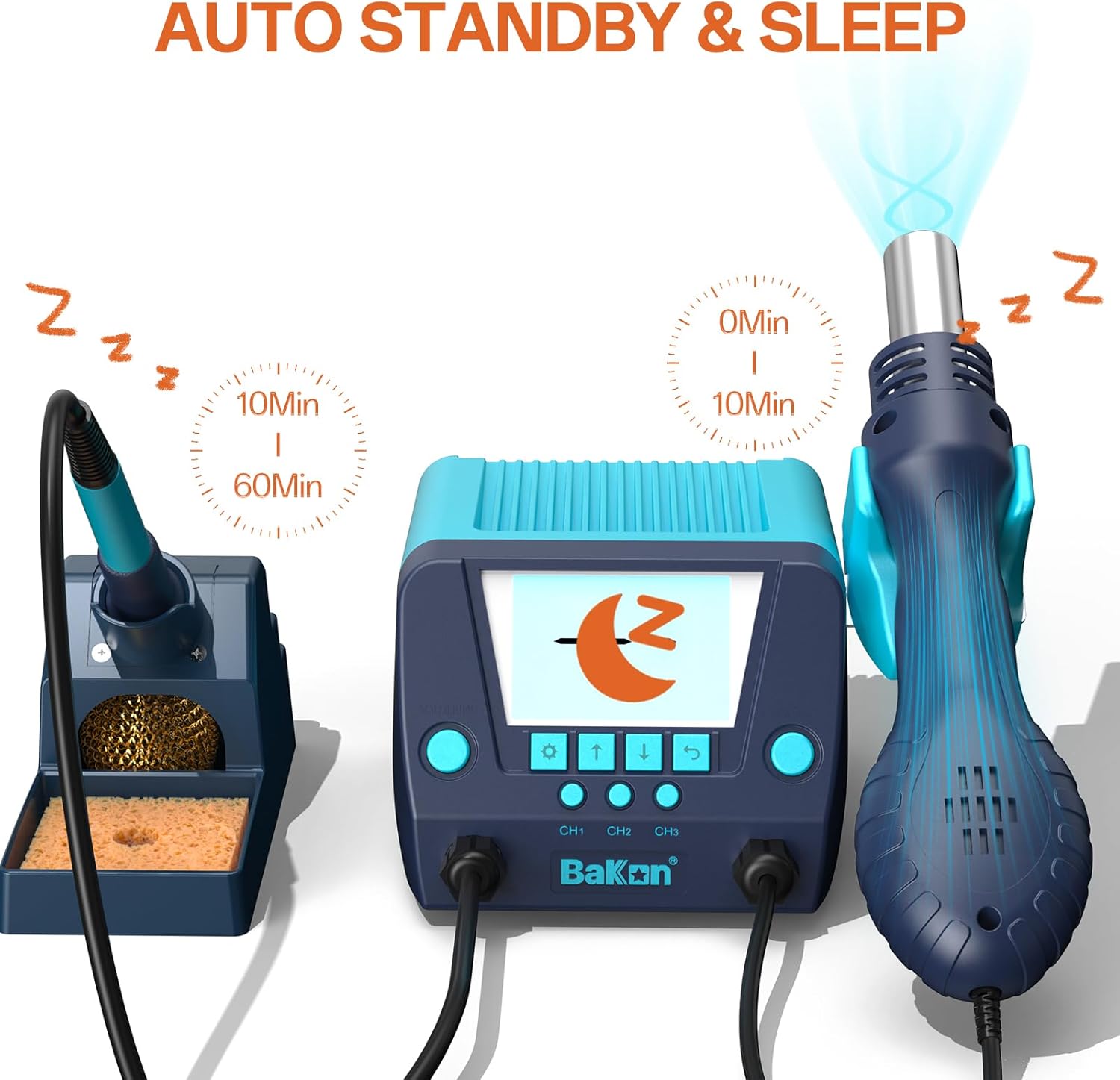
Figure 3: Automatic Standby and Sleep Functionality.
5.3. Hot Air Gun Operation
- Turn on the hot air gun switch. The display will show the current temperature and air volume.
- Use the 'Up' and 'Down' arrow buttons to adjust the desired temperature.
- Use the 'Plus' and 'Minus' buttons to adjust the air volume.
- The hot air gun will automatically cool down and enter sleep mode when placed in its bracket.
Video 2: Illustrates the hot air rework station's features, including temperature and air volume control, and heat shrink application.
5.4. Температура бирдигин конвертациялоо (°C/°F)
Press the dedicated °C/°F button to toggle between Celsius and Fahrenheit temperature displays.
5.5. Password Lock
To activate the password lock, navigate to the password setting in the menu (refer to the detailed instruction manual for specific menu navigation). Set your desired password to prevent unauthorized changes to settings.
6. Техникалык тейлөө
6.1. Soldering Tip Maintenance
- Regularly clean soldering tips using the brass tip cleaner or a damp sponge (ensure the sponge is only damp, not soaking wet).
- Tin the tip with a small amount of solder after each use and before storage to prevent oxidation.
- Replace tips when they become excessively worn or corroded to maintain optimal performance.
6.2. Hot Air Nozzle Maintenance
- Ensure hot air nozzles are free from debris or solder splatter. Clean gently with a non-abrasive tool if necessary.
- Periodically check for secure attachment of nozzles to the hot air gun.
6.3. Жалпы тазалоо
- Wipe the main unit and tool handles with a soft, dry cloth.
- Абразивдүү тазалагычтарды же эриткичтерди колдонбоңуз.
- Ensure the unit is unplugged and cool before cleaning.
7. Кыйынчылыктарды
7.1. Жалпы маселелер жана чечүү жолдору
| Маселе | Мүмкүн себеп | Чечим |
|---|---|---|
| Күч жок | Power cord loose; Main switch off; Outlet issue | Check power cord connection; Ensure main switch is ON; Test outlet with another device. |
| Soldering Iron Not Heating | Iron switch OFF; Tip not properly inserted; Heating element failure | Turn iron switch ON; Re-insert tip securely; Contact support if issue persists. |
| Hot Air Gun Not Heating/No Airflow | Hot air switch OFF; Nozzle blocked; Heating element/fan failure | Turn hot air switch ON; Check/clear nozzle; Contact support if issue persists. |
| Температуранын так эместиги | Needs calibration; Sensor issue | Perform digital temperature calibration; Contact support if issue persists. |
| Short Circuit Protection Activated | Faulty component; Wiring issue | Inspect components/wiring for shorts; Disconnect and re-test; Contact support. |
For issues not listed above, please refer to the detailed instruction manual or contact BAKON customer support.
8. Техникалык шарттар
- Модел: BAKON 882
- Киргизүү көлөмүtage: 110V AC
- Ширетүүчү темирдин күчү: 90 Вт
- Hot Air Rework Power: 650 Вт
- Soldering Iron Temperature Range: 180°C - 480°C (356°F - 896°F)
- Hot Air Gun Temperature Range: 100°C - 500°C (212°F - 932°F)
- Дисплей түрү: 2.9 дюймдук LCD
- Температуранын туруктуулугу: Жогорку
- ESD коопсуз: Ооба
- Элемент Салмагы: 1.96 кг
- Кубат булагы: AC
- Корндун узундугу: 43 дюйм
9. Кепилдик жана колдоо
BAKON provides the following support for your BAKON 882 station:
- Кепилдик: 1-year warranty after-sales service.
- Техникалык колдоо: Өмүр бою техникалык колдоо.
- Кайтаруулар: 30 days full return policy.
If you have any questions about our products or instructions, please feel free to contact us. We will reply to you within 24 hours.