
1. Продукт бүтүп калдыview
The Xmenha Kids Wireless Bluetooth Cat Ear Headphones, Model KE11, are designed to provide an engaging audio experience for children. These headphones feature a unique design with light-up cat ears and heart-shaped LED lights on the earcups. They offer multiple connectivity options, including Bluetooth wireless, a 3.5mm audio cable for wired use, and a memory card slot for MP3 playback. An adjustable noise-canceling microphone is integrated for clear communication.
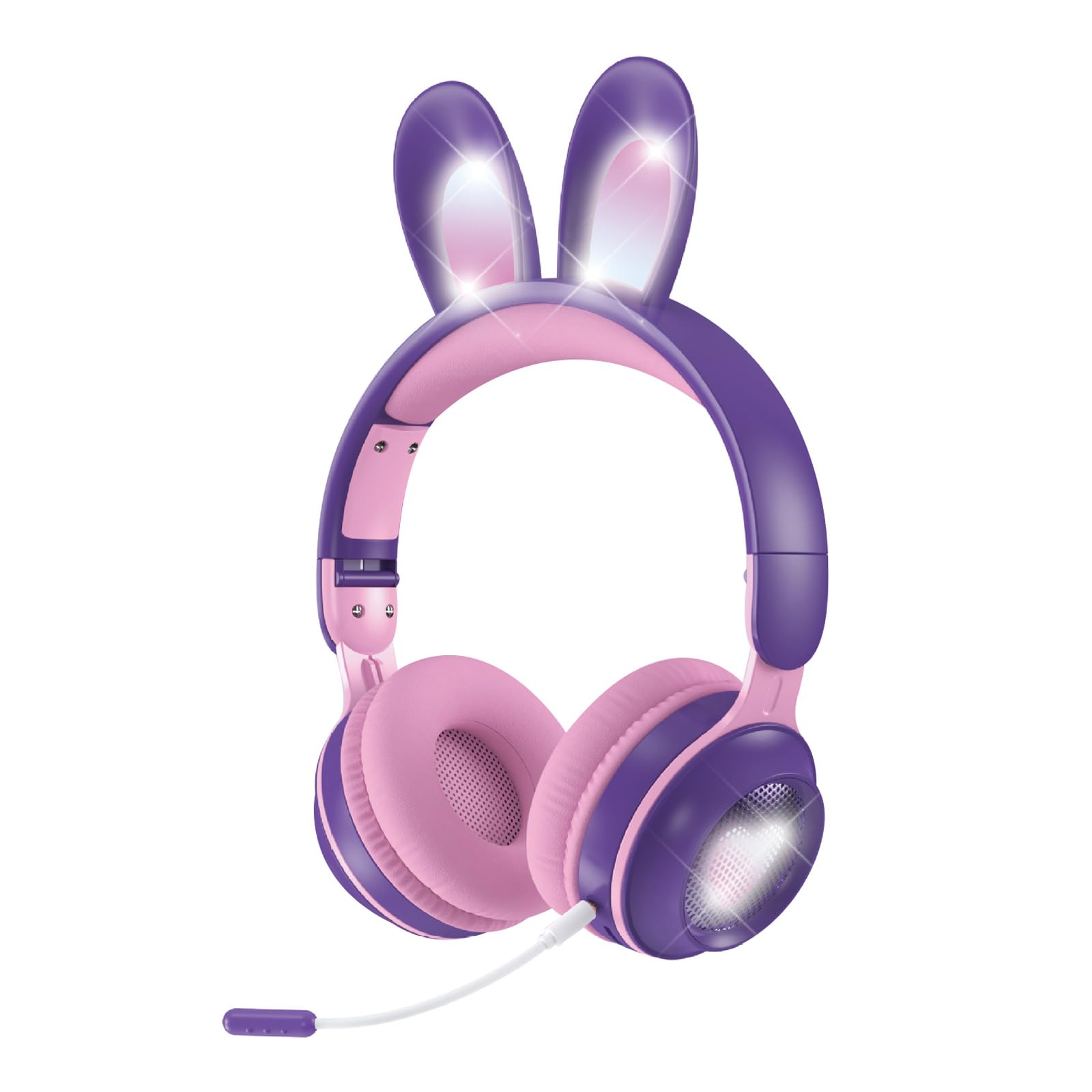
Figure 1: Xmenha Kids Wireless Bluetooth Cat Ear Headphones in Purple.
Негизги өзгөчөлүктөрү:
- Light-Up Cat Ears & Heart-Shaped LED Lights: Unique multi-color gradient LED lights on earcups and cat ears.
- Бир нече туташуу параметрлери: Supports Bluetooth wireless, 3.5mm audio cable, and memory card (not included) for MP3 playback.
- Adjustable Headband & Soft Earmuffs: Provides a comfortable fit and improved sound isolation.
- Бүктөлүүчү Дизайн: Easy to carry and store, suitable for travel.
- Камтылган микрофон: Adjustable noise-canceling microphone for clear voice communication.
- Кеңири шайкештик: Works with smartphones, tablets, gaming consoles, Chromebooks, Kindle Fire, Switch, and iPad.
Video 1: This video demonstrates the features and various color options of the Xmenha Kids Bluetooth Headphones, including the light-up cat ears and microphone.
2. Пакеттин мазмуну
Сураныч, кутудан чыгарганда пакеттин мазмунун текшерип, бардык буюмдар бар экенин текшериңиз:
- Xmenha Kids Wireless Bluetooth Cat Ear Headphones (1 unit)
- 3.5mm Audio Cable (1 unit)
- USB-C кубаттоочу кабели (1 даана)
- Колдонуучунун Колдонмосу (бул документ)
3. Башкаруу каражаттары жана көрсөткүчтөр
Familiarize yourself with the headphone controls and ports:

Figure 2: Illustration of upgraded Bluetooth 5.0 technology and various ports on the headphones.
- Кубат баскычы: Typically located on one earcup, used for powering on/off and Bluetooth pairing.
- Үн баскычтары: Used to adjust audio volume.
- Көп функциялуу баскыч: For play/pause, answer/end calls (functionality may vary).
- USB-C заряддоо порту: Заряддоо кабелин туташтыруу үчүн.
- 3.5 мм аудио уячасы: Камтылган аудио кабелин колдонуу менен зымдуу туташуу үчүн.
- Эстутум картасынын слоту: For inserting a microSD card (not included) for MP3 playback.
- Микрофон порту: For connecting the adjustable microphone.
- LED көрсөткүчү: Shows power status, charging status, and Bluetooth pairing mode.
4. Орнотуу жана туташуу
4.1 Наушниктерди заряддоо
- Берилген USB-C кубаттоо кабелин кулакчындардын кубаттоо портуна туташтырыңыз.
- USB-C кабелинин экинчи учун USB кубат адаптерине (кошумча эмес) же компьютердин USB портуна туташтырыңыз.
- The LED indicator will show the charging status. Charging time is approximately 2.5 hours.
- Once fully charged, the LED indicator will change (refer to specific LED behavior in the full manual if available).
4.2 Күйгүзүү/өчүрүү
- Күйгүзүү үчүн: LED индикатору күйүп, сиз уккулуктуу эскертүүнү укканга чейин кубат баскычын болжол менен 3 секунд басып туруңуз.
- Өчүрүү үчүн: LED индикатору өчүп, үн сигналын укканга чейин Кубат баскычын болжол менен 3-5 секунд басып туруңуз.
4.3 Bluetooth жупташтыруу
- Наушниктердин өчүрүлгөнүн текшериңиз.
- Press and hold the Power button for approximately 5-7 seconds until the LED indicator flashes rapidly (usually blue and red alternately), indicating pairing mode.
- Түзмөгүңүздө (смартфон, планшет ж.б.) Bluetooth иштетиңиз жана жеткиликтүү түзмөктөрдү издеңиз.
- Select "Xmenha KE11" (or similar name) from the list of found devices.
- Once paired, the LED indicator will stop flashing and remain solid blue, and you will hear a connection confirmation sound.
4.4 Зымдуу туташуу
Наушниктерди зымдуу режимде колдонуу үчүн:
- Connect one end of the 3.5mm audio cable to the 3.5mm audio jack on the headphones.
- Connect the other end of the audio cable to the audio output jack of your device.
- The headphones will automatically switch to wired mode. Bluetooth functionality will be disabled.
4.5 Эстутум картасын ойнотуу
The headphones support playback from a microSD card (not included).
- Carefully insert a microSD card with MP3 audio files into the memory card slot on the headphones.
- The headphones should automatically detect the card and begin playing music.
- Use the headphone controls to manage playback (play/pause, skip tracks).
5. Операция
5.1 Аудио ойнотуу
- Ойнотуу/тындыруу: Көп функциялуу баскычты бир жолу басыңыз.
- Көлөмү: Үнүн жогорулатуу баскычын басыңыз.
- Үнүн азайтуу: Үндү азайтуу баскычын басыңыз.
- Кийинки трек: Press and hold the Volume Up button (or specific button, refer to product diagram).
- Мурунку трек: Press and hold the Volume Down button (or specific button, refer to product diagram).
5.2 Микрофонду колдонуу
The adjustable microphone can be used for voice calls or in-game communication.
- Connect the microphone to its dedicated port on the headphones.
- Үндү оптималдуу кабыл алуу үчүн микрофондун абалын тууралаңыз.
- When a call comes in (in Bluetooth mode), press the Multi-function button to answer. Press again to end the call.

Figure 3: Headphones with an adjustable noise-canceling microphone for clear communication.
5.3 Light Show Activation
The headphones feature light-up cat ears and heart-shaped LED lights on the earcups.
- The lights typically activate automatically when the headphones are powered on.
- Some models may have a dedicated button to toggle the lights on/off or change light modes. Refer to the product diagram for specific controls.
6. Техникалык тейлөө жана кам көрүү
- Тазалоо: Наушниктерди тазалоо үчүн жумшак, кургак чүпүрөктү колдонуңуз. Абразивдүү тазалагычтарды же эриткичтерди колдонбоңуз.
- Сактагыч: Колдонулбаганда, наушниктерди салкын, кургак жерде сактаңыз. Бүктөлүүчү дизайн компакт сактоого мүмкүндүк берет.
- Нымдуулуктан качыңыз: Although the product description mentions
Ask a question about this manual
Ask about setup, troubleshooting, compatibility, parts, safety, or missing instructions. Manuals+ will review the question and use this page’s manual context to help answer it.