

1. Киришүү
The PETLIBRO Automatic Cat Feeder (Model PLAF108) is designed to provide convenient and reliable feeding for your pets. This Wi-Fi enabled dispenser features a built-in rechargeable battery, allowing for flexible placement and uninterrupted operation. Control feeding schedules and monitor your pet's meals remotely via the dedicated mobile application.
- Intelligent Feeding: Connects to 2.4GHz Wi-Fi networks for remote scheduling and portion control via the PETLIBRO mobile app.
- Кайра заряддалуучу батарея: Built-in lithium battery provides up to 30 days of operation on a full charge, offering placement flexibility.
- 24/7 Wireless Connectivity: Ensures stable connection and emergency feeding even during power outages.
- Overeating Prevention: Secure lid mechanism prevents pets from accessing food outside scheduled times.
- Оңой тейлөө: Designed for simple disassembly and cleaning of components.
2. Продукциянын компоненттери
Familiarize yourself with the main parts of your PETLIBRO Automatic Cat Feeder:
- Тамак-аш бункер: Stores dry pet food.
- Капкак: Secures the food hopper, features a press-to-lock mechanism.
- Негизги бирдиги: Contains the electronic components, battery, and dispensing mechanism.
- Дат баспас болоттон жасалган идиш: Food-grade bowl for pet feeding.
- Dispenser Outlet: Тамактын идишке куюлган жери.
- Электр порту: Заряддоочу түзүлүштү туташтыруу үчүн.
- Wi-Fi индикатор жарыгы: Туташуу абалын көрсөтөт.
- Manual Feed Button: Allows for immediate, unscheduled feeding.
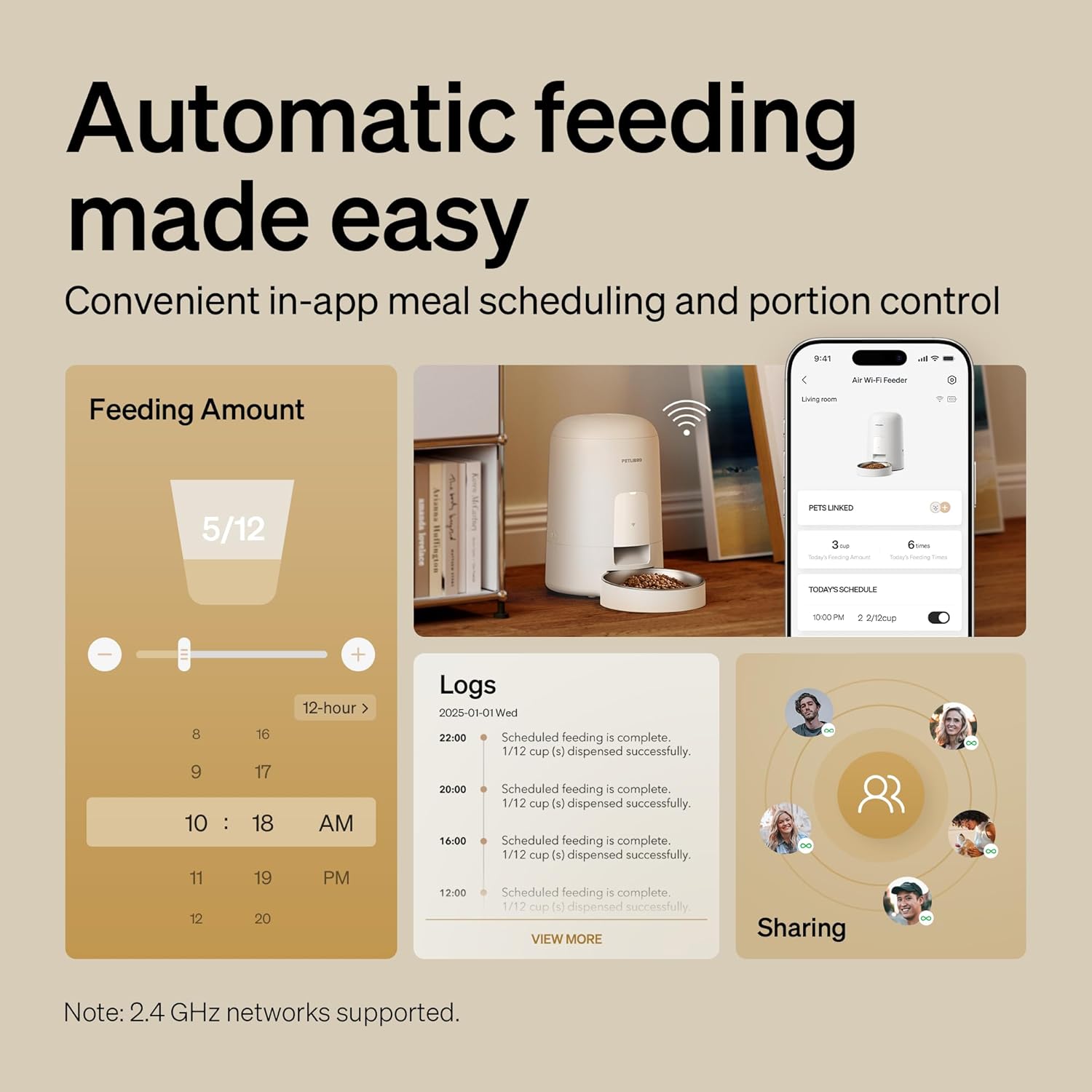
Сүрөт: бүттүview of the feeder and its app interface, highlighting automatic feeding features and logs.
3. Орнотуу колдонмосу
3.1 Таңгактан чыгаруу жана баштапкы төлөм
- Бардык компоненттерди таңгактан кылдаттык менен алып салыңыз.
- Connect the charger to the feeder's power port and plug it into a wall outlet. Allow the feeder to fully charge for approximately 8 hours before first use. The battery indicator will show charging status.
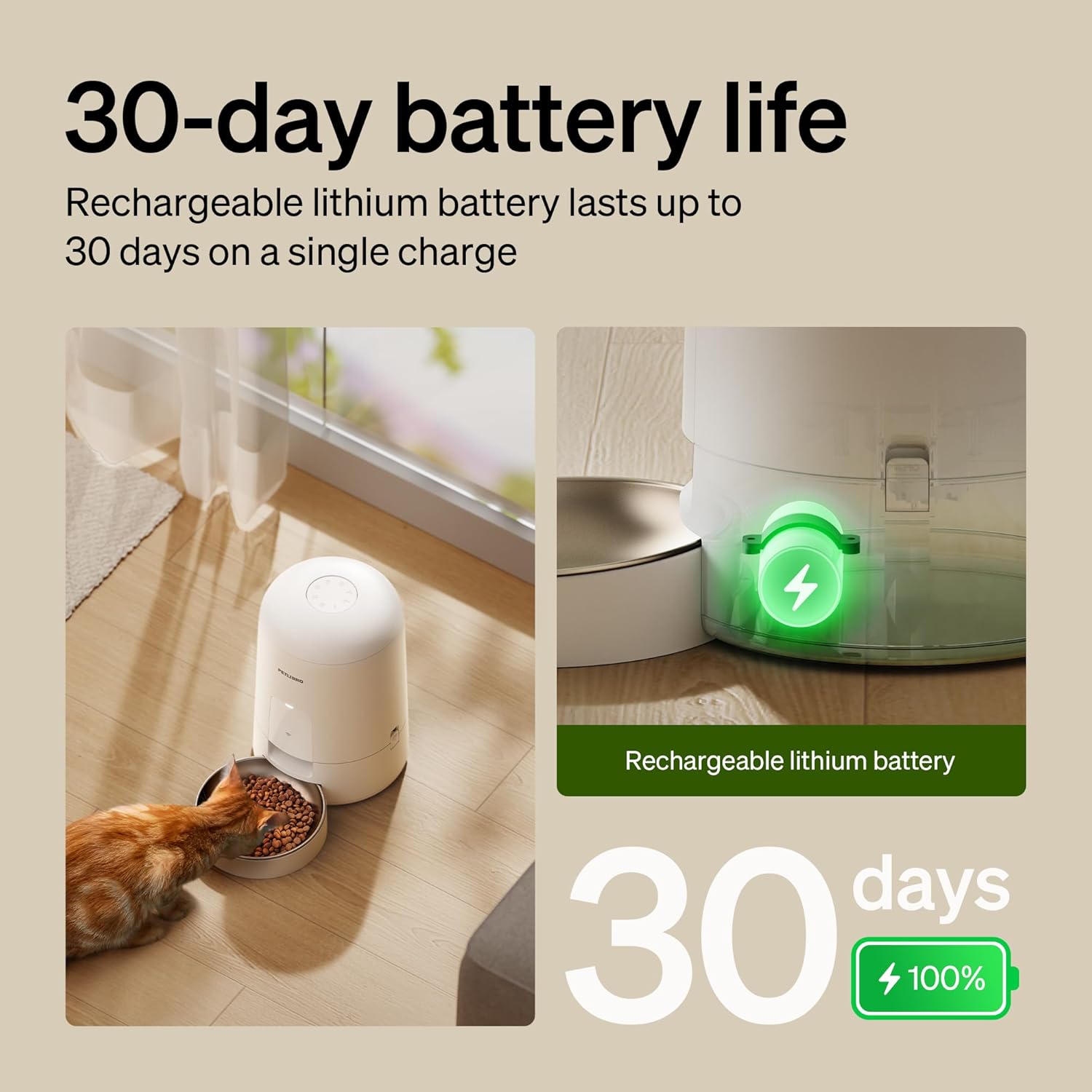
Image: The feeder in use with a cat, illustrating its 30-day battery life and rechargeable nature.
3.2 Колдонмону орнотуу жана Wi-Fi туташуусу
- Download the "PETLIBRO" mobile app from your device's app store.
- Open the app and follow the on-screen instructions to create an account and add your new feeder.
- Wi-Fi тармагыңызды текшериңиз 2.4 ГГц. The feeder does not support 5GHz networks.
- Follow the app's prompts to connect the feeder to your home Wi-Fi network. The Wi-Fi indicator light on the feeder will confirm successful connection.
Маанилүү: Keep the feeder indoors. Only supports 2.4GHz networks.
3.3 Тамак-аш бункерин толтуруу
- Азык-түлүк салынган идиштин капкагын ачыңыз.
- Pour dry kibble into the hopper. Ensure the kibble diameter is between 2-15mm to prevent jamming.
- Securely close the lid using the press-to-lock mechanism to prevent pets from accessing food and maintain freshness.

Image: Detail of the spill-proof lid design, showing how it locks to secure pet food.
4. Иштөө нускамалары
4.1 Setting Feeding Schedules (App Control)
The PETLIBRO app allows you to customize your pet's feeding schedule:
- Open the PETLIBRO app on your smartphone.
- Navigate to the feeder's control interface.
- Select "Schedule" or "Feeding Plan" to set meal times and portion sizes. You can typically set 0-10 meals per day, with a maximum of 2/3 cups per meal.
- Save your settings. The feeder will automatically dispense food according to your programmed schedule.

Image: Remote pet feeding via the app, showing a user interacting with the app and a cat near the feeder.
4.2 Кол менен тамактандыруу
To dispense food immediately outside of the scheduled times:
- Колдонмо аркылуу: On the app's main screen for the feeder, locate the "Feed Now" or "Manual Feed" option. You can usually select the portion size before dispensing.
- Бергичте: Press the manual feed button located on the feeder's base unit. This will dispense a single portion of food.
4.3 Monitoring and Notifications
- The app provides real-time feeding logs, allowing you to track when and how much food was dispensed.
- Receive instant notifications for important events, such as low food levels or low battery power.
5. Техникалык тейлөө жана тазалоо
Үй жаныбарыңызды үзгүлтүксүз тазалоо анын оптималдуу иштешин жана гигиенасын камсыз кылат.
5.1 Тазалоо үчүн демонтаждоо
The PETLIBRO feeder is designed for easy disassembly:
- Ensure the feeder is unplugged and powered off.
- Remove the food hopper from the base unit. The easy-lock design allows for quick removal.
- Separate the stainless steel bowl from the base.
- Disassemble any other detachable components as per the quick guide.

Image: Detachable components of the feeder being cleaned under running water in a sink.
5.2 Тазалоо боюнча нускамалар
- Wash the food hopper, lid, and stainless steel bowl with mild soap and water. Rinse thoroughly.
- DO NOT wash the main base unit with water. Негизги блокту жарнама менен сүртүңүзamp кездеме гана.
- Ensure all washed components are completely dry before reassembling and refilling with food.
5.3 Kibble Recommendations
- Use dry kibble with a diameter between 2-15mm.
- Do not use wet pet food or kibble larger than 15mm, as this can cause jamming.
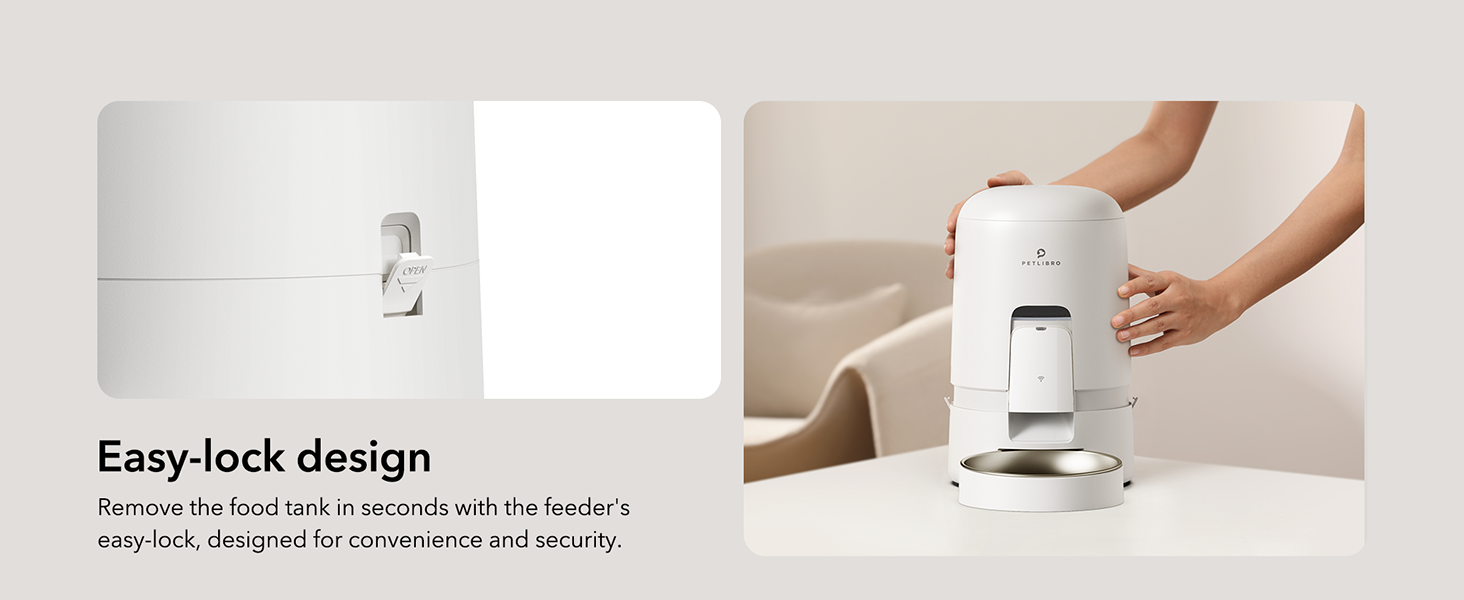
Image: Visual guide for recommended kibble sizes (2-15mm) and compatible food types (dry, freeze-dried, air-dried, mixed food).
6. Кыйынчылыктарды
| Көйгөй | Мүмкүн себеп | Чечим |
|---|---|---|
| Азыктандыруучу тамак бербейт. | Food hopper empty; kibble jammed; power issue; incorrect schedule. | Refill hopper; check kibble size (2-15mm); ensure feeder is charged/plugged in; verify app schedule. |
| Wi-Fi ажыратылышы. | Router issue; feeder out of range; 5GHz network used. | Restart router; move feeder closer to router; ensure 2.4GHz network is used. The built-in battery ensures emergency feeding even if Wi-Fi temporarily disconnects. |
| Pet knocks over feeder/bowl. | Feeder not stable; bowl not securely attached. | Place feeder in a stable location or against a wall; ensure bowl is properly seated. The spill-proof design minimizes mess if tipped. |
| Колдонмо фидерге туташпай жатат. | Incorrect Wi-Fi password; feeder not in pairing mode; app issue. | Re-enter Wi-Fi password; follow app instructions to re-pair; restart app and feeder. |
If you encounter issues not listed here, please refer to the Кепилдик жана колдоо байланыш маалыматы үчүн бөлүм.
7. Продукттун спецификациялары
| Өзгөчөлүк | Деталь |
|---|---|
| Модель аты | air automatic cat feeder (PLAF108) |
| Бренд | ПЕТЛИБРО |
| Кубаттуулугу | 2 литр |
| Түс | Ак |
| Материал | Акрилонитрил бутадиен стирол, дат баспас болот |
| Өлчөмдөрү (LxWxH) | 7.68 x 7.68 x 11.42 дюйм |
| Элемент Салмагы | 3.66 фунт (1.66 килограмм) |
| Power Source | Rechargeable Lithium Battery (30-day life), Charger |
| Байланыш | Wi-Fi (2.4 ГГц гана) |
| Kibble Size | 2-15mm diameter dry kibble |
| Күнүнө эң көп тамак-аш | 0-10 тамак |
| Max Portion/Meal | 2/3 чөйчөкчө |
| Максаттуу түрлөр | Cat, Small to Medium Animals |
| Камтылган компоненттер | WiFi automatic pet feeder*1, Stainless Steel Bowl*1, Charger*1, Quick Guide*1, User Manual*1 |
8. Кепилдик жана колдоо
Your PETLIBRO Automatic Cat Feeder comes with a 24 ай кепилдик сатып алынган күндөн тартып.
For technical support, warranty claims, or any questions regarding your product, please contact PETLIBRO customer service. You can find more information and contact details on the official PETLIBRO webсайты же алардын Amazon дүкөнүнүн баракчасы аркылуу:
Visit the PETLIBRO Store on Amazon
Please have your model number (PLAF108) and purchase details ready when contacting support.