
CHUANYUE T2
CHUANYUE T2 Motorcycle Bluetooth Headset User Manual
Модел: T2
1. Киришүү
The CHUANYUE T2 Motorcycle Bluetooth Headset is designed to enhance communication and entertainment for motorcycle riders. This device features Bluetooth 5.0 technology, supporting two-rider intercom communication up to 1000 meters, music sharing, DSP and CVC noise cancellation for clear audio, FM radio, and one-click pairing. It is built with an IP67 waterproof rating and utilizes a Type-C charging port for convenience.

Image: Four CHUANYUE T2 Motorcycle Bluetooth Headsets, illustrating the product units.
2. Кутуда эмне бар
Ensure all components are present before installation:
- Mainframe Equipment
- Headset Microphone Sets
- Fixed Installation Bracket
- Sticky Installation Bracket
- C түрүндөгү кубаттоочу кабель
- User Manual

Сүрөт: бүттүview of included components and a visual guide for installing the clip and paste brackets.
3. Орнотуу
3.1. Headset Unit Installation
- Шлемди даярдоо: Carefully remove the inner padding of your helmet to access the ear areas.
- Спикердин жайгашуусу: Attach the headset speakers to the inside of the helmet using the provided adhesive pads. Ensure they are positioned directly over your ears for optimal audio quality. The short line speaker is for the left side, and the long line speaker is for the right side.
- Микрофондун жайгашуусу: Secure the microphone inside the helmet, positioning it close to your mouth but away from direct wind.
- Кабелдик башкаруу: Route all cables neatly under the helmet padding to prevent discomfort and ensure they are not exposed.

Image: A motorcycle helmet with the T2 headset installed, connected to a GPS device, demonstrating integrated use.
3.2. Main Unit Mounting
Choose between the fixed clip bracket or the adhesive paste bracket:
3.2.1. Clip Bracket Installation
- Open the metal piece of the clip bracket.
- Slide the bracket onto the edge of the helmet shell, ensuring a secure fit.
- Insert the main unit into the clip bracket until it locks into place.
3.2.2. Paste Bracket Installation
- Туулга бетиндеги керектүү орнотуучу жерди кылдаттык менен тазалаңыз.
- Peel off the red protective film from the adhesive on the paste bracket.
- Firmly press the bracket onto the helmet surface for at least 30 seconds. Allow sufficient time for the adhesive to cure before use.
- Slide the main unit into the paste bracket until it clicks securely.
4. Иштөө нускамалары
4.1. Күйгүзүү/өчүрүү
- Күйгүзүү: Press and hold the multi-function button for approximately 3 seconds until the indicator light illuminates.
- Өчүрүү: Press and hold the multi-function button for approximately 3 seconds until the indicator light turns off.
4.2. Мобилдик түзмөк менен Bluetooth жупташтыруу
- T2 гарнитурасынын өчүрүлгөнүн текшериңиз.
- Press and hold the multi-function button for approximately 5-7 seconds until the red and blue indicator lights flash alternately, indicating pairing mode.
- Уюлдук телефонуңузда Bluetooth'ду күйгүзүп, жеткиликтүү түзмөктөрдү издеңиз.
- Select "T2" from the list of devices to connect. Once connected, the blue indicator light will flash slowly.
4.3. Домофонду жупташтыруу (2 чабандес)
- Ensure both T2 headsets are powered off.
- On both headsets, press and hold the multi-function button for approximately 5-7 seconds until the red and blue indicator lights flash alternately.
- On one of the headsets, short press the intercom button. The headsets will search for each other and automatically pair.
- Once paired, the indicator lights on both headsets will turn solid blue, indicating a successful intercom connection.
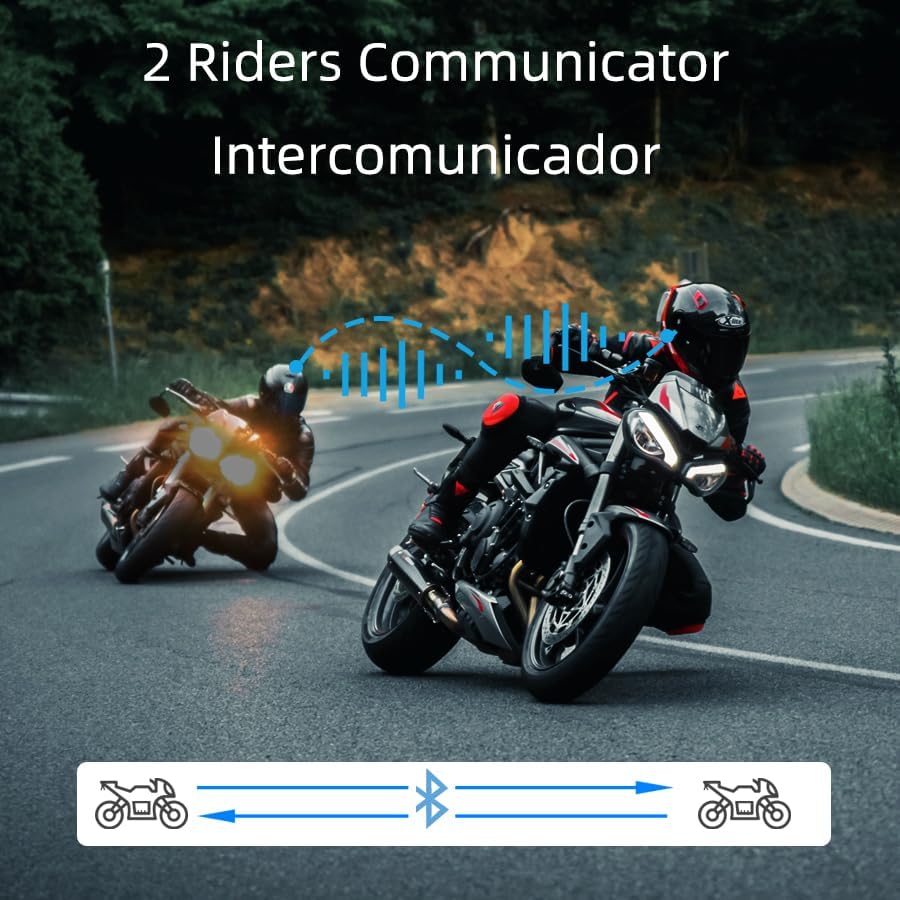
Image: Two riders on motorcycles, illustrating the two-way intercom communication feature.
4.4. Музыка ойнотуу жана бөлүшүү
- Ойнотуу/тындыруу: Short press the multi-function button to play or pause music.
- Кийинки трек: Rotate the multi-function knob clockwise.
- Мурунку трек: Rotate the multi-function knob counter-clockwise.
- Үндү тууралоо: Press and hold the volume up/down buttons.
- Музыка бөлүшүү: (Specific instructions for music sharing between two T2 units would be here if available, but are not detailed in the provided data. Generally, this involves a specific button press on both devices after they are paired.)
4.5. Телефон чалуулар
- Чакырууга жооп берүү: Short press the multi-function button when a call comes in.
- Чакырууну аяктоо: Short press the multi-function button during a call.
- Чакырууну четке кагуу: Press and hold the multi-function button for 2 seconds when a call comes in.
- Үн менен терүү (Siri/Google Жардамчысы): Long press the multi-function button for 2 seconds to activate your phone's voice assistant.

Image: A helmet with the T2 headset, showing a smartphone screen with voice assistant commands, highlighting the voice control feature.
4.6. FM радиосу
- FMди күйгүзүү/өчүрүү: Double-click the multi-function button to activate or deactivate the FM radio.
- Алмаштыруу бекети: Rotate the multi-function knob clockwise or counter-clockwise to scan for stations.
5. Техникалык тейлөө
- Тазалоо: жумшак колдонуу, damp cloth to clean the exterior of the headset. Avoid harsh chemicals or abrasive materials.
- Суу каршылык: The T2 headset is IP67 waterproof. While it can withstand rain and splashes, avoid submerging it in water for extended periods.
- Заряддоо: Use the provided Type-C charging cable. Ensure the charging port is dry before connecting the cable.
- Сактагыч: Колдонбогондо гарнитураны салкын, кургак жерде сактаңыз.

Image: The T2 headset shown with water splashing, highlighting its IP67 waterproof feature.
6. Кыйынчылыктарды
- Кубат жок: Ensure the battery is charged. Connect the headset to the charger and check the indicator light.
- Жупташуу мүмкүн эмес: Make sure the headset is in pairing mode (red and blue lights flashing alternately). Ensure your phone's Bluetooth is on and visible. Try restarting both devices.
- Домофонду өчүрүү: If the intercom disconnects, try re-pairing the units. Ensure they are within the specified range.
- Начар аудио сапаты: Check speaker placement inside the helmet. Ensure the microphone is not obstructed. Verify that noise cancellation features (DSP & CVC) are active.
- Үн жардамчысы жооп бербей жатат: Ensure your phone is connected via Bluetooth and the voice assistant is enabled on your device.
7. Техникалык шарттар
| Өзгөчөлүк | Деталь |
|---|---|
| Модель аты | T2 |
| Бренд | CHUANYUE |
| Байланыш технологиясы | Bluetooth, зымсыз |
| Bluetooth версиясы | 5.0 |
| Bluetooth диапазону | 30 Meters (device to phone) |
| Домофон диапазону | Up to 1000M (2 riders) |
| Noise Control | Active Noise Cancellation (DSP & CVC) |
| Сууга туруктуулук деңгээли | IP67 суу өткөрбөйт |
| Батареянын иштөө мөөнөтү | 15 Hours (usage) |
| Заряддоо убактысы | 2.5 саат |
| Наушник уясы | Type-C |
| Материал | Акрилонитрил бутадиен стирол (ABS) |
| Элемент Салмагы | 6.7 унция |
| Продукциянын өлчөмдөрү | 3.54 x 1.77 x 1.02 дюйм |
8. Кепилдик жана колдоо
For warranty information, technical support, or any inquiries regarding your CHUANYUE T2 Motorcycle Bluetooth Headset, please refer to the contact details provided in the packaging or visit the official CHUANYUE webсайт. Кепилдик дооматтары үчүн сатып алуу дүмүрчөгүңүздү сактаңыз.
Ask a question about this manual
Ask about setup, troubleshooting, compatibility, parts, safety, or missing instructions. Manuals+ will review the question and use this page’s manual context to help answer it.