Introduction
Thank you for choosing the Y02 Wireless Arcade Stick. This manual provides detailed instructions on how to set up, operate, and maintain your device. Designed for a wide range of gaming platforms, the Y02 offers a classic arcade experience with modern features like multi-platform compatibility, TURBO function, and macro programming. Please read this manual thoroughly before use to ensure optimal performance and longevity of your arcade stick.
Продукт бүттүview
The Y02 Wireless Arcade Stick is a versatile gaming controller featuring a classic arcade layout with a joystick and multiple action buttons. It supports various connection methods and is compatible with numerous gaming platforms.
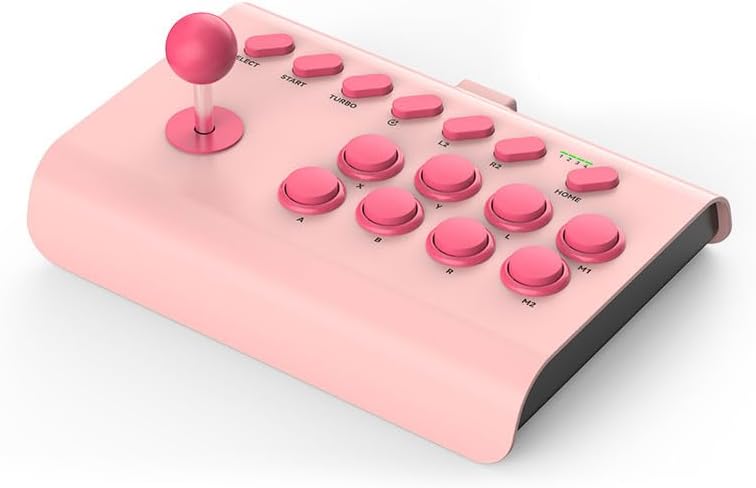
Image: The Y02 Wireless Arcade Stick in a pink color, showcasing its joystick and button layout.
Негизги өзгөчөлүктөрү:
- Көп платформа шайкештиги: Supports PS4, Nintendo Switch, PC, Android phones, iOS phones, and TV set-top boxes.
- Three Connection Modes: Offers wired (USB-C), Bluetooth wireless, and 2.4G wireless connectivity for flexible gaming.
- TURBO функциясы: Enables one-key automatic continuous shooting and continuous attack with adjustable burst speeds (Low, Mid, High).
- Макро программалоо: Allows for custom one-key combo configurations for advanced gameplay.
- Камтылган батарея: Equipped with a 600 mAh high-capacity battery for extended play sessions.
- Эргономикалык дизайн: Features a conventional arcade design with standardized, sensitive, and precise professional combat buttons.
- Интегралдык телефон кармагыч: Includes an extensible stand that supports phones with a width of 48-91 mm.

Image: Visual representation of the Y02 Arcade Stick's multi-platform compatibility, including icons for PS4/PS3, Switch, Computer, Set-top box, Android, and iOS MFI.

Image: Diagram illustrating the three available connection modes: Wired (USB icon), Bluetooth Wireless (Bluetooth icon), and 2.4G Wireless (Wi-Fi icon).
Жайгашуу
Пакеттин мазмуну:
- 1 x Y02 Wireless Arcade Stick
- 1 x Телефон кармагыч
- 1 х USB-C кубаттоо кабели
- 1 x User Manual
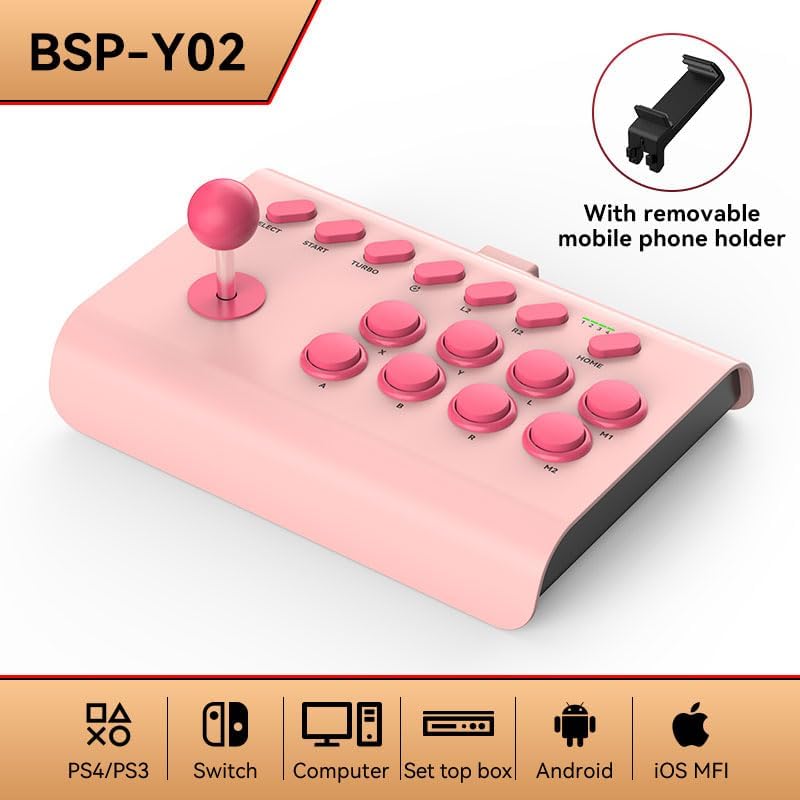
Image: The Y02 Wireless Arcade Stick shown with its included removable mobile phone holder, highlighting the accessory.
Аппаратты заряддоо:
Before first use, fully charge the arcade stick. Connect the included USB-C charging cable to the TYPE-C port on the device and the other end to a USB power source (e.g., computer, wall adapter). The charging indicator will show the charging status. A full charge takes approximately 2 hours.
Connecting to Platforms:
The Y02 Arcade Stick supports three connection methods:
- Зымдуу туташуу:
Connect the USB-C cable from the arcade stick directly to your PC, PS4, Switch dock, or set-top box. The device should be recognized automatically.
- Bluetooth зымсыз туташуусу:
- Ensure the arcade stick is powered on.
- On your device (e.g., Android phone, iOS phone, PC with Bluetooth), go to Bluetooth settings and search for new devices.
- Select "Y02 Arcade Stick" or similar from the list of available devices to pair.
- Once paired, the connection indicator on the arcade stick will stabilize.
- 2.4G зымсыз байланыш:
(Note: A 2.4G USB dongle is typically required for this mode, usually included with the product if supported. Please check your package contents.)
- Plug the 2.4G USB dongle into an available USB port on your PC, PS4, Switch dock, or set-top box.
- Power on the arcade stick. It should automatically connect to the dongle.
Иштөө нускамалары
Негизги башкаруу элементтери:
The Y02 Arcade Stick features a standard arcade layout:
- Джойстик: For directional movement.
- Action Buttons (A, B, X, Y, L, R, L2, R2, M1, M2): Оюндагы аракеттер үчүн.
- ТАНДОО/БАШТОО баскычтары: For game menus and pausing.
- Үй баскычы: For system-level functions (e.g., returning to console home screen).
TURBO функциясы:
The TURBO function allows for rapid, continuous input of a button press.
- Activate TURBO: Каалаган аракет баскычын басып, кармап туруңуз, андан кийин TURBO button. The button will now continuously register presses as long as it's held down.
- TURBO ылдамдыгын жөндөө: кармап жатканда TURBO баскычын басыңыз, джойстикти жылдырыңыз UP or ылдый to cycle through burst speeds:
- Low Gear: 8 times per second
- Mid Range: 15 times per second
- High Gear: 25 times per second
- Deactivate TURBO: Press and hold the TURBO-enabled action button, then press the TURBO кайра баскычын.
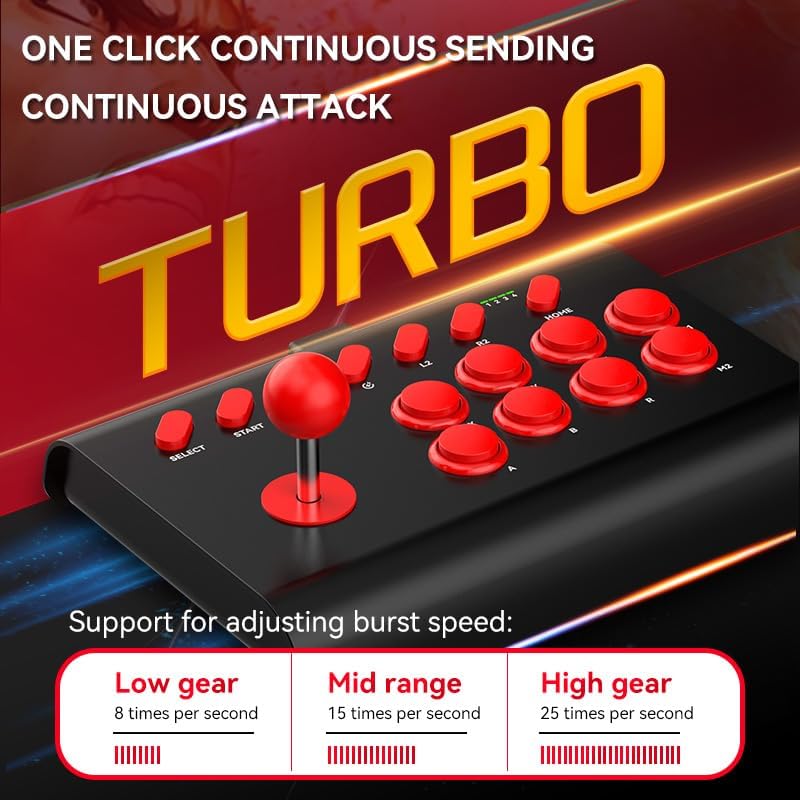
Image: The Y02 Arcade Stick highlighting the TURBO function and its adjustable burst speeds: Low (8/sec), Mid (15/sec), and High (25/sec).
Макро программалоо:
The Y02 supports macro configurations for one-key combos. Specific instructions for macro programming are typically detailed in the included user manual. Generally, this involves entering a programming mode, inputting a sequence of button presses, and then assigning that sequence to a specific macro button (M1 or M2).
Телефон кармагычты колдонуу:
Attach the provided phone holder to the designated slot on the arcade stick. Extend the holder to securely grip your smartphone (48-91mm width) for mobile gaming.
Техникалык тейлөө
- Тазалоо: Use a soft, dry cloth to wipe the surface of the arcade stick. Do not use harsh chemicals or abrasive cleaners.
- Сактагыч: Аппаратты түз күн нурунан жана экстремалдык температурадан алыс салкын, кургак жерде сактаңыз.
- Батареяга кам көрүү: Батареянын иштөө мөөнөтүн узартуу үчүн, бат-баттан батарейканы толук зарядсыздандырбаңыз. Аппаратты узак убакыт бою колдонбосо дагы, үзгүлтүксүз заряддаңыз.
- Таасирден качуу: Do not drop or subject the arcade stick to strong impacts, as this may damage internal components.
Проблемаларды чечүү
| Көйгөй | Мүмкүн болгон себеп / Чечим |
|---|---|
| Түзмөк күйбөйт. | Battery is low or depleted. Charge the device for at least 30 minutes. |
| Bluetooth аркылуу туташуу мүмкүн эмес. |
|
| Buttons or joystick are unresponsive. |
|
| ТУРБО функциясы иштебей жатат. | Ensure you are pressing the correct button combination to activate/deactivate TURBO. Refer to the "Operating Instructions" section. |
Техникалык шарттар
| Модель аты | Y02 Wireless Arcade Stick with Stand |
| Модель номери | BSP-Y02 |
| Материал | ABS |
| Interface Type | TYPE-C |
| Өлчөмдөрү (L x W x Y) | 283 x 198 x 116 мм |
| Туташуу ыкмалары | Wired, Bluetooth Wireless, 2.4G Wireless |
| Вибрация | Vibration жок |
| Батарея сыйымдуулугу | 600 мАч (Катылган) |
| Заряддоо убактысы | Болжол менен 2 саат |
| Батареянын иштөө мөөнөтү | Болжол менен 15 саат |
| Шайкеш платформалар | PC, iOS, Android, PS3/PS4, Nintendo Switch, Set-top Boxes |
| Phone Holder Width Support | 48-91 мм |
Кепилдик жана колдоо
This product comes with a standard manufacturer's warranty. Please refer to the warranty card included in your package for specific terms and conditions. For technical support, troubleshooting assistance, or warranty claims, please contact the retailer or manufacturer directly using the contact information provided with your purchase.
For the latest information and support, please visit the official product website (if available) or contact customer service.


