
Introduction
Thank you for choosing CLEYVER Earbuds Pro. This user manual provides essential information for the proper setup, operation, maintenance, and troubleshooting of your new wireless headphones. Please read this manual thoroughly before using the product to ensure optimal performance and longevity.
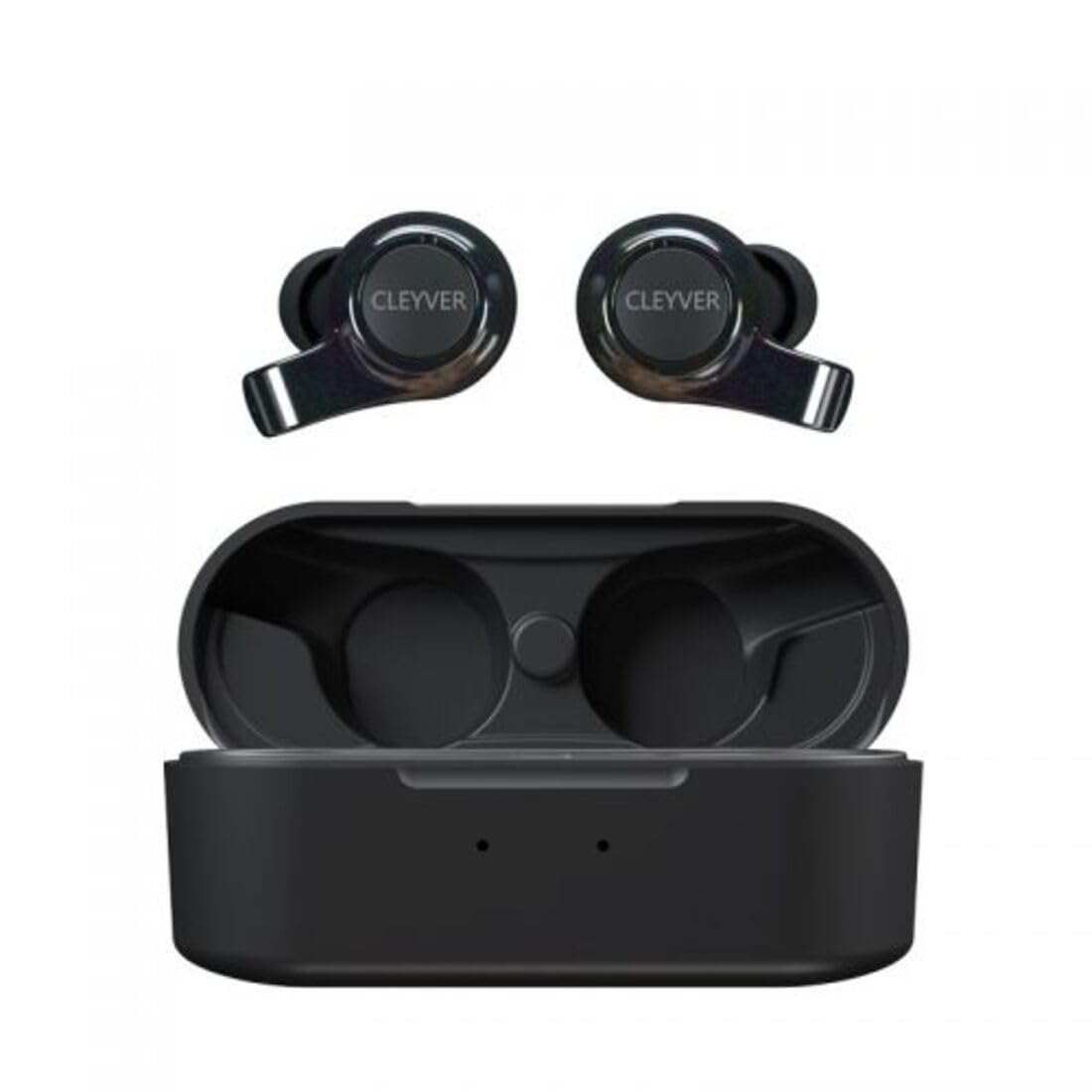
Image: The CLEYVER Earbuds Pro displayed with the CLEYVER brand logo.
Пакеттин мазмуну
Пакетиңизде бардык буюмдар бар экенин текшериңиз:
- CLEYVER Earbuds Pro (Left and Right)
- Зымсыз кубаттоо кутусу
- USB-C заряддоо кабели
- Eartips (Small, Medium, Large sizes)
- Колдонуучунун Колдонмосу (бул документ)

Image: The CLEYVER Earbuds Pro and their accompanying charging case.
Продукт бүттүview
The CLEYVER Earbuds Pro are designed for a superior audio experience with advanced features. Each earbud is equipped with a dual microphone system for clear calls and Environmental Noise Cancellation (ENC) technology. The earbuds feature a hybrid Touch & Push-button control system for easy management of calls and media playback.
The compact charging case provides extended battery life and supports both wired (USB-C) and wireless charging.

Image: The CLEYVER Earbuds Pro securely placed within their charging case.
Жайгашуу
1. Кулакчындарды жана кутуну кубаттоо
Биринчи колдонуудан мурун, кулакчындарды жана заряддоо кутучасын толук заряддаңыз.
- Зымдуу кубаттоо: Берилген USB-C кабелин корпустагы кубаттоо портуна жана кубат булагына туташтырыңыз.
- Зымсыз кубаттоо: Заряддоо кутусун туура келген зымсыз кубаттоо аянтчасына коюңуз.
The charging case has a 500 mAh battery, providing up to 40 hours of listening time or 7 hours of talk time. A quick 10-minute charge can provide up to 2 hours of autonomy.

Image: Visual representation highlighting the 40 hours of playtime for the CLEYVER Earbuds Pro.
2. Түзмөгүңүз менен жупташтыруу
- Заряддоо кутусунун капкагын ачыңыз. Кулакчындар жупташтыруу режимине автоматтык түрдө кирет.
- Түзмөгүңүздө (смартфон, планшет ж.б.) Bluetooth иштетиңиз.
- Издөө available Bluetooth devices and select "CLEYVER Earbuds Pro" from the list.
- Туташкандан кийин ырастоо үнү чыгат жана кулакчындар колдонууга даяр болот.
The earbuds feature instant pairing when the case lid is opened, simplifying the connection process.

Image: A smartphone screen displaying the CLEYVER Earbuds Pro as a connected Bluetooth device, illustrating the simple setup process.
3. Кулакчын тагынуу
Choose the eartip size (S, M, L) that provides the most comfortable and secure fit for optimal sound quality and noise isolation. Gently insert the earbuds into your ears and twist slightly to secure them.

Image: A person demonstrating how to properly insert a CLEYVER Earbud Pro into their ear.
Кулакчындарды иштетүү
Touch & Push-Button Controls
The CLEYVER Earbuds Pro feature a hybrid control system combining touch gestures with a physical push-button for precise command execution. Specific functions for playback, call management, and mode switching are detailed in the quick start guide included in the package.
Үн режимдери
- Экологиялык чууну жокко чыгаруу (ENC): This technology actively reduces ambient noise, providing clearer audio during calls and an immersive listening experience.
- Ачыктык режими: Allows you to hear your surroundings without removing the earbuds. You can choose between full or partial noise isolation to stay aware of your environment.

Image: A person wearing CLEYVER Earbuds Pro, with an overlay indicating 'Transparency Mode' and a phone screen showing options for different sound modes.
Оюн режими
Activate Gaming Mode for reduced audio latency, ensuring synchronized sound with on-screen action during gaming sessions.

Image: The CLEYVER Earbuds Pro positioned beside a smartphone screen showing a dynamic racing game, illustrating the 'Gaming Mode' feature.
Чакыруу функциялары
Benefit from HD audio and a dual microphone system per earbud, designed to deliver crystal-clear voice quality during calls while minimizing background noise.
Mono or Stereo Use
The earbuds can be used individually (mono mode) or together (stereo mode) according to your preference and situation.
Техникалык тейлөө
Тазалоо
Regularly clean your earbuds and charging case to maintain optimal performance and hygiene.
- Кулакчындарды жана кутучаны сүртүү үчүн жумшак, кургак, түксүз чүпүрөктү колдонуңуз.
- For eartips, remove them from the earbuds and clean with a damp чүпүрөк, анан кайра кийер алдында кылдат кургатып.
- Абразивдүү материалдарды, эриткичтерди же катуу химиялык заттарды колдонуудан алыс болуңуз.
Сактагыч
Кулакчындарды колдонбогон учурда, чаңдан, бузулуудан коргоо жана кубатталган бойдон сактоо үчүн аларды кубаттоочу кутучасында сактаңыз.
Суу каршылык
The CLEYVER Earbuds Pro are IPX5 certified, meaning they are protected against low-pressure water jets from any direction. This makes them suitable for workouts and light rain, but they are not designed for submersion in water.
Проблемаларды чечүү
If you encounter issues with your CLEYVER Earbuds Pro, refer to the following common solutions:
| Көйгөй | Мүмкүн чечим |
|---|---|
| Кулакчындар жупташкан жок | Кулакчындар кубатталганын текшериңиз. Түзмөгүңүздүн Bluetooth'ун өчүрүп, күйгүзүңүз. Кулакчындарды кайра салып, капкак үчүн жаап, жупташтыруу режимине кайра кирүү үчүн кайра ачыңыз. |
| Бир кулактын үнү чыкпайт | Check battery level of both earbuds. Re-pair the earbuds with your device. Ensure both earbuds are properly seated in the charging case for connection. |
| Заряддоо куту заряддалбай жатат | Verify the USB-C cable is securely connected to both the case and power source. If using wireless charging, ensure the case is correctly positioned on the charging pad. |
| Үн сапаты начар | Ensure earbuds are clean and eartips are correctly sized and sealed in your ear. Move closer to your connected device to avoid interference. |
Техникалык шарттар
| Өзгөчөлүк | Деталь |
|---|---|
| Бренд | Cleyver |
| Модель аты | ODEWPRO |
| Түс | Кара |
| Форма фактору | Кулак ичинде |
| Байланыш технологиясы | Зымсыз (Bluetooth 5.2) |
| Bluetooth диапазону | 30 метрге чейин |
| Микрофондор | 2 per earbud (with ENC Technology) |
| Noise Control | Environmental Noise Cancellation (ENC), Transparency Mode |
| Суу каршылык | IPX5 Standard (splash resistant) |
| Earbud Playtime | 40 саатка чейин (кубаттоочу корпусу менен) |
| Earbud Talk Time | 7 саатка чейин |
| Күтүү убактысы | 200 саатка чейин |
| Заряддоо корпусунун батареясы | 500 мАч |
| Заряддоо түрү | USB-C (wired) or Wireless Charging |
| Камтылган компоненттер | User Manual, USB-C Cable, Wireless Charging Case, Eartips |
Кепилдик жана колдоо
Кепилдик маалымат
The CLEYVER Earbuds Pro come with a 2 жылдык кепилдик from the date of purchase. This warranty covers manufacturing defects and ensures your product functions as intended under normal use. Please retain your proof of purchase for warranty claims.
Кардарларды колдоо
For further assistance, technical support, or warranty inquiries, please visit the official Cleyver website or contact their customer service through the details provided on your purchase receipt or packaging.