
OSALO OS 991ES PLUS II
OSALO Scientific Calculator OS 991ES PLUS II User Manual
Model: OS 991ES PLUS II
Introduction
This manual provides detailed instructions for the proper use and maintenance of your OSALO Scientific Calculator OS 991ES PLUS II. This calculator is designed for efficient and accurate calculations, featuring 417 essential functions and a textbook-like written display. It is suitable for students and professionals across various academic disciplines.

Сүрөт: алдыңкы view of the OSALO Scientific Calculator OS 991ES PLUS II, displaying a complex integral calculation.
Parts of the Calculator
Familiarize yourself with the various components and keys of your calculator for optimal use.

Image: Diagram illustrating the key components of the OSALO Scientific Calculator, including the solar panel, extra large display, control keys, SHIFT key, Mode key, Power on/off, function keys, Delete key, and Last answer key.
- Күн панели: Provides power in well-lit environments.
- Өтө чоң дисплей: Shows calculations and results in a clear, textbook-like format.
- Башкаруу баскычтары: Навигация жана тандоо баскычтары.
- SHIFT баскычы: Accesses secondary functions printed above keys.
- ALPHA Key: Accesses alpha characters and variables.
- MODE/SETUP Key: Changes calculator modes and settings.
- ON Key: Калькуляторду күйгүзөт.
- Функция баскычтары: Dedicated keys for mathematical operations (e.g., sin, cos, tan, log, ln, square root, power).
- DEL Key: Deletes the last entered character.
- AC ачкычы: Clears all calculations and resets the display.
- ANS Key: Recalls the last answer.
Жайгашуу
Батареяны орнотуу жана кубат булагы
The OSALO Scientific Calculator OS 991ES PLUS II operates on both solar power and a single LR44 battery (included). The solar panel provides power in sufficient light, while the battery ensures operation in low-light conditions or when solar power is insufficient.
- Калькулятор өчүрүлгөнүн текшериңиз.
- Калькулятордун артындагы батарея бөлүкчөсүн табыңыз.
- Open the battery cover using a small screwdriver if necessary.
- Insert the LR44 battery, ensuring the correct polarity (+/-).
- Батареянын капкагын бекем жабыңыз.
The calculator will automatically switch between solar and battery power as needed. For optimal performance, use the calculator in a well-lit environment.
Иштөө нускамалары
This section details the various functions and modes of your OSALO Scientific Calculator.
Күйгүзүү/өчүрүү
- Күйгүзүү үчүн: баскычын басыңыз ON ачкыч.
- Өчүрүү үчүн: баскычын басыңыз SHIFT анда AC (ӨЧҮК).
Basic Calculations (COMP Mode)
The default mode for general arithmetic operations. To enter COMP mode, press MODE/SETUP and select 1:COMP.
- Кошуу, кемитүү, көбөйтүү, бөлүү: Enter numbers and operators as you would write them. Press = натыйжа үчүн.
- Бөлчөктөр: колдонуу ab/c key to input fractions. To convert between fractions and decimals, press S<=>D.
- Күчтөр жана тамырлар: Колдонуу x², x³, x^, √, ³√ ачкычтар.
Textbook-Like Written Display
The calculator features a natural input and output display, mimicking how expressions appear in textbooks. This enhances readability and simplifies complex equation entry.

Image: The calculator's display showing mathematical expressions in a natural, textbook-like format, including fractions and square roots.
Контраст тууралоо
Adjust the screen contrast to relieve visual fatigue and ensure clear visibility in various lighting conditions.
- Басыңыз SHIFT анда MODE/SETUP SETUP менюсуна кирүү үчүн.
- Navigate to "Contrast" (usually option 8 or 9).
- Use the left and right arrow keys to adjust the display contrast.
- Басыңыз AC орнотуу менюсунан чыгуу үчүн.
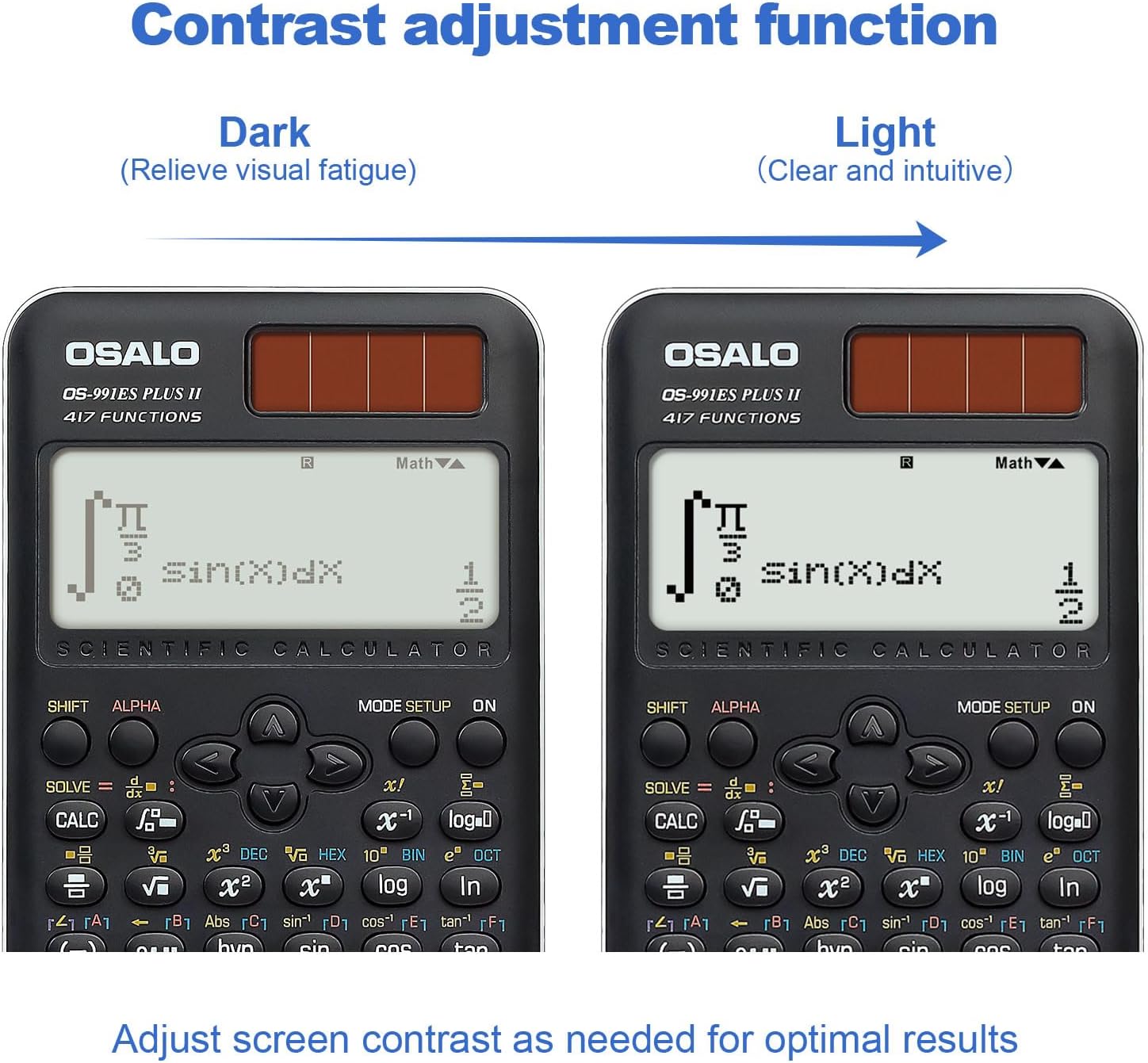
Сүрөт: эки views of the calculator display, demonstrating the contrast adjustment function from dark (to relieve visual fatigue) to light (clear and intuitive).
Advanced Functions and Modes (417 Functions)
The calculator offers 8 primary calculation modes and 417 functions to handle a wide range of mathematical problems.

Image: The calculator alongside a list of its 8 calculation modes: COMP (General calculations), CMPLX (Complex numbers), STAT (Statistics), BASE-N, Equation solution, Matrix Calculations, TABLE, and VECTOR.
- COMP (Жалпы эсептөөлөр): Standard arithmetic, fractions, powers, roots, logarithms, trigonometric functions.
- CMPLX (Татаал сандарды эсептөө): Perform operations with complex numbers. Press MODE/SETUP and select 2:CMPLX.
- STAT (Статистика): Calculate mean, standard deviation, regression analysis. Press MODE/SETUP and select 3:STAT.
- BASE-N: Convert and calculate in different number bases (binary, octal, decimal, hexadecimal). Press MODE/SETUP and select 4:BASE-N.
- Equation Solving: Solve linear equations, quadratic equations, and cubic equations. Press MODE/SETUP and select 5:EQN.
- Матрицалык операциялар: Perform matrix addition, subtraction, multiplication, determinants, and transpositions. Press MODE/SETUP and select 6:MATRIX.
- ТАБЛИЦА: Generate a table of values for a given function. Press MODE/SETUP and select 7:TABLE.
- ВЕКТОР: Perform vector calculations. Press MODE/SETUP and select 8:VECTOR.
- Тригонометрия: Sine, Cosine, Tangent, and their inverses. Ensure correct angle unit (Degrees, Radians, Gradians) is set via SHIFT MODE/SETUP (DRG).
- Integration and Differentiation: Use the dedicated integral (∫dx) and differential (d/dx) keys for calculus operations.
- Function Analysis: Advanced functions for analyzing mathematical expressions.
Smart History and Quick Recall
The calculator stores previous calculations, allowing for quick retrieval, reuse, or editing of formulas. Use the ▲ жана ▼ arrow keys to scroll through calculation history.
Техникалык тейлөө
- Тазалоо: Калькуляторду жумшак, кургак чүпүрөк менен сүртүңүз. Абразивдүү тазалагычтарды же эриткичтерди колдонбоңуз.
- Сактагыч: Калькуляторду күн нурунан жана экстремалдык температурадан алыс салкын, кургак жерде сактаңыз.
- Батареяны алмаштыруу: If the display becomes dim or the calculator functions erratically, replace the LR44 battery.
- Тамчылардан качуу: Protect the calculator from impacts and drops, which can damage internal components or the display.
Проблемаларды чечүү
| Көйгөй | Мүмкүн себеп | Чечим |
|---|---|---|
| Калькулятор күйбөйт. | Insufficient light for solar power, dead battery, or internal issue. | Move to a brighter area. Replace the LR44 battery. If problem persists, contact support. |
| Дисплей күңүрт же окулбайт. | Low battery, insufficient light, or contrast setting. | Replace battery. Ensure adequate lighting. Adjust display contrast (see Operating Instructions). |
| Туура эмес эсептөө натыйжалары. | Incorrect mode selected, syntax error, or input error. | Verify the correct mode (e.g., COMP, STAT). Check your input for syntax errors. Refer to the specific function section in this manual. |
| Ачкычтар жооп бербейт. | Dust/debris under keys, or internal malfunction. | Ачкычтардын айланасын акырын тазалаңыз. Эгер көйгөй чечилбесе, колдоо бөлүмүнө кайрылыңыз. |
Техникалык шарттар
- Модел: OS 991ES PLUS II
- Функциялары: 417
- Дисплей: 2-line, 10+2 digits, Textbook-Like Written Display
- Кубат булагы: Solar and Battery (1 x LR44 included)
- Өлчөмдөрү: 6.4 x 3.15 x 0.1 дюйм (164 x 80 x 17 мм)
- Элемент Салмагы: 5.3 унция (145 г)
- Түсү: Кара
- Калькулятордун түрү: Инженердик/Илимий
- ASIN: B0CJJ15LVC
- Өндүрүүчү: ОСАЛО
- Келип чыккан өлкө: Кытай

Image: Diagram showing the dimensions (length, width, thickness) and net weight of the OSALO Scientific Calculator.
Кепилдик жана колдоо
OSALO products are manufactured to high-quality standards. For warranty information or technical support, please refer to the warranty card included with your product or visit the official OSALO webсайт. Сатып алганыңыздын далили катары сатып алуу дүмүрчөгүңүздү сактаңыз.
For further assistance, you may contact the seller directly through the platform where the product was purchased.
Ask a question about this manual
Ask about setup, troubleshooting, compatibility, parts, safety, or missing instructions. Manuals+ will review the question and use this page’s manual context to help answer it.